Logitech Brio 4K Webcam Review: Is It Still Worth It in 2026?
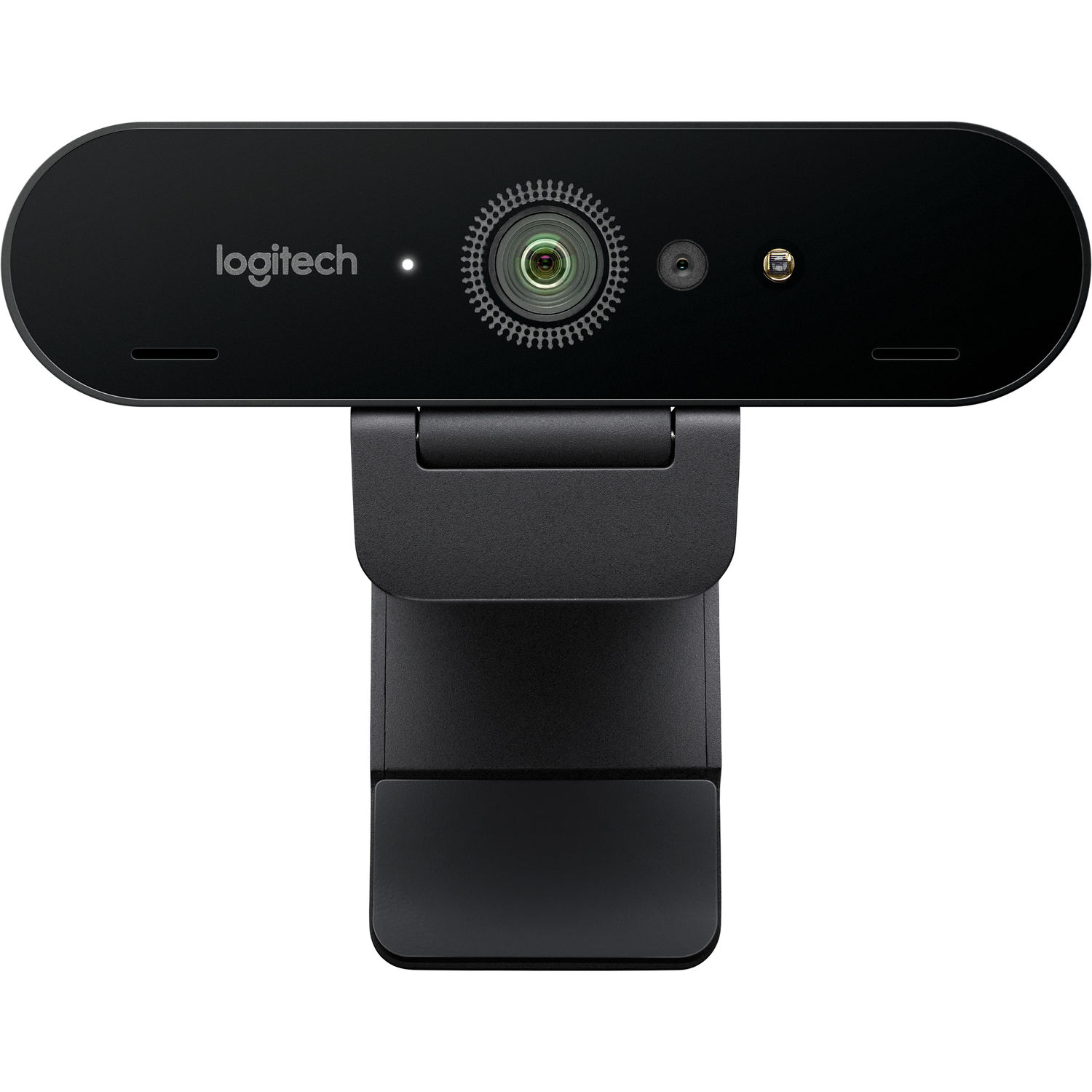
In late 2017 Logitech released its first and currently the only consumer-facing Webcam able to record video at 4K resolution. Since then nearly a decade has passed since the initial release date. In addition to being one of the best selling webcams for years, many individuals continue to purchase this camera when they attempt to decide on a new webcam. Now, there are three versions of the Logitech Brio available, as well as the Business Pro version.
Furthermore, multiple other competing models have recently entered the marketplace touting superior image quality through improved sensor performance, enhanced facial recognition technology, and smoother/less buggy user interface options. Thusly, consumers continue to inquire if purchasing the first generation Brio (model 960-001105) will be beneficial in 2026, or if it is similar to recommending an iPhone 8.
While we can provide no definitive answers to these questions. however, our response would be "yes", but with several exceptions. While the Brio still provides a crisp, high-quality picture that is adequately lit and produced using solid construction material, the cost associated with the product has decreased significantly. As such, it offers competitive pricing compared to 4K resolution capable webcams found within the budget portion of the market versus the higher-end premium market segment where it initially debuted.
What you give-up when choosing to use the original Brio model, is modern convenience features including AI auto-framing, Show mode, USB-C connectivity and access to a software application that appears to be antiquated. A detailed summary regarding areas in which the original Brio excels over the competition (Elgato Facecam MK.2 and the newer Logitech MX Brio), as well as those areas where it falls behind, along with feedback from actual owners follows below.
4K vs 1080p Image Quality on the Brio
Brio webcam has 4K resolution with the ability to shoot 4K @ 30 frames per second. The Brio also has a 1080p camera option available to record at either 30 fps or 60 fps. and 720P to record at either 30, 60 or 90 fps. I don't care if your web cam can run at 90 fps @ 720P, no one records their face at this resolution. That's all just marketing hype.
What matters is having options to choose between 4K @ 30FPS for recording videos and 1080p @ 60 fps for Live Streaming and Conference Calls.
When shooting at 4K@30 fps the Brio is very detailed. All reviewers have reported that there is a lot more detail in facial hair, glasses and clothing textures compared to other 1080p webcams. It isn't DSLR quality, the sensor size is small and the lens is fixed, however, for an attachment on top of your monitor it produces a nice picture. A review stated "it's a great functional business webcam for a busy office environment" and it takes about 5 minutes to set up, similar to what most users experience.
Shooting at 1080p @ 60 fps provides better motion handling and smaller files sizes. Use this mode when doing a Twitch, YouTube Live, or Zoom/Teams call, because the platform will likely compress the video anyway. The 4K mode is legitimate, but most platforms will reduce your signal or reject it outright, something many people seem to ignore while looking for a 4K webcam. If recording at 4K@30 is important to you, the Brio is perfect. However, if you only do streaming, then you're essentially buying a product that won't get used often.
HDR and Mixed Lighting Performance
The Brio shipped with RightLight 3 and HDR, which was quite an accomplishment in 2017 and is still somewhat relevant today. The Brio does a great job of dealing with backlight from windows. If you have a window behind you and your face is silhouetted by it using a less expensive webcam, the Brio's HDR will help get your face into focus and adjust the exposure so your face looks reasonable on a video chat. Many users who work from home and use poor lighting in their home offices report that this is the best part of the Brio.
However, for the HDR to function completely there need to be the proper drivers and software conditions. More than one user has pointed out that the HDR can only operate at 30 fps and that turning the HDR on/off needs to be done through either the Logitech G HUB application or the Camera Settings app, neither of which are very intuitive. As well, the Brio does not include an automatic white balance mode. When compared to other cameras in the market the Brio leans slightly toward the blue side and several reviewers have stated that under fluorescent lighting in an office environment people's skin tone appears a little too pale. If you need accurate color reproduction, expect to manually set your white balance once and then leave it alone.
In low-light environments, the Brio handles itself better than most webcams in its budget-friendly price range, however, the grain becomes evident in shadowy areas. Even a simple desk lamp (key light) will make a huge improvement in how much light hits your face compared to any in-camera adjustments.
Field of View, Microphones, and Logi Software
The Brio can be set at a variable field of view of either 65, 78 or 90 degrees. The 90-degree option allows the user to capture an extremely wide angle (the widest possible from a fixed position), making it ideal for two person video calls (imagine your partner sitting right next to you on the couch) or capturing the entire workbench. Reviewers compare the 90-degree mode to a 16mm lens mounted on a full-frame DSLR camera, giving you an idea of just how extreme the width of this option really is. If you're doing solo streaming, I would recommend using 65 or 78 degrees as these provide the best balance of image size and background space.
The dual omnidirectional mics included with the Brio are acceptable for conferencing purposes, but they don't make anything special. The mics sound very thin, they pick up keyboard noises, and despite Logitech's claims of noise cancellation features built-in, they offer little-to-no actual reduction of ambient noise. Any serious streamer/recorder should be utilizing a dedicated podcast mic rather than the Brios' mics. The mics were placed in the Brio solely to allow it to function "out-of-the-box" without needing additional hardware.
The software package surrounding the Brio shows some of the oldest design aspects of the product. The Logitech original support application was retired and integrated into either Camera Settings or G HUB (depending on which installation method was chosen). Additionally, although the new Logi Tune application appears to have a much sleeker design experience, it doesn't officially support the first generation Brio. As such, many users are forced to utilize older utility applications that resemble the design elements found in Windows XP Control Panels, and occasionally experience crashes. On Reddit several users have pointed-out that the lack of official Logi Tune support for the first-generation Brio is probably the main reason someone may want to purchase one of the newer options available now (like the MX Brio).
What Reviewers Actually Praise and Complain About
When reviewing 361+ product review sites at B&H Photo along with thousands more from Amazon.com, there were some things that consistently stood out as positive and negative. Positive comments were mostly related to how easy the Logitech Brio was to set-up and use (it just worked), how excellent of a picture quality it produced and that it had no issues working with Zoom, Microsoft Teams, and OBS by simply plugging it in (no additional drivers needed). Several reviewers stated that the inclusion of the privacy screen was a nice feature. A few reviewers commented that the clip mount held very well on both thin and thick monitors.
In terms of build quality, the Logitech Brio performs much better than other units priced similarly. It is physically larger/heavier than all of the competing cameras in the same price range and includes a soft carry case.
Negative comments could be grouped into four categories. Most people have reported problems with auto focus hunting in lower lighting conditions or when something suddenly moved into view. Many reviewers have reported issues where the camera would not establish communication using USB 3.0 and therefore had to revert to USB 2.0 (at 1080P) when attempting to communicate with their motherboard. Additionally, several reviewers have experienced failure of their Brio unit within 2-3 years of purchase, although how often they used it is unknown.
Almost every reviewer has commented on the issue surrounding the software associated with their Logitech Brio unit. They described this problem as similar to saying "the camera itself is fantastic. however the app is horrible."
One reviewer found that there is a recessed, quarter-twenty tripod thread underneath the removable clip attachment point. While many potential customers are unaware of this feature, if you want to attach your Brio unit to a small desktop tripod or an articulating arm for streaming video, then this will provide you with a level of flexibility that does not exist with most webcams in this class.
How the Brio Stacks Up Against Newer Webcams
If you read this section first, then you'll likely be interested in how much the webcam market changed from 2019-2026. While the original Brio was among the first web cameras to include a 4K sensor, today there are three additional 4K options. When comparing the other options, all three have a different reason why they exist as an alternative.
Elgato Facecam MK.2
When I think about how many of my readers will look up Elgato Facecam MK.2 after reading this review, I expect them to be surprised by the fact that this camera doesn't shoot video in 4K. Although the specs say "1080p", Elgato says that it is because all of their customers' streaming services downsample their streams regardless of the camera resolution used. As such they decided to use a large Sony CMOS sensor with the funds they would have spent developing a 4K-capable version of the Facecam MK.2 to develop a camera hub application. In terms of producing a clear image during low light conditions, the Facecam MK.2 performs better than either of its competitors. The Facecam MK.2 also comes with dramatically better software than the Brio and Camera Hub.
So if you're going to primarily produce your videos at 1080P, the Facecam MK.2 is probably the smartest purchase available at this time. However, if you need to capture your videos in 4K, the Brio will continue to win out in comparisons to the Facecam MK.2.
Logitech MX Brio and MX Brio 705
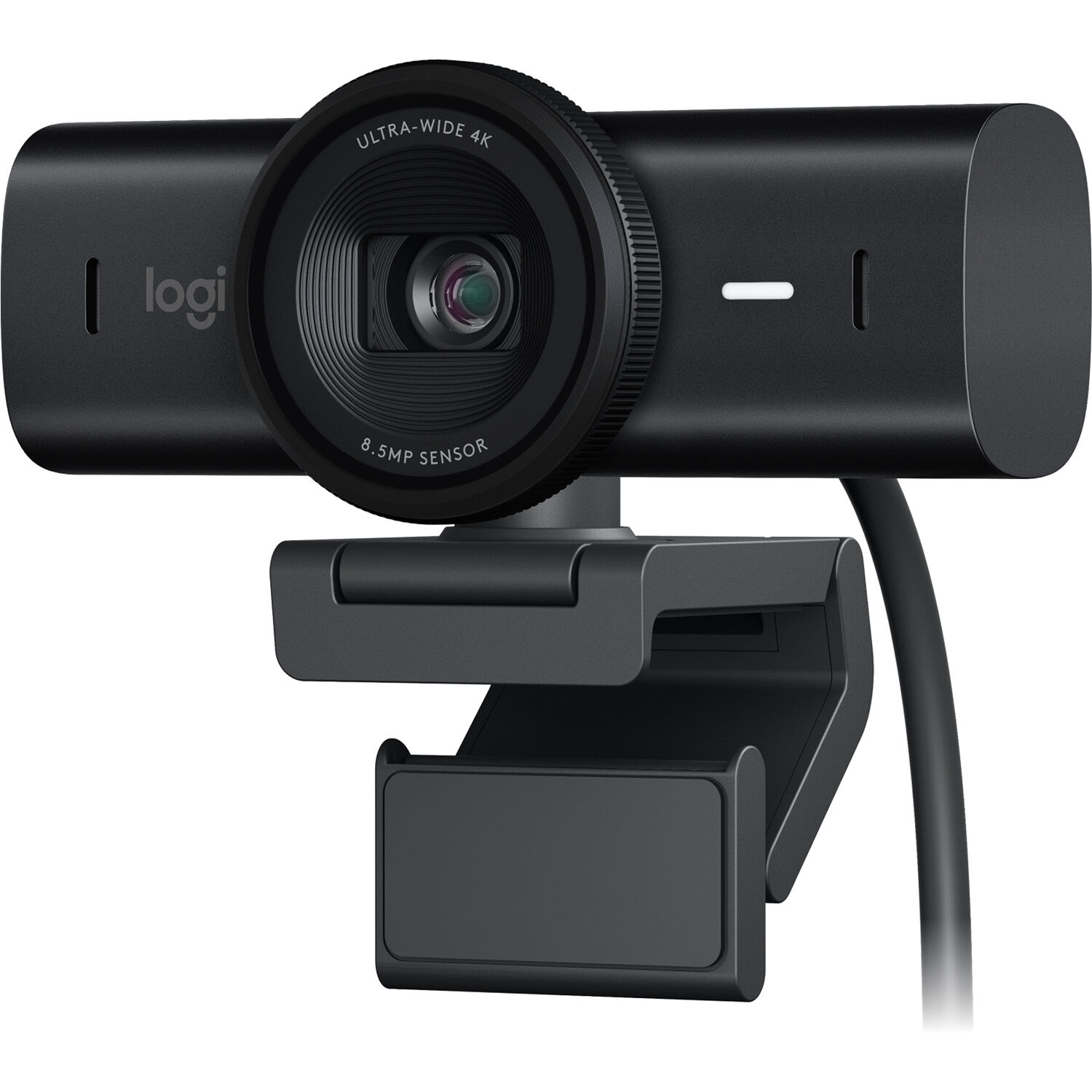
In terms of being a spiritual replacement for the original Brio, the MX Brio 705 for Business offers several upgrades including: a larger 8.5MP Sony sensor, USB-C, support for Show Mode (you can now point the camera downward to show off something on a piece of paper), and Logi Options+ instead of older software tools. The image quality produced by the MX Brio 705 is far superior in low light conditions than the original Brio. The design is also far more solidly built. The cost is roughly double that of the original Brio at this time.
So if you don't care about cost and are purchasing for your business, the MX Brio wins across-the-board on all specs that matter. On the other hand, if you want similar reliability to the original Brio at roughly half the cost, then you may consider the original.
Insta360 Link 2
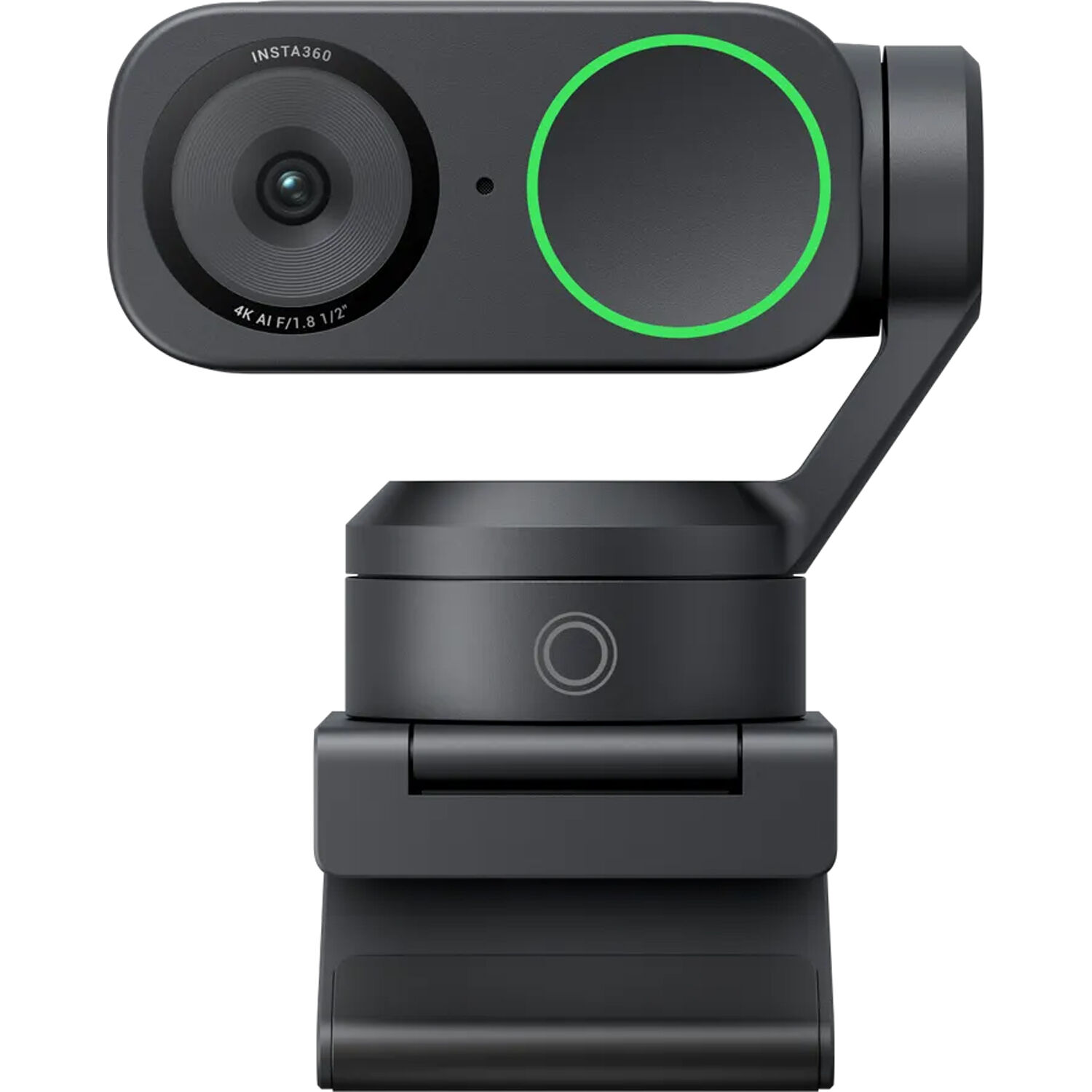
The Insta360 Link 2 is clearly the wild card in terms of its features and specifications. The Insta360 Link 2 has a motorized gimbal, facial recognition using artificial intelligence, hand gestures, and a half-inch sensor that blows away both the MX Brio and the Brio in terms of image quality. Of course the trade-off is that the Insta360 Link 2 is a far more complicated device with many more things that could potentially fail. And while reviewers enjoy the Insta360 Link 2 for their mobile content creation needs (for example moving around on stage) they dislike it for desktop applications (where the tracking function causes problems). For those looking to get a sense of where this product falls within this category, please refer to our roundup on best webcam for Twitch streaming.
Who Should Actually Buy the Original Brio in 2026
The Brio is worth purchasing if you want a 4K webcam on a budget and don't require modern software features, plus the Brio can be expected to continue functioning well over time. It is a solid webcam option for remote workers needing Windows Hello, acceptable HDR for dealing with window lighting, and something that will function for many years. Since its release, the cost of this webcam has dropped to levels making it competitive as an entry-level / budget webcam compared to more recent models.
Don't buy it if you plan on using it for professional streaming needs and want the absolute highest-quality 1080p video possible (consider the Facecam MK.2). Also consider it a less viable option if you're willing to spend money on the best picture quality currently offered by a webcam (the MX Brio or Insta360 Link 2). Don't purchase it if you are a Mac user with an M-Series Chip, also, if you want to use first party software (for example, Auto Framing and Gesture Control) with your new webcam.
For additional gear recommendations to complete your streaming set up, see our outdoor webcam roundup and the Reddit-curated webcam picks. The overall gear conversation related to starting a YouTube channel is outlined in the start a YouTube channel guide. The Brio is available on Amazon and at B&H, with B&H sometimes offering it bundled with accessories.
Frequently Asked Questions
Is the Logitech Brio still worth buying in 2026?
Yes. If you would like a true 4K at a budget-friendly price, but you do not require modern AI feature capabilities. The original Logitech Brio continues to produce an exceptionally sharp image, the construction remains sturdy, and with its price now reduced sufficiently, it offers similar performance as lower-priced 1080p webcams. Do not purchase this model if you desire the newest software features including auto framing.
What is the difference between the Brio and the MX Brio?
The MX Brio (model 705), is a new model that contains a larger 8.5MP sensor, USB-C, Show Mode and supports Logi Options+ software. The original Brio uses an older sensor, USB-A and operates using legacy Logitech utility applications. The MX Brio is approximately double the cost of the original Brio. Therefore, if your budget permits, the MX Brio is the superior choice.
Does the Logitech Brio work with Mac?
Yes. As a plug-and-play UVC webcam, the Brio functions on Mac as well as on Windows operating systems and may be utilized within Zoom, Teams, OBS, FaceTime and virtually all additional video conferencing and streaming applications.
Although, Logitech's configuration software for the original Brio appears to be somewhat unreliable when used with Apple Silicon Macs. If you simply intend to utilize the camera for simple plug-and-play functionality, it is acceptable. If you wish to refine HDR and FOV settings, Windows provides a more robust user experience.
Can I use the Brio for Twitch or YouTube streaming?
Yes. Many Twitch streamers operate their Brio cameras at 1080p60 for live streaming purposes since 4K30 is excessive for the bandwidth allowance permitted by Twitch. The image quality of the Brio is satisfactory for serious streaming at 1080p60. For further information regarding choosing the optimal webcam for Twitch streaming purposes, please refer to our best webcam for Twitch streaming guide where competitors such as the Elgato Facecam MK.2 occasionally surpass the Brio in terms of pure streaming application compatibility.
Does the Brio have a tripod mount?
Yes. But it is concealed. Remove the removable clip and you will locate a standard quarter-twenty tripod screw underneath. Utilizing a small desk tripod or an articulating arm affords greater flexibility than many webcams in its category.
Is the Brio's built-in microphone any good?
It is acceptable for conference calls but not great for content creation. The dual omnidirectional mics pick up keyboard noise and sound thin compared to even an entry-level USB microphone. Anyone serious about audio should pair the Brio with a separate mic. The Brio's mics are there so the camera works out of the box, not because they are competitive with dedicated audio gear.