
Best Camera for a Video Podcast: Recording Limits, Power and Focus
A podcast camera has an odd job description. It doesn't move, it points at the same people every week, and nobody needs it to shoot sports, but it has to keep recording for an hour or more without stopping, overheating or running flat.
Most camera reviews skip exactly those things. The spec sheet tells you about resolution and autofocus, while the details that decide a podcast, like recording limits, heat and whether it runs off wall power, are buried in a manual.
Below are the three things a podcast camera has to do, two mirrorless picks that do them, and a streaming option for shows that go out live.
For a sit-down podcast, a camera that can stay plugged into the wall for the whole episode matters more than high-end specs, so the Sony ZV-E10 II or Canon R50 at 1080p work best. If you stream and want one small PTZ camera, the OBSBOT Tail Air fits. Either way, recording limits and heat decide more than resolution, and HD runs cooler than 4K.
The Three Things a Podcast Camera Has to Do
A reliable podcast camera must record a full episode of forty five to ninety minutes without stopping or getting too hot, because mid-conversation restarts ruin the flow of your show. Many cameras cap a single clip or shut down when hot, so check the maker's own limits before you buy.
You need to run the gear from the wall rather than a battery, since a battery can run out before a long episode does. In our 2019 Sony A6400 review we wrote that that camera keeps shooting while it charges over USB, which is very handy for long video shoots.
The camera must hold focus on a face while you talk, because a blurry guest makes the production look amateur to your viewers. Since 4K runs much hotter than HD, 1080p is enough for many people who watch on phones. You also need a wide lens to frame two people at once.
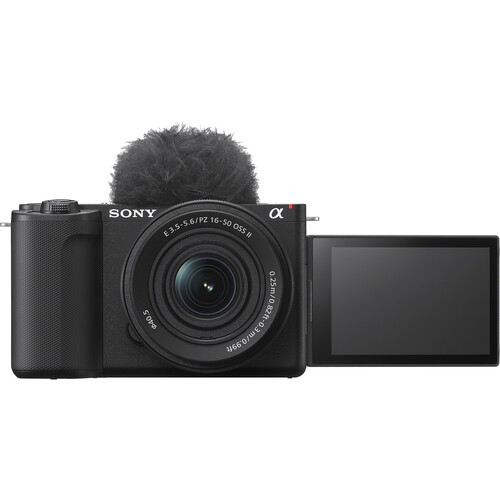
Sony ZV-E10 II
The Sony ZV-E10 II uses a 26 megapixel APS-C sensor and can shoot 4K video at 60fps, which makes it a sharp tool for creators who want high detail in their video podcast clips.
Since it uses E-mount lenses, you can swap out glass to fit your specific desk setup or change the look between segments. One reviewer even uses it as a second camera next to an A7 IV, which shows it fits well in a multi-camera rig for long talks.
A 128GB card holds about an hour and ten minutes of 4K60p footage, or four hours and ten minutes of HD 60p at 50M, per Sony's help guide.
I think you should record in HD at 50M for shows that last over an hour because it avoids running out of space mid-chat. You should also set the Auto Power OFF Temp to high so it doesn't shut down when it gets warm. Sony says you must use a tripod if you do that, so don't hold it in your hand.
The Real-time Eye AF keeps the focus locked on your face while you move around, which is much better than a camera that hunts for focus during a deep conversation. It has a 4.4-star rating, though about ten percent of buyers gave it one star. This camera is a solid pick if you need a tool that stays sharp through a long session.
Canon EOS R50
The Canon EOS R50 uses a 24.2 MP sensor to pull uncropped 4K video from 6K data, which means you get a sharp image even if you need to crop the frame during editing.
It uses Dual Pixel CMOS AF II to track faces and eyes quickly, so the focus stays locked while you move around the desk. This camera has a mic input and a micro HDMI port, which makes it easy to plug in your gear and monitors.
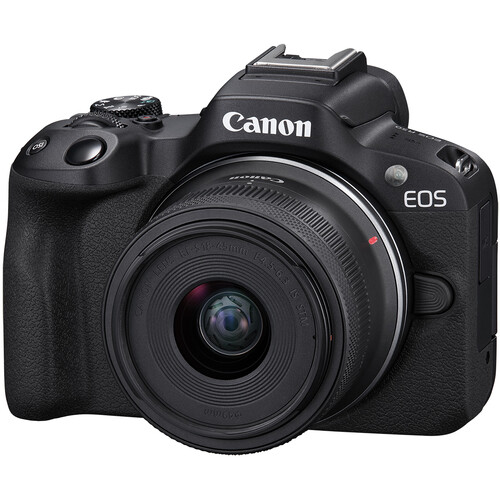
The biggest issue for long talks is that the camera limits you to one hour per clip, which is a problem if your episode runs longer than that time frame. If you shoot in 4K 30p HQ, the limit drops to about 50 minutes when the room is 23°C, and it might be sooner if it gets hot. This cap forces you to stop and restart the take, which can ruin the natural flow of a conversation.
You can keep this camera running by using the USB-C port with a PD-E1 adapter or a DR-E18 coupler. This setup means you don't have to worry about the battery dying in the middle of a show. It has a 4.6-star rating with very few complaints from users, but the one-hour limit is a real trade-off for podcasters.
OBSBOT Tail Air and Webcams for Streamed Shows
The OBSBOT Tail Air is a 4K PTZ camera that stays smaller than a soda can, and it uses AI to track people or objects while you move around the room. One team that makes shorts and long videos says it changed how they produce everything, and they like the 23mm f/1.8 lens. It works well with OBS, and one buyer even bought a second one for a different angle.
But you need a paid license for NDI streaming, and the beauty filter only works when you use it as a webcam.
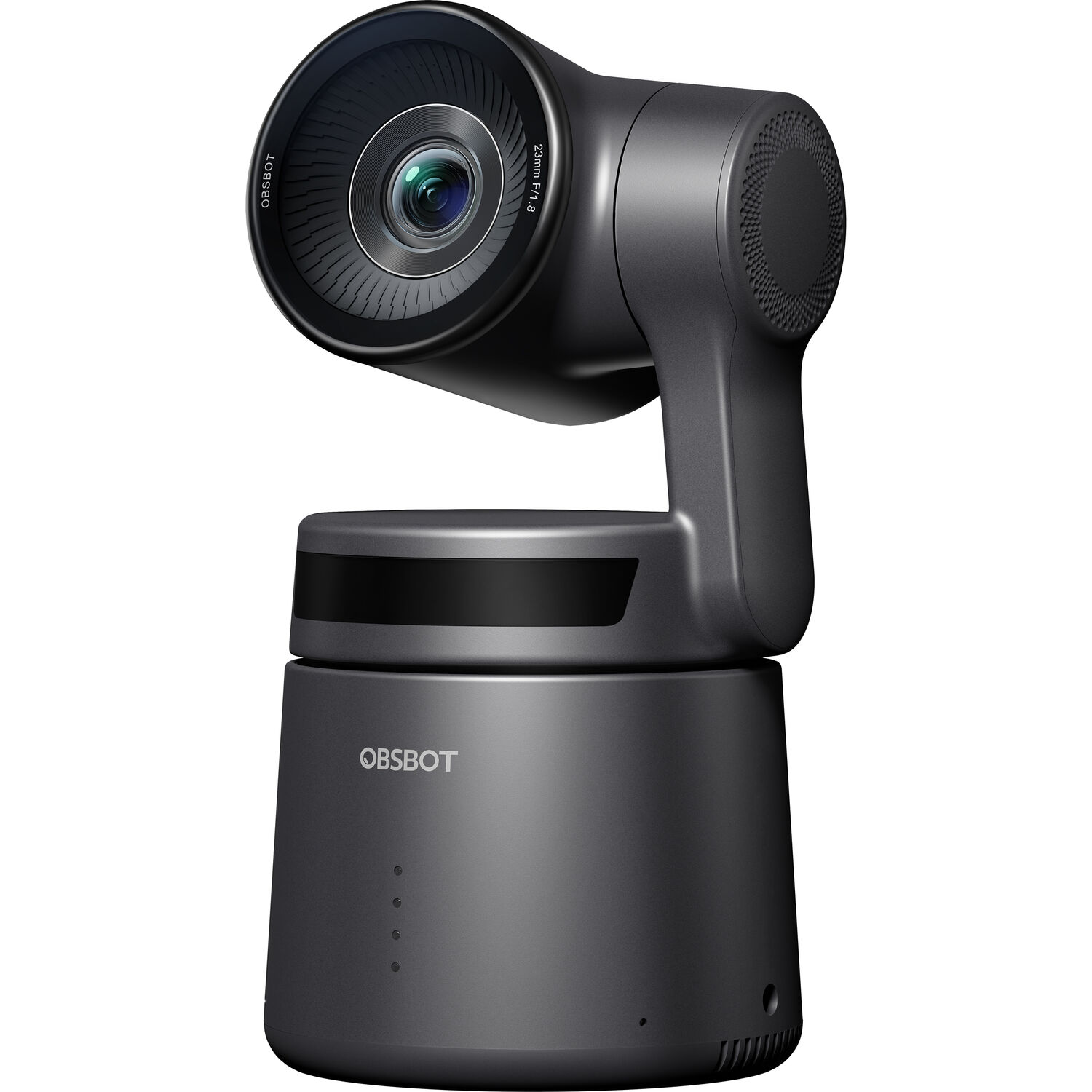
One owner has said the battery stopped charging fully after six months, and another buyer has found the RTSP and hotspot connections to be unreliable.
The battery only lasts about two hours, so you should probably plug it into the wall if you have a long show. If the battery fails to charge, the camera will run through it even when it is plugged in. This is a risk if you want a steady stream.
The Insta360 Link 2 is a 4K webcam with a 1/2-inch sensor and phase detection autofocus that pans and tilts to follow your face. It has a 4.6-star rating from over a thousand people who bought it. This tool is good for a one-person desk show where you don't need a big rig. It keeps the focus on you while you work.
Frequently Asked Questions
What is the best camera for a podcast on a budget?
If you want to save money while getting decent quality, the Canon EOS R50 or the Sony ZV-E10 II set to 1080p are the best options here. These cameras provide great results without a high price tag.
Will my camera stop recording partway through an episode?
The Canon R50 has a one-hour limit in normal mode, and 4K 30p HQ runs about 50 minutes when starting from 23°C, less if the camera gets hot, per Canon's specifications. Recording in HD helps ensure that you don't stop mid-conversation.
How do I power a camera for a long podcast?
You can run the R50 for the whole session using USB-C power with a PD-E1 adapter or an AC-E6N adapter with a DC coupler. These methods prevent the battery from dying during your recording session.
Should I use a webcam or a mirrorless camera?
A webcam is the simplest setup for one person sitting at a desk, but mirrorless cameras offer a better look and easier framing for two people. Mirrorless gear gives you more control over the visual quality.
Should I record my podcast in 4K?
You should only use 4K if you plan to crop the footage later or need extra detail, because HD runs much cooler and lasts longer. Most viewers watch your show on phones where HD is plenty.
Can the OBSBOT Tail Air record without a computer?
Yes. It records to a microSD card and can also stream over Wi-Fi, Ethernet or NDI, though one buyer notes NDI needs a paid license. Its battery lasts about two hours, so plug it in for longer shows.