
Blackmagic ATEM Mini Pro ISO Live Stream Switcher Review
Running a live stream with more than one camera used to need a rack of gear and a technical director. A small switcher on the desk now does most of that job, cutting between cameras, mixing audio and sending the show straight to the internet.
The trick is picking the right one. Cheaper models stream and record the finished show, the ISO versions also record every camera on its own for re-editing later, and all of them come with a steep learning curve and a resolution limit that matters if a client expects 4K.
The people who get the most from one are rarely full-time broadcasters. Churches with volunteer teams, photographers adding livestreams to their business, and anyone running two-camera interviews or polished video calls have all found a place for it, as long as they're willing to learn it.
Below are the limits and the gripes, how the ISO files work in post, and where the switcher fits in a rig.
The Blackmagic ATEM Mini Pro ISO is the multi-cam streaming switcher that earns its keep in post, and one owner who upgraded from the plain Mini Pro has said it streamlines editing multi-camera videos because they can make cuts live.
The plain Mini Pro is the friendlier tier - same buttons, same encoder, minus the isolated files. The Extreme ISO G2 is the 8-input ceiling, and one photographer has added livestreams to their business with the ISO, because the files pay for themselves.
It streamlines multi-cam editing, but an owner has warned that the manual runs about 2,000 pages and it isn't for the average person, so anyone unwilling to put in the time to learn it should look elsewhere. A repeat buyer on their second unit has said the opposite and loves how simple it is to use.
The same 4-star reviewer has called it a great product that makes production much easier but wishes there were a 4K version, and that wish is about the format, not the build. It stays stuck in HD, which is the letdown for expensive setups - and the reason the Television Studio line exists at twice the price. Another owner has praised its versatility and careful Blackmagic design.
The Limits and the Gripe List
The learning curve is the honest filter, with a manual of about two thousand pages, and the interface feels tough next to the friendlier plain Pro, which shares the same buttons. The 4K wish is the same reviewer's, and the HD ceiling is the letdown for expensive setups.
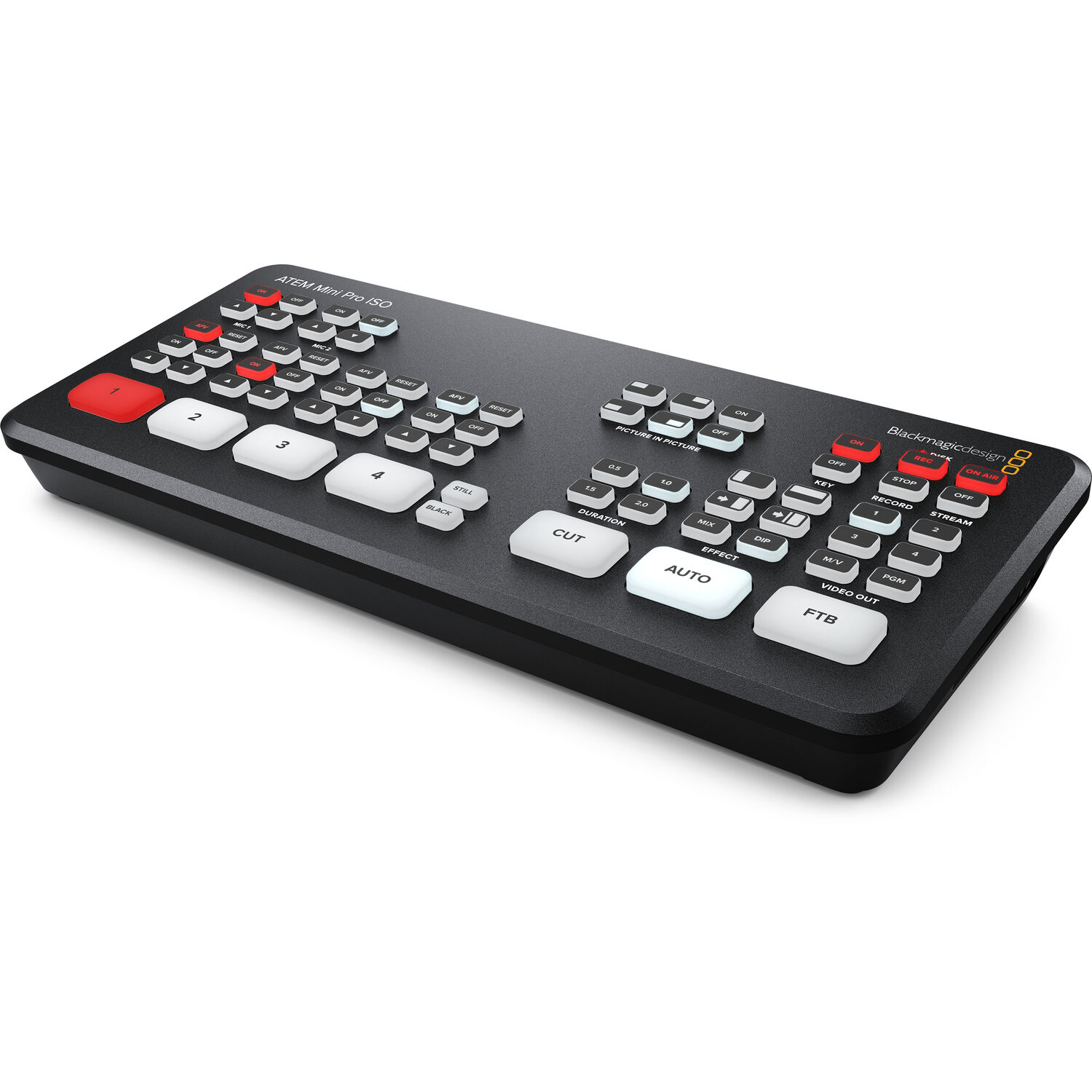
For moving video backgrounds during MS Teams calls, one user has found it works beautifully, apart from a frequent random glitch. The glitch is annoying when the presentation needs to look professional. The Extreme ISO G2 is the 8-port answer if you need more inputs, and the 3-star's daily-driver report is the reason to plan for it.
The ISO Files in Post
The ISO files make editing much faster than standard files, because each camera arrives as its own clip on the drive.
The re-cut beats the re-shoot, and the ISO files are why. Record the show, then re-cut it in the evening without re-shooting anything. The desk-side audio kit rides the same one-device principle.
The recording question is the reason the ISO exists. The upgrader can make cuts live during the show, and the ISO files let the editor re-cut every transition afterward.
For a two-camera interview, that is the difference between one take and a re-shoot. For a church with a volunteer team, it is the difference between a usable archive and none.
The plain Mini Pro records the program only. The ISO records all four inputs plus the program clean feed. The Extreme ISO G2 extends that to eight inputs, and owners have praised the ATEM line's versatility and a size that's easy to carry.
Where It Fits in the Rig
The switcher sits between the cameras and the stream. The church-stream tiers are the camera side, the interview-kit workflow is the audio side, and the sound board feeds a camera's line input, such as on a Canon XA60. The rig is cameras, switcher, board - and the ATEM is the only piece that ties all three together.
One XA60 owner has found that board feed works great, and the ATEM is what carries the result, sound and picture together, to the stream.
Check B&H's switcher stock for the current tiers and what's in stock. Buy the tier you understand, because the operators who know what they bought are the ones who keep it.
Frequently Asked Questions
What is the difference between the ISO and regular Mini Pro?
The ISO's whole pitch comes down to streamlining multi-camera editing. The ISO records each input as a separate file, which is why the edit becomes a re-cut instead of a re-shoot. The standard model streams and records the program out.
The ISO adds the isolated files. The upgrader owned the base Mini Pro and moved up for the ISO's recording of every input. The gimbal field guide covers the camera side.
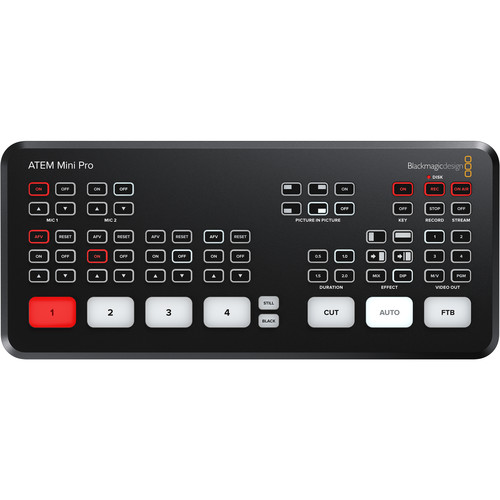
Is there a 4K version available for this switcher?
Currently you are limited to high definition with these tools, regardless of need.
The 4K question is the honest ceiling, and that 4-star reviewer has wished for a 4K version, because so much production now happens in 4K. Every ATEM Mini line ships HD in, HD out. For a stream that lands on a 1080p player, that is fine.
For a client expecting a 4K master, the ATEM Television Studio line is the step, and PetaPixel's switcher coverage reads the same HD-only trade from the photo side.
The ISO files are ProRes, which grade well despite the HD capture. Owners have called it a quality product that's easy to use, and the photographer who added livestreams to their business during the pandemic rounds out the picture.
How hard is this gear to learn?
With a manual that spans two thousand pages, this gear isn't exactly easy for the average person who wants to plug and play.
You need to invest significant time to understand how the functions work in daily use. It isn't for the average person, and it rewards the operator who reads the manual and punishes the one who guesses, so budget a few evenings with it before the first live show. The podcast-side gear rides the same two-camera reality.
Is this switcher good enough for a church service?
One repeat buyer has called them great video switchers, has said you can't go wrong with them, and has just ordered another for a church, which is why the ISO sits at the top of the church-stream page. On the audio side, an XA60 owner has fed the camera's line input from a sound board and found it works great, and No Film School's switcher guides cover the technique.
The pattern repeats at every tier: the operator who owns one buys the second instead of switching brands, and the reason is always the same input count or the same recording feature. For a church, the need is enough inputs for the sanctuary during a weekly Sunday service.