
Streaming Audio Recorder: Zoom H6 Essential and the Tiers Below
Recording audio for a stream or a video usually starts with a phone or a cheap USB mic, and that's fine until the day a guest gets loud, a level clips and the take is ruined. That's the moment people start looking at dedicated recorders.
The choice runs from pocket recorders that make one good recording at a time to multi-input units that can take several mics and run your whole desk. Newer ones record in 32-bit float, which takes most of the worry out of setting levels, but they don't all come with what you need to start.
Below are the set-and-forget standard, the firmware catch, the pocket tier and the budget floor.
The Zoom H6 Essential is the closest thing to a set-and-forget recorder one owner has ever had, because its 32-bit float recording ends the clipping worry. The pocket tiers below it work, but they trade away the inputs. For a desk or a field kit, this is the one that stops the hunt.
Zoom H6 Essential: The Set-and-Forget Standard
This tool is like a dream for any creative person who is a jack of all trades because you can mount it on a camera, walk around for high-fidelity nature sounds, or interview people easily. It's easy to use - the physical buttons sit 'where you need it,' per the design-focused owner.
No Film School's recorder guides cover the technique side. The 32-bit float tech means you don't have to worry about clipping audio when things get loud. You'll find it sounds clear while you use the included mic for your many podcasts.
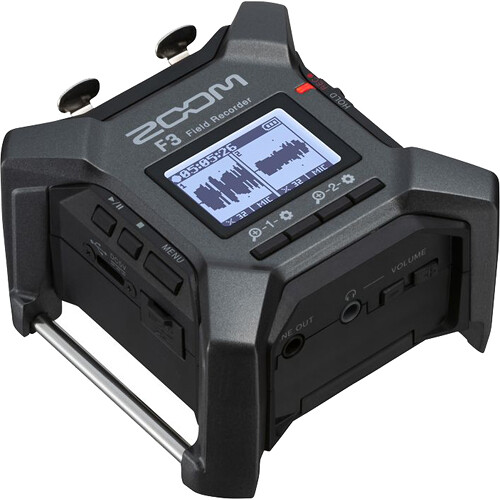
One buyer - a blind user - relies on the voice guidance to set the clock without anyone reading the screen. Accessibility done as a feature, not a footnote.
The interview-kit context puts that in the field. There's no better way to record on the go at this price, and the build holds up. This is how gear should be built, since the interface is clear and it stays very simple.
The battery life is good, so you can record for long without hunting for a plug.
Four channels is where it pulls away from the lower tiers, and another owner has called it an absolute steal at the price, with 48kHz or 96kHz sampling as the footnote. The smaller units can't follow it there.
The Firmware Catch and the Noisy Preamps
One buyer has found that the machine sounded great until a firmware update added gain adjusting, which forced them to use awkward buttons instead of a much more intuitive and simple physical knob. It's frustrating to fiddle with menus, especially when you just want to set the volume for a quick recording session. This change makes the workflow feel less smooth than it was when the gear first hit the market.
You'll spend more time clicking through layers than tweaking audio. PetaPixel's recorder coverage reads the same trade from the photo side.
The XLR and TRS preamps are quite noisy, which makes it hard to capture clean audio when the mic levels are buried deep within the complex menus, one owner noted.
Finding the right level becomes a chore, because the software hides the very settings you need to use. Navigating the file system feels archaic since it uses a strange date naming format that slows you down. It feels old.
Record quiet sources and the preamp noise shows up as hiss you can't EQ away - a settings problem presenting as a hardware one. The fix is a firmware away, which is both the promise and the problem. Fight menus mid-session or pick a different tool - the reviewer chose the second route, and the review reads like relief.
The Pocket Tier: ICD-UX570 and H1essential
The Sony ICD-UX570 works as a solid audio journal for people who record thoughts and want them on a MacBook without fuss - the audio-for-video stack usually starts there, and B&H's recorder stock prices the whole tier. One reviewer has noted the tool holds a charge for a long time, which makes it great for trips.
Yet another buyer has reported only about 15 minutes of recording time, so the batteries differ, or the use does, and the podcast-side gear reads the same way. It's a small tool, but you should keep an eye on the battery while you work.
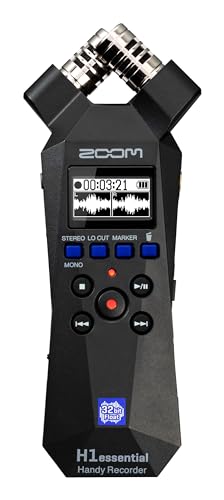
For something much simpler, the Zoom H1essential captures all the instruments without you worrying about mic placement, which is a huge win for musicians. This thing doesn't come with memory cards or batteries, so you'll need to buy those on their own.
A buyer who records band practice has found the batteries last forever and the tripod mount handy, though it's plastic, so be careful with it
These pocket-tier tools suit anyone who doesn't need the heavy features - a simple way to grab sound without a bag of accessories.
The step-up decision is about inputs, not quality: the pocket units record one thing well, and the H6 records four things at once. You're trading depth for portability, which is a fair deal when traveling light. Catch a voice note, get it done, move on.
The Budget Floor: Yemenren
For the lowest possible spend, the Yemenren sits at the very bottom of our list, but it has quirks that might annoy anyone who uses a Mac. This tool only formats files for Windows, so WAV recordings won't open on a Mac. The battery runs about eight hours in one owner's use, which is a long run for something this cheap.
You should also remember that memory isn't included - buy a card with it, because the box will not remind you and neither will the listing.
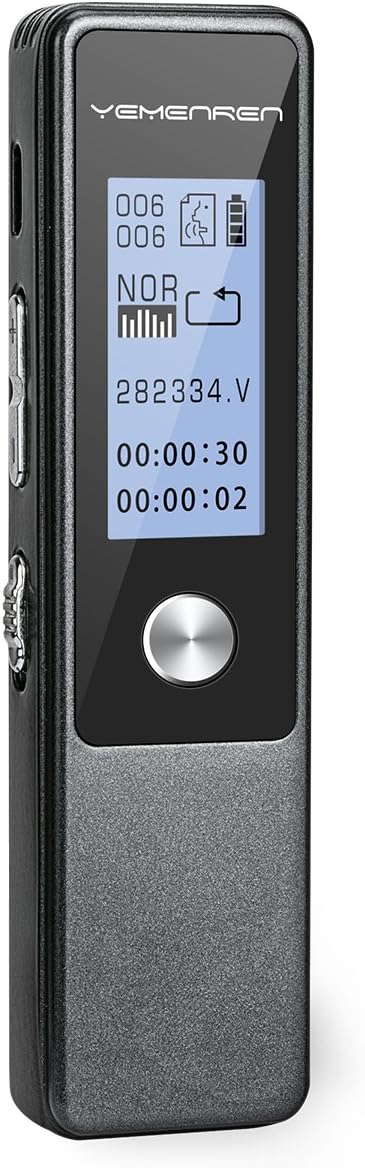
The user bought theirs 'to protect myself against liars' - turn it on in the morning, off in the late afternoon
Across different systems, it's a gamble - files you can't open unless you check the specs before checkout. The image shows exactly what the low price buys.
Frequently Asked Questions
Does this recorder support 32-bit float recording?
This recorder features 32-bit float recording which makes it very simple to capture audio without worrying about signal clipping during your busy creative sessions. Even the cheaper H1essential offers this feature but lacks many other professional tools for field work.
How many XLR inputs does it have?
You will find four XLR inputs on this machine, though some users have noted the preamps can be noisy when connecting external microphones for music. Adjusting mic levels is difficult because settings are buried deep within the software menus.
How long does the battery last?
The battery life is good for long sessions on the go, which is much better than the Sony pocket-sized choice mentioned in the reviews. One buyer of the Sony complained about the battery running out too quickly during a trip.
Will it work with my Mac?
While this gear works well with various setups, the budget Yemenren recorder has known issues when trying to connect to a Mac computer. You should check the software requirements before buying that specific budget choice for your studio.
Is it expensive compared to other recorders?
The H6 Essential sits in a higher tier, but one owner who compared it with the lower models has called it an absolute steal. More inputs, better preamps, and a price that undercuts most interfaces. For a streaming desk, that combination makes the case.