
Best Editing Software for Drone Videos: From Free to Studio
Drone footage looks great straight off the card, right up until you try to edit it. The files are big, often shot in a flat log profile, and encoded in a way that makes an ordinary laptop stutter on the timeline.
That's why the right editor for drone video isn't always the one you'd pick for anything else. You want software that handles those files smoothly, grades flat footage well and doesn't charge you every month for features you'll never touch.
Below is the top pick, the free options that really work, two paid alternatives, and what to look for before you choose.
DaVinci Resolve is the best choice for drone footage: the free version handles most tasks and Studio adds noise reduction, while DJI LightCut stays faster for quick social clips. Premiere Pro matters only if you need After Effects integration, and Final Cut Pro is the fastest option for Mac users. Codec support decides the rest, because high-bitrate files choke weak hardware.
DaVinci Resolve Studio: The Top Pick for Drone Editors
DaVinci Resolve Studio is the best choice for drone editors because it handles high-bitrate and log footage natively, which means you don't need to waste time converting files before you start editing.
You can drop your D-Log clips straight onto the timeline, and the software keeps every detail sharp without any lag. This tool is the industry standard for color grading, so you can make your aerial shots look professional and cinematic. Heavy 4K timelines stay responsive on hardware that meets the specs.
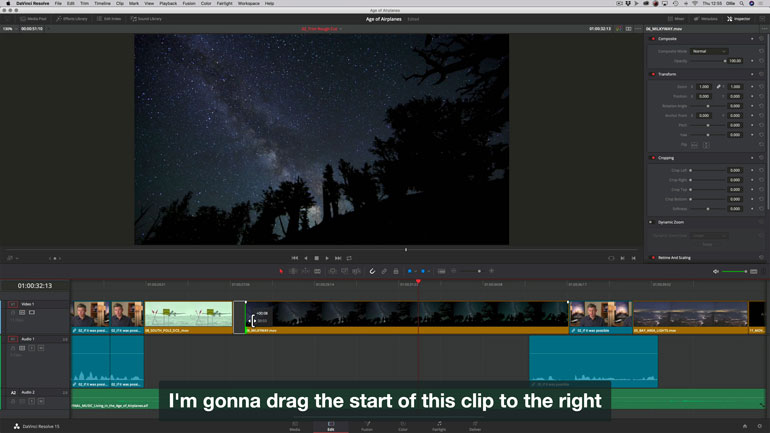
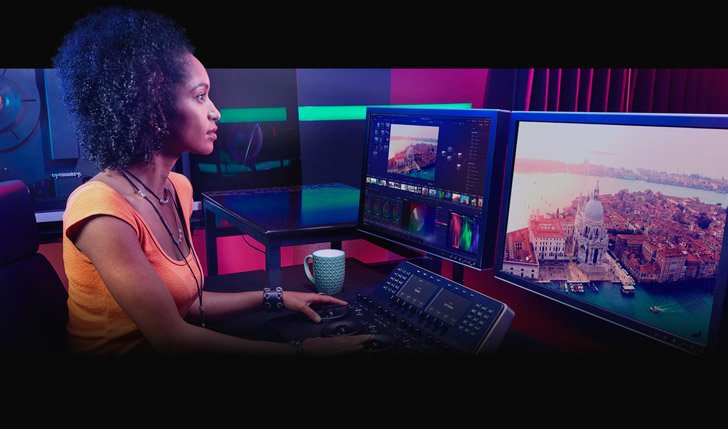
The color grading tools in this program allow you to tweak every hue in your landscape, which is vital when you want to match the look of a sunset across multiple shots. The built-in tools also keep the shot steady if the wind caught your drone and caused a bit of shake. No extra plugins needed, because the stabilization math is built in.
While the free version covers most drone work you need, the Studio version adds ways to fix grain and special effects that help you clean up messy footage from low light.
You only pay once for the Studio license, which saves you a lot of money compared to apps that charge every month. Most people start with the free tool to see if it fits, and then upgrade if they need those pro features. Blackmagic Design offers these powerful tools to anyone who wants to make drone videos stand out.
Free Options That Actually Work
The free version of DaVinci Resolve runs the same engine as the paid version, which lets you edit high-bitrate drone files without spending a dime. It handles most drone tasks well, but you'll find that it reduces noise and some effects are locked behind a paywall. This tool is great for those who want professional results for free because the color tools are top-tier for everyone.
No watermarks either, since the free tier covers almost everything a basic drone project needs.
CapCut is a fast option for people who need to post to social media quickly because it uses AI tools to help trim your clips and add captions with very little work. These AI tools cut your footage for you, but they don't grade log footage like the bigger apps do. It's simple to use, which makes it perfect for beginners who don't want to learn complex nodes.
You can export your videos fast, which helps when you have a tight deadline for a social post.
DJI LightCut is the official mobile editor that connects directly to your drone footage, so you can use quick templates to make a video in just a few taps today. It works best for DJI users because it knows exactly how to handle the files from their specific gear. The app is free, and it's an easy way to share highlights with your friends without any fuss.
You'll find it very useful for quick clips, which saves time when you are on the go.
Paid Alternatives Worth Considering
Among subscriptions, Adobe Premiere Pro is the standard because it works with After Effects when you need motion graphics for your drone clips. You'll buy the access directly from Adobe since there isn't any plan for drone pilots. The integration is the reason to pay, because the monthly cost adds up fast otherwise.
For Mac users, Final Cut Pro offers a one-time purchase and runs much faster than its rivals when you process heavy 4K drone files on Apple silicon chips.
The magnetic timeline makes it easy to move clips around, which is great when you're editing fast. You won't have to pay a monthly fee, so it saves money over the long run. It's built for Mac users who want to work at high speeds.
You can buy these programs directly from Adobe or Blackmagic because no company sells a license specifically made just for people who fly drones for fun. Check our Premiere versus Final Cut comparison to see which fits your workflow before you commit to either.
What to Look for in Drone Editing Software
You need a tool that handles high-bitrate files like H.264 or H.265 without making your computer struggle, because these heavy files often lag when you try to play them back on a standard timeline. If your machine is slow, you should use proxies to keep the edit smooth.
Using 10-bit footage gives you more color, but it becomes a mess if the software cannot read the data well. This is why checking for codec support is vital before you spend money.
Drone shots often shake due to wind, so you must find software with tools that keep the shot steady without making the movement look like a weird digital video effect. Many drones use D-Log or D-Log M, which means you need LUTs to turn those flat colors into something real. Conversion LUTs flatten the learning curve and get your D-Log footage looking right in one drag.
When you want to share your work on social media, you need a program that exports vertical videos quickly so you don't have to crop every frame by hand. These presets save you a lot of time, especially when you are making reels or shorts for your online followers. A clean export keeps quality high even after upload compression.
Frequently Asked Questions
Is the free version of DaVinci Resolve sufficient for editing drone video?
For most drone work, yes. The free version carries the same editing engine, the same color tools and native playback of high-bitrate drone files. Studio adds noise reduction for low-light aerials, some effect libraries and a few delivery options, so upgrade when your footage gets grainy or a client deliverable demands a Studio-only feature.
What is the best editing software for DJI drone footage?
LightCut for speed and Resolve for quality. LightCut connects to the drone's footage directly and builds social clips from templates in minutes. Resolve grades D-Log M footage properly and handles the full timeline work a serious edit needs.
Do I need to transcode my drone footage before editing?
Usually no on modern hardware, because Resolve and Premiere decode H.264 and H.265 natively. On a laptop, generate proxies instead of transcoding the whole library, and keep the raw files on fast storage from B&H. Proxies keep the timeline smooth at a fraction of the storage cost.
Can I edit drone footage on a laptop?
Yes, with two adjustments: lower the playback resolution to half or quarter, and cut from proxies. Render on the same machine works, just slower. Desktop GPUs and Apple silicon shave hours off a 4K drone project.
Is the Adobe Premiere Pro subscription worth the expense for drone video editing?
Only if After Effects matters to your work, because the motion-graphics integration is the real argument for the subscription. Pure drone editing does not need it, and Resolve Studio's one-time cost wins over a subscription by year two.
Are there any mobile apps to edit drone footage on the go?
LightCut and CapCut both run on a phone and handle social-length clips well. Neither grades log footage properly, so phone edits suit quick shares while graded work moves to a desktop.