
Drone Video Editing Software: Resolve, Premiere, Final Cut and LightCut
Most drone pilots end up with a card full of beautiful clips and no clear idea which editor to put them in. The drone maker has its own app, the free editors are surprisingly capable, and the paid ones all claim to handle aerial footage best.
The right choice depends less on features than on how you work: how often you edit, whether you're on a phone, a Mac or a Windows laptop, and who you deliver to. Your computer matters as much as the software, because dense drone files can make a weak machine stutter.
Below are the drone default, the subscription route, and the Mac, mobile and hardware questions that decide the rest.
Free DaVinci Resolve handles most drone tasks, Premiere Pro serves shooters locked into Adobe - with verified activation friction - and Final Cut offers raw speed for Mac users.
DJI LightCut provides quick mobile cuts for phone users, but PowerDirector remains a basic option for budget-conscious editors. You'll find the free version sufficient unless you need the specific AI tools or noise reduction found in the Studio. Match the software to how often you cut and who you deliver to, then pay for exactly as much editor as that requires.
DaVinci Resolve: The Drone Default
The free version of DaVinci Resolve is the top choice for drone pilots because it offers professional tools that handle complex aerial footage without asking for any upfront money right now.
You'll use the color page to fix log aerials - D-Log and D-Log M files come off the drone flat and grey on purpose, and the color page is where the sky, foliage and water get their real saturation back through a node tree you can reuse on every flight. This tool lets you adjust specific tones easily, so the landscape looks just like you saw in person.
No other free editor touches this color toolset on drone log footage.
Learning nodes looks intimidating from outside the app, but the model is simple: each node is one adjustment, chained in order, and any single node can be toggled or re-ordered without wrecking the rest of the grade. Once that clicks, you stop fearing the color page entirely.
Our site has a deep cluster of content, which helps you master the speed editor and the color panel. You can find guides on how to copy presets, which saves you a lot of time during edits. The curve flattens fast once the node logic clicks - and the free build never nags you to upgrade, watermarks nothing, and exports without limits.
You outgrow the free version at dusk: high-ISO aerials carry sensor noise that the free build cannot remove, and Studio's temporal noise reduction is the difference between usable twilight footage and unusable. That upgrade pays for itself the first time a paid client wants twilight footage without visible grain.
Adobe Premiere Pro: The Subscription Route
Adobe Premiere Pro runs on a monthly fee rather than a one-time buy, which makes the cost awkward for solo drone shooters - the price only balances when other Adobe apps earn their keep in the same workflow.
The software earns its keep in team workflows, where a colorist, an editor and a producer pass the same project file back and forth - a real production need that solo pilots rarely have. You'll find the tools very deep, but the recurring price might feel heavy for solo flyers. This plan only pays off for those who live in Adobe land every single day.
The subscription's verified track record on installs is rough: of 58 ratings averaging 4.2, one buyer hit an activation error that took three attempts before the license would stick.
Another buyer watched an older laptop sit through an hour and a half of Adobe sign-in loops while the same account activated on a desktop instantly - a support path that runs through email only, according to a separate complaint. Desktops handled it fine - the point is the install friction lands hardest on the travel laptop that drone shooters actually use.
The subscription math is simple to run: multiply the monthly fee by twelve, compare it against Resolve Studio's one-time price, and ask which Adobe-only feature you would actually use.
Run the yearly math against what you actually bill from drone work before you sign up - for most part-time pilots, Resolve Studio plus the savings covers a new battery. It only stays worth the fee if your workflow genuinely lives inside that cloud.
Final Cut, LightCut and the Hardware Reality
On a Mac, Final Cut Pro is fast because it is built around Apple silicon, handles drone H.265 natively, and runs proxy media to keep the timeline smooth even on 5.4K aerials. You'll need a real GPU and enough RAM to scrub 4K H.265 without stutter - that codec is dense on purpose, and integrated graphics feel it first.
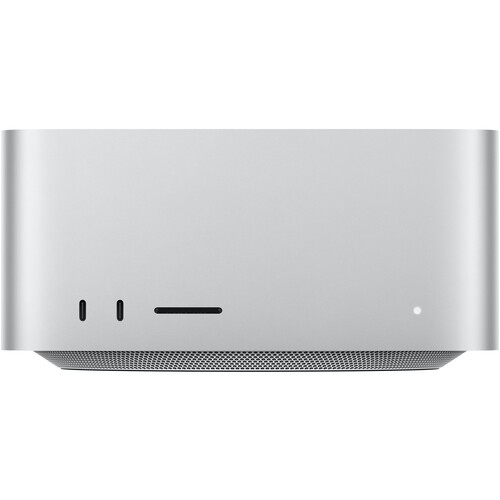
An external SSD matters more than beginners expect - a single 30-minute 4K flight can push past 60 gigabytes, and editing off a nearly-full internal drive is how timelines stutter. Proxy media is the trick: the app makes low-resolution stand-ins for editing and swaps in the full-quality files at export, so the machine never touches heavy H.265 until the final render.
DJI LightCut is the free mobile app for the flight-home cut: it pulls the drone's clips over wirelessly, applies quick templates, and has a social-ready cut before you pack the controller away - the fastest path from landing to posting, and a genuinely useful companion rather than a toy. It will not replace a desktop editor for color work or audio mixing, and it is not trying to - it covers the posting window between landing and getting home.
PowerDirector sits below Premiere in price and below Resolve in depth - a subscription-light middle path for editors who want templates and effects packs without Adobe's recurring bill. Both cover the casual path honestly: quick cuts, decent output, and zero monthly cost - and when you outgrow them, the machine upgrades that matter live in our video editing hardware guide.
Most hobbyists never need to pay: free Resolve on the desktop plus LightCut on the phone covers capture-to-publish without a subscription. Spend money only when client work demands AI cleanup or advanced grading - and staying free keeps that budget for flight batteries instead, gear that shows up in every future flight rather than a monthly statement.
Frequently Asked Questions
Is the free version of Resolve good enough?
The free version of DaVinci Resolve handles most drone projects well, but the Studio edition is necessary if you need noise reduction or advanced AI tools. You'll find the basic tools sufficient unless your footage requires specific professional-grade cleanup tasks.
Can I edit drone footage on a laptop?
Laptop editing works if you run proxies, and the hardware bar is a discrete GPU or recent Apple silicon - older integrated-graphics machines struggle before the timeline even opens.
What is the best free software for DJI footage?
DJI LightCut is the best mobile app for quick cuts, while DaVinci Resolve remains the most robust free option for desktop video editing. Both process DJI footage without a recurring fee, which is the right starting point when you are still learning what kind of editor you actually need.
Should I transcode my files before editing?
Using a proxy workflow is usually better than performing a full transcode of every single video file before you start your creative project. This method saves time and keeps your timeline responsive while you work through the clips.
Is the Premiere Pro subscription worth it?
The subscription is only worth it if you're locked into the Adobe ecosystem, especially since users report frequent activation errors and installation delays. One reviewer needed three activation attempts before the license would stick, and the install story above shows the pattern is not a one-off.