
DaVinci Resolve Review: Is the Free Version Enough, and When to Buy Studio
DaVinci Resolve has an unusual reputation: a free editor that professionals actually use, from a company that also makes cameras. That makes people suspicious, and whether it's legit is one of the most common questions about it, right next to whether the free version is really enough.
The honest answer depends on your camera and your computer more than on your skills. Some common camera formats need the paid Studio version, the newest release drops older Macs, and the learning curve is steeper than in simpler apps.
Below is the line between free and Studio, what changed in Resolve 21, the hardware it needs now, and how to buy Studio without headaches.
The free version of DaVinci Resolve 21 is arguably the best legitimate editor available today because it offers professional tools directly from Blackmagic Design without requiring a subscription or any hidden fees. You only need the paid Studio version if your camera shoots 10-bit H.264/H.265 files, if you need to work above UHD 60, or if you want the AI tools. It has a steeper learning curve than simple apps.
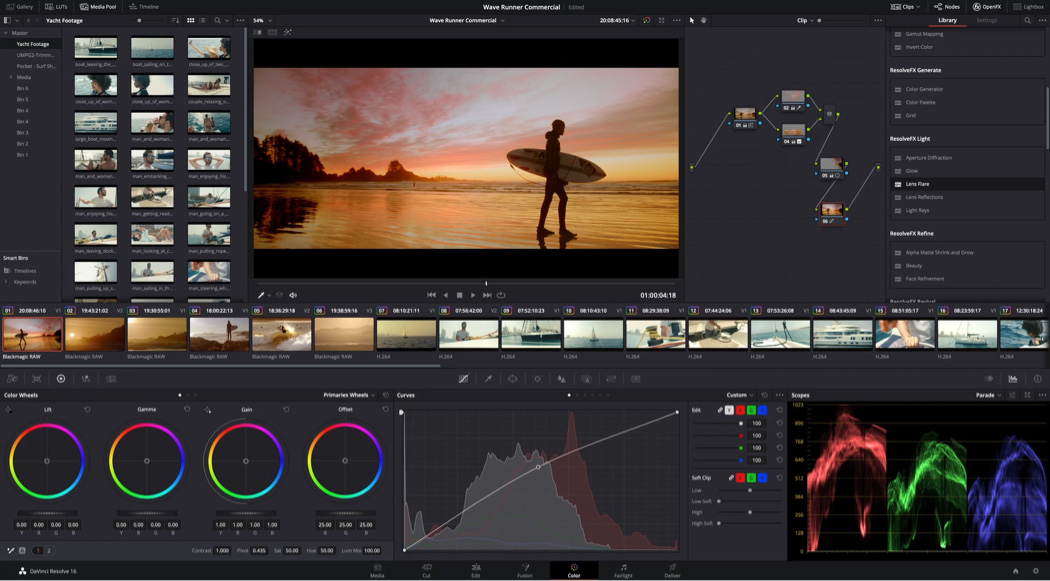
Free Versus Studio, and the Line That Actually Matters
The free version offers more than enough for many people who work with 8-bit files, but it caps your export at 60 fps in UHD resolution which limits some projects. You get access to keyers, the color warper, and HDR tools, while you can collaborate with others on a single project. It's a solid entry point for hobbyists who don't need high-end cinema tools yet.
The Studio version unlocks the full potential with 120 fps up to 32K resolution while adding multi-GPU support and hardware acceleration for H.264 and H.265 video. You also get the Neural Engine for AI tasks like Magic Mask and voice isolation, plus over 45 extra effects including Film Look Creator and UltraNR. These tools work with 10-bit and all-intra camera formats, which are vital for professional-grade work.
For most users, the dividing line is drawn the moment they shoot 10-bit 4:2:2 footage on a mirrorless or cinema camera because Blackmagic lists 10-bit and all-intra camera formats, and hardware decoding for them, as Studio features.
One FS7 owner found that the free version didn't read the Sony codec, but Studio did. Since it's a one-time purchase rather than a subscription, I think you should pay if your camera shoots the specific files that Blackmagic Design lists as Studio-only.
What Changed in Resolve 21
The new update brings a dedicated Photo page that lets you grade still images with nodes and albums while also allowing for tethered capture from Sony and Canon cameras during a shoot.
You can now use AI IntelliSearch to find media by specific objects, dialog words, or faces, which should save time in large libraries. The software adds AI voice generation from text and can even create a custom voice from a tiny ten-second sample, which feels like magic for quick voiceovers.
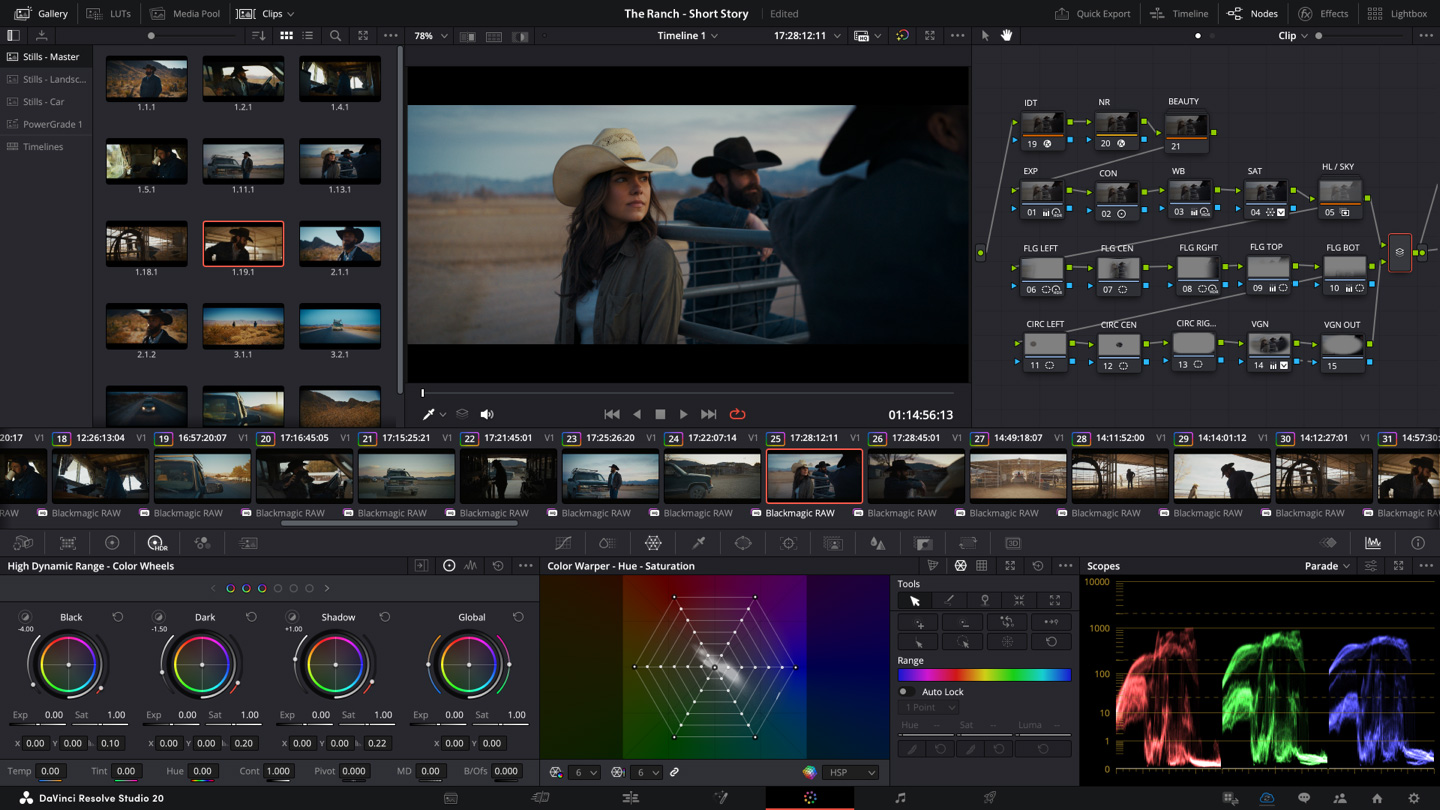
For editors who work on social media, the addition of vertical timelines and direct uploads to YouTube, TikTok, and Vimeo is a real win rather than just some flashy gimmick.
You might find the MultiMaster HDR/SDR trim passes and the new layers view in the node editor helpful on complex projects. The AI tools like CineFocus, Face Age Transformer and Blemish Removal aim at retouching jobs that were done by hand before.
The Fusion page now includes Krokodove motion graphics and support for Lottie and OGraf imports, which makes the software much more flexible for modern web-based projects.
Fairlight gained track folders and a 6-band clip EQ, while IntelliScript now works with Final Draft screenplays to keep your edit in sync. These changes make the tool feel much more complete for people who need to handle every part of a video in one place.
Hardware It Needs Now
On a Mac, you need an Apple Silicon chip and macOS 15, because older Intel-based machines are no longer supported at all. While 8GB of RAM works for basic cuts, you'll need 16GB if you plan to use Fusion or the new AI tools. So an Intel MacBook can't run version 21, though it can stay on an older release.
Windows users need at least 16GB of memory to get started, but 32GB is better if you want to work in Fusion without constant lag. You also need a GPU with at least 4GB of VRAM, though 16GB of VRAM is required to make the more advanced AI features run smoothly. You should check our hardware requirements guide to see if your PC meets these specific specs before you start.
Buying Studio Without the Headaches
For the paid version, look for an activation card at B&H or get the Speed Editor bundle since both come with a Studio activation code.
One buyer of the USB dongle version says it asks for the key every time they launch the app. Another had the free Mac App Store version and couldn't find anywhere to enter the code, so download the installer from Blackmagic's own site if you're buying Studio.
Two B&H buyers bought there because Blackmagic's own store rejected a foreign card for one and wanted PayPal for the other. You should only download from the official site because cracked sites are a huge risk for your computer. Blackmagic offers free official training books to help you learn the tools once you have the license.
Frequently Asked Questions
Is DaVinci Resolve free to use?
Blackmagic Design offers a free version of the software that allows you to edit and finish projects up to Ultra HD resolution at 60 frames per second. You get access to luma and HSL keyers plus HDR tools without paying any money.
Is DaVinci Resolve safe to download?
The software is legitimate and safe as long as you download it directly from the official Blackmagic website rather than using third party sources. We avoid sites that offer cracked versions which pose security risks to your computer.
Is the Studio version worth the money?
You should buy the paid version if you need 10-bit camera codecs, frame rates above 60fps, or advanced AI tools like noise reduction. This version requires a one-time payment instead of a monthly or yearly subscription.
Does Resolve 21 work on an Intel Mac?
The latest update does not support older Intel Macs because it requires Apple Silicon hardware and the macOS 15 operating system to function. You need a modern Mac with M-series chips to run it.
Is Resolve better than Premiere for beginners?
Resolve has a steeper learning curve than Premiere, though one Premiere user in the B&H reviews found it surprisingly easy and says anyone who finds Premiere hard will find Resolve a breeze.
Does the Speed Editor come with DaVinci Resolve Studio?
The Speed Editor bundle sold on Amazon includes a DaVinci Resolve Studio activation card, so it's a way to get the editing keyboard and the paid license together. Keep in mind the Speed Editor is built for the Cut and Edit pages, not for color grading.
What are the minimum specs for DaVinci Resolve 21 on Windows?
Blackmagic lists Windows 10 Creators Update, 16GB of system memory or 32GB with Fusion, and a GPU with at least 4GB of VRAM that supports OpenCL 1.2 or CUDA 12.8. The advanced AI tools want 16GB of VRAM.
What is the biggest new feature in DaVinci Resolve 21?
The Photo page is the largest addition, bringing node-based grading, albums and tethered capture from Sony and Canon cameras to still images. For video editors, AI IntelliSearch and vertical timelines with direct social uploads change day-to-day work the most. The color grading tools are much deeper than what you find in other editors.