
Onn 4K Webcam Review: Is Walmart's Budget Cam Worth It?
The Onn 4K Webcam at a Glance
Walmart's first foray into the world of 4K video calling, the Onn 4K Webcam, is an affordable option in a competitive space. The Onn sits right next to the high-end offerings from Logitech (MX Brio and Brio 4K Pro), and raises a very valid question: do we really need to pay six times more?
Most of us will be using our webcams in a home office setting, in front of a window, making a Zoom call. Not broadcasting to millions. So if you're thinking about purchasing the Onn 4K Webcam, this review pulls together what buyers are actually saying on Walmart, Reddit, and webcam test websites. It also compares the Onn to the Logitech MX Brio and the older Logitech Brio 4K Pro so you know exactly where the Onn stands and where it falls.
If you simply want the short answer, you can check current pricing on Amazon and decide after reading the rest.
What You Actually Get in the Box
The Onn 4K Webcam comes with a black plastic body, a clip-on mounting bracket, an approximately five-foot long USB-A cable, and a swiveling head that has some resistance to allow it to tilt up and down. In terms of specs, everything appears to match a premium cam: UHD 4K resolution, autofocus, dual built-in microphones, a 90 degree field of view, and plug-and-play operation on Windows and macOS. There is no driver to install, no companion software, and no light ring included.
The actual shipping box weighs almost nothing. Unlike many higher-end cameras with metal enclosures, the Onn looks like every other clip-on webcam sold in the past five years. That is not a complaint, just a recalibration of expectations. A budget 4K webcam is never going to feel like a camera. It is going to feel like an accessory.
Image Quality in Real Use
This is where the marketing copy and reality start to part ways. Positive reviewers describe the image quality as "crisp" and "clear," and one buyer on the Walmart product page said they were "genuinely impressed" at how sharp the picture looked. A common pattern in positive reviews: buyers compared the Onn to whatever entry-level webcam they had before and were delighted.
Dig into the webcamtests.com review for the same unit and the story becomes more mixed. Reviewers note that while the sensor can output 4K, the image is software-sharpened, and the true optical detail is closer to 1080p with extra contrast pushed on top. In bright, well-lit rooms the footage looks great. In a dim home office the image gets grainy, colors shift toward green, and the autofocus hunts when you lean forward.
A Reddit thread in r/buildapc about cheap webcams sums it up bluntly: the advertised field of view is optimistic, the resolution is real but compressed, and low light is a serious weakness. That matches almost every review of budget 4K webcams in this price range. None of them have the sensor size to compete with a camera like the Logitech MX Brio's 1/1.28-inch Starvis sensor, which is physically bigger and pulls in more light.
Autofocus and Swivel Head
The autofocus is the single most-praised feature in positive Walmart reviews. Buyers who moved from fixed-focus webcams love that the Onn can follow them as they lean in, pull back, or hold up a document. It is not face tracking in the modern sense, because the cam does not pan or crop to keep you centered, but it does keep the image sharp as you move.
Less happy reviewers mention hunting behavior. In uneven lighting, the autofocus can pulse in and out, looking for a new lock every few seconds in response to changing brightness around you. This is most obvious during live calls when a window behind you brightens or dims. If you work in a room with stable lighting it is fine. If your lighting varies throughout the day, it is annoying.
The swivel head is manual, with stiff detents that hold the cam roughly in place once you point it. A few users complained the joint loosens over time. That is a common fate for plastic-on-plastic hinges in budget webcams, and not unique to the Onn.
Microphone Performance and Low Light
The Onn has dual built-in mics, marketed as "dual noise reduction." The reality, based on user comments at review sites, is that the mics pick up clearly at conversational distance but have no meaningful noise rejection. Keyboard clicks, fan noise, and heating or cooling hum all come through.
For the money, it is acceptable. For anything that gets recorded and published, it is not. One webcamtests.com reviewer called out that the mic "must be plugged into the computer" as a disadvantage, which may seem obvious but reflects how often users get caught out by USB-only power and no internal battery. If you want cleaner audio you should plan on a separate microphone regardless of which webcam you buy. A small USB condenser or lavalier will still significantly outperform the internal pair on the Onn.
Nearly every Reddit thread about inexpensive 4K webcams mentions low-light performance as the biggest reason to spend more. The Onn performs similarly. With a smaller sensor and aggressive noise reduction, the low-light image is extremely poor. The image becomes smeary, skin tones shift toward yellow or green depending on the color temperature of your bulbs, and the cam's auto white balance drifts during calls.
If you have a window behind you, expect to be silhouetted. If you have a lamp above you, expect shadows under your eyes. The cheapest solution is a softbox-style key light or ring light pointed at your face. That single upgrade will make virtually any webcam, including the Onn, look dramatically better. A cheap cam with decent lighting will always outperform an expensive cam with poor lighting.
Who Should Buy or Skip the Onn
Students or casual users who simply need a clear picture for Zoom or Teams will find the Onn sufficient. Anyone upgrading from the old 720p webcam embedded in their laptop will notice a significant increase in quality. The Onn can also serve as a secondary camera in a multi-camera streaming setup where a real camera handles the primary shot and the Onn fills a B-roll view.
Anyone who wants to continuously produce video content for YouTube, who streams consistently, or whose clients evaluate them on their video conferencing appearance should purchase an alternative to the Onn. Serious streamers should research the Logitech MX Brio at B&H Photo or compare prices on Amazon. The MX Brio's Sony Starvis sensor, three-step field of view, and Show Mode for desktop documents put it in a completely different class. You can also check other 4K webcams at B&H Photo to comparison shop.
Better Alternatives Worth Considering
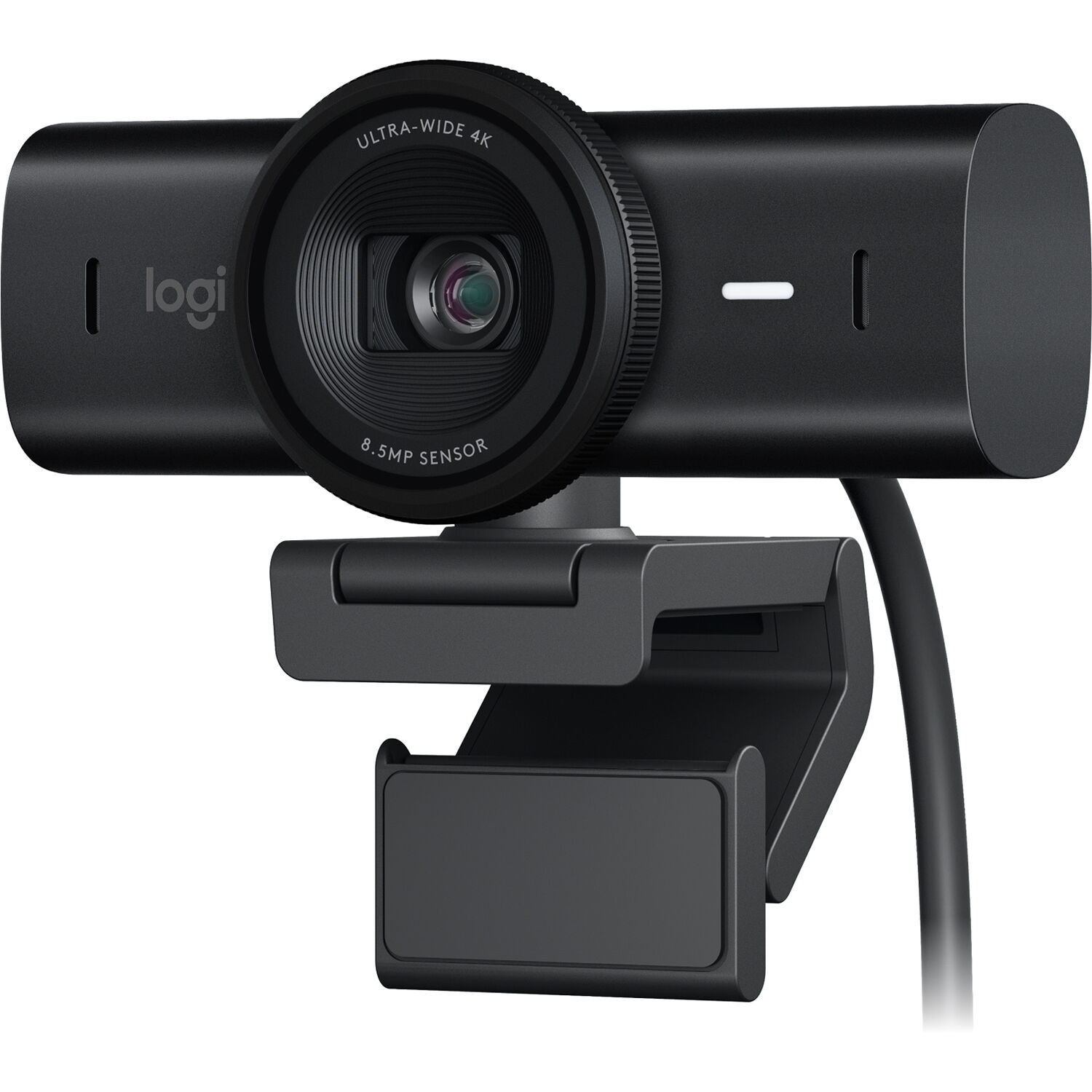
Logitech MX Brio 4K
The MX Brio is currently the gold standard for high-performance clip-on webcams. Reviewers at B&H Photo note the sizeable sensor provides noticeable superiority over previous models in low-light conditions, while the rotating privacy shutter and USB-C connector feel a generation ahead. It is the pick if you want the best image possible without transitioning to a mirrorless camera as a webcam.
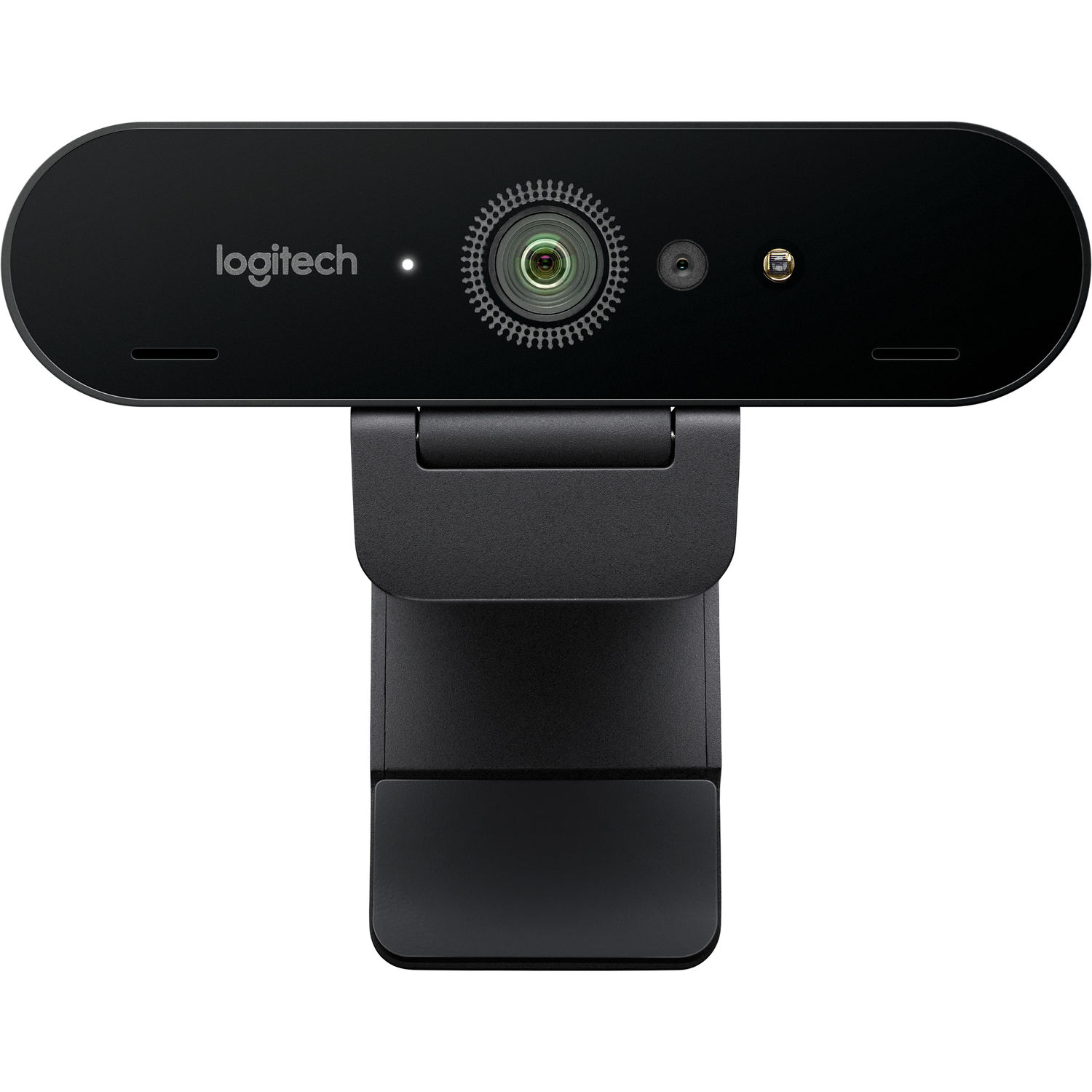
Logitech Brio 4K Pro
The original Brio is an older product than the MX Brio but still widely used today. It records at 4K 30fps, 1080p 60fps, and supports Windows Hello IR login, which neither the Onn nor the MX Brio offer. Users praise its autofocus and HDR capabilities, and it can be had for less than the MX Brio on sale.
Insta360 Link 2
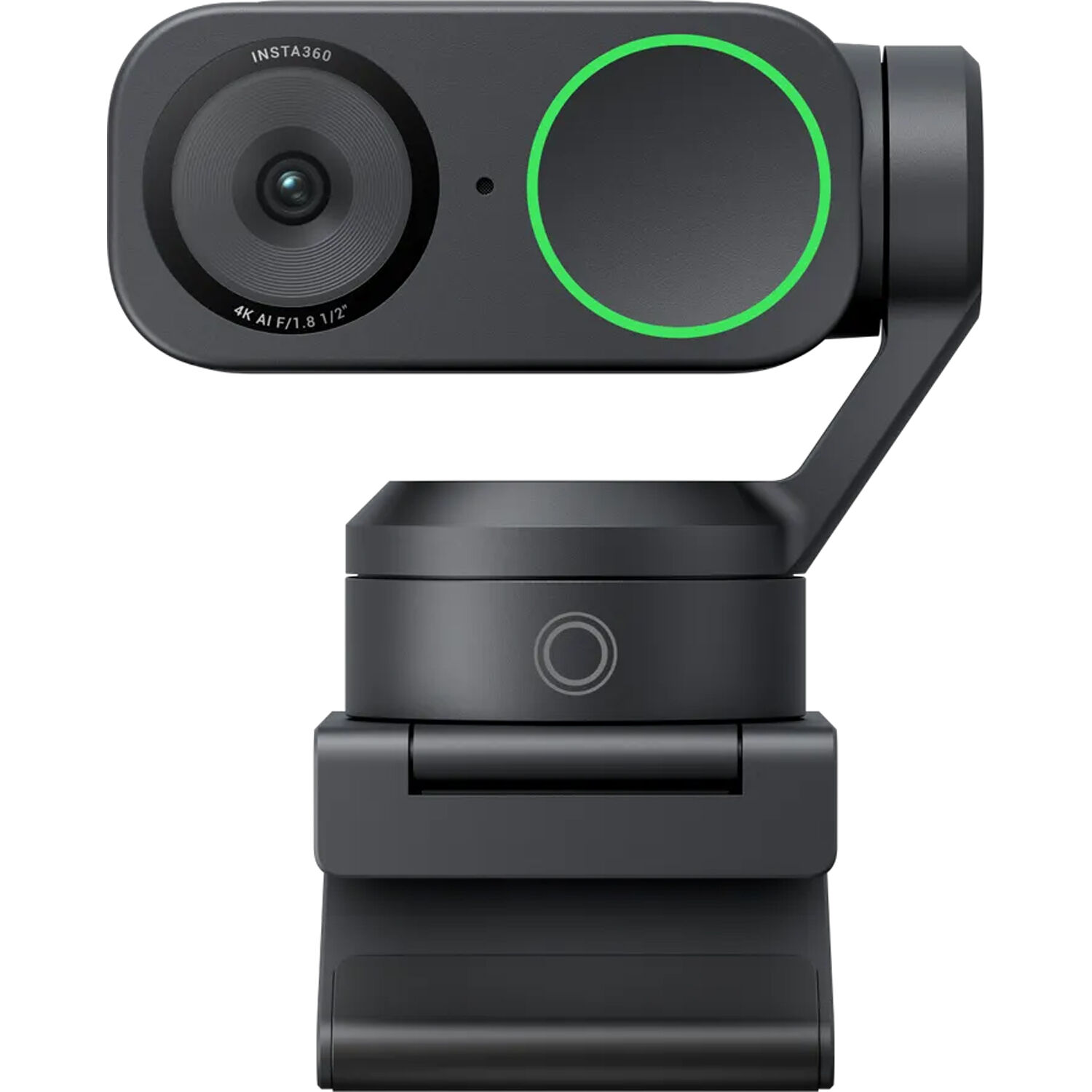
The Insta360 Link 2 is different in design and features a three-axis gimbal that follows the movement of the presenter. If you move during calls, write on whiteboards frequently, or produce podcasts from your desk, it is the most intriguing premium option. Pricier than both Logitech options, but genuinely unique.
How to Make the Onn Look Better
If you have already purchased the Onn or plan to, a few inexpensive improvements lift image quality beyond what the camera alone can achieve:
- Place a daylight-balanced lamp between you and the camera. Do not put it next to you, nor directly behind your head.
- Close blinds or position yourself so no window is directly behind your head.
- Clean the plastic lens with a microfiber cloth. Budget cams arrive with a greasy factory film.
- Connect the cam to a USB 3.0 port instead of a downstream hub. The USB 2 connection chokes on a 4K signal.
- Elevate your cam using a desk riser or monitor arm so it sits at eye level. Viewing yourself from below makes every webcam look worse.
These tweaks improve image quality enough to transform "unusable" into "actually fine" on every webcam in this category. None of them turn a budget cam into a premium one.
Frequently Asked Questions
Is the Onn 4K webcam really 4K?
Yes. The sensor outputs 3840x2160 pixels and the encoder outputs a 3840x2160 signal. The practical question is whether those pixels create an image that appears to be shot in 4K. Generally speaking, reviewers agree that effective detail is closer to sharpened 1080p. If you need certified 4K for a particular application, a high-end option like the Logitech MX Brio is a safer bet.
Will the Onn 4K webcam work on Mac?
Yes. Since it is UVC-compliant, it operates plug-and-play on macOS, Windows, Chrome OS, and most Linux distributions. Mac users should note there is no companion app for customized white balance or exposure settings, similar to what Logitech's Logi Options+ software offers with the MX Brio.
Does the Onn 4K webcam have a built-in mic?
Yes. There are two built-in mics in the Onn. They are acceptable for casual calls but offer zero meaningful noise suppression. For any recorded media, a dedicated USB microphone is a better upgrade than replacing the camera.
Can I use the Onn 4K webcam for streaming on Twitch or YouTube?
You can. It will function correctly with OBS or Streamlabs immediately upon installing. The limiting factor for streaming live video is low-light performance and color accuracy. Both factors become much more critical for recorded streams than regular conference calls. Most streamers realize early on that they want better image quality than any affordable webcam can provide. Many eventually transition to an improved webcam like the Logitech MX Brio on B&H, or a mirrorless camera routed through a capture card.
How does the Onn compare to a Logitech C920?
The Onn captures video at higher resolutions than a C920 on paper, but the C920's color rendering and low-light capture are better thanks to its larger sensor-per-pixel ratio. Under normal office lighting conditions, the differences between each camera are negligible. When capturing images intended to be displayed full screen, the differences grow exponentially.
Is there a cheap webcam that actually beats the Onn?
All cheap webcams contain identical small sensors with similar image-quality limits, so "better" typically refers to a highly reviewed 1080p unit featuring more pleasing colors, such as the Logitech C920. If you must have 4K at an affordable price point, start by searching current 4K webcam deals at B&H before buying. Stock and pricing move around a lot in this category.
Final Take
The Onn 4K Webcam represents precisely what we would expect from a camera at this price. For students using laptops, casual Zoom users, or individuals requiring an additional camera for an occasional live broadcast, the Onn is an ideal pickup. It autofocuses, works without installation drivers, and produces images that are genuinely improved over typical 720p cameras found in many laptop lids. You can grab it on Amazon for roughly the price of a dinner out.
However, if you rely on the webcam for generating income, you are a professional streamer, or your clients judge you by your video conferencing experience, you will rapidly encounter severe limits with low light, audio quality, and color representation. At that juncture, it is clearer to move to an alternative such as the Logitech MX Brio or the Insta360 Link 2 rather than continuing to fight the hardware. For anyone serious about producing video content from a home office, a proper camera-based podcast setup will take you further than any budget cam ever could.