
Moza Smartphone Gimbal Review: Mini-S and Mini MX Against DJI and Hohem
Moza's Mini-S and Mini MX are small, folding three-axis gimbals for phones, and both are still on sale. Smartphone gimbals in general have become cheap and plentiful, which makes choosing one oddly hard. Most of them look the same, promise the same tracking and come from brands you may never have heard of, while the known names cost a bit more.
The differences show up after you buy: how fast the phone mounts, whether the tracking keeps up with moving kids, how well it handles a big phone, and whether it still works after the first week. Owners have reported all of those, good and bad.
The phone matters too. Bigger, heavier phones push cheaper gimbals to their limit, and a clamp that can't grip a thick case, or a motor that can't hold a large phone level, shows up within minutes of the first shoot.
Below is how the two Moza gimbals hold up, then the DJI flagship and value tier, the budget challengers and which one fits which job.
The Moza Mini-S still works as a basic, extendable phone gimbal, but both Moza models come from the iPhone X and iPhone 11 era, and owners have hit app problems on both. For most people, a DJI is the safer buy.
The DJI Osmo Mobile 7P represents the "it just works" tier because setup takes only seconds and the magnetic mounting system is convenient, while the Osmo Mobile 6 remains the solid value pick.
The Aochuan and hohem challengers fail differently because one won't charge while the other fails after just one day of use. The top-tier DJI avoids the hardware issues the budget alternatives ship with - the clear answer for the daily-carry job. The gimbal field guide covers the camera-side tiers.
The Moza Side: Mini-S and Mini MX
The Mini-S is the extendable one. A short pole slides out of the handle, it folds to 7.7 inches, and it holds phones up to 9.2 ounces and 2.28 to 3.46 inches wide. B&H lists about eight hours of battery, a 10-degree tilt in the handle for a more natural grip, and a mini tripod and carrying bag in the box.
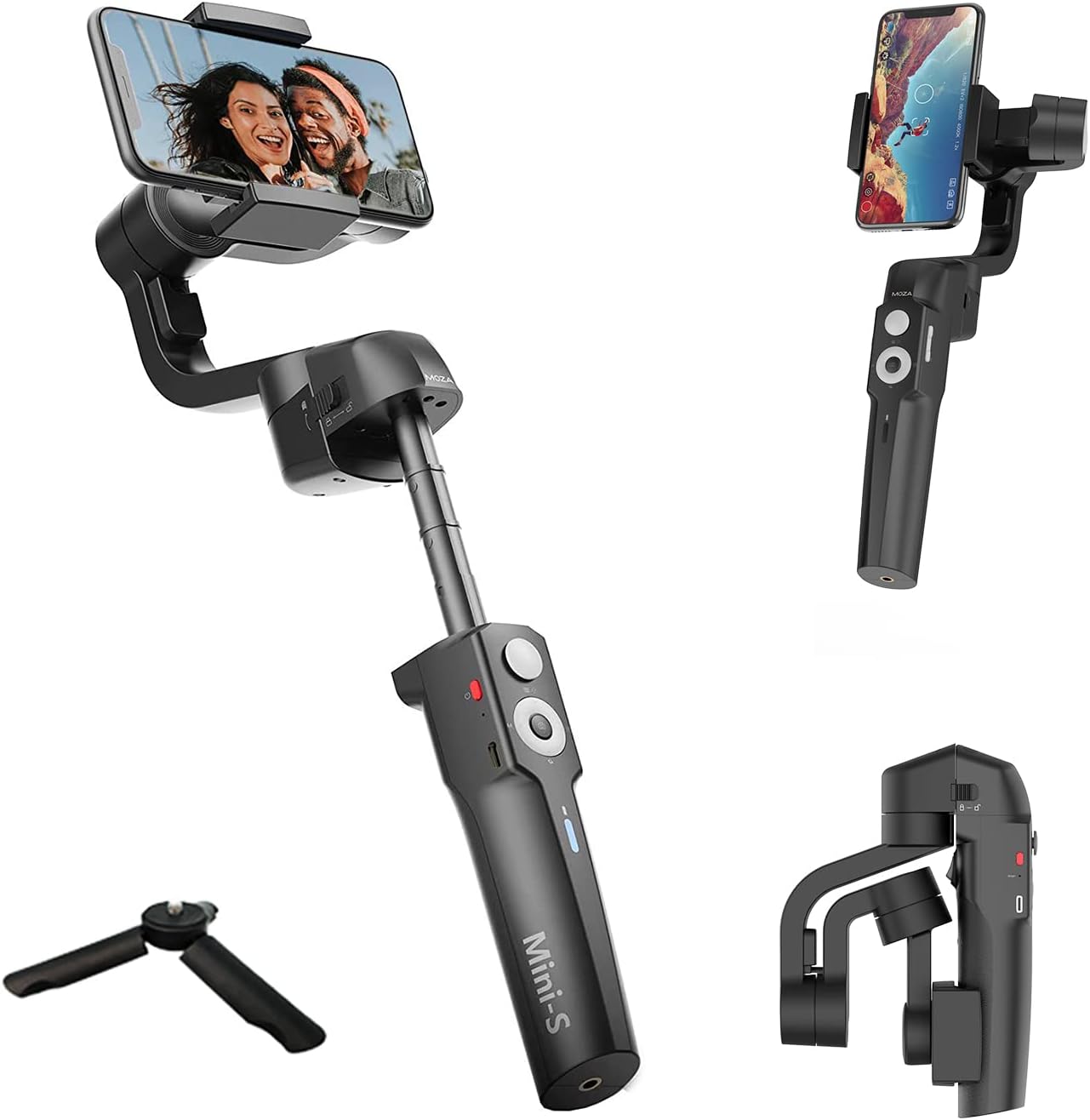
On Amazon it rates 3.9 across 87 ratings, with 51% at five stars and 13% at one. One first-time gimbal owner took it on a cruise and has found that, after a little learning curve, it's like making a movie in your hand. The same owner's S22 Ultra only recorded at 30fps through the app, so they sometimes use the phone's own camera app instead, and it still works well.
Other owners have been surprised that the material doesn't feel cheap, and one reviewer has pointed out that it isn't a high-end unit but is solid for the money. A B&H buyer has found it works well on a large Samsung phone.
The failures cluster around holding the phone up. One critical reviewer's gimbal gave way in the middle of a move and couldn't hold the phone's weight, and one buyer has found it sometimes falls and ruins the clip. A B&H owner has noticed it stops holding an iPhone level once the battery drops to around 40%.
That same owner has also found the camera cable uses a phono plug that needed an adapter for the iPhone, the manual's print hard to read and the learning curve steep, but still has called it a great tool for the money. Another owner in Japan bought it for low-angle shots while walking their dog, because few three-axis gimbals extend, and found the fold lock very stiff at first.
The worst report came from a Japanese buyer whose unit thrashed around as soon as it powered on. A reset, a firmware update and calibration didn't fix it, and the local Moza distributor refused warranty service because the unit was a parallel import. Buy it from a seller with a normal return policy.
The Mini MX is the folding travel model. B&H lists it for phones up to 3.5 inches wide, up to 20 hours of battery with a 2.5-hour recharge, and four modes, with the tripod thread on the front of the handle so the mini tripod can stay attached. Its Genie app adds subject tracking and gesture control for starting and stopping a recording.
One owner has used it for nine months with great battery life and would pick Moza for their next gimbal. The Android reports are the problem. One Samsung owner has found the Android app limits recording to 1080p, with no 4K or 60fps, and drops the connection every 10 seconds, and Moza support told them the full feature set is on the iPhone app.
Another Android buyer in 2021 couldn't find the Genie app on Google Play at all, and the download link support sent didn't work. An iPhone owner couldn't get it to work either. B&H now sells the Mini MX as a special order that can't be canceled or returned, which makes that app risk hard to accept.
The Flagship: DJI Osmo Mobile 7P
One 7P owner has found setup takes only seconds with the magnetic mount, and a repeat gimbal buyer has called it the easiest they've ever set up, comparing it to the brand people praise because it just works, and setup really is that quick.
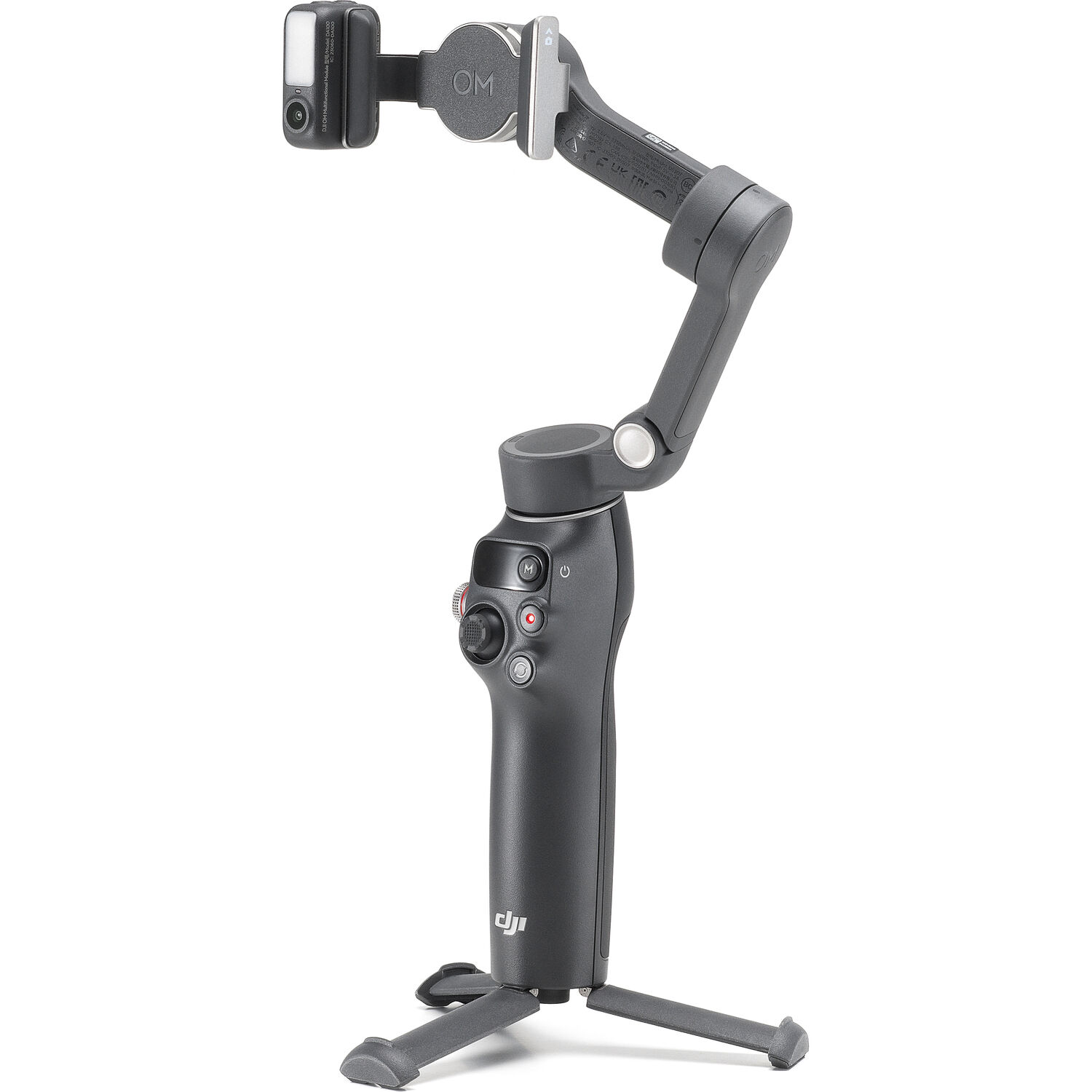
PetaPixel's smartphone-filmmaking coverage reads the same phone-first shift from the photo side, and owners have praised its auto-tracking on specific jobs, from a son's baseball games to a soccer match, so it has been tested on moving kids, not test charts. There's a little learning curve at first, but after that it earns the price.
You can use this tool to record action shots on a skateboard, or to capture yearbook photos that need to look crisp and professional for the students. One critical reviewer dropped it within the first month and the bottom housing came off, though the gimbal itself survived, and their question about repair or replacement went unanswered in the reviews.
The Value Tier: Osmo Mobile 6
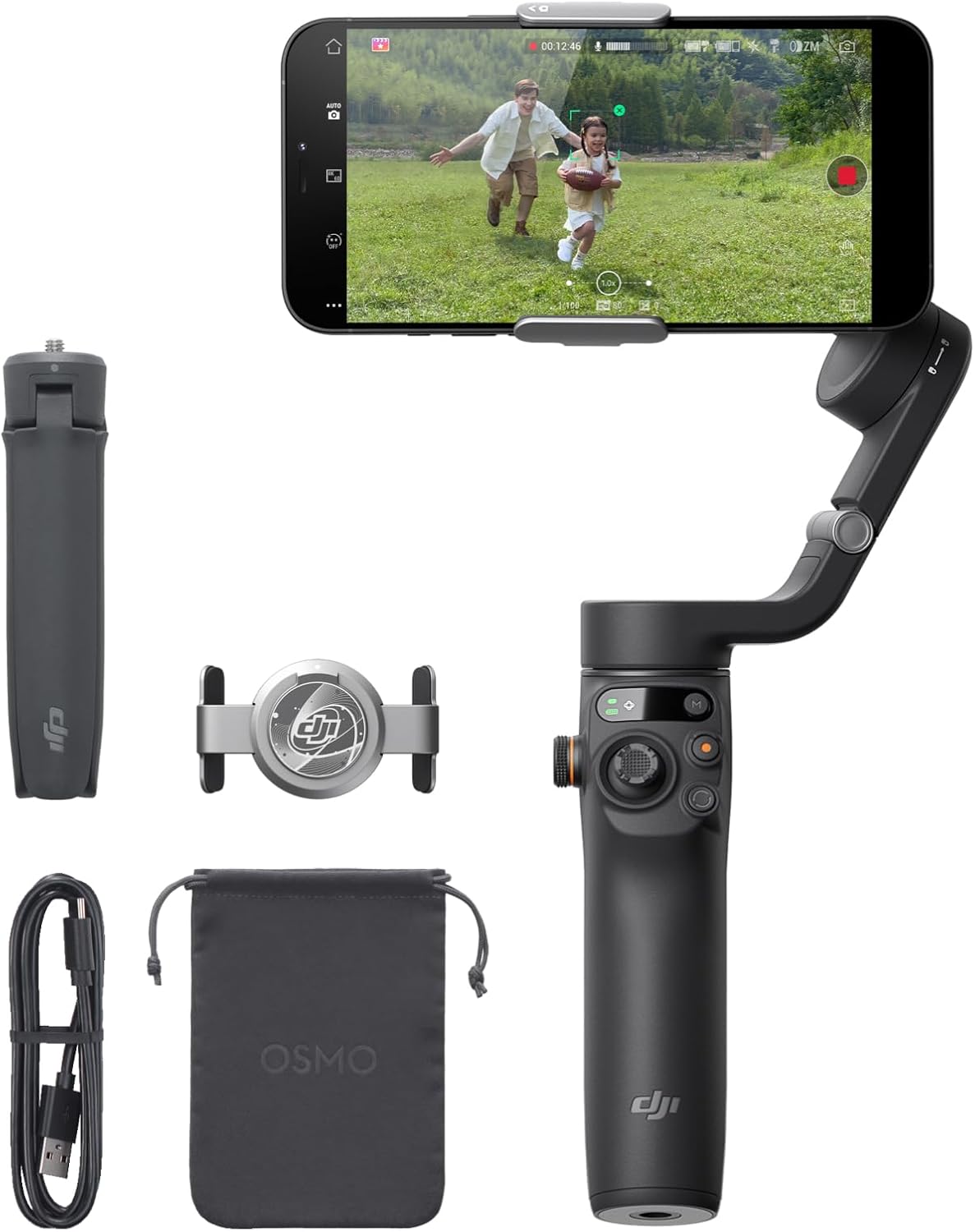
One Mobile 6 owner, from a sample of 20,092 ratings, loves that it keeps the phone balanced so the camera doesn't vibrate. The Mimo app pairing is one buyer's caveat: the recording tools work, but the official app's live mode doesn't.
The magnetic clamp and the folding arm carried over to the 7P, which is why the older model stays a value pick instead of a compromise - the Anker 20K covers the power plan.
Check the desk-side audio kit for the audio chain that pairs with either tier, and the interview-kit workflow for the two-person setups.
The Aochuan Smart XE offers great value considering what you get because the build doesn't feel like cheap plastic, though some buyers have found their gear simply wouldn't charge at all. One YouTube creator bought it because phone updates left their built-in stabilization basically useless.
Another owner says it makes phone videos much smoother and more professional, especially while walking. A second has called it a good, affordable choice for shots where the camera stays put, though a big phone can get stuck and stop it rotating fully. Still, a one-star review shows the risk of getting a tool that fails right away.
You might find the AI auto-tracking on the hohem iSteady V3 Ultra nothing short of amazing, yet one user returned theirs after two weeks because it only worked one day. The iSteady V3 Ultra includes a detachable remote and tripod legs for travel videos. One iSteady owner has found it drifts a bit sometimes, which seems fixable, and has praised the detachable remote and the built-in tripod.
Many people love the clip design on the hohem iSteady X3 because it's much better than the magnet clip and it won't accidentally press your loud volume buttons. This gadget is a good starter option for those who want something portable and sturdy. One owner whose unit failed out of warranty has said Hohem support tried a few fixes and then kindly replaced it.
Another has found the stabilization works well on an electric skateboard once you learn it, and the mobile live-stream kit is the sibling build.
Which One for Which Job
The Moza Mini-S makes sense for one job: a cheap, extendable stick for low-angle or selfie shots, bought from a seller that takes returns. Skip the Mini MX unless you're on an iPhone and can live with no returns.
For a gimbal that just works at baseball games or on yearbook projects, the DJI Osmo Mobile 7P is the flagship choice, because its magnetic mount takes seconds. You'll pick this one if you want smooth footage for family trips, without any technical struggle. Check B&H's gimbal stock for the camera-side tiers
The Smart XE is the budget pick, good and affordable when the camera stays put and only tracks a moving subject, though it struggles beyond that. Another owner can't fault it and has called it great value for the price.
For travelers who prioritize weight and high-tech features, the hohem iSteady V3 Ultra offers an AI tracking system that feels like magic when it locks onto your specific subjects.
The X3 is a portable starter unit that uses a clip design, instead of a bulky magnet system. You can test the X3 while riding a skateboard, to see how well it handles the bumps. Choosing the Osmo Mobile 6 makes sense if you want a value-tier stabilizer for daily life.
Frequently Asked Questions
Is a Moza Phone Gimbal Still Worth Buying?
The Mini-S is, for a basic extendable gimbal, as long as you can return it. Both Moza models depend on the Genie app for tracking, and owners have found that app limited or missing on Android. The DJI models in this set track without that risk.
Is the Osmo Mobile 7P Worth the Upgrade over the 6?
The 7P's magnetic mount sets up in seconds, and the Mimo-app livestream limit the Mobile 6 owner hit is the reason the upgrade matters. The 7P's native tracking does not depend on the phone app.
Do These Gimbals Work with Android?
Owners have used the 7P with both an S26 Ultra and an iPhone 16 Pro, since the mount is magnetic on both sides and the tracking runs in the gimbal itself. One Android owner has been surprised by the quality for the price, and No Film School's smartphone guides cover the technique from the film side.
How Big Is the Learning Curve?
Both the 7P and the X3 have a small learning curve at first, and owners of both have found the stabilization works well once you're past it.
What About Battery Life?
One X3 owner has found the battery decent, while a Smart XE 1-star reviewer's unit stayed at 20% power no matter what, the one hardware failure in the set that a charger couldn't fix.
Which Budget Gimbal Holds Up?
One Smart XE owner can't fault it and has called it great value, an X3 owner prefers its clip design to DJI's magnetic clip, and one V3 Ultra 1-star reviewer's unit only worked properly for one day. That floor is real, and the low price is how you pay for it, so test any budget gimbal inside the return window.