
Mobile Live Streaming Gear: Osmo Mobile 6, Lark M2, and the Rest
Streaming from a phone is the easiest way to go live from anywhere, and also the easiest way to look and sound amateur. Shaky handheld shots, a mic that picks up the wind, and a battery that dies mid-stream are the usual problems.
A small kit fixes most of them: a gimbal to steady the phone, a wireless mic you can clip on and forget, and a plan for power. For streams that need to run longer or look cleaner, a dedicated streaming camera takes the phone out of the job entirely.
Below are the gimbal, the wireless mic and a dedicated streaming camera.
This mobile live streaming kit includes the Osmo Mobile 6 gimbal, the Lark M2 wireless mic, the VenusLiv V2 camera and a power plan, and one owner's partner greeted the gimbal with a sigh of "Oh boy, not another gadget."
While the gear feels like extra clutter, the Lark M2 provides audio that blows away many creators who need reliable sound. The gimbal helps beginners, the mic disappears on a shirt strap, and the power plan is one cable - 'just another gadget' until the first stream runs clean.
The Gimbal: DJI Osmo Mobile 6
That was the first reaction from one owner's partner when the DJI Osmo Mobile 6 came out of the box, half amused and half exasperated. It's a solid three-axis tool that keeps the shot steady while you film cinematic video on your phone.
Buyers have found setup fast and intuitive, and one has called it an excellent gimbal for anyone new to video or just wanting smoother, more stable footage. No complex menus between unboxing and the first take. This tool is great for people who're new to making film or just want smoother clips right now.
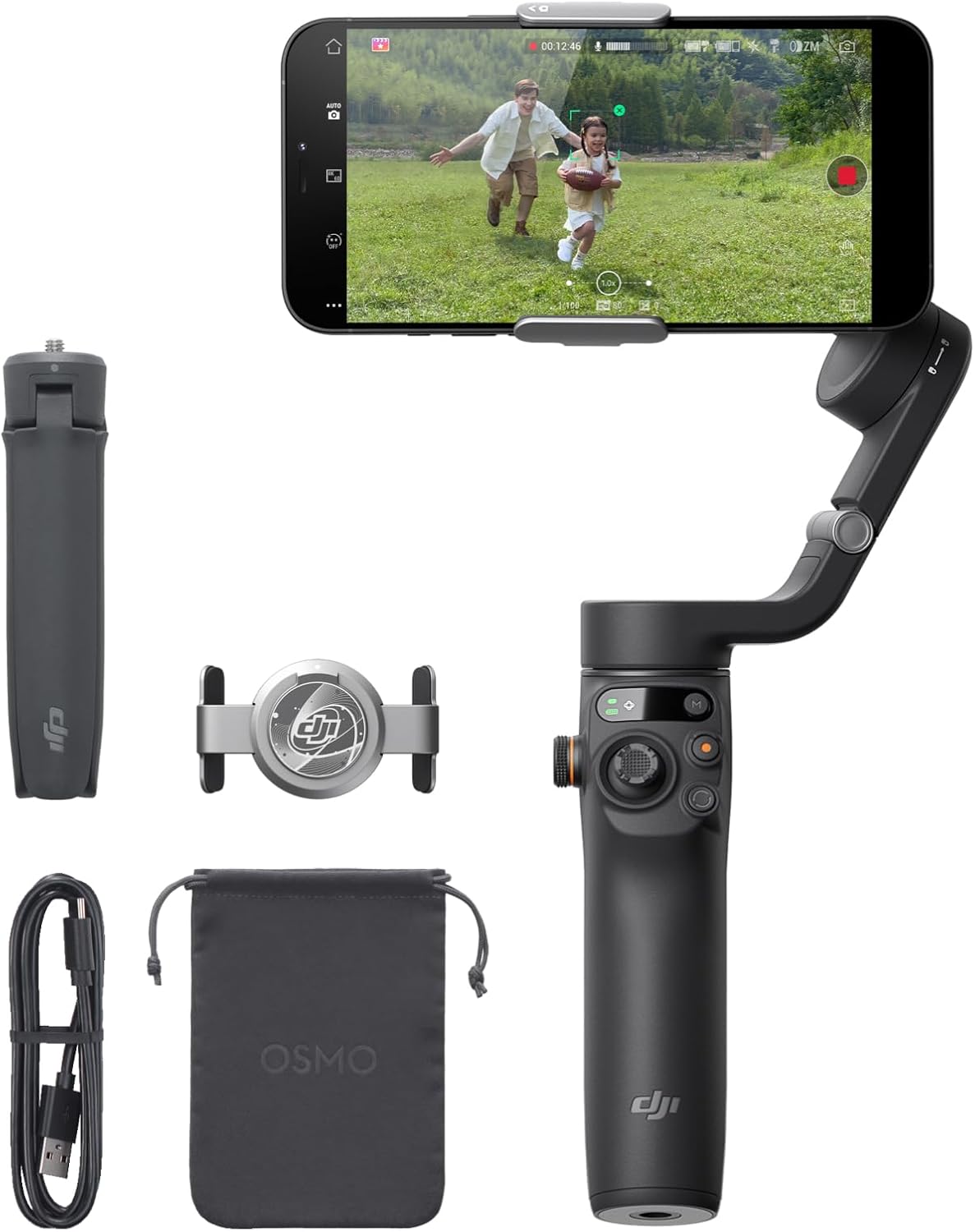
One owner loves that it keeps the phone balanced so the camera doesn't vibrate. The shake that ruins handheld footage on the move is what it removes.
One owner who uses it with the Mimo Android app has found the pair does what it does very well, and the tracking follows your moves without lag.
While the tool works well for many tasks, there is a catch that you should know because you can't use it for live streaming through the official app. This limit only applies to live broadcasts, but the recording tools still work well for saving files. That 4-star reviewer has found stabilization and tracking work very well for recording but not for live streaming, which is the reason the VenusLiv section exists.
The Wireless Mic: Hollyland Lark M2
A buyer wanted a reliable, discreet wireless mic for daily Instagram and Facebook content, and the Lark M2 has completely blown them away
Under pressure it has held up too, staying excellent in big crowds with music playing in the background. A buyer bought this set a year ago, and picked up a second unit for multi-cam shoots. It's small, which makes recording practical on the move.
The mic is tiny and measures only one inch in diameter, which helps you hide it under clothing when you want a discreet look throughout the long day. One guitarist just sticks a mic magnetically on their strap and goes. Another owner has found the receiver wouldn't pair with a DJI Osmo Pocket, and the phone adapter was the fix.
Using this small tool means you can focus on your audience, instead of fighting with heavy gear that might pull you down or ruin your professional broadcast
'The audio is excellent even in big crowds with music playing in the' background - the multi-cam owner's stress test, a year of gigs long. That is the sample size that matters, and it is why the second unit got bought instead of a different brand
The buyer bought the set over a year ago and has recently added a second one, and [No Film School's audio guides](https://nofilmschool
No wires to fight - the magnetic clip keeps the mic where it belongs, and the kit stays out of the frame. The size matters more than the spec sheet admits, and one owner has measured it at only one inch across and half an inch deep, including the magnetic disc.
The Streaming Camera: VenusLiv V2
The VenusLiv V2 is the dedicated-streamer answer, with a fast F1.2-2.0 lens that helps keep the image clear when the room is a bit dark. The right tool for one job beats the adaptable one for five. The hot-shoe mount takes the accessories while you stay live.
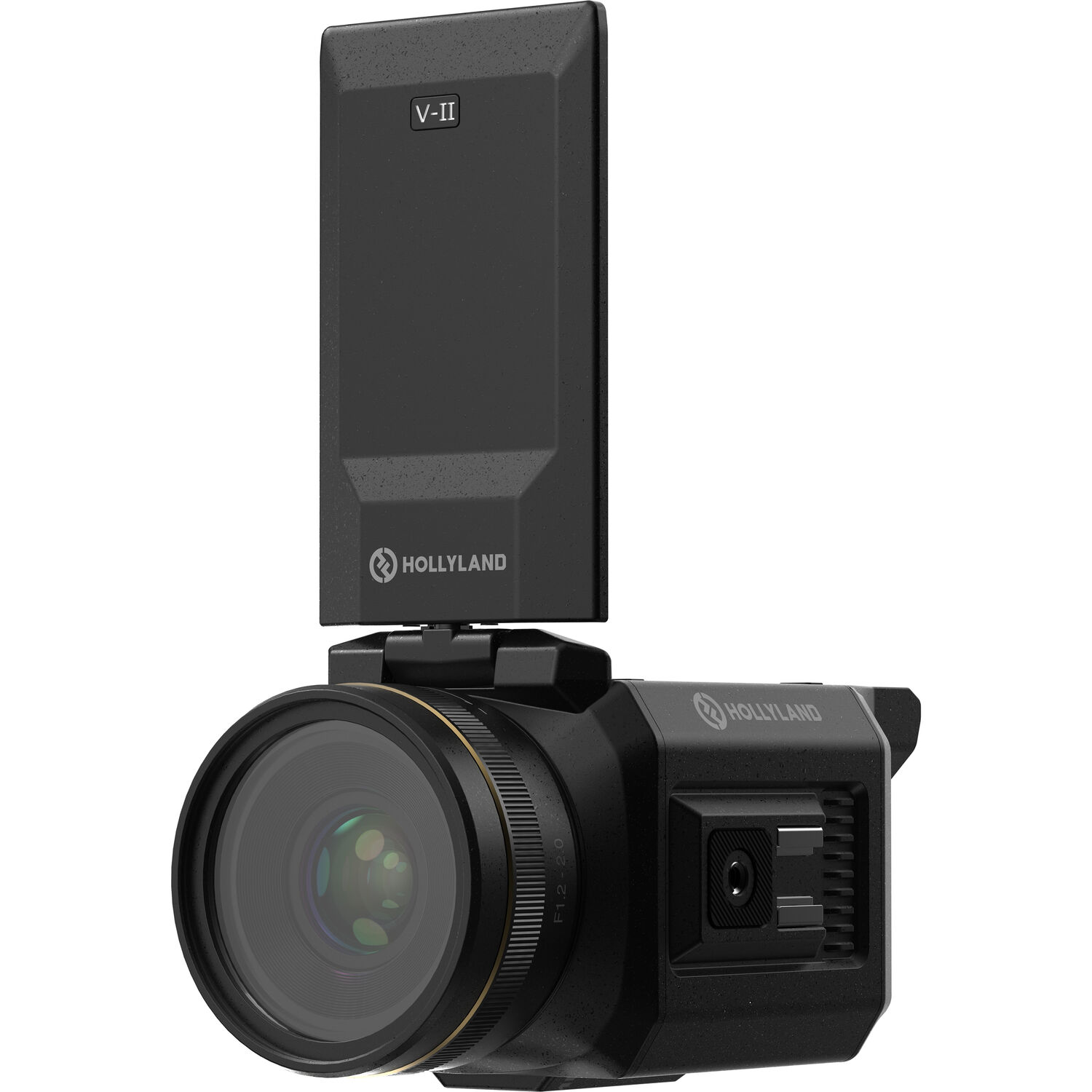
Because it connects over USB for streaming, you won't have to worry about apps crashing or a phone battery dying. The interview-kit workflow rides the same one-cable principle. This camera removes the mess of a phone rig, which lets you focus on your content instead of fighting with settings.
A steady feed that doesn't drop for phone calls or notifications. The desk-side audio kit runs the same logic: one device, one job.
Frequently Asked Questions
Is a Phone Better Than a Dedicated Camera?
Using a dedicated camera like the VenusLiv V2 offers better results for live streaming compared to a phone, which is primarily meant for recording video only.
You'll find the dedicated hardware more stable during long broadcasts. Phones throttle when heat builds - the stream drops quality before it drops frames, and the audience sees the mush before you do. That stability over long broadcasts is the reason to choose the VenusLiv, and PetaPixel's streaming coverage looks at the same phone-versus-camera trade from the photo side.
Is a Gimbal Necessary for Live Streaming?
A gimbal like the Osmo Mobile 6 is essential if you want to prevent your phone from vibrating while you're moving and filming. Keeping the phone balanced so the camera doesn't vibrate is exactly what owners have loved about it. Shaky video loses viewers faster than bad audio, and the gimbal field guide holds the full comparison.
Is a Wireless Mic Better Than a Wired One?
Wireless systems like the Lark M2 provide great freedom because you aren't tethered to the camera while moving around the space. You'll appreciate the magnetic clip, and the audio-side comparison explains why it beats a wired lavalier, though a wired fallback belongs in the drawer for when the link drops.
How Long Is the Battery Life?
Lose track of power and your live stream might cut out right when your audience is most engaged. Always bring extra batteries, and the Anker 20K is the power plan that makes it real, with about 20 hours of charging from a full cycle.
What Is in the Starter Kit?
Cage logic, applied: the gimbal rides in the bag pocket where a waterproof pack would go, the mic clips to the strap, and the power plan is one Anker brick. That is the whole travel weight question answered - nothing in this kit weighs more than the phone it stabilizes.
A basic setup should include the VenusLiv V2 for video and the Lark M2 for audio to ensure high-quality output. The Rode unit as backup audio is the redundancy that saves a stream - own the backup before the failure, per the everyday-tier comparison. Check B&H's mic stock for the tiers.