
Best Audio Mixer for Live Streaming in 2026
Anyone who's watched a stream where the music drowned out the host, or a guest's mic clipped the moment they started talking, already understands the problem. A webcam mic plus one USB mic gets you halfway. Add a second mic, system audio, music, or a phone call, and you need a real mixer.
What to Look for in a Streaming Mixer
You need to make sure that your gear is USB class-compliant so it talks to your computer without extra drivers, and you must have multitrack USB out to capture each mic on separate tracks. If you don't get these tracks, you can't edit voices later after the stream ends. Check those two specs before you spend anything.
A tool claiming to have eight channels while only providing two XLR jacks is faking it because you need high-quality mic preamps for every microphone you plan to use. You also need a mix-minus tool for call-ins, so guests don't hear their own voices in their headphones. Without it, guests hear themselves echoed, and the stream becomes unlistenable.
Streaming from a camera instead of a webcam? Look for a mixer with a dedicated camera-out jack that feeds audio to the body while you stream over a phone. The Mackie MobileMix has this part built-in, which makes it a handy tool for mobile creators.
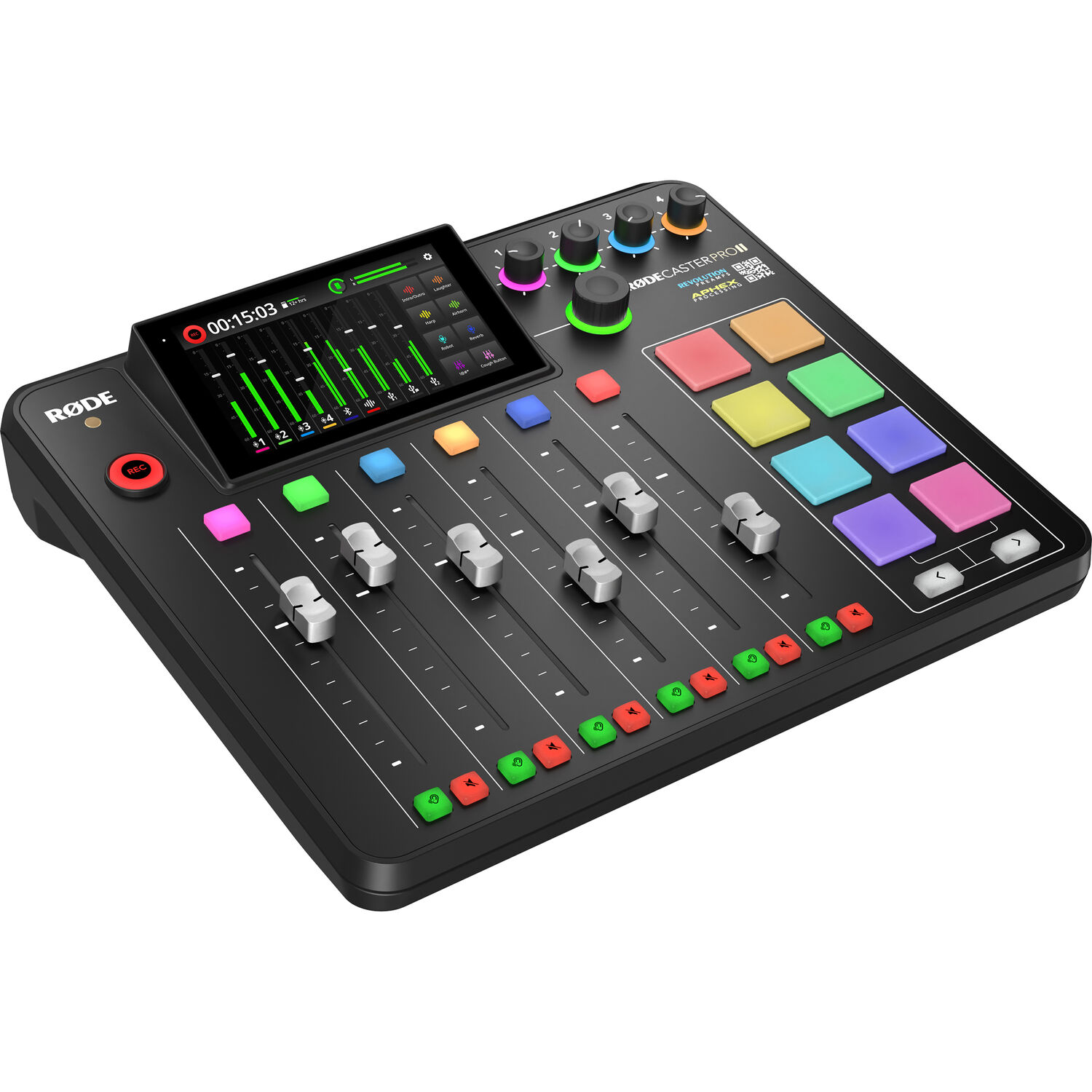
RODECaster Pro II: The All-in-One Pick
Rode's console features four combo XLR inputs paired with Revolution preamps that drive an SM7B without needing an extra Cloudlifter, while the 5.5-inch touchscreen lets you manage your levels. The eight SmartPads trigger stingers and effects live, the Aphex processing presets make voices broadcast-ready in one tap, and the internal gate, compressor and de-esser replace a rack of external processing.
For the camera side of a podcast setup, see our video podcast camera guide. It records multitrack to a computer, microSD card or USB drive, runs standalone without a computer, and pulls in phone calls or Discord guests over Bluetooth with a real mix-minus feed.
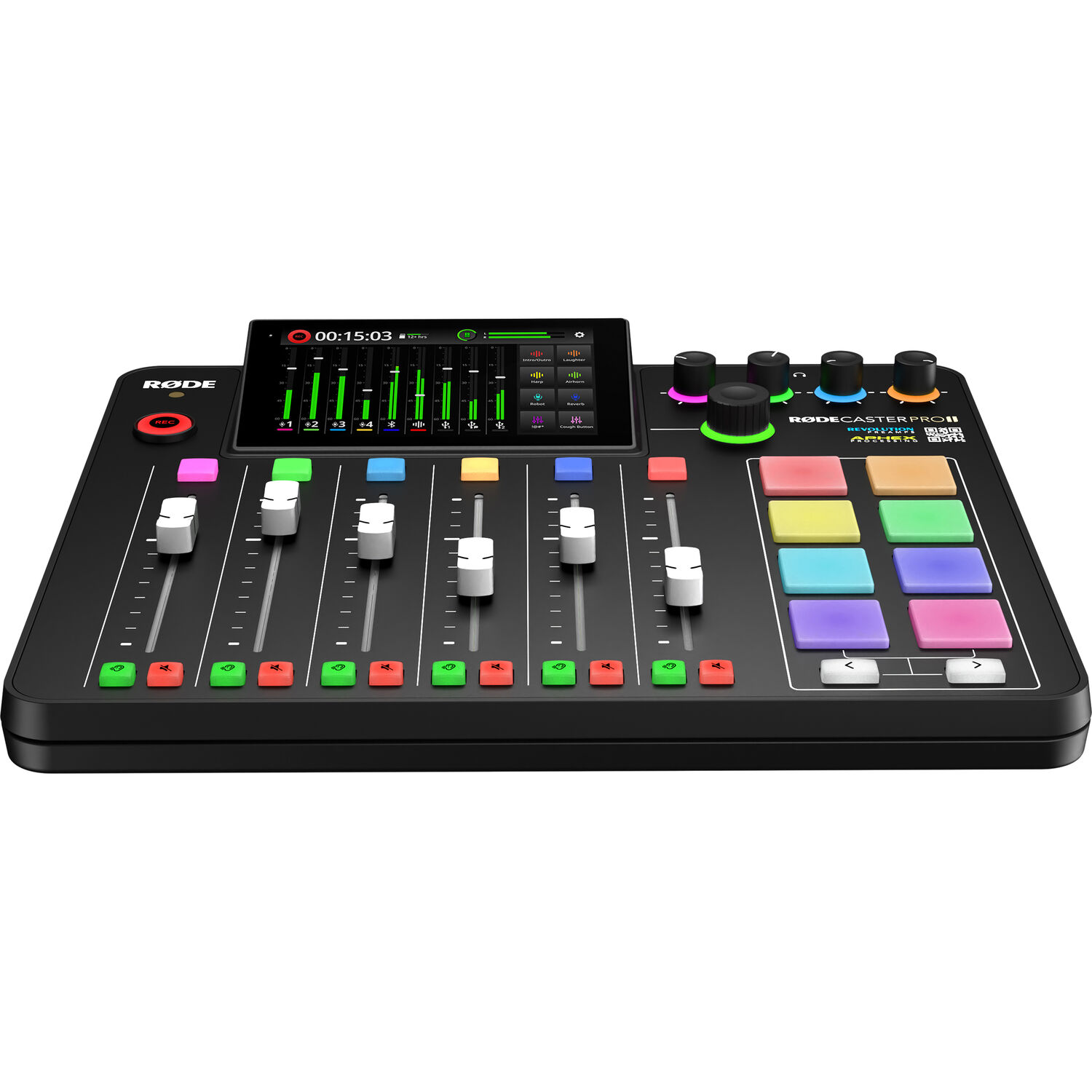
You can record multitrack audio to a computer, a microSD card, or a USB drive, which ensures you always have a backup if your stream crashes mid-show.
B&H has this machine in stock for mid-range money, though some might find the cost steep for a basic setup. The downsides are real: the menu system takes time to learn, and the touchscreen feels cluttered with many channels active. As a solo streamer with no guest plans, this is more mixer than you need.
The critical reviews cluster on Windows and fulfillment, not sound. One reviewer reports the virtual devices repeatedly disconnecting on Windows.
One owner says the power switch needed multiple pushes and eventually quit. One buyer of a renewed unit received one that never powered on, and another buyer got a UK power adapter in the US. Check firmware updates on first boot.
Mackie MobileMix: The Portable Pick
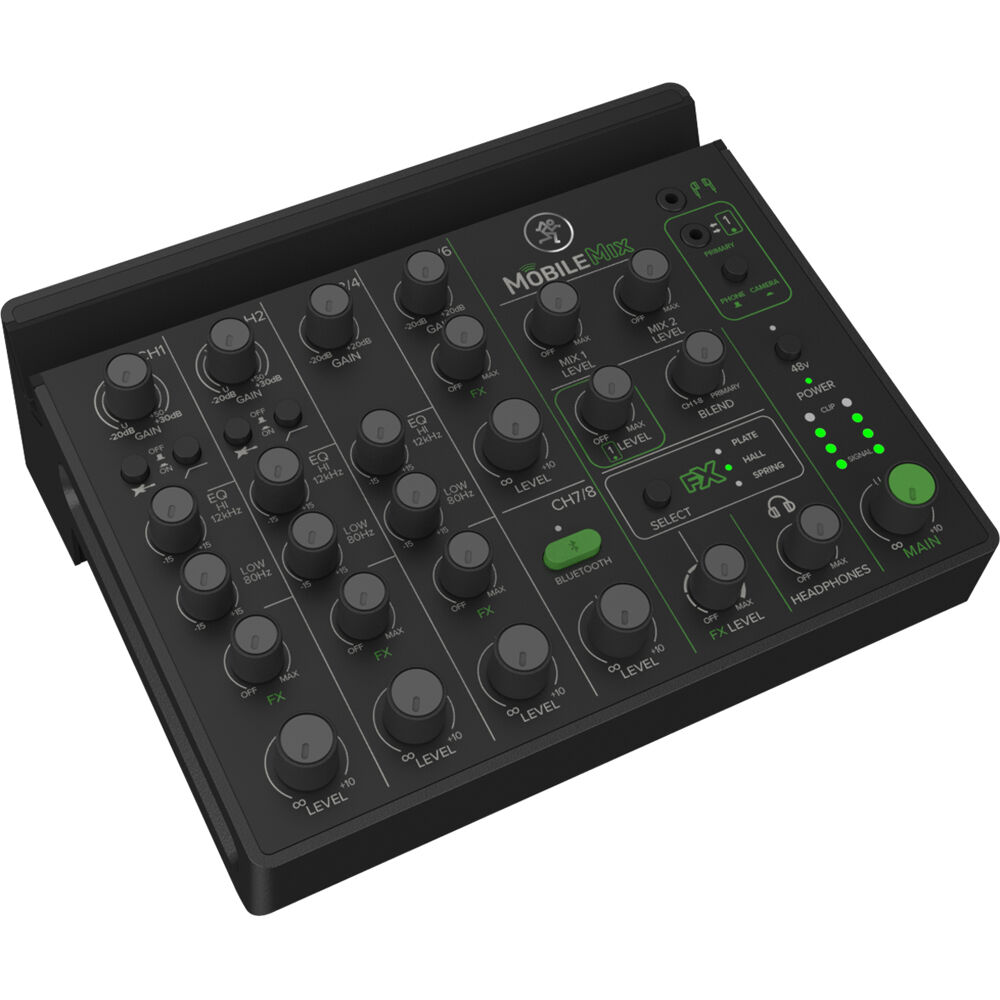
The Mackie MobileMix offers a bus-powered way for those who need to stream on the go, because it weighs less than two pounds and connects via USB-C. You get eight channels, with two XLR/TRS combo inputs carrying 48-volt phantom power for condensers. It includes a phone slot and a camera-out jack, which helps you route your signal easily while you move between locations. Built-in plate, hall and spring reverb add depth to spoken word without extra gear.
The critical reviews matter here. One user warns the USB-C port is power only and does not work as an interface.
A buyer has found no power bank that fits the battery cavity. A buyer hears the first seconds of every Bluetooth song cut off. And a 15-year DJ compared it directly against a cheap mixer and preferred the cheap one for gain staging.
Reliability has real complaints too: a wedding AV tech had the mixer die with loud popping after three uses. There is no low-battery indicator, so the first sign of trouble is silence. At a 3.9-star average from 78 ratings with only one unit left in stock at research time, availability is shaky on top of everything else.
Zoom LiveTrak L-8: The Multitrack Pick
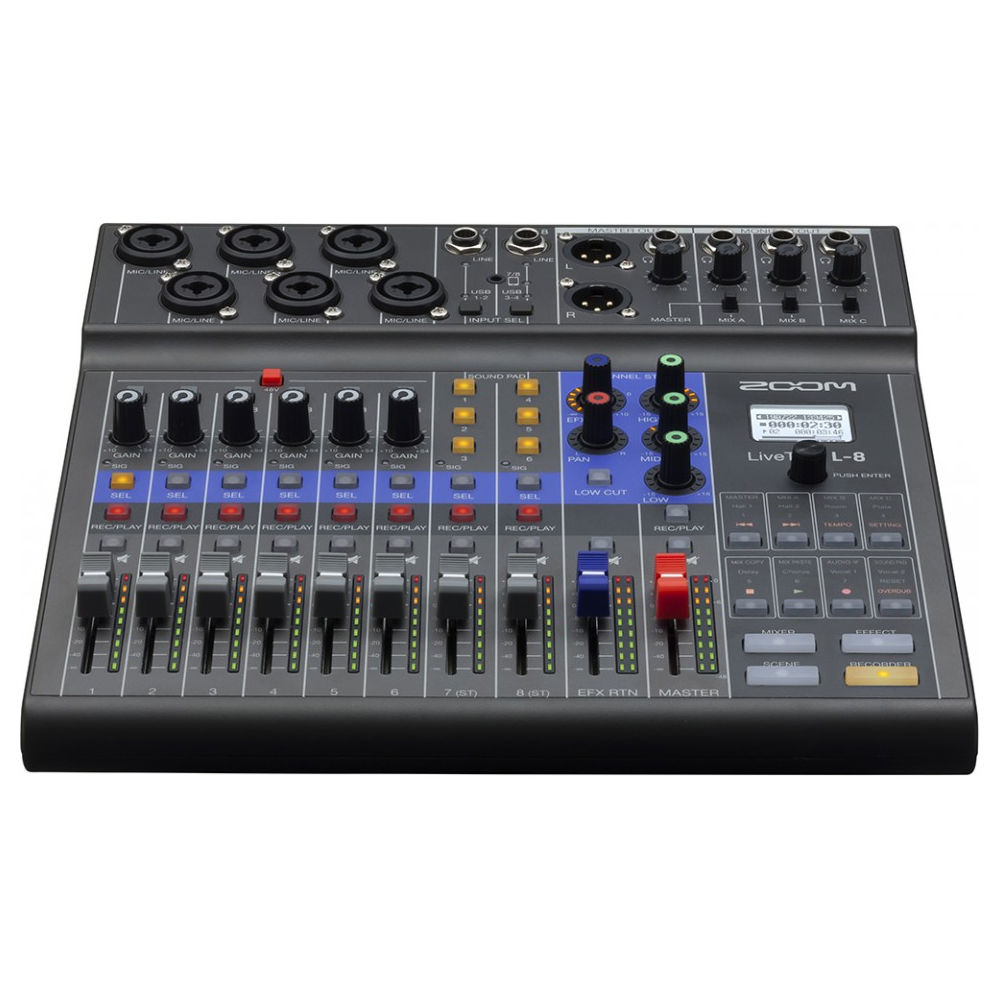
Zoom's LiveTrak L-8 stands out for those who need to manage multiple guests at once, because it provides four headphone outputs that let each person hear their own independent mix without needing messy splitters.
You get six combo XLR/TRS inputs plus two stereo line inputs, sound pads, and 12-track recording to SD card as a separate backup that runs independently of the USB output. It runs on four AA batteries in a pinch. The preamps are clear but unexciting: low-output dynamics need the gain nearly maxed.
One used-unit owner reports Mac drivers so unreliable they stopped working entirely after a specific reboot-and-plug sequence stopped saving them. An owner notes the main XLR output is noisy while USB recording stays clean. A buyer fought garbled audio from a MacBook Pro that only power cycling fixed.
The one hardware warning worth planning around: a single micro-USB port carries both power and data, and one buyer has found that running XLR outputs while feeding signal from the computer caused power loss and signal loss. This works well with our multi-camera live streaming setup if you're mixing several camera feeds.
Yamaha AG03MK2: The Budget Pick
The Yamaha AG03MK2 offers a cheap way to stream, because it provides three channels and a dedicated mic input with 48V power and high-pass filtering for your vocal gear.
You can use the loopback feature to send system audio directly into your stream, without needing to install extra software like VoiceMeeter. This tool includes one-knob effects that help your sound, while the real preamp EQ and compression keep your voice clean. Since it only has one mic input, you're limited to soloing or dealing with awkward audio splitting.
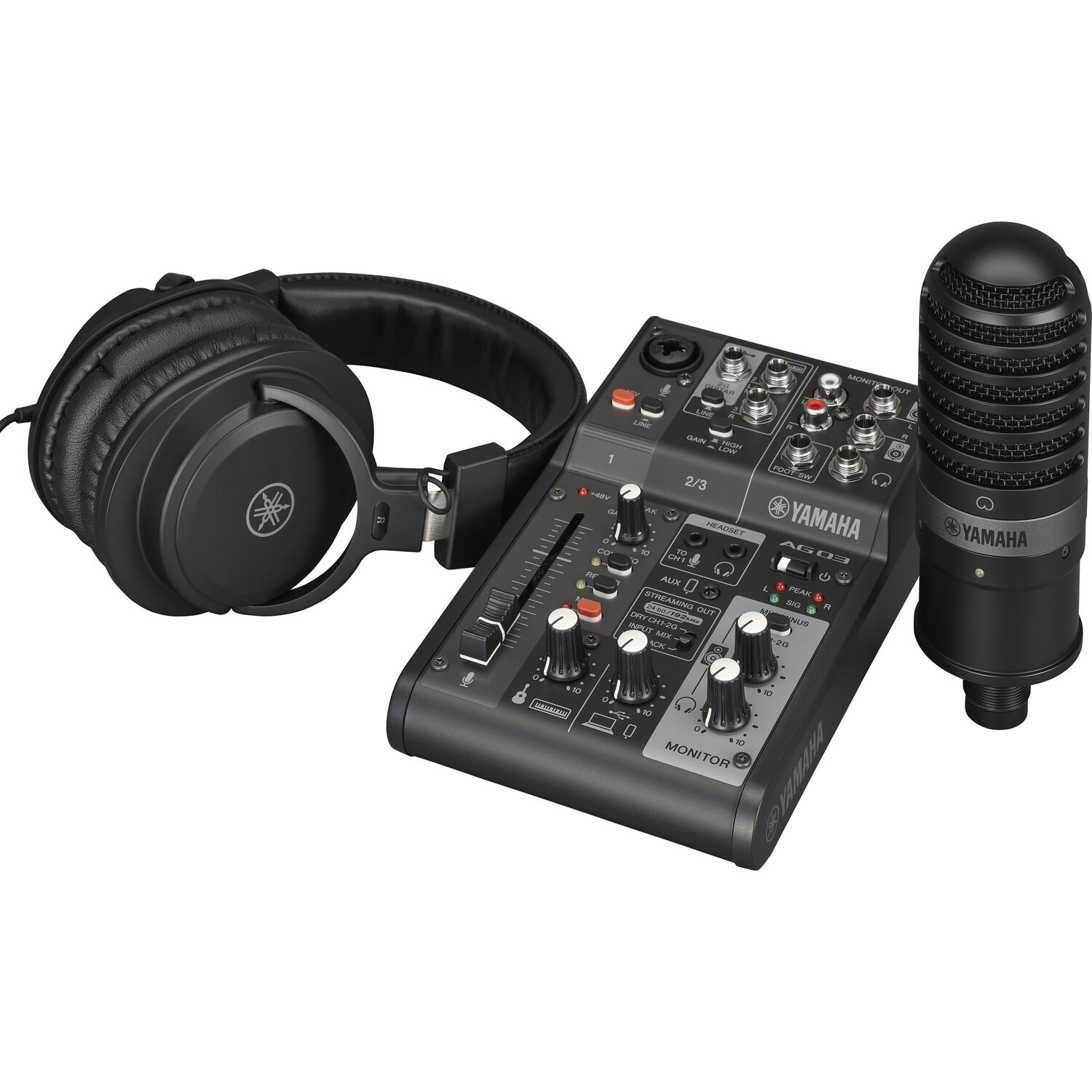
The critical reviews are consistent about limits: one owner reports it clips easily even at moderate settings, another hears static build up in the headphone line every few minutes, and a third points out you can only monitor the PC channel, so hearing your own mic or guitar live takes an aux switcher you buy separately.
An unverified review also claims Yamaha has stopped updating the Windows drivers, which matters as OS updates roll on. Stock showed only one unit left at research time. If you outgrow one mic input, you'll move on from this mixer fast.
Hardware Mixer or Software Mixer, and the GoXLR Situation
Software tools like VoiceMeeter or OBS filters work well if you only use one USB mic, but adding two or three mics makes hardware a better choice for most folks.
You'll get real-time faders so you don't have to alt-tab during a show, and hardware compression catches loud peaks before the buffer even sees the signal. Hardware also keeps working when Windows updates hit, while software routing often breaks when the operating system changes.
The GoXLR Mini had the right idea with its four faders and voice processing, but it only has one mic input and works on Windows.
Since TC Helicon discontinued the whole line in 2026, they ended all software updates and patches, so you should think twice before buying one now. You're betting that the software will stay stable, but the maker no longer cares about it anymore. It's a risky bet for a new setup.
OBS Audio Settings
Even with a great mixer, OBS can mess up your audio if it is configured wrong.
Match the OBS sample rate to your mixer, almost always 48 kHz. Pick the mixer as a single audio capture device unless you actually need multitrack. Turn off OBS's filters on the mic channel, since the mixer is already doing that work.
For the encoder side of the setup, our OBS recording settings guide covers what to change.
Do I really need a mixer if I only have one mic?
Probably not, if you're happy with your audio. A small USB mic like the Rode NT-USB Mini plugged straight into the computer is enough to stream solo. The exception: a mixer with loopback like the AG03MK2 mixes clean computer audio in and leaves room for a second mic later, so you don't rebuy everything.
Will the RODECaster Pro II work with OBS on Mac and Windows?
Yes to both. It shows up as a Class-Compliant USB audio interface, so OBS recognizes it with no drivers on Mac. Windows needs a small driver only for the multitrack USB mode, and stereo works without it.
Can I use a regular live-sound mixer instead?
You can. A Mackie ProFX or Behringer Xenyx does the basics. What you give up: loopback for system audio, an easy hardware mix-minus for phone guests, and sound pads. Streaming-first mixers earn their price on those three conveniences.
Frequently Asked Questions
How important is phantom power?
Needed if you run condenser mics, since most require 48 volts to function. All four picks supply it on at least one channel. Dynamic mics like the SM58 or SM7B don't care, so phantom shouldn't drive your choice if you run dynamics.
What is the cheapest setup that does not sound bad?
Streaming audio you don't hate starts at the AG03MK2 paired with a dynamic like the Rode PodMic. That spend beats any webcam mic by a wide margin, and it costs a fraction of a RODECaster.
What about the GoXLR Mini?
The GoXLR Mini earned its fanbase with four dedicated faders for mic, chat, music and system, plus broadcast voice processing. But it has one mic input, its software is Windows only, and TC Helicon discontinued the GoXLR line in 2026, ending software updates and patches. Solo Windows streamers can still make it work today. Anyone on Mac, or needing two mics, should look elsewhere, and even Windows buyers are betting on abandoned software.