
Best PTZ Camera for Church Live Streaming: Six Picks Compared
Most church streams are run by whoever's free that Sunday, and that person is often handling sound and the lyric slides at the same time. Nobody is left to stand behind a camera. That's why a camera you can aim and zoom from a laptop or a preset button makes so much sense for a service.
The picture is rarely the hard part, and I'd argue the connection decides more than the lens does. What makes a PTZ work in a church is how it gets its signal out (NDI over the network you already have, long HDMI or SDI cable runs, or plain USB into one computer) and whether its presets and tracking still behave week after week in a room with a bright stage and a dark congregation.
The cameras below are sorted by budget and by the kind of connection they suit, followed by what to know about the signal chain and where the cameras go.
The PTZOptics Move 4K is the choice for NDI network rigs while the OBSBOT Tiny 2 fits budget single-speaker tracking, though the Canon CR-N300 offers Canon color in an IP body and the Panasonic AW-UE50 provides mid-tier PoE.
I'd pick the Sony SRG-A40 when broadcast color science matters, but you must test preset recall before automating your system. One user's camera forgot its preset positions between sessions, and a failure like that mid-service is exactly what testing prevents.
PTZOptics Move 4K: The Default Pick
The PTZOptics Move 4K is a solid choice for churches that need NDI support: the lens is sharp, the zoom smooth, and the motor stays quiet during live services.
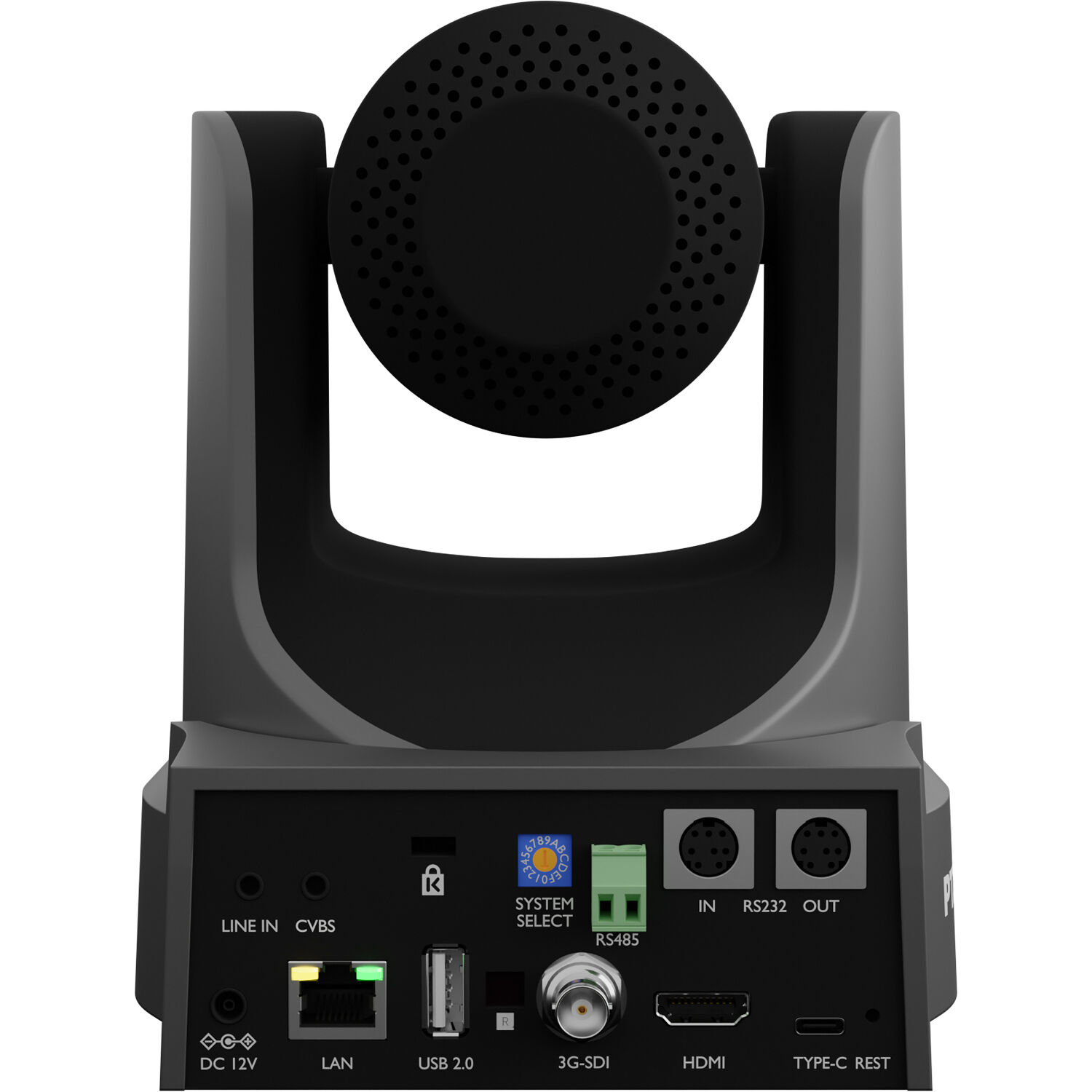
The rear panel carries SDI, HDMI, LAN, RS-232/485 and a line input, so the signal chain has options - PTZOptics' Move 4K page lists the full I/O. This camera works with various audio inputs, so you can mix sound directly into the stream without needing extra gear. It performs well in different lighting places because the image quality stays high even when the stage lights get bright.
While the hardware looks great, an owner has noted that the software feels unpolished because the iPhone app and web interface do not look good enough for the way you make the show.
A pro installer mentioned that the camera reports wrong power data, which might confuse you when planning your network budget. The auto-tracking failed for some users, and this is a big problem if you want the camera to move itself. The IR remote is hard to use, and the HDMI output sometimes shows an overlay that you didn't want.
When you let the camera move itself, test preset recall first because one user's unit has forgotten its positions between sessions even without a power cycle. You're betting on the hardware here, so make sure the software actually works for your specific needs. This camera is a great choice for NDI churches, but you should check the memory before you build your system.
OBSBOT Tiny 2: The Budget AI Tracker
Because it holds the biggest sample size online with a 4.5-star rating from over a thousand buyers, the OBSBOT Tiny 2 is a popular choice for those who need smart tracking without a complex setup. It delivers true 4K quality, and the tracking genuinely follows you as you move around the room during a live service.
One buyer even bought a second unit because it works so well for their specific needs. No software is needed to get running, which makes it easy for small teams - OBSBOT's site covers the tracking modes.
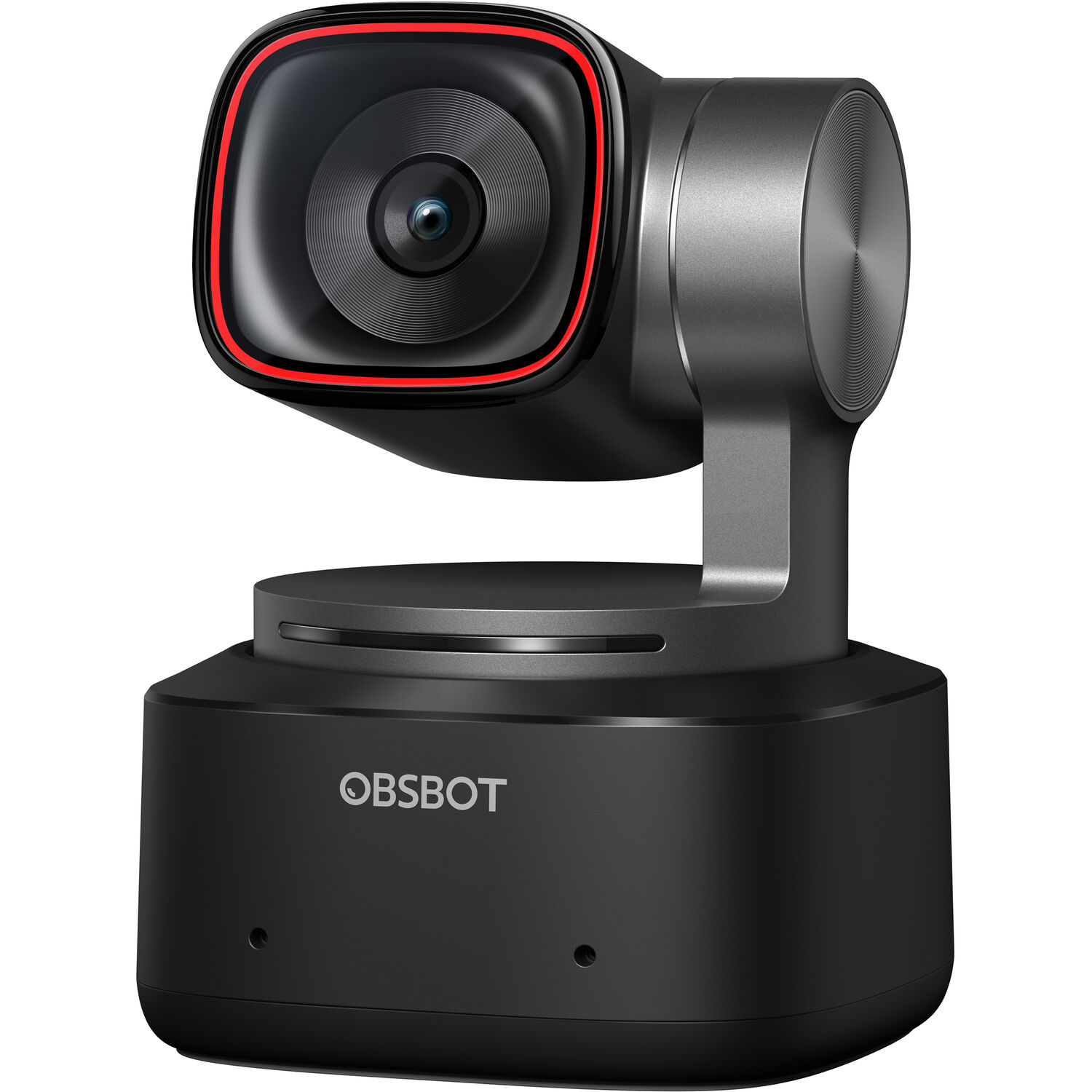
While the camera shines in bright areas, many users have found that how it looks in the dark falls below what they would expect for this price when the sanctuary gets quite dark. The internal mic is merely okay, so plan on an external microphone for anything that airs. If you rely on the built-in sound, you'll likely find that the voices sound thin.
We think this is a great budget tracker for small venues or single-speaker setups, but it isn't a substitute for a real PTZ wall-mount rig in a large sanctuary. It fits well in tight spaces where you don't need heavy gear or complex cable runs.
Since it's so small, you can move it around easily if the layout changes during the week. This camera is a solid starting point if you want AI tracking without spending too much money.
Canon CR-N300: Canon Color in an IP Body
The Canon CR-N300 brings that famous color science to a compact body that uses NDI|HX2, SRT, HDMI, IP, and USB outputs to help you connect to almost any modern live stream setup. It uses a hybrid AF system that keeps the focus sharp even when people move around the church stage. This camera holds a 4.7 rating from ten buyers, though the sample size is still quite small for a full test.
Skin tones look natural because Canon has spent years perfecting how their sensors capture light and shade.
This IP camera provides a straightforward way to send high-quality video across your building by fitting into your network without needing extra hardware.
Built-in SRT support streams over the internet with better resilience than older methods. You won't have to worry about weird colors, when the pastor stands under the bright lights during the service. The camera is a safe bet for teams who value a clean image above all else.
For large sanctuaries needing a mid-tier professional tool, the Panasonic AW-UE50 delivers 4K30p video and a 24x optical zoom that works well when the camera stays far back. This tool runs on PoE, which means you don't need to run extra power cables through the walls during setup.
Verified owner data is thin here, but the spec sheet points to a solid mid-tier pick. It keeps the shot steady while you move the frame to capture different parts of the church service.
The Sony SRG-A40 sits at the higher end because it uses built-in AI and 30x or 40x Clear Image Zoom to help you frame tight shots without losing any detail. It has broadcast color science.
Since there is no verified owner data for this gear, we rely on what the manufacturer says about its image quality. You are betting on Sony's reputation for the best-looking feed in a high-end stream.
Setup, Signal Chain, and Real-World Realities
Picking your path depends on if you want to use your net for NDI, run long HDMI cords across the room, or just plug a small USB cam into a PC. NDI lets you send video over data, but you'll need a good switch to handle the load.
HDMI is simple for short runs, though it limits where you can place your gear in the room. USB works well for small rooms, yet it won't scale for a multi-camera church setup. Decide which method fits your building before buying any hardware.
Dante AV usually runs through your audio chain or converters rather than being built directly into the PTZ cameras themselves.
Most modern cameras support NDI|HX, so you might need a bridge at the switcher to get everything talking. PoE makes installs much easier because one cable carries power, but you must check the switch power readings. Verify the switch-side readings so cameras do not drop out when the network gets busy during a long service.
Sanctuaries often have a very bright stage next to a dark congregation, which means you need to test how the camera handles low light and presets before you commit to any camera. The PTZOptics Move 4K, which has a 4.6 rating from 15 users, has a bug where it forgets preset positions, so verify that it works carefully.
You'll want to ensure that the camera can handle the dark areas without showing too much noise. If the software fails to save your spots, your live stream will suffer during the big moments. Taking the time to test now will save you a lot of headache when the show starts.
Logitech PTZ Pro 2: The USB Budget Option
To start streaming in a small room without a complex setup, this USB camera offers a plug-and-play way that works right away.
A buyer has said the camera revolutionized their studio for a weekly show that lasts two hours every single time. The image stays sharp even when you sit about ten feet away, which helps in small groups or classrooms. You can use presets to zoom into specific sections of a whiteboard, while a presenter speaks to the class.
While this tool is great for basic needs, you'll still need to buy a separate microphone because the camera doesn't include any built-in audio for your live stream. It lacks optical zoom.
You should skip this option if you need to mount a camera on a wall, or if you want to zoom beyond a conference room. It's better suited for whiteboard teaching, but not for a large sanctuary where you need more powerful gear.
Frequently Asked Questions
What Is the Best Camera for Church Live Streaming?
You'll want the PTZOptics Move 4K with its 4.6 rating for NDI-based rigs, while the OBSBOT Tiny 2 works well as a budget AI tracking option. These units cater to different needs based on your sanctuary size and available technical infrastructure.
Which PTZ Cameras Integrate Best With Dante AV and NDI for Church Services?
Most professional PTZ cameras speak NDI|HX, but the Dante AV integration happens through your audio hardware and converters rather than inside the camera itself. You'll need a bridge at the switcher to connect these systems together properly.
PTZ Presets or Volunteer Camera Operators?
PTZ presets allow you to capture repeatable shots for every service, whereas volunteer operators are better at handling the fluid movements of live worship. Using automation reduces the pressure on your tech team during high-stakes moments.
How Do PTZ Cameras Handle Low Light in Sanctuaries?
Sanctuaries often feature a bright stage wash against a very dark congregation, which makes the OBSBOT Tiny 2's low-light performance a significant concern. You should test how your gear handles these lighting contrasts before you commit to a setup.
How Many Cameras Does a Church Stream Need?
It's best to start with two cameras for a wide shot and a close-up, then add a third unit when your budget allows. Our multi-camera setup guide walks through the full chain.
Do PTZ Cameras Have Built-In Microphones?
Most professional PTZ cameras do not, and even the Logitech PTZ Pro 2 ships without one (verified in owner reports). Plan the audio chain separately, and B&H's PTZ camera category lists which models carry audio inputs.