
Best Low Cost Video Camera: Budget Picks With Owner Proof
A low-cost video camera is supposed to be the sensible purchase, and that's what makes it tricky. With less money to spend, every compromise lands somewhere you'll feel it: in the battery, the stabilization, the autofocus or the accessories you didn't know you'd need.
The good news is that the budget end has never been stronger. Mirrorless bodies built for creators, pocket gimbal cameras and even used cinema cameras now fit budgets that used to buy a basic camcorder.
Below are a creator pick, a beginner pick, a pocketable option, a stabilization pick, and a used cinema option most budget lists skip.
I'd pick the Sony ZV-E10 II for creator features on a budget or the Canon EOS R50 for beginners, while the DJI Osmo Pocket 3 wins when pocketable truly beats everything else. The Panasonic Lumix G95 is the pick when in-body stabilization matters, though you will need spare batteries. And used Blackmagic Pocket Cinema bodies deliver genuine cinema features for less than new cost, if you accept the older ergonomics.
Sony ZV-E10 II: The Creator Pick
The Sony ZV-E10 II uses a 26MP APS-C sensor to capture 4K60 video, while the articulating screen helps you frame solo shots.
The NP-FZ100 battery is shared with Sony's bigger bodies, so power carries through long shoots. Product showcase mode snaps focus onto items you hold up to the lens. The whole body is built for creators who move fast.
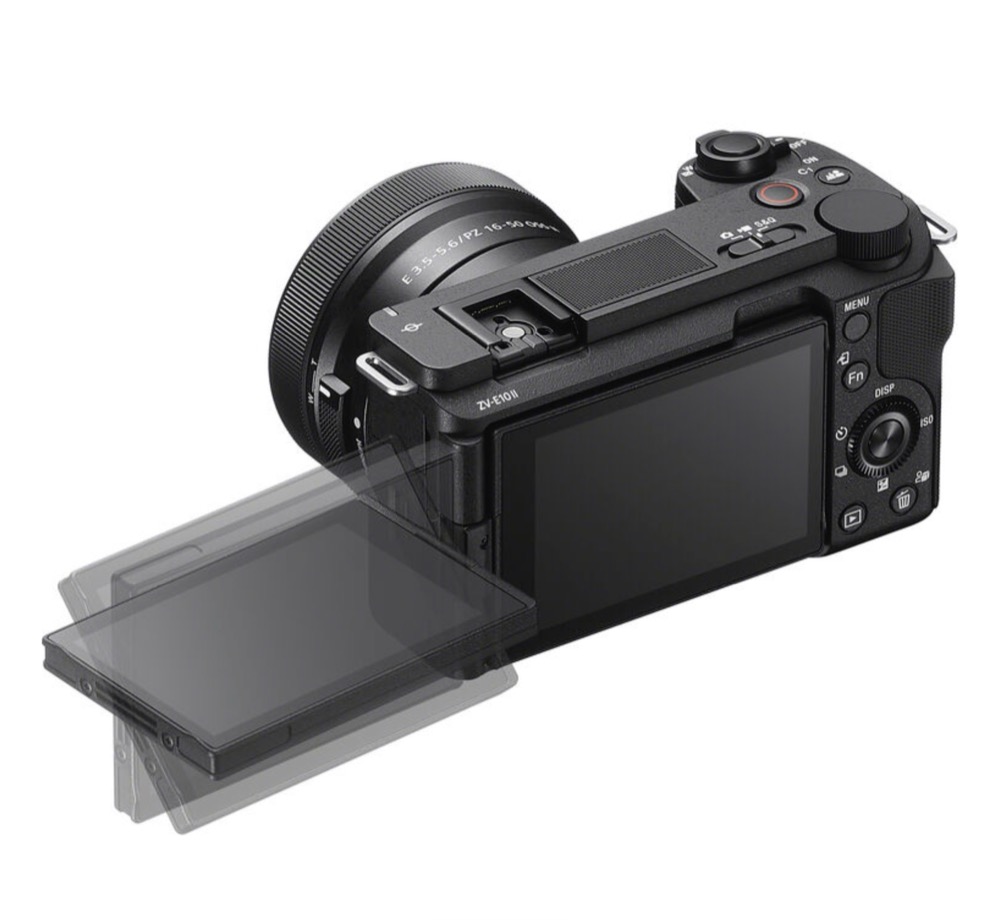
While the camera holds a 4.4 rating from 100 buyers, the Frequently Returned banner on the listing warns that some people find issues with the camera after they get it home.
One reviewer has noted USB-C port failures, and others dealt with grey imports that have foreign menus. You might also find missing bundle contents, or a degraded sensor if you aren't careful. Check the gear first.
Buy it sold-by-Amazon only, and test every port and the sensor immediately. A bad body ruins a paid shoot, and the verified failures above all surfaced in the first weeks. Our budget video camera comparison covers how this one stacks against other picks in depth.
Canon EOS R50: The Beginner Pick
The Canon EOS R50 offers a 24.2MP APS-C sensor and a versatile RF mount which makes it a great tool for people who want to start filming video without spending a fortune. It includes a built-in webcam mode, which helps if you need to stream straight from your computer. Since it sits at a low-cost price, it stays a top pick for those looking for basic gear.
You'll find that the body is light, though the menus might feel strange at first.
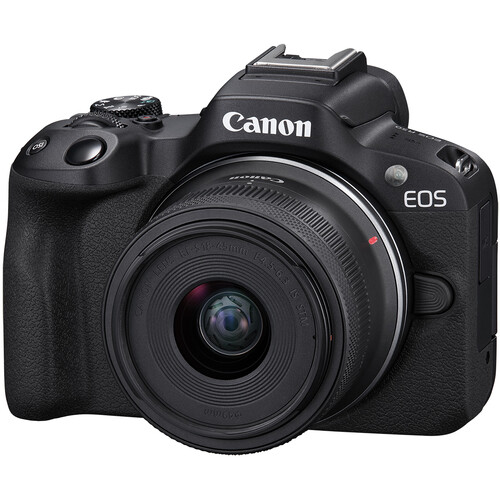
While the rating is quite high, you should check the box contents at the courier because some buyers have reported missing 64GB cards or swapped bags in the bundles. One owner has mentioned the camera failed after just two months, so you need to be careful. Another reviewer has noted that one lens didn't reach the full telephoto range, which limits framing choices.
Using the RF-S18-150mm travel zoom lens turns this setup into a one-camera travel kit because it covers a wide range for most trips you might take. This lens is helpful because you don't have to swap glass while you are out. It is a solid start provided you verify the listing matches what you ordered. Watch the bundle quirks and this is the easiest way into video.
DJI Osmo Pocket 3: The Pocketable Pick
DJI's Pocket 3 page lists the 1-inch CMOS sensor capturing 4K at 120fps, while the mechanical three-axis gimbal keeps your shots steady even when you move around.
Many find this tool is beefier than other mini-gimbals, and it focuses much faster when you switch between subjects. One reviewer has praised how easy it's to create content, because the selfie-mode rotate makes filming yourself very simple. It produces beautiful image quality, which makes it a great choice for outdoor creators who need something light.
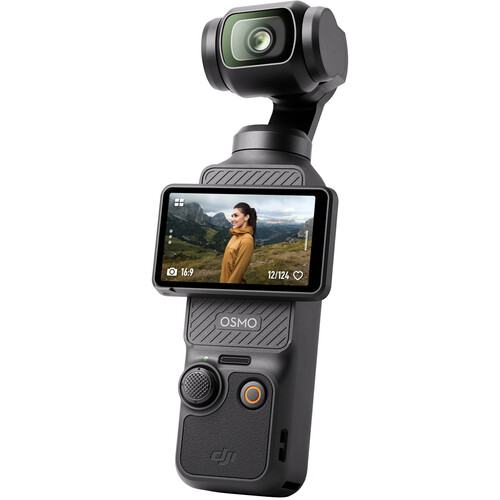
With a 4.5 rating from over 10,000 buyers, this tool has the biggest sample size in this list, yet people love how compact it stays during travel. Spotlight Follow keeps you framed while you move. One buyer received a dead unit, though most function fine out of the box.
You should be careful because one owner had intermittent audio failing mid-shoot, which caused a huge problem when they were working on a real-world production project.
The mic in the Creator Combo sometimes fails to register sound, so you might need to buy a separate one. It's hard to sign up for the DJI app, which adds a bit of time to the initial setup. Test the audio before any paid shoot, because two buyers lost sound mid-recording.
Panasonic Lumix G95: The Stabilization Pick
The Panasonic Lumix G95 pairs a 20.3MP Micro Four Thirds sensor with a 12-60mm lens, which helps you capture clear video for YouTube without needing a heavy gimbal for every shot. This camera uses five-axis tech, which keeps your footage steady while you walk or move around the scene.
You'll record in 4K at 24 or 30 frames per second, though the image crops slightly when you use that mode. It works well.
While many find the menus easy to navigate at first, the feature creep can get confusing once you dive deep into specific video settings during a shoot.
One reviewer has noted that the image looks flat right from the box, so you've got to grade your footage to make the colors pop. Since the G95 provides high picture quality, it stays a top choice for both stills and video projects. You'll find the build quality is solid here.
The biggest downside is the battery that lasts for about twenty stills per charge, which means you should buy spares for long field days, and B&H carries spare batteries and MFT glass for this body.
Charging's also slow, which is a pain if you're in a rush to get back to shooting again. WiFi backup is flaky on some networks, so use a cable for moving large files. The in-body tech makes it a standout tool for handheld work without extra gear.
Used Cinema Cameras: The Secret Budget Option
Used Blackmagic Pocket Cinema Cameras in 4K or 6K sell for much less than their original cost, because they offer real cinema tools like RAW video and ProRes for editing. These cameras give you dual ISO settings, which help when you shoot in low light without losing too much detail.
Buying used is a smart way to get gear without paying the full price for a new body. It's a great deal for those who want the best image quality.
While the tools are great, you must deal with short battery life and complex menus that might feel hard to navigate compared to a more modern mirrorless camera. Budget for a Magicrig cage first, because it adds a top handle and mounting points that make the camera usable handheld. Our Pocket Cinema review covers these bodies in detail.
Run-and-gun shooters who need reliable autofocus to track subjects should skip these cameras, because they lack the fast tracking found in many other models. It's not for everyone. These tools are built for people who have time to set up gear before every single shot. Stick to simple gear if you need a camera that just works.
Frequently Asked Questions
Which camera is best for YouTube?
The Sony ZV-E10 II or the DJI Osmo Pocket 3, depending on shooting style. The Sony gives you interchangeable lenses. The DJI gives you an ultra-compact gimbalized camera that goes anywhere.
Can I get professional video quality on a budget?
Proper lighting and audio discipline matter far more than the camera body, especially when using used Blackmagic gear for genuine cinema looks.
Should I buy a mirrorless or a camcorder?
Mirrorless cameras offer better lens choices and low light performance, whereas camcorders are superior for optical zoom and long recording sessions.
Is the Sony ZV-E10 II good for filmmaking?
You'll use this body for filmmaking if you pair it with manual glass, but you should watch focus-reliability reports before buying it.
Where can I find the cheapest good video camera?
The used market usually beats anything new available at the same money level when you want high-end features like RAW video.