
Free Video Recording and Editing Software: OBS, Resolve, Shotcut and CapCut
Free video software used to mean a watermark, a time limit or a stripped-down editor that pushed you toward the paid version. That's no longer true, and some of the best recording and editing tools available now cost nothing at all.
The catch is that free tools aren't all free in the same way, and they don't all suit the same computer. Some are open source, some lock a few features behind an upgrade, some have terms worth reading if you make videos for clients, and some will crawl on an older laptop.
Below are the free recording default, a free editor that acts paid, two lightweight options, and the point where free software stops being enough.
OBS Studio provides unlimited recording without any cost while DaVinci Resolve offers professional-grade editing for free, but Shotcut helps older computers run and CapCut handles quick social media clips easily.
Because software capture fails to handle high-resolution console signals, the HD60 X capture card becomes the necessary hardware path for creators. Pick the pair that matches your hardware and the videos you actually produce - the free tier covers more than most people expect.
OBS Studio: Free Recording Without Limits
OBS Studio is open source, which means no trial timers, no export limits and no hidden fees - a recording session runs as long as the disk has space, which matters when a single gameplay take runs two hours. It doesn't put a watermark on your files, and there is no paid tier hiding behind the install button.
The scenes-and-sources model is the reason OBS dominates: each scene is a saved arrangement of camera feeds, window captures and overlays, and switching between them takes one click mid-recording.
Build an intro scene, a gameplay scene and a wrap-up scene once, and every future recording starts with the layout already done. Each scene holds many layers, so you can put your face over the gameplay while you record - the verified interface screenshot in this guide shows the docks for scenes, sources and the audio mixer.
Quality lives in two settings: the encoder (hardware NVENC/QuickSync vs software x264) and the bitrate, which together decide how much detail survives from the screen to the disk. A hardware encoder offloads the work to the GPU, which matters when the game is already eating your CPU - the frame rate stays stable because the recording and the gameplay stop fighting for the same silicon.
You should check our internal OBS settings guide, as it helps you find the right numbers for your hardware. Bitrate math is simple: 4K recording wants 40 to 60 megabits per second, which is roughly 30 gigabytes an hour - plan storage before the first session, not after the disk fills.
DaVinci Resolve: Free Editing That Acts Paid
Most people assume professional results require paid software, but the free DaVinci Resolve build covers what the majority of editors actually use. You get the same color engine that grades feature films, and the paid upgrade only matters for a short list of add-ons.
The learning curve is real but well documented: our Resolve guide walks through the color page, and the drone-editing guide shows the same engine handling aerial log footage.
The Studio upgrade earns its price on two features: temporal noise reduction for grainy high-ISO footage and the advanced audio cleanup tools.
Most users won't miss these features because the free version handles everything needed for a channel. If your footage carries hiss from a preamp or a noisy room, the paid version strips it in one pass instead of an afternoon of third-party cleanup. Start free and upgrade only when a paying job demands the extras.
Shotcut and CapCut: The Lightweight Tier
On an old computer that struggles with heavy programs, Shotcut is a good pick because it stays light and doesn't demand much from your hardware. It stays stable on machines where heavier editors stutter, and the editing itself runs without a new rig or a RAM upgrade - the interface is dated, but the export button works every time.
CapCut desktop surprises people with how much editing it handles for free: auto captions that actually land, beat-synced cuts, and a template library that turns a phone clip into a finished post in minutes.
For creators whose output lives on TikTok or Shorts, that speed is the whole product. The interface feels modern and snappy, and the built-in effects library saves hours of custom work. The one catch is the license: verify the commercial-use terms before a sponsored video ships, because the consumer agreement has changed before.
The choice between these two depends on whether you want an old machine to stay stable or if you need to push out content quickly for your online audience. Shotcut fits weak hardware, and CapCut wins on speed. Both prove the free tier is enough to publish, which is the point - a paid suite earns its price when your delivery standards demand it, not before.
When Free Software Isn't Enough: The Capture Card Path
Consoles and 4K60 capture are where free software hits a wall: the HDMI signal has to enter the computer through dedicated silicon that digitizes it in real time, and no download fixes that - it is a hardware problem by definition. That is where a hardware capture card like the HD60 X takes over.
You'll find this tool is vital, if you need a dual-PC setup to keep your game running smooth and clean. It bypasses the lag that often happens when you try to record internal desktop windows.
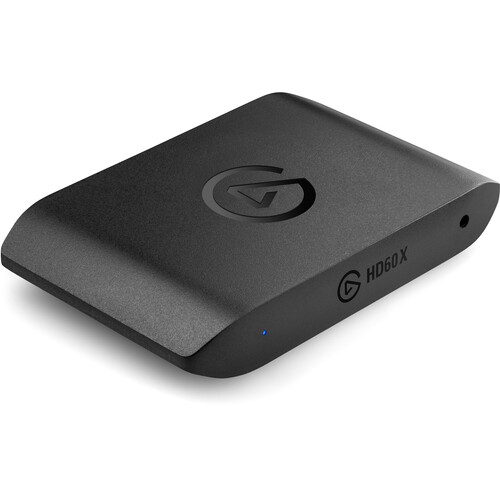
While programs like OBS Studio work great for capturing your own screen, they won't help you when you need to pull video from an external device like a PlayStation or a Switch. Most people recording their own desktop can stay all-free forever - the software path covers tutorials, gameplay on the same PC, and talking-head content without a single purchase.
The hardware costs mid-range money, but it reaches signals that software capture physically cannot - B&H's capture card listings show the current price band, and the HD60 X's 4.6 across 5,326 ratings is the deepest verified sample in the category, with the documented trade being driver quirks rather than capture quality.
Rely only on software capture for a 4K stream and you might notice dropped frames or blurry footage, because your computer struggles to handle too many tasks at once.
Using a capture card ensures your video stays crisp while your PC handles the heavy lifting of running the game. Without this path, your final edits might look cheap because the source material was weak during high-action scenes. Buying the card beats re-shooting footage that was never captured cleanly.
Frequently Asked Questions
Is DaVinci Resolve actually free?
The free Resolve build exports without watermarks and without time limits - the paid Studio version stays optional unless a project specifically needs noise reduction or the AI tools. Start free and let the paid tier prove itself.
Can OBS Studio record 4K?
OBS records 4K as long as the encoder keeps up: a recent GPU handles it through NVENC or QuickSync, while older CPUs need the bitrate dropped to hold real-time performance. Check the encoder's performance stat in the settings window before a long session.
Which software is best for beginners?
CapCut desktop offers the fastest workflow for beginners, while DaVinci Resolve provides a much deeper feature set for those willing to climb its learning curve.
Is Shotcut good for professional work?
Shotcut handles cuts, trims and basic exports well, but its color correction and audio toolsets sit well below Resolve's - fine for vlogs on older computers, limiting for anything that needs a graded look.
Can I use these apps for money?
OBS Studio, DaVinci Resolve and Shotcut all allow commercial use, and CapCut is the one that needs the careful license read before a sponsored video ships.