
Best Camera for Video Podcasts (You Don't Need to Spend Big)
Why a Dedicated Camera Is Better Than Using Your Webcam
You may be able to begin a video podcast with a webcam. Many people have. But once you look at the differences between even a budget-priced mirrorless camera versus the Logitech C920, it's apparent that there is a difference. Larger sensor size, greater depth of field, lower sensitivity to low-light levels, and far greater control over how you appear on camera are the primary advantages of a dedicated camera.
The debate isn't whether a dedicated camera is better. It is which one will be suitable for a podcast situation where you simply mount the camera to a tripod and let it roll for 45 minutes without moving? Because that is a significantly different usage scenario than run-and-gun filmmaking, and it changes what actually matters in a camera. You require clean HDMI output (or USB-C streaming capability), reliable autofocus that doesn't constantly seek focus while you're speaking, no recording time limits, and the capacity to operate on external power so your battery doesn't die in the middle of an episode.
In terms of meeting these requirements, the Sony ZV-E10 II is our leading candidate. But it is certainly not the only viable option.
Sony ZV-E10 II: The Top Choice for Most Podcasters
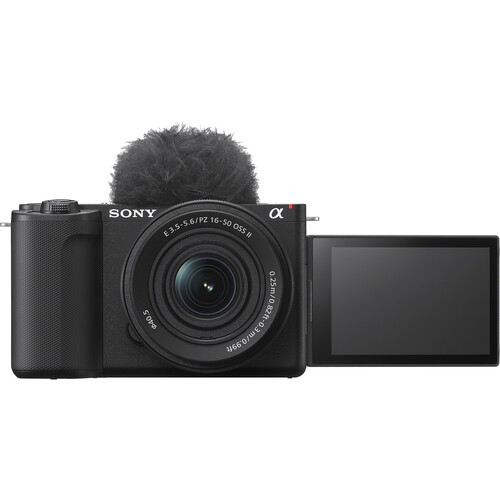
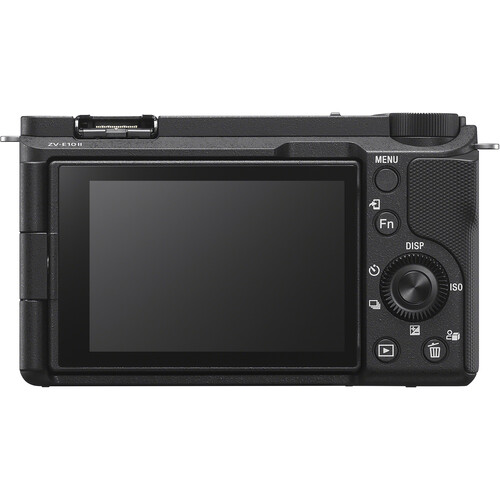
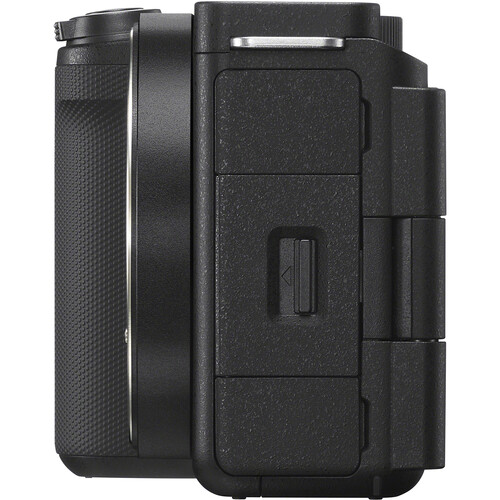
The Sony ZV-E10 II was created specifically for content producers. Therefore, it represents an excellent choice for podcasters seeking a dedicated camera. Sony extracted core components from the a6700 and FX30 and packaged them into a compact body weighing just 377 grams. For podcasting, the most significant features include the 759-point phase detection autofocus (which maintains steady focus on faces and eyes without hunting), clean Micro-HDMI output for routing to a capture card, and USB-C streaming at up to 4K30 if you want to skip the capture card entirely.
The Sony ZV-E10 II employs a 26-megapixel APS-C image sensor capable of capturing 4K60 video with 4:2:2 10-bit color depth, which is honestly more than sufficient for most podcast productions. But it means your footage looks clean even in less-than-ideal lighting. S-Log3 and S-Cinetone are built in for anyone who wants to color grade, though for a podcast you'll probably just shoot in a standard profile and call it a day.
What Users Are Saying
B&H reviewers consistently highlight the autofocus speed and the lightweight body. One verified buyer described it as "lightning fast" for focusing and writing to the card. Multiple users also note that the camera is approachable for newbies. Given that many podcasters are producers first and camera operators second, this could prove advantageous.
The primary criticism of several reviewers, including multiple complaints, is that the Sony ZV-E10 II overheats when shooting in 4K. One reviewer stated that he experienced camera shutdowns within 10 to 15 minutes of continuous 4K filming. Another reviewer claimed to experience shutdowns as soon as 2 to 3 minutes after initiating filming in warm environments.
To address this issue, many reviewers employ one of two solutions: record in 1080p (which doesn't overheat) or aim a small desktop fan at the back of the camera. For most podcast setups, 1080p is honestly sufficient, so this shouldn't be a dealbreaker unless you absolutely need 4K.
Buyers have confirmed that the Sony ZV-E10 II continues to function when powered externally via USB-C while recording, which is essential for long podcast sessions.
Recommended Podcast Setup Using the Sony ZV-E10 II
When configuring a stationary podcast camera setup utilizing the Sony ZV-E10 II, we recommend pairing it with a fast prime lens like the Sigma 16mm f/1.4 for a blurred background appearance. Alternately, you can use the included 16-50mm kit lens if you prefer flexibility. Attach it to a tripod. Connect it via USB-C to an external power source. Send HDMI signals to your capture card or streaming software. The camera also has a flip-out 3-inch articulating touchscreen display that enables self-monitoring and a built-in tally light that indicates when the camera is actively recording.
The camera includes a 3-capsule directional microphone. It performs adequately for scratch audio purposes. Nonetheless, you will certainly desire a dedicated podcast microphone for recording your true audio tracks.
Canon EOS R50: Alternative for Podcasters on a Tighter Budget
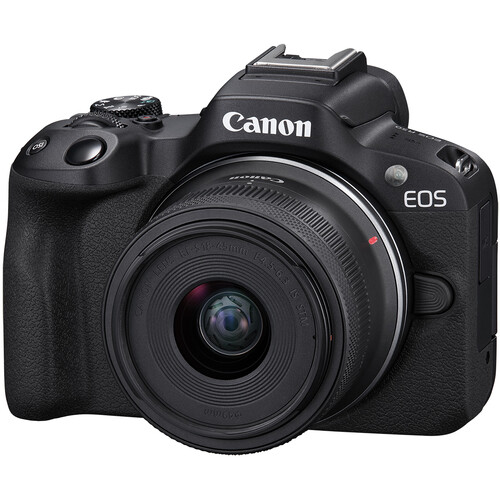
If you cannot afford the Sony ZV-E10 II, the Canon EOS R50 is available at a significantly reduced cost point and nonetheless supplies comparable video quality. It is an APS-C format camera that measures 24.2 megapixels. It contains Dual Pixel CMOS AF II, which facilitates accurate facial recognition and eye-tracking. It can record 4K30 video (in cropped mode) and uncropped 1080p video. Additionally, it has clean HDMI output capabilities.
The Canon EOS R50 is extremely compact and lightweight. This will be beneficial if your podcast equipment resides on a crowded desktop. Canon's color palette is known for producing pleasing skin tone colors without requiring extensive color grading, thus allowing you to bypass color grading altogether and appear appealing on camera.
There are trade-offs when comparing this camera model to the Sony ZV-E10 II. There is no optical image stabilization (not an issue when using a tripod), the 4K resolution is subject to cropping, and there are recording limits of approximately 30 minutes per segment. For the vast majority of podcasters, this will create recording gaps in their final product.
You can restart recording between segments, but it's something to plan around. The battery life is also shorter, so external power via USB is pretty much mandatory for longer sessions.
Canon's RF-S lens ecosystem is growing but still limited compared to Sony E-mount, especially for affordable fast primes. If you want that shallow depth of field podcast look on a budget, the Sony has more lens options.
Check the Canon EOS R50 at B&H Photo
Panasonic Lumix G9 II: The Overkill Option
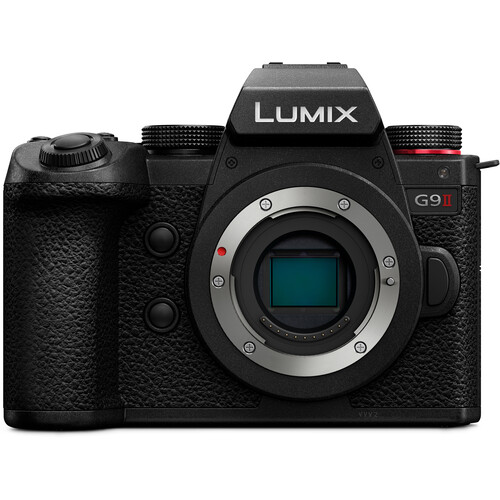
Although the Panasonic G9 II represents more camera than nearly any podcaster requires, if you are also a filmmaker who desires a single camera body capable of performing multiple functions, it warrants serious evaluation. This is a Micro Four Thirds camera with phase detection AF (a significant advancement for Panasonic, who relied on contrast-detect for years), 5.7K video recording, incredible in-body stabilization, and no recording time limit.
As expected given its larger size and weight compared to both Sony and Canon models mentioned previously, the G9 II also carries a considerably higher price point. The Micro Four Thirds sensor is smaller, which means less natural background blur at equivalent apertures and slightly worse high-ISO performance. But the MFT lens ecosystem is massive and includes some excellent, compact options. The Leica 25mm f/1.4 II gives you beautiful separation for a talking-head setup.
Considering only a dedicated podcast camera, it would be challenging to justify increased expense unless you anticipate taking the exact same camera on documentary assignments or event-related coverage. However, if you need a camera that can serve as both your dedicated podcast camera and as a more serious video production tool, the G9 II can accomplish both tasks with aplomb.
See the Panasonic G9 II at B&H Photo
What Features Should You Consider in Your Podcast Camera?
Autofocus That Continuously Remains Focused
This feature stands out above all others concerning podcasting. You will sit in the same general location throughout your episode and your camera must continue maintaining sharpness on your face without repeatedly seeking focus. Modern face and eye-detection AF accomplishes this relatively well, but many older or lower-cost cameras may not possess adequate AF algorithms to successfully accomplish this task.
All three camera models listed earlier include modern phase-detection-based AF systems designed to track human faces reliably. The Panasonic G9 II finally incorporated phase detection with this generation, correcting the one weakness Panasonic cameras used to have for this kind of use.
Clean Video Output and No Record Limits
If you're recording externally through a capture card or using the camera as a webcam, you need clean HDMI output without overlays or info graphics burned into the feed. All three cameras here support this. The Sony ZV-E10 II also offers direct USB-C webcam streaming, which simplifies the setup if you're using OBS or similar software.
Recording time limits matter if you're recording internally to an SD card as a backup. The Sony has no limit, the Panasonic has no limit, and the Canon tops out at about 30 minutes per clip. For a video blog or short-form content this doesn't matter, but for a 90-minute podcast episode it's a real consideration.
Continuous Power Operation
Podcasts typically involve lengthy durations of time. Your camera must be able to maintain continuous operation throughout your episode without shutting down unexpectedly. Providing your camera with external USB-C power while recording is generally considered optimal. Both the Sony ZV-E10 II and Canon R50 provide USB-C power supply capability while recording.
A dummy battery attached to an AC adapter is another typical method used to supply continuous power to cameras throughout extended recording durations. This method is compatible with essentially any camera body available today. Just make sure you plan for this before your first episode, because nothing kills a recording like a dead battery at the 40-minute mark.
Using good podcast lighting during sessions can help reduce load on your camera sensor as well. Reducing load on your camera sensor translates into reduced noise levels, less heat generated inside the camera body, and improved battery performance overall.
Configuring Your Camera for Podcast Production
Establishing the proper camera configurations is equally as important as obtaining an appropriate camera for creating visually polished podcast episodes.
Firstly, securely attach your camera to an adjustable tripod located at eye-level or slightly above your viewing plane. Place your camera between three and five feet distant from your face depending upon which lens you are using.
The recommended distance depends primarily on whether you choose to use a moderate-angle lens or a wide-angle lens with minimal distortion (such as the Sony's 16-50mm kit lens set to approximately 35mm equivalent). Adjusting the aperture on a fast prime lens (such as Sigma's 16mm f/1.4) to f/2.8 or wider provides sufficient bokeh effect differentiation between yourself and surrounding environment.
Adjust your white balance settings manually based on your lighting configuration so that your skin tones remain consistent across episodes. Set your exposure controls on manual or use exposure lock so that your camera does not alter exposure during hand movements while filming.
Disable autofocus beeping/sound from your camera.
If you intend to route your video signal from your camera via HDMI to your computer, you'll require an HDMI capture device such as the Elgato Cam Link 4K or a Blackmagic Decklink. Alternatively, you can use the Sony's USB-C streaming mode to bypass the capture card entirely.
Frequently Asked Questions
Can I use the Sony ZV-E10 II as a webcam without a capture card?
Yes. The ZV-E10 II supports UVC/UAC streaming over USB-C at up to 4K30. Simply connect your camera via USB-C cable directly into your computer and your webcam will show up automatically in OBS, Zoom, or whatever software you're using. You can see the Sony ZV-E10 II at B&H for full specs.
Has anyone experienced issues with heat buildup during extended podcast recording sessions?
Multiple B&H reviewers have reported experiencing overheating issues during prolonged 4K podcast sessions. Some reviewers have reported their cameras shutting down after 10 to 15 minutes of continuous 4K video recording, while others reported shutdowns occurring even sooner in warmer environments. Recording in 1080p largely avoids this problem, and most podcast setups don't need 4K anyway. You can also use a small fan pointed at the camera's vents if you really want 4K.
What lens should I use for a podcast setup?
For the Sony ZV-E10 II, the Sigma 16mm f/1.4 DC DN is a popular choice. It gives you a nice wide field of view with shallow depth of field at f/1.4, and you can find it on Amazon at a reasonable price. The kit 16-50mm works fine too, just set it around 35-50mm for a more flattering focal length.
Is the Canon R50 good enough for a professional-looking podcast?
The Canon R50's Dual Pixel AF and natural skin tones make it a solid podcast camera. The main limitations are the 30-minute recording cap and the 4K crop. If you're recording in 1080p and can work around the clip length limit, it produces clean, professional footage that looks great on YouTube or Spotify.
Do I need an external monitor for podcasting?
Usually not. The articulating screens on the ZV-E10 II and R50 flip out to face you, so you can see yourself while recording. An external field monitor is useful if the camera is far away and you can't see the built-in screen clearly, but for most desk setups the flip screen works fine.
Should I record to the camera's SD card or directly to my computer?
Both approaches work. Recording to the SD card gives you the highest quality file, while streaming via USB-C or HDMI to your computer is more convenient for live streaming or direct-to-edit workflows. A lot of podcasters do both as a backup. Record to the card for the best quality master, and simultaneously stream to the computer for real-time monitoring and a safety copy.