
The Best Camera for Video Blogging: Pocket 3, Canon R50 or ZV-1 II
Video blogging puts a camera through a different test than most filming. You're holding it at arm's length, talking to it while you walk, and pulling it out over and over through the day, so how it feels in the hand and in the bag matters as much as the image.
That's why the most popular vlogging cameras aren't always the most capable ones. A small body you actually carry beats a better one left at home, but small cameras bring their own problems, from heat on long clips to lenses that don't like being stuffed in a bag.
Below are the default pick, an interchangeable-lens step up, a pocket option, and how to match one to the way you work.
The DJI Osmo Pocket 3 dominates with a 4.5 rating across 10,521 ratings, which is the deepest sample here while the Canon R50 is the interchangeable-lens step and the Sony ZV-1 II is the pocket tier.
You might consider the Canon R50 if you want a mirrorless body, but the volume of feedback makes the DJI the clear winner. The Sony ZV-1 II offers the smaller option, though its lens extends inside bags - a flaw three separate reviews verified.
DJI Osmo Pocket 3: The Default Blogging Camera
The Pocket 3 'makes creating content feel fun instead of turning every shoot into a full camera setup' - DJI's product page documents the 1-inch sensor - and one owner goes further: 'this has completely changed the way I record video and create content. I dont say that lightly - prior to buying this, I'd purchased a Sony ZV-[...].'
Another compares it directly to mini-gimbal rivals: 'feels beefier and better. It focuses faster and just does everything else better' - rare language from someone who has owned the alternatives.
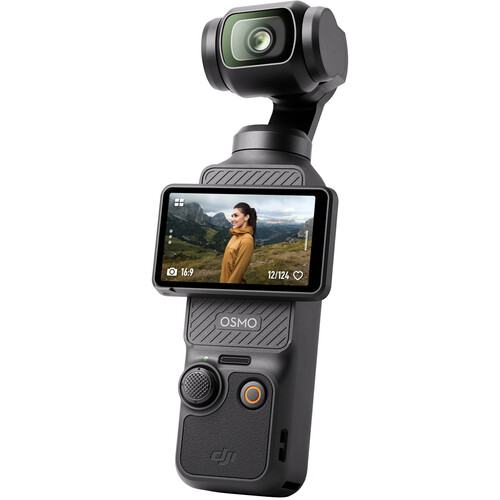
The image quality is honestly beautiful, and you can switch between quick horizontal and vertical capture whenever the destination platform changes. It pockets without a bag or extra gear, and the 10,521-rating sample is the deepest of any camera compared here - the volume itself is a form of proof.
Register the tool before the fifth use - 'you have to register it before the 5th use. If you don't, you have a paperweight,' per one owner. The hurdle is administrative, not technical, but missing it bricks mid-range money. For anyone who wants to film without big-gear stress, this is the pick - and the audio chain that grows around it is a later problem.
Canon R50: The Interchangeable-Lens Step
Many people look at the R8 but choose this instead, because it costs half as much and feels much easier to use for folks who aren't pro yet. It's a great mirrorless start for vlogging, and one buyer says they're very happy with what they get. The 24.2 megapixel sensor makes sharp photos, while the 4K video looks quite smooth.
You'll find it works well, even without needing a degree to film your life every day.
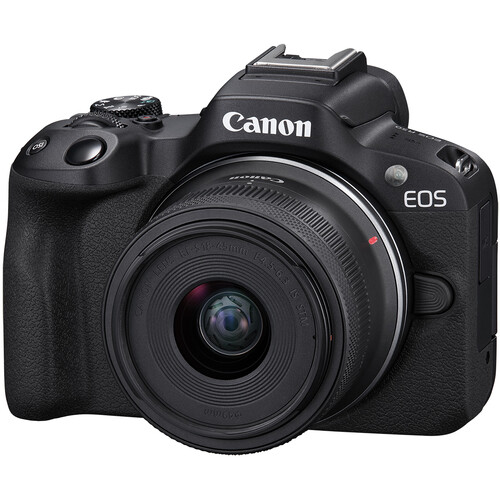
The body is light enough to carry on a lanyard - one owner bought it for his wife and started using it for his own woodworking videos, 'easy to carry around via lanyard or in your hand.'
DPReview's R50 analysis covers the sensor family. One buyer has bluntly called it too small for anyone with hands larger than a child's, because you hit buttons that can mess up a photo, and the closely spaced rear buttons are the cause. This compact design helps keep things simple, especially when you move around a lot every day.
Record 4K video for more than thirty minutes and the camera gets too hot and shuts down, because it doesn't handle heat well enough for long runs. Plan shots around the 30-minute ceiling if long clips matter, and use an adapter to fit older EF lenses on the small body - the lens guide shows what pairs well, and the glass path grows as the skills do.
Sony ZV-1 II: The Pocket Tier
The Sony ZV-1 II is 'a great point and shoot with a focal length that takes great selfies' - 'just wide enough to capture selfies at arms length,' per the same owner. Check B&H's current ZV-1 II pricing before ordering. It looks fantastic in the daytime, and the colors work well when you have bright light.
An owner who uses an A6700 noted how quality differs slightly, but said it is perfect for casual use. This small device fits in your pocket, so you can grab it without thinking twice.
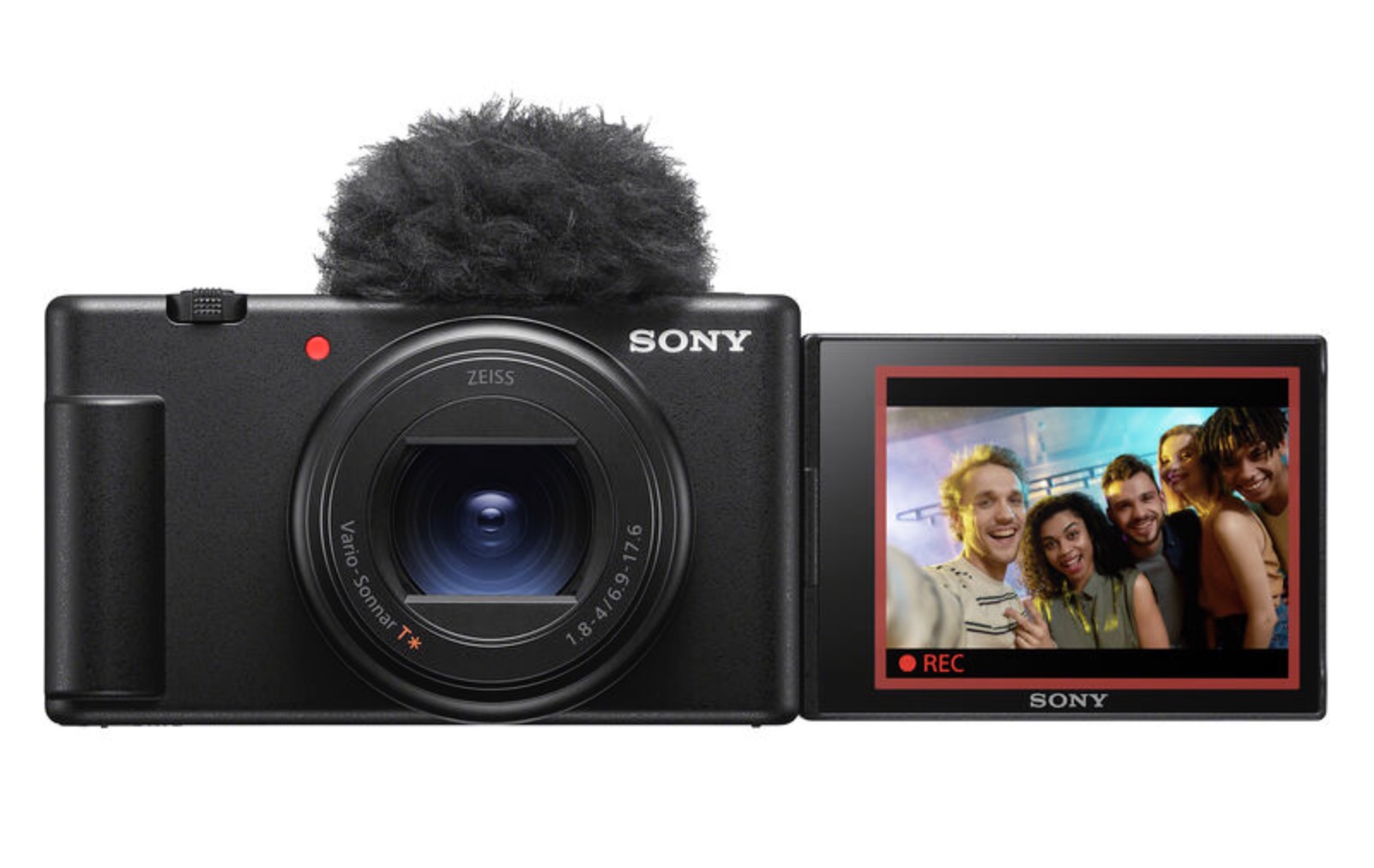
Three separate reviews verified a flaw where the lens extends and retracts on its own even while the camera is inside your bag, which causes the battery to drain quickly.
Since there is no lock feature, the only travel fix owners report is removing the battery. This is a major flaw. You won't find a charger in the box, so you'll need to spend extra money.
As a simple camera for daily life, this is a solid choice, though you must be careful how you pack it in your gear bag. It stays out of your way while you film, but the battery problem creates trouble during trips.
Power management is the price of the size - pack it with the battery out if you're traveling, per the owners who learned the hard way, and the external SSD guide covers the storage half of the same lesson.
Which One Fits Your Workflow
For filming with one hand while you move around, the DJI Osmo Pocket 3 is the best pick because it stays small and keeps your shots steady without extra gear. It makes content creation feel fun instead of turning every shoot into a big, heavy setup. Grab-and-go is the whole product: easier than a traditional camera when a moment happens fast, with focusing speed to match.
For those who want to invest money in different lenses over time, the Canon R50 offers a path for beginners that lets you swap out glass as your skills and your needs grow. This mirrorless camera is light to carry on a lanyard, but you should watch out for heat if you record for long.
The video quality is sharp and smooth, though the small buttons might be hard to hit if you have large hands. If you need a camera that truly fits in a pocket, the Sony ZV-1 II is the right choice for your bag. Remember that good audio and bright lights matter more than the body itself, no matter which one you choose to buy.
Frequently Asked Questions
Does the Canon R50 overheat?
The Canon R50 will likely shut down if you record four K video for over thirty minutes because the thermal management isn't ideal. You'll need to monitor your recording times to avoid sudden interruptions during long shoots in the field.
Gimbal vs camera body for vlogging?
Using the DJI Osmo Pocket 3 offers a built in gimbal for smooth movement without the extra weight that a separate stabilizer setup usually requires. A traditional camera body like the R50 allows you to swap lenses for different creative looks.
How is the audio quality?
The DJI Osmo Pocket 3 works well with external microphones to ensure your voice stays clear while you're moving around outdoors. The Sony version doesn't even include a charger or brick in the box anymore, which adds an extra cost.
How much budget is needed for accessories?
You should set aside mid-range money for accessories since the Sony ZV-1 II doesn't come with a charger or a dedicated power brick. The Canon R50 is much cheaper for those just starting their blogging journey on a budget.
Can I buy a used DJI camera?
Buying a used DJI camera is risky because you must register the hardware before the fifth use or it becomes a useless paperweight. Getting a new purchase ensures you have plenty of uses to activate the software features without any worry.