
Teleprompter for YouTube Videos: Do YouTubers Use Them, and Which to Buy
Plenty of YouTubers look like they're talking off the top of their head when they're really reading. The trick is keeping their eyes on the lens while the words sit right over it, and a teleprompter is what makes that possible.
Whether you need one depends on how you work. Some creators script every word, many just put a few bullet points on the screen, and the gear ranges from a cheap frame for a tablet to a prompter with its own built-in display. Our own experience with tablet prompters on corporate shoots is that practice matters more than the model.
Below is whether YouTubers really use them, two tablet prompters, two with built-in screens, and how to read without sounding like you're reading.
Many YouTubers read from a prompter, often bullet points rather than a full script. For a desk setup, the Glide Gear TMP 100 with a tablet is the budget pick, while the Elgato Prompter wins if you want a computer screen right in front of the lens. Practice matters more than the model you buy.
Do YouTubers Actually Use Teleprompters
Many creators use these tools because they keep your eyes locked on the lens, which stops your gaze from drifting away to messy notes while you try to talk to your audience.
A lot of them put bullet points on the prompter instead of a full script, because reading word for word can sound stiff. Among Amazon reviewers you'll find a YouTube creator who calls the Elgato the best prompter they have owned, and a studio owner who keeps two Glide Gear units set up at all times.
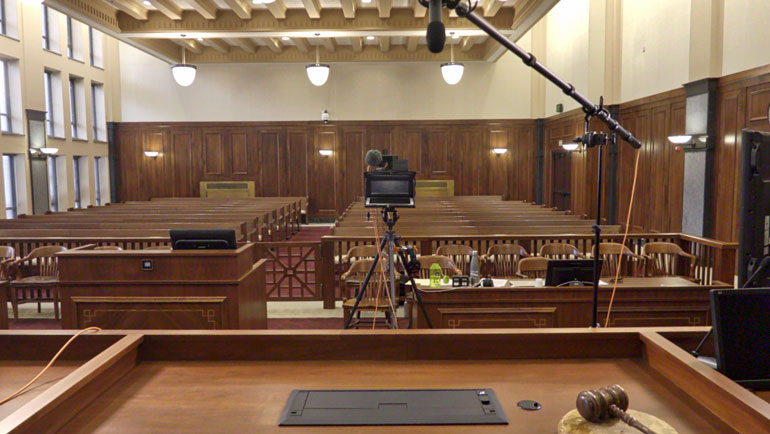
In our 2016 corporate guide, we wrote that you should practice before the first shoot, since a small change in scroll speed or font size can be the difference between a great performance and a failed shoot. We've been there. If you don't master the settings, you'll end up looking like you're struggling to keep up.
The main goal is to maintain eye contact while you deliver your message, because that helps the viewer feel like you are speaking directly to them. When eyes drift to the side of the frame, you lose that connection. With a prompter, you'll find it easier to focus on your delivery instead of worrying about what comes next.
Tablet Prompters: Glide Gear TMP 100 and Desview T3
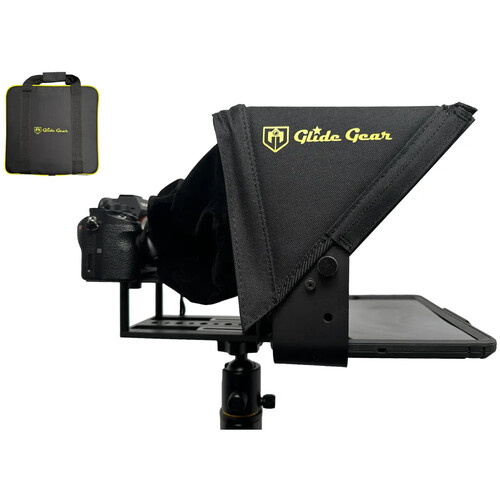
The Glide Gear TMP 100 uses 12-inch 70/30 glass and holds tablets that measure up to 10.5 by 8 inches, while the aluminum frame stays rigid during your shoot.
You'll need a sturdy tripod because the rig is top-heavy, and a cheap stand will likely wobble when you record. One reviewer has noted that a phone is too small in practice, so a tablet screen provides the space you really need. The accessory screws can loosen over time since only a single 1/4-inch knob holds them in place.
Back in 2016 we had great luck with the Pad Prompter, built for the 9.7-inch iPad, and we tried it with a 12-inch iPad Pro for more script space.
| Glide Gear TMP 100 | Desview T3 | Elgato Prompter | NEEWER X11 | |
|---|---|---|---|---|
| Screen | your phone or tablet, up to 10.5 x 8 in | your phone or tablet, up to 10 in | built-in, works as a computer display | built-in 9 in, or your phone |
| Glass | 12 in, 70/30 | 70/30 | beam splitter | 11 in |
| Control | any app that mirrors text | Bluetooth remote, free app | PC or Mac, Stream Deck | computer over USB-C |
| Amazon rating when checked | 4.6 from 2,608 | 4.1 from 451 | 4.4 from 1,375 | 4.4 from 1,634 |
Specs come from each listing. Ratings change over time.
The Desview T3 fits phones or tablets up to 10 inches and comes with a Bluetooth remote along with a free app to help you control the scroll. It works with lenses that are 24mm or wider horizontally, though one buyer couldn't find the mirror setting in the app. Another uses it with a Sony ZV-1 but needed a separate lens adapter.
Built-In Screens: Elgato Prompter and NEEWER X11
The Elgato Prompter is a dedicated monitor that lets you drag a script, chat window, or Zoom call directly onto the screen while you record your video. It needs a DisplayLink driver, and one enterprise buyer rejected it because that screen-sharing driver didn't fit their IT rules. One Mac user had to turn on several privacy settings (accessibility, camera and input monitoring), and says the PC setup is easier.
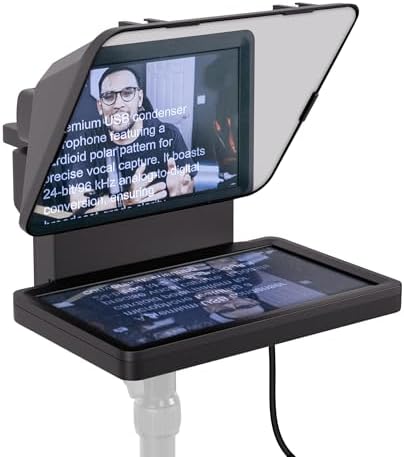
The NEEWER X11 offers a nine-inch 1024 x 768 screen that works as a second display via USB-C, but it also lets you use a phone if you want to skip the built-in hardware.
One buyer has noted that the zipper on the hood lets light in from lamps placed behind the rig, which can ruin your shot. The tray doesn't clamp down, so the screen might slide if you move the camera quickly.
I think you should pick these integrated units if you want a clean desk and don't want to mount a separate tablet or worry about battery life. Using a dedicated screen is better for people who record long segments where they need to see their chat and notes at the same time. The trade-off is a cable to the computer and, for the Elgato, a driver.
Reading Without Sounding Like You're Reading
To look natural on camera, use bullet points instead of a full script, because they give you room to talk freely while you keep eye contact. Reading word for word often sounds stiff to viewers, so using brief notes helps you avoid looking like a robot during the recording.
You need to set your scroll speed and font size during rehearsal because even a small mistake in these settings can ruin your performance if the text moves. You can also have someone else run the speed or use a remote so that you don't have to touch the gear while you speak.
Since the camera shoots through the glass and loses a little light, you should raise your exposure slightly to keep the image bright. Wide lenses can also catch the edges of the hood, so check your framing carefully before you start filming. For the rest of a talking-head desk, see our podcast camera guide and our podcast lighting setup.
Frequently Asked Questions
Do most YouTubers use a teleprompter?
While many creators use these tools to stay on track, others often prefer to read from simple bullet points to keep their delivery feeling natural. It isn't a universal requirement for every channel, but it helps those with long scripts or technical data.
Can I use my phone as a teleprompter?
You can technically use a smartphone in these rigs, but a tablet screen provides much better real estate for reading your text clearly. One reviewer has noted that a tablet is really necessary to avoid a cramped viewing experience.
What teleprompter app do I need?
You just need any mobile application that offers a mirrored text feature so the words appear correctly when reflected in the glass. In our 2016 guide we recommended ProPrompter Studio, running on an iPad with an iPhone as the remote. The Desview T3 comes with its own free app.
Does the Elgato Prompter work on a Mac?
This hardware works with Mac computers, provided you install the necessary DisplayLink software and adjust several privacy settings for camera and input. One Mac user found the PC setup much easier.
Does a teleprompter reduce image quality?
Because the camera has to shoot through the beam splitter glass, there is a small loss of light that can affect your footage. You might need to raise your exposure settings slightly to compensate for this dimming.