
Apple Pro Display XDR for Video Editing: Still the Reference Standard
When the Apple Pro Display XDR came out in 2019, a lot of people felt that it was ridiculous to spend that kind of money on a single monitor. Today, in 2026, the XDR is still going strong, and it's found a home on the desks of colorists and editors who could easily afford to buy several monitors of lesser quality. That tells you a lot.
The Apple Pro Display XDR is a 32-inch, 6K IPS panel built around a 576-LED backlight array, P3 wide color gamut, and Apple's own reference mode system. For video work, those are not marketing bullet points, those are the specs that actually matter when you try to trust what you see on screen.
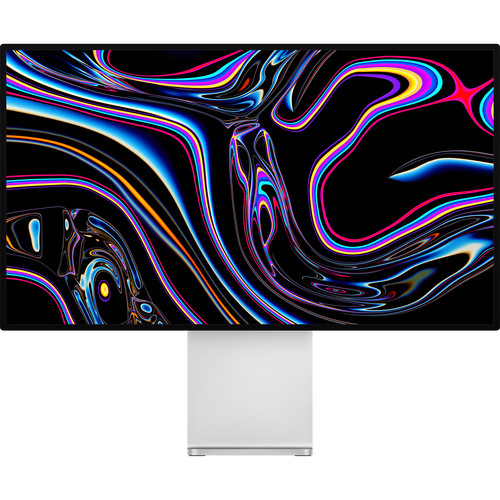
What Makes the Pro Display XDR Different
There are plenty of 4K and even 5K monitors out there, but the XDR does a couple of things that most of them still don't do, and those differences are pretty significant if you're doing color-critical work.
The 576-LED Backlight Array
The XDR's 576-LED backlight array is the real story here. Apple packed 576 individually controlled LEDs behind the panel. Each one is factory calibrated, and each one is driven by an algorithm that modulates their intensity in real-time. The result is a sustained brightness of 1000 nits across the full screen and a peak brightness of 1600 nits for HDR highlights.
That's a 1,000,000:1 contrast ratio. That sounds like a spec-sheet number until you actually see HDR footage played back on it. The difference between this and a typical 400-nit desktop display is immediate, and it makes HDR grading much easier because you can actually see what you're doing.
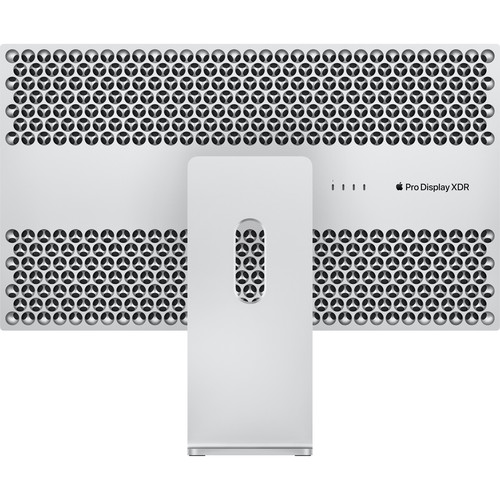
The SDR mode of the XDR sits at 500 nits, which is perfect for general editing and timeline work. When you're working at full brightness, the thermal management (the honeycomb pattern on the back) helps keep the display cool, even when playing HDR content for hours.
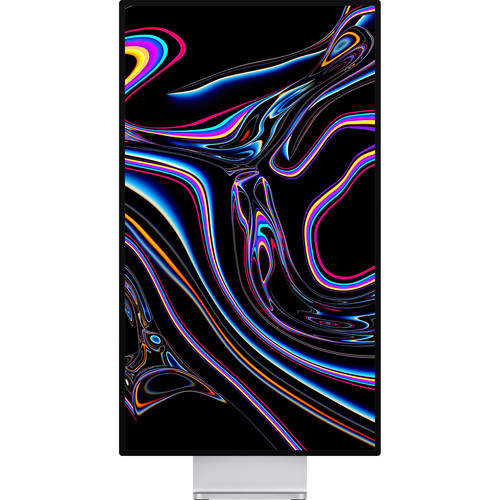
Reference Modes and Color Accuracy
The Reference Modes included in the XDR provide a huge advantage for pro users. These modes allow you to quickly and easily toggle between color-space standards such as P3-DCI for digital cinema, P3-D65 for photography, BT.709 and BT.1886 for broadcast video, sRGB for web content, and P3-D50 for print. These modes adjust the color space, white point, gamma, and brightness of the XDR to exactly match the standard you've selected, eliminating the need to use separate calibration tools or LUT boxes.
The XDR's 10-bit color depth pushes 1.07 billion colors across the P3 wide gamut, making it capable of displaying basically every color you'll ever need for modern video work. Reviewers who edit video and photos consistently rave about the color accuracy of the XDR right out of the box. In fact, one reviewer mentioned that prints created using the XDR matched the monitor's color tone perfectly without requiring any further calibration.
If you want to go deeper on Apple Pro Display XDR calibration, there are hardware options for that too, but most users find the factory calibration more than sufficient.
Build Quality and Connectivity
The Aluminum Chassis
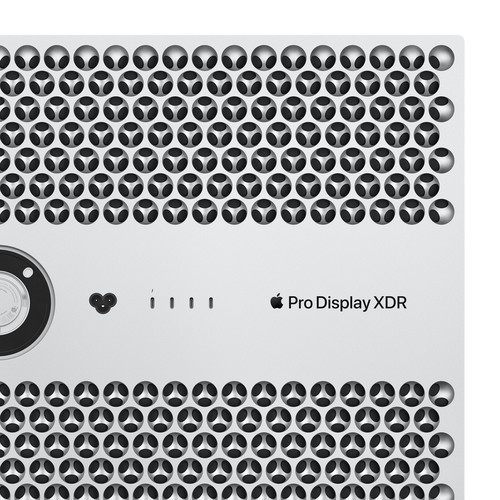
One area where the XDR really shines is in terms of build quality. The entire body is made of machined aluminum, and it feels incredibly solid. The 9mm bezels are thin, and the overall weight is around 16.5 pounds without a stand. The honeycomb pattern on the rear panel isn't just decorative. It functions as a passive heatsink, allowing the display to sustain high brightness without fans or any audible noise. For an editing suite where you're monitoring audio, that matters.
What's Connected (and What Isn't)
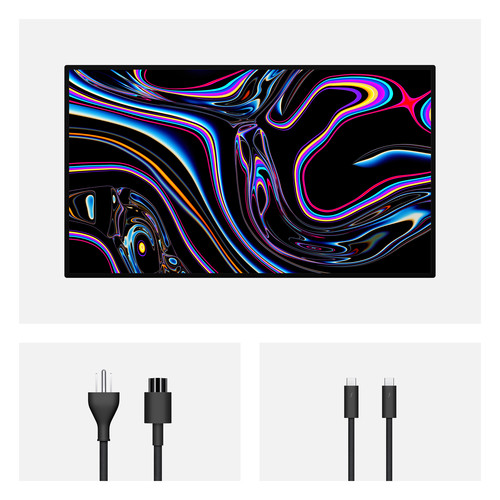
Connectivity is minimal by design. You get a single Thunderbolt 3 port (which also delivers 96W of power to your laptop) and three USB-C 2.0 ports for peripherals. That's it. No HDMI, no DisplayPort, no speakers, no webcam.
If you're coming from something like the Dell U3224KB, which B&H reviewers specifically compare to the XDR, the I/O difference is massive. The Dell has a built-in KVM switch and more ports than you'd ever use. But when it comes to actual color grading work, the Dell has noticeable green color casts and edge light drop-offs that the XDR simply doesn't have.
The XDR is also surprisingly easy to set up and connect. Since it uses a single Thunderbolt 3 cable, you can daisy-chain multiple monitors together using a Mac Pro, and it sleeps and wakes reliably with Mac hardware. That's something multiple reviewers specifically called out, having dealt with connection nightmares on Dell and Samsung alternatives that wouldn't properly wake from sleep.
What Users Actually Think
The B&H reviews for the Pro Display XDR paint a pretty clear picture. It has a 4.4 out of 5 average across 31 reviews, and the pattern of feedback is consistent.
The Praise
Users consistently describe the image quality as unmatched. "No monitor even comes close to looking this good," one verified buyer wrote after cycling through Dell and Samsung alternatives first. Another reviewer who does both video and photo editing called it "stunning image quality" and said his only regret was not buying it sooner.
Multiple users mention they tried cheaper alternatives for months or even a year before finally giving in and buying the XDR. The consensus seems to be that once you commit to the price, you stop thinking about it.
The display modes get specific praise from working editors. One reviewer noted the modes "get you decently close enough for hobbyists and amateurs," though professional colorists might still want external scopes. The longevity factor comes up frequently too. One user bought it in 2021 and expects to use it for at least seven more years, which, if true, makes the per-year cost a lot more reasonable. You can check the current pricing at B&H or compare prices on Amazon.
The Complaints (and That Stand Situation)
The XDR does not ship with a stand, which is a major inconvenience for many users. Apple sells the Pro Stand separately, as well as a VESA mount adapter, but both are expensive and add to the overall cost. One frustrated reviewer compared it to "Mercedes selling a new S-Class with the engine as optional equipment."
Many users have opted to bypass Apple's stand altogether and purchased third-party VESA mounts, with the Ergotron being a popular choice that runs way less than Apple's offering. You can also find heavy-duty VESA monitor arms on Amazon.
Other notable omissions from the XDR include built-in speakers and a webcam, as well as a 120Hz refresh rate, which is becoming increasingly common among higher-end monitors. While some users have expressed disappointment about the missing 120Hz, the vast majority agree that the XDR's strengths far outweigh any perceived weaknesses. The 60Hz is perfect for video editing and playback, but if you're also doing motion graphics preview work or gaming, it's noticeably behind modern displays.
Alternatives Worth Considering
In addition to the XDR, there are a number of alternative monitors available today that may be of interest.
One such monitor is the ASUS ProArt PA32UCG-K. The PA32UCG-K is a 32-inch 4K monitor that boasts a high-brightness Mini LED backlight array and 120Hz refresh rate. It also includes HDMI 2.1 connectivity, and a built-in colorimeter for auto-calibration.
While the PA32UCG-K is a bit more affordable than the XDR, it lacks some of the advanced features such as HDR peak brightness and native EDR support. You can browse ASUS ProArt monitors at B&H for a comparison.
Another monitor worth looking at is the Dell UltraSharp U3224KB. The U3224KB is a 32-inch 6K monitor with a high-brightness IPS panel. It's also equipped with a KVM switch, and it includes Thunderbolt 4 ports, allowing users to connect multiple devices simultaneously.
However, the U3224KB's color accuracy is slightly less impressive than the XDR for grading work. If you do more design work than video grading, the Dell might actually make more sense.
For a completely different budget tier, field monitors handle on-set reference duties, but they're a different tool for a different job. And if you're building out a full editing workstation, the monitor is just one piece.
Pairing it with the right computer hardware for video editing and a fast external SSD for your media matters just as much as the display itself. The best monitor for a given user depends on individual needs and preferences, but if you need the ultimate in color accuracy and control, the XDR is the best choice.
Frequently Asked Questions
Is the Apple Pro Display XDR still worth buying in 2026?
Absolutely. The XDR continues to be one of the best monitors available today, and for those who edit video or photographs professionally, it remains the gold standard. The 6K resolution, P3 wide color gamut, 1600-nit peak brightness, and built-in reference modes haven't been matched by many competitors at any price. B&H reviewers who bought it years ago consistently say they'd buy it again.
Does the Pro Display XDR work with Windows PCs?
It can, but with limitations. According to B&H Q&A responses, Windows PCs can drive the display but may be limited to 5K resolution instead of 6K, and HDR support varies depending on your graphics card. It works best with Mac hardware, which is what it was designed for.
Why doesn't the Pro Display XDR include a stand?
Apple sells the Pro Stand separately, along with a VESA mount adapter. This is one of the most consistent complaints in user reviews. Many users opt for third-party VESA arms like the Ergotron, which cost significantly less and work just as well for most setups.
Do I need a hardware calibrator with the Pro Display XDR?
Most users say no. The factory calibration and built-in reference modes are accurate enough for all but the most demanding broadcast or cinema work. One B&H reviewer reported that prints matched the monitor's color tonality without any additional calibration. For deeper calibration needs, check out the hardware calibration options available for the XDR.
How does the Pro Display XDR compare to the Apple Studio Display?
The Studio Display is 27 inches with 5K resolution, includes a webcam and speakers, and costs substantially less. But it tops out at 600 nits, doesn't support HDR, and lacks reference modes. For general productivity and light editing, the Studio Display is great. For serious color grading and HDR work, the Pro Display XDR is in a completely different league.
Can I use the Pro Display XDR for HDR monitoring without an I/O device?
Yes. The XDR supports HDR natively through Apple's EDR (Extended Dynamic Range) technology, eliminating the need for an I/O device to view HDR content. Unlike traditional broadcast monitors that require an AJA or Blackmagic box, the Pro Display XDR connects directly via Thunderbolt 3. No additional hardware needed for most NLE and grading workflows.