
PTZ Camera for Church: FoMaKo, KATOVJJTS and the NDI Tier
PTZ cameras have become the standard answer for churches that want to stream with a small volunteer team. One person at the desk can frame the pastor, the worship team and a wide shot, without anyone standing behind a camera in the middle of the service.
The hard part is the stuff around the camera. Volunteers need presets they can call up without training, the camera has to hold its network address from week to week, and the protocol has to match the controller and switcher you already own.
Below are the bundle most volunteer teams start with, a value pick, the NDI tier for churches with a real network, and what to buy first.
The FoMaKo bundle is what volunteer church media teams buy because the picture quality is fantastic, while the Katov 20x is the value play where the zoom actually works as advertised. If you need an NDI pipeline, then the PTZOptics and BirdDog models are the professional tiers for your setup. The choice is novice-ease versus network protocol: bundles for volunteer teams, NDI for houses of worship with a real pipeline.
FoMaKo 30x: The Church Bundle Default
One church followed the lead of a member who uses a similar high-quality camera and controller system at work. They love the cameras and have called the picture quality fantastic.
Another church has found the video quality surprisingly good, with a sharp image and well-defined colors, and the setup quick and simple. It makes a great choice for any group that wants to capture their moments clearly.
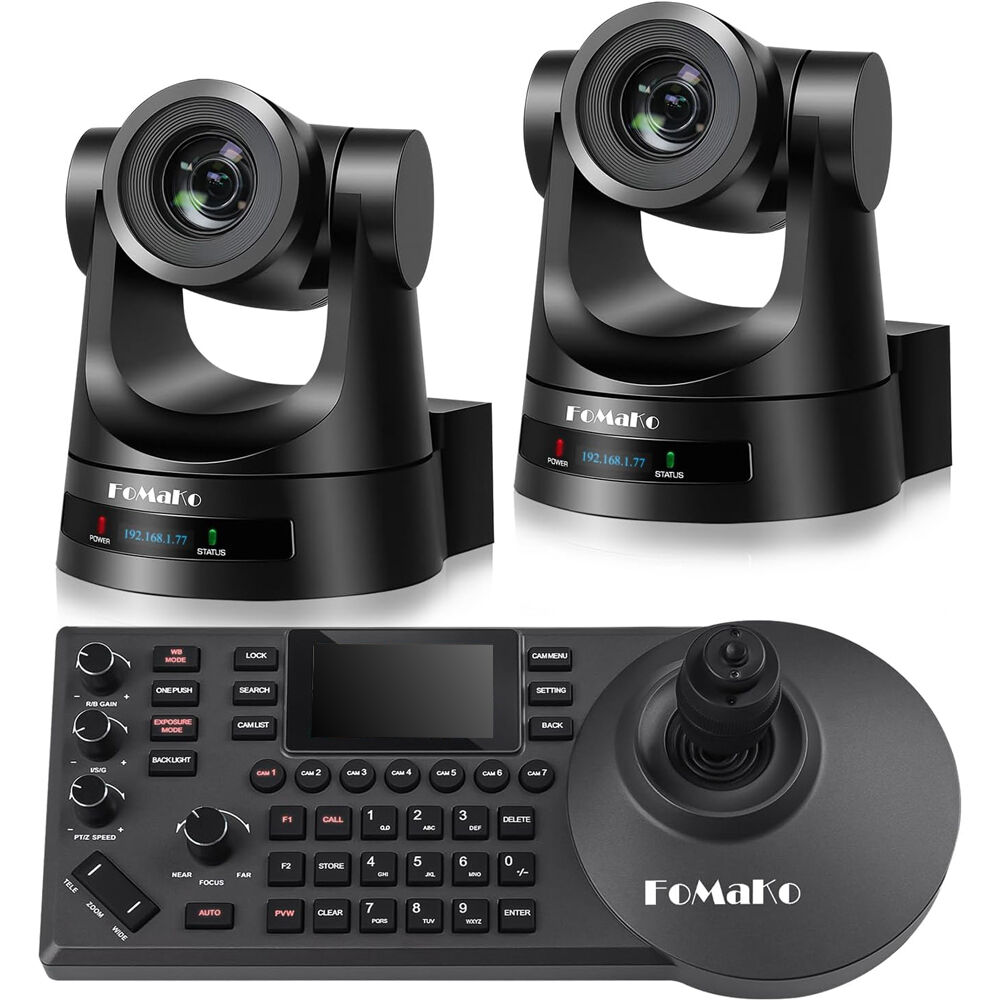
The volunteer media team had to work quite hard to figure out how to get the system fully up and running, which took quite a lot of time. They had some trouble holding the IP address, when they turned the camera off occasionally. They lost the connection then.
Check the network settings first - the camera losing its IP address on power-cycle is the one flaw the sample keeps finding. A reserved network lease on the router fixes it permanently, and the AV-over-IP guide explains the rest.
Even with the tricky setup, customer service earned named praise - the agent who helped one buyer got thanked in the review. That matters when volunteers are the ones handling the gear. It works well for most folks who want great results without a fortune - a solid pick for local parishes after a clear stream.
Katov 4K 20x: The Value Play
For clear video without breaking the bank, the 20x zoom actually delivers what it promises, and an owner has confirmed that it really is 20x.
One reviewer has found the image stays crisp even when they zoom in on subjects at the back of the room. The auto focus stays accurate, which helps keep the shot sharp while people move around during the service. A buyer has noted they bought two units for streaming and felt they were better than expensive models.
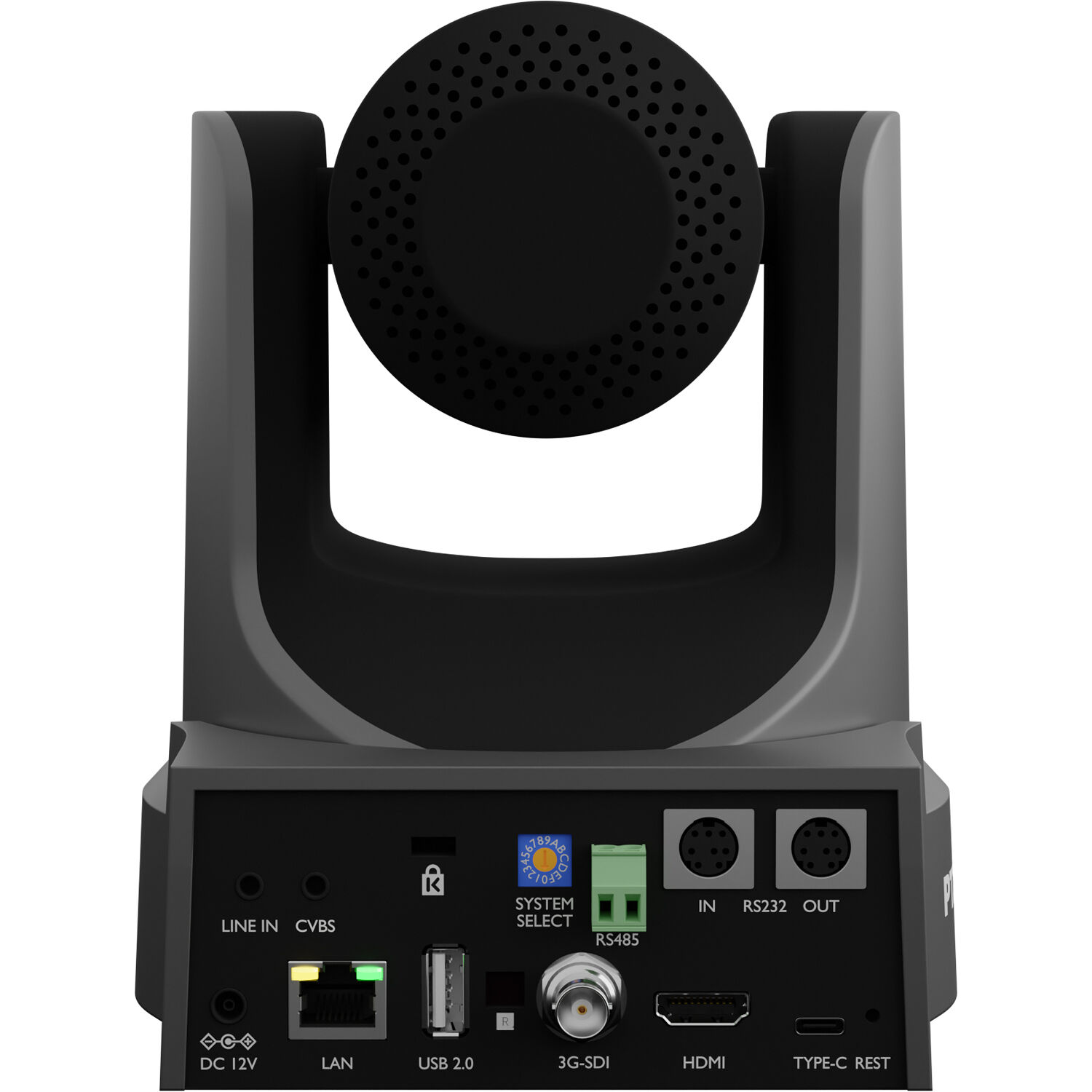
Controlling the gear is easy since the remote works without a sightline, allowing a person to pan and zoom from about seventy feet away from the camera itself. One owner has tested it over IP with the PowerJoy controller, a YoloBox, a Magewell and a Director Mini, and it has worked as advertised. A USB monitor and OBS complete the budget rig.
While some users say the movements are a bit choppy, the included presets make it very easy for novice operators to run the show without any major stress. These presets help team members who aren't pros find the right angles during a live event.
Connections are easy, and the open question is support when something breaks. For clear video without overspending, the value holds.
The NDI Tier: PTZOptics and BirdDog
The NDI|HX protocol sends high-quality video over the local network without extra hardware - the reason the professional tier exists. PTZOptics' own pages document the protocol, and the BirdDog X1 page shows the 20x HD unit the church in the sample used to replace a thirteen-year-old camera.
The PTZOptics Move 4K works with a variety of controllers, so you have some freedom to choose your gear. One reviewer says it tracks uselessly, because it often cuts off the foreheads of people on screen. You can use the tilt lock to help, but it's just a band-aid for that real issue.
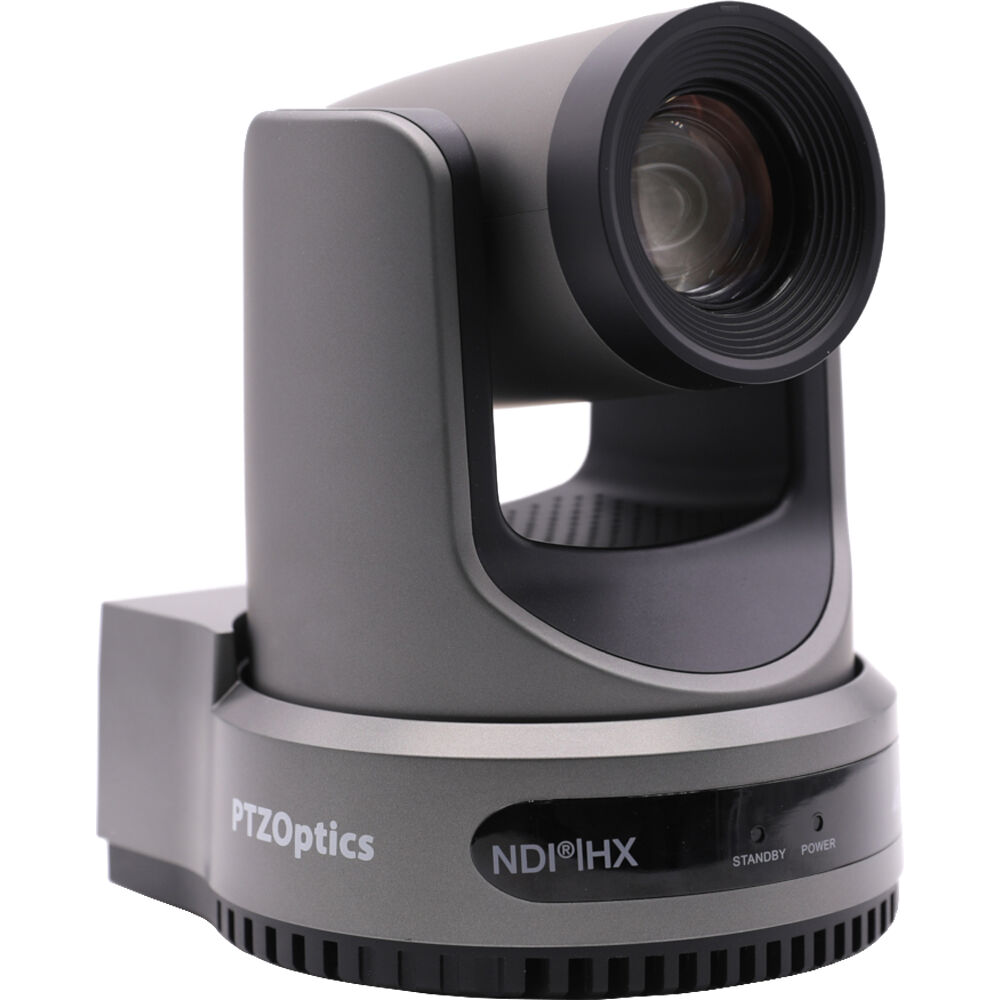
One buyer used the BirdDog X1 to replace a thirteen-year-old PTZ unit at their church, and has found setup incredibly straightforward, just connect and go, the same pattern the church streaming camera guide documents. Paired with the BirdDog KBD controller, it has run without any major headaches, a thirteen-year jump in one swap.
These high-end tools deliver better video, but the tracking questions are real: can your team work around a camera that follows the speaker badly? If not, plan on manual operation or a different model. If you want perfect tracking, you might need to look at other tools or manage it manually. These NDI cameras still offer a path for a serious setup.
What to Buy First
Start with one PTZ camera that has presets and a dedicated controller - master that before adding gear.
Presets are the volunteer answer, and one owner has found they make it simple enough for novice sound volunteers to run. The church live-stream camera guide covers the fixed-camera alternative. This initial kit helps you set up views, which makes it easier for volunteers to run the show.
The network is part of what you buy - verify the camera and controller speak the same protocol before scaling, because one owner's camera has had trouble holding its IP address, and that's the failure to design around. Once the presets are set, the second camera is an easy add.
Add the second camera after the first works - buying everything at once invites the IP-address and network-link problems the FoMaKo owners have described, all on day one. Staged installs also give the volunteer team a stable baseline to learn against.
Check B&H's PTZ stock before ordering either tier. Using one camera at a time allows you to fix bugs early, which saves a lot of time later. This slow pace keeps the stream steady while volunteers get comfortable with the controls.
Frequently Asked Questions
How reliable is the auto tracking on these cameras?
The tracking on the PTZOptics model often lets subjects move out of the frame, making it difficult to capture clear shots during services, one reviewer reports.
How hard is the IP network setup?
Setting up the FoMaKo bundle requires a team effort, and some users have reported trouble losing their IP address when they turned the system off. The BirdDog unit offers a much more straightforward process where you just connect and start working.
Can these cameras work with different controllers?
The PTZOptics camera is compatible with a variety of controllers, while the BirdDog pairs easily with its own dedicated hardware for users. The Katov works well over IP with various PowerJoy controllers as well.
Are these cameras easy enough for volunteers?
The Katov is great for novices because the presets make operating the gear simple during a live church service. The FoMaKo system is also considered a volunteer-friendly option for media teams with limited technical experience.
Should a church use NDI or HDMI?
NDI provides a professional tier with the BirdDog and PTZOptics, whereas the Katov works with both HDMI and IP connections for streaming. Choosing between them depends on your specific budget and your current technical needs.