
Film Budgeting Software: The Tools Indie Filmmakers Actually Use
Every production runs on a budget, but the software producers use to build one varies wildly with the kind of work. A studio feature, a commercial bid and a micro-budget short all need different things, from union payroll math to an agency-ready bid sheet to a simple spreadsheet.
Some producers skip software altogether and hire a budget service, and plenty of indie films live entirely in a shared spreadsheet. The right choice depends on what you shoot, who reads the budget and how closely you need to track spending once the shoot starts.
Below are the industry standard, a commercial bidding tool, a hybrid, a modern cloud pick and the low-cost paths.
Choosing the right financial tool depends entirely on your specific production type rather than a feature list, because Movie Magic wins for scripted studio work while Hot Budget excels at commercial bidding.
We suggest Showbiz Budgeting 10 if you bounce between both, or Saturation for modern cloud collaboration, while Google Sheets templates suffice for micro-budget projects. Some producers skip software entirely and hire a film budget service, which is why those searches rank too.
Movie Magic Budgeting: The Industry Standard, Now With Cloud
While many folks think this software is locked to a single desktop, the latest version from Entertainment Partners offers real-time cloud data access that keeps the whole team synced up while they work together.
EP's store sells it as a monthly subscription, with the annual plan saving you 40 percent. It remains the format that studios and investors expect to see, and they even offer academic pricing for students who need it.
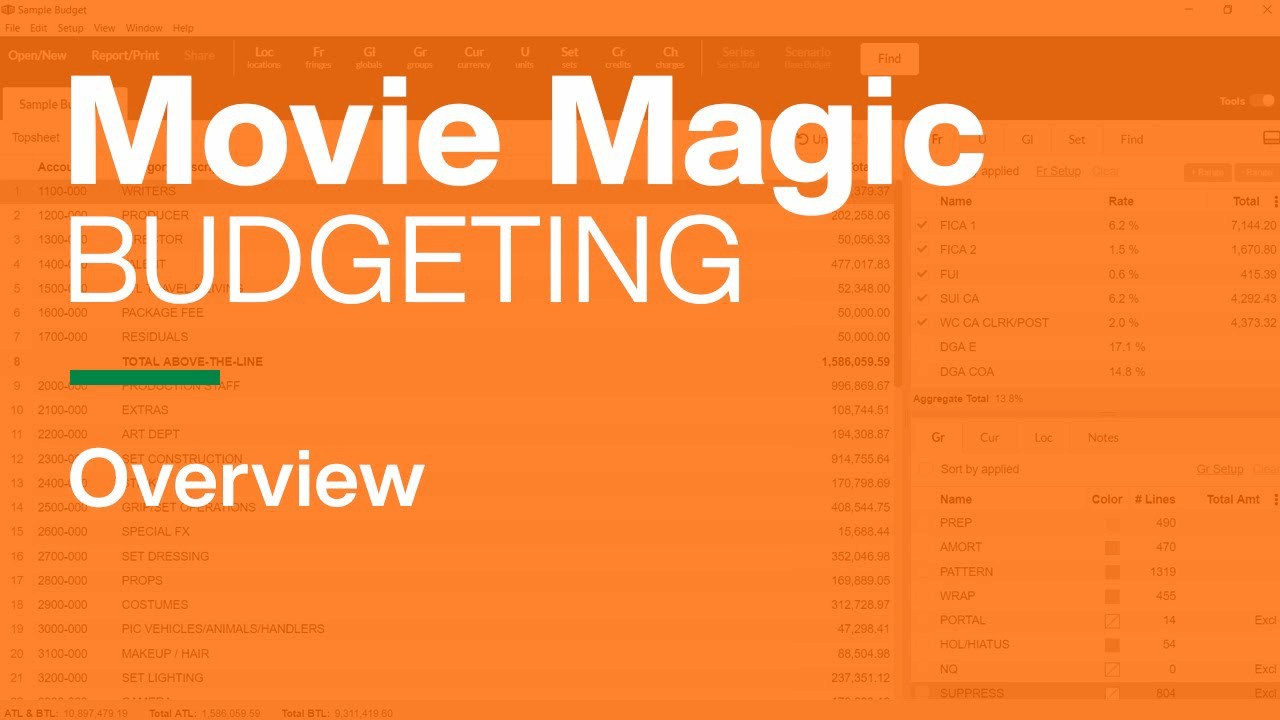
The update fixes those old complaints by adding a better user interface, revised sub-budgets, and offline access for when you're away from the desk.
You can now save your templates and libraries so you don't have to start from scratch every time a new project kicks off. It even lets you import files from version seven while keeping your old keyboard shortcuts, so the transition doesn't feel like a chore for veteran users.
Union math is where it earns its keep: the union's signatory packets need union rates, pension and health, and payroll taxes calculated correctly, and Movie Magic does that math in the tool instead of in a formula you built yourself.
Hot Budget: Built for the Bid
Because agencies expect specific formats when you pitch commercials, promos, or music videos, you need a tool that speaks their language by providing the exact templates they want to see every day. This software focuses on the short-form world where speed and professional standards matter more than complex long-form narrative tracking.
You can find template previews for unified post and animation variants with hundreds of lines to show how the tool handles deep data sets.
The tool allows you to track a running budget against your original estimate so you can see exactly where the variance sits as the shoot progresses through the day.
You log actual costs directly against these lines, which keeps the numbers fresh while you move from the set to the edit. Since it runs as an Excel plug-in, it fits into the workflows you already use without forcing you to learn a whole new system.
You should skip this option if you are planning a narrative feature because it isn't built for the specific needs of a feature-length story. The fact that agencies recognize the format is the main reason why producers choose it for high-end commercial work. It is a specialized tool for those who need to win bids with precision.
Showbiz Budgeting 10: The Hybrid
For producers who jump between commercial bids and scripted features, this tool can bridge the two without forcing you to learn two entirely different systems. The Cast and Crew store sells Budgeting 10 as a two-install package with per-install discounts, plus a fully functional 5-day trial. It is a solid pick for folks who work in both worlds.
The tenth version is a real step up because it adds cloud collaboration with per-user permissions, so your team can work on the same file without breaking things for others.
You can import payroll data directly from Media Services or Showbiz Timecards, which keeps your actualization accurate as the shoot progresses. It ships over 100 templates meeting commercial bid and major studio standards. You can also set five different overtime tiers and use phases to track evidence for tax incentives across various locations.
Since it imports Movie Magic budgets, you won't lose your old work if you decide to switch to this platform.
The built-in PO system tallies against vendors, which helps you see exactly where your money is going in real-time. It even has currency links with editable exchange rates, which is great if you shoot abroad. This software is the practical choice if you need to handle both commercials and scripts in one place.
Saturation: The Modern Cloud Pick
For a tool that lives in your browser and avoids the clunk of old desktop files, Saturation claims more than 17,700 producers managing billions in production budgets. This cloud-based platform lets you build your finances and track your actual spend without worrying about losing data or needing to sync local folders manually.
The free Creator tier is quite generous for a solo filmmaker because it allows one project and one seat with full budgeting and actualizing tools at zero cost.
The Pro plan adds unlimited projects, QuickBooks and Slack integrations, and cost reports with EFC tracking.
The Team plan adds three seats, purchase order management, and role-based approval routing. While the tool is a member of MovieLabs, it still lacks the deep library of template legacies that older software has built over decades of use. You will need a stable internet connection to use it effectively, which might be a hurdle if you are working in remote locations.
Studios needing SSO, dedicated servers or API access are looking at the custom Enterprise tier, not the standard plans. For indies, the honest trade-off is this: you get modern collaboration and you give up Movie Magic's decades of template legacy. You also need a stable connection, which matters on remote locations.
The Low-Cost Paths: Celtx and Google Sheets
Celtx started as the free screenwriting software many filmmakers cut their teeth on. If you want to start a project without spending money, Celtx offers a free tier that handles scriptwriting but you must pay for a production plan to access the actual budgeting tools. The suite value comes from how the script breakdown feeds directly into your budget categories, which saves time when you move from page to screen.

Google Sheets is a free cloud tool where line producers pass down custom templates that include formulas, categories, and old costs baked into the cells. You can use these sheets to track your spend, but they lack the standard breakdowns and polished reports that professional software provides to clients. You might run into formula errors if you are not careful, and the final result looks less polished than dedicated work.
The closing stance stands: nobody needs expensive software to make a film. Tracking discipline, a 10 percent contingency, and daily updates beat any feature list.
Picking the Tool and Running the Budget
Picking the right tool for your money depends on the type of project you make, who needs to see the numbers, and how much cash you need to spend before the first day of shooting. If you're dealing with the union's signatory packets, you need a tool that handles union rates, pension and health, and payroll taxes automatically.
Movie Magic and Showbiz have these complex calculations built right in, while spreadsheets require you to inherit or build templates that do the heavy lifting.
You should always keep at least a ten percent contingency for unexpected costs and make sure you update your figures every single day while production is rolling. It is better to stick with one tool for at least three projects before you try to switch, because learning a new interface takes time. If the specific bid format matters more than the software itself, then hiring a professional film budget service is a real alternative you should consider.
Whatever tool you pick, it runs on your editing hardware, and a production laptop from B&H with enough memory keeps large budgets responsive.
Tracking your spend against the plan is often more important than the initial bid because it keeps the production from running out of cash.
Frequently Asked Questions
What is the best free film budgeting software?
Google Sheets with a free film budget template is the most viable free option, and Saturation's Creator tier is free for one active project with real budgeting and actualizing tools. Celtx's free plan covers scriptwriting only, and budgeting needs a paid production plan.
Is Movie Magic worth its price?
For scripted features and TV, yes: the format is what studios and investors expect, the template library saves setup time, and union calculations are built in. EP's store sells it as a monthly subscription with the annual plan 40 percent cheaper, and academic pricing exists if you qualify. For commercials, small indies and student projects, cheaper tools reach the same core goals. For the rest of a home studio build, see our film lighting kit guide and webcam picks.
Can I use regular spreadsheet software for film budgeting?
Yes, and many working commercial producers do exactly that with templates inherited from previous line producers. Your template needs organized categories, correct formulas, and enough flexibility for changing requirements. If you are not comfortable with spreadsheet formulas, budget software is the safer path.
What is different about commercial versus feature budgeting tools?
Commercial budgets are bid-driven: agencies expect clean bid-format top sheets, which is what Hot Budget's templates produce. Feature budgets need line-item detail, union rate calculations, and long production schedules, which is Movie Magic and Showbiz territory. Producers who work both worlds often keep two tools.
Do I need budgeting software for a micro-budget film?
You need tracking, not software. A well-organized Sheets template with daily updates covers micro-budget needs, and unknown variables are exactly why the 10 percent contingency exists.
How do union productions handle budgets?
The signatory packet requires a budget, so your tool has to calculate union rates, pension and health contributions, payroll taxes, and agent fees. Movie Magic and Showbiz Budgeting have those calculations built in. On a spreadsheet you build or inherit them, and errors there create serious production problems.