
Film Budgeting Software: The Tools Indie Filmmakers Actually Use
Film budgeting software is one of those things nobody talks about until the money runs out halfway through production. Then it's too late.
Whether you're a line producer bidding on commercials or an indie filmmaker trying to stretch a micro-budget across a 15-day shoot, the tool you use to track your numbers matters more than most people realize.
Movie Magic Budgeting has been the standard for decades. But the landscape has shifted dramatically in the last few years. Cloud-based tools, free templates, and commercial-focused alternatives have carved out their own space.
So which one actually makes sense for your production? That depends on what you are shooting, how big your crew is, and honestly, how much you want to spend on software before a single frame gets captured.

Movie Magic Budgeting: The Industry Standard
Entertainment Partners' Movie Magic Budgeting still remains the default for studio productions and established indie filmmakers. It's been around forever. And that longevity is both its biggest strength and obvious weakness.
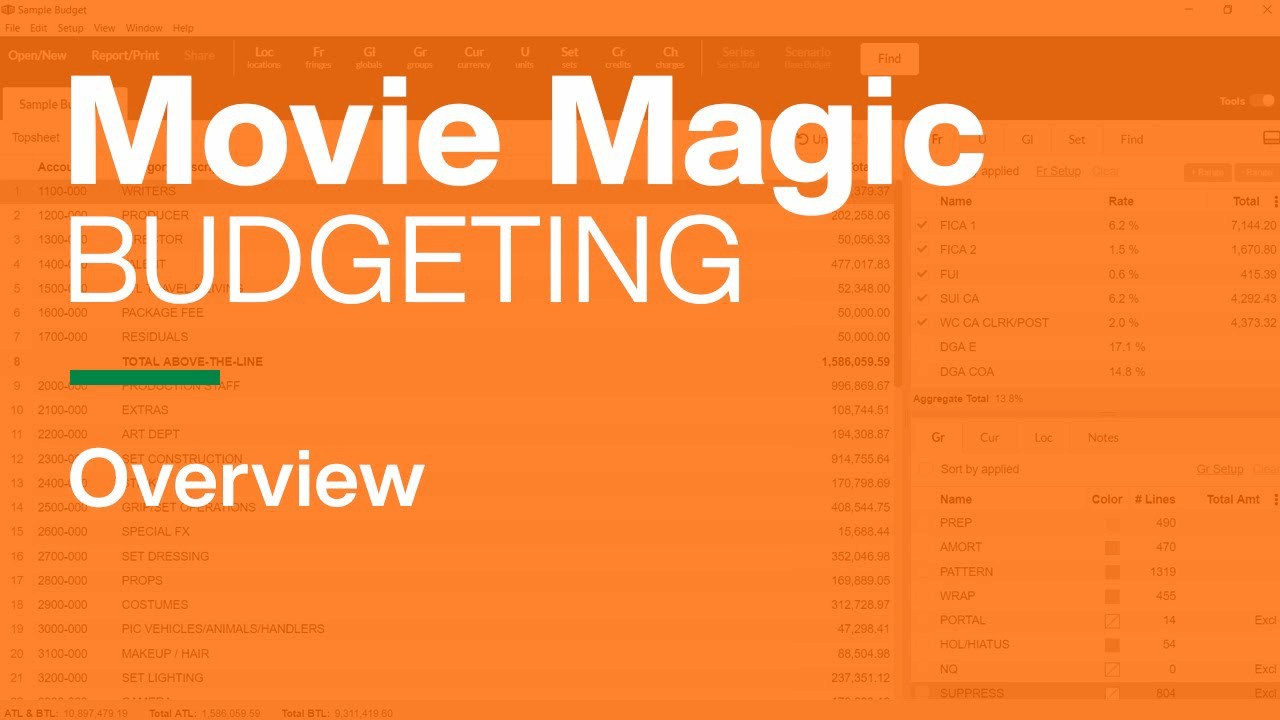
Movie Magic uses a detailed line item approach that mirrors professional budgets that have been structured in Hollywood for decades. You get major studio templates built right into the program. This saves a ton of setup time when working with scripted content. Plus because it's so widely used, there are hundreds of tutorial videos floating online. If you ever get stuck on something, somebody will have already figured it out on YouTube.
But here's the thing. Movie Magic is desktop only software. There is no cloud component. It doesn't communicate well at all with its scheduling counterpart (Movie Magic Scheduling). This feels like something that should've been fixed years ago.
The interface looks old school. And the price tag for indie filmmakers is steep (somewhere around the cost of a nice prime lens for the latest version). There is an academic edition that comes in significantly cheaper if you're a student or faculty member. This is worth checking into.
As far as features and scripted television go, it's still the go-to. For everything else, you might want to keep reading.
Hot Budget: The Commercial Producer's Choice
If Movie Magic is the standard for scripted work, Hot Budget has become pretty much the default for commercial producers. It was built specifically for the bid-driven workflow commercial producers deal with every day, and shows it.
The top sheet format is clean and client facing. This matters when you're sending budgets to agencies and brands who won't dig deep into below-the-line details. You can import your own chart of accounts (or the production company's), and time cards upload directly to payroll log. For commercial producers, that kind of integration saves hours.
Hot Budget runs as an Excel plug-in. Therefore it's a desktop tool tied to one computer. Pricing isn't transparent on their website, but it's subscription based at roughly mid-range costs per year. Discounts available if also using Hot Bricks for rentals. It's not really designed for feature film budgeting, so if you work between both commercials and narrative content, you'll probably need two different tools.
When Hot Budget Makes Sense
If you're primarily working on SAG commercials, non-union commercial shoots, or music videos, Hot Budget is hard to beat. The bid focused layout is exactly what agencies expect to see, and the learning curve is gentle if you already know your way around Excel.
Celtx Budgeting: The All-in-One Solution
Celtx started as mostly-free screenwriting software alternative that many emerging filmmakers cut their teeth on. Since then they've expanded into full digital production suite that includes budgeting, scheduling, call sheets, and cost reports, all bundled together.
Cloud based approach is big selling point here. You can access your budget from anywhere, and the integration between Celtx screenwriting and budgeting tools means you can do a script breakdown that automatically converts to your budget categories. This is genuinely helpful for indie producers wearing multiple hats and don't want to be switching between four apps.
Subscription pricing for Celtx is reasonable on a monthly basis (dependent on plan type) for annual plans. Not free like their screenwriting tool. But affordable considering scheduling and call sheet generators included.
Mobile app is limited compared to desktop version. Some users find transition from script writing section to budget section clunky. But for full service indie producers making films and smaller scale commercials, it's solid all-in-one solution.

More Options Worth Considering
Saturation: The New Hybrid
Saturation is new player attempting to fill gap between Movie Magic depth and Google Sheets accessibility. Think of it as purpose built budgeting tool with modern collaboration features such as Google Docs meets dedicated film budgeting software.
Built by working producer who was fed up with existing options. Practical origin of Saturation design shows in user experience. Interface is intuitive whereas Movie Magic definitely isn't. Collaborative workflows make sharing budgets easy amongst production team without having to email spreadsheets back and forth.
Free tier exists for users working on single project. Very generous offer for indie filmmakers who may only have one project going at a time. Unlimited projects run reasonable monthly fees. Workspace collaborator available higher tier.
Trade-offs
Saturation is still relatively new. Thus lack template library institutional knowledge base Movie Magic developed over decades. Requires internet connection as entirely cloud based tool. Ongoing subscriptions required, no one-time purchase, adds up over time. However the development team pushes regular updates and new features. Collaborative features differ significantly from legacy tools.
Google Sheets: Using Free Film Budget Templates
In many ways, the most popular film budgeting software is the one that you may already own. In other words, Google Sheets, paired with a solidly constructed film budget template, is how a majority of commercial producers and independent filmmakers currently run the numbers on their productions.
The advantages are clear. First, it is completely free. Second, it exists in the cloud. Third, since many commercial producers are already organizing their production documents in Google Drive, everything related to the production is stored in one central location.
Additionally, many commercial producers have received custom-made budget templates from previous line producers who have passed these down through multiple generations. These custom-made templates include formulas, categories, and sometimes old costs associated with previous shoot days.
Additionally, there are companies that sell pre-designed film budget templates for a flat fee. Examples of such companies include BoilerPlate which sells spreadsheet templates in Excel that you can upload directly to Google Drive.
Limitations
While Google Sheets is ideal for micro-budget indie films and student projects, it does not possess the standard film breakdowns, special reports, and connectivity to film production management tools that exist in industry-standard software. If you do not feel comfortable with spreadsheet formulas you are likely to experience errors.
Finally, while the presentation of the budget will look professional, the presentation will not be as polished as what would result from a dedicated software package, which could impact your ability to send the budget to clients or studios.
Well-constructed Google Sheets templates will suffice for micro-budget indie films and student projects. Do not allow anyone to persuade you that you need expensive film budgeting software to make a film.
Showbiz Budgeting: The Midpoint
Showbiz Budgeting from Media Services falls between Movie Magic and Hot Budget in terms of functionality. It functions well for both commercial and script-based projects, therefore it is very useful if you bounce back-and-forth between commercial and script-based projects.
The built-in overtime calculator (their OT Translator feature), along with the purchase order system and petty cash workflow, facilitate the actualization process. It has a strong reputation in the commercial world and creates a format for the client that they will recognize.
However, there are disadvantages associated with Showbiz Budgeting. While the layout is not as visually appealing as either Movie Magic or Hot Budget, it tends to lean towards commercial over script-based content.
Also, similar to Movie Magic, it requires two software licenses at a cost that equates to a high-end purchase, so while it provides a commercial-friendly format, it does not provide the full scope of script-based functionality provided by Movie Magic.
Choosing the Right Tool and Getting the Most from It
Ultimately, the decision regarding which film budgeting software to select comes down to three factors: what type of projects you are producing, who will be reviewing the budget, and how much do you want to spend prior to beginning production.
If you are creating feature-length films or television programs for studios and investors who will review the budget, then Movie Magic remains the safest choice. This is because the format is widely accepted within the industry and nobody will question your professionalism.
If you are a commercial producer who is simply looking for an efficient way to produce bids quickly and efficiently for agencies, then Hot Budget represents the path of least resistance. Not only does Hot Budget represent an efficient way to prepare top sheets for bidding purposes, but agencies understand the format and it integrates well with the balance of the commercial production environment.
If you are an independent filmmaker attempting to minimize costs, then Celtx or Saturation represent modern cloud-based options that should fit within your budget. And if you are strictly bootstrapping your production, then a well-structured Google Sheets template should provide all of the necessary functionality needed to track expenses throughout your production.
It is worth noting that whether or not your film budgeting software is effective ultimately depends upon the quality of your computer equipment. A good production laptop with sufficient memory to support larger spreadsheets without slowing down significantly is a luxury that can greatly improve your overall productivity.
Practical Tips for Maximizing Value
Whether or not you utilize Movie Magic or Excel-based templates for your film budgeting software, several elements remain constant.
First, establish a contingency fund. All seasoned producers pad their budget by approximately ten percent, and some will add additional contingency based upon the likelihood of unforeseen expenditures associated with an independent production. Whether utilizing a spreadsheet or Movie Magic, you must establish contingency funding into your template early in the development process.
Second, update your budget regularly throughout production. A pre-production budget that receives little-to-no attention during production is virtually useless by the second week of filming. One of the greatest strengths of a successful producer is treating their budget as a live document that receives updates daily.
Third, familiarize yourself thoroughly with one budgeting tool before moving on to another. Each budgeting tool has unique characteristics and shortcuts that become apparent only after utilizing said tool on an actual production. Switching from one budgeting tool to another during a production cycle will drive you crazy. Learn one tool inside and out before transitioning to another tool, and do so for at least three consecutive projects before determining that it is not functional for your specific needs.
Finally, remember that there are aspects of managing a production outside of your budgeting tool that play a critical role in maintaining the organization and flow of your production. Maintaining an organized production slate coupled with an organized method of storing files also contribute significantly to a productive production cycle.
Frequently Asked Questions
What is the best free film budgeting software available?
Using Google Sheets with a free film budget template is arguably the most viable free option. Celtx offers free screenwriting plans although their budget planning capabilities require upgrading to their paid video production plan. Saturation offers a free tier for single-project users. If you prefer something more formatted than a simple spreadsheet yet still free, you can search online for downloadable Excel templates created specifically for film production and customize them as required.
Is Movie Magic Budgeting worth its price?
Yes, with regards to scripted features and TV productions, Movie Magic Budgeting is well worth its cost. The format is universally accepted within the industry, studios and investors anticipate seeing this format, and the template library facilitates saving considerable time associated with setting up your budget template. For commercial producers, smaller indie films, and student projects, Movie Magic Budgeting becomes far less feasible given lower-cost alternatives accomplish identical primary objectives. Academic pricing makes it much more accessible if eligible.
Can I use regular spreadsheet software for film budgeting?
Of course. Many active producers, especially commercial producers, utilize Excel or Google Sheets with their respective custom-made templates for film budgeting purposes. So long as your template contains well-organized categories, accurate formulas, and sufficient variability to accommodate changing project requirements, it will suffice.
What is different about film budgeting software used by commercial producers versus those creating features?
Budgets prepared by commercial producers are primarily driven by bids from vendors seeking to gain contracts from agencies, thus tools such as Hot Budget were designed to provide rapid-turnaround preparation of clean top-sheet presentations for bidding purposes. On the other hand, feature-film budgets require comprehensive detail and itemized breakdowns of line items, union rate calculations, and extended periods of time associated with production schedules. Therefore, tools like Movie Magic Budgeting and Showbiz Budgeting were designed with these details in mind. Ultimately, many commercial producers working across both formats develop differing budgets depending upon which format they are producing.
Do I need film budgeting software if I am producing micro-budget films?
You absolutely need some form of budgeting system, whether it be an Excel spreadsheet or a Google Sheets template. Regardless of the size of your budget, tracking your spending is essential, especially considering that micro-budget films often contain numerous unknown variables. A well-organized Google Sheets template along with diligent tracking will adequately meet the needs of micro-budget films. While fancier software packages exist, organized financial tracking is what prevents productions from exceeding their intended budgets.
How do union productions work with film budgets?
Union productions such as Sag-Aftra require submitting a budget as part of your signatory packet agreement. As such, whichever film budgeting software you decide to use must calculate union rates, pension and healthcare contributions, payroll taxes, and agent or manager fees if applicable. Both Movie Magic Budgeting and Showbiz Budgeting contain built-in union rate calculation capabilities. If using a spreadsheet, you will need to build these calculations yourself or locate a previously established template containing these calculations. Incorrectly calculating union line items can create serious issues during production, therefore while these software packages can appear costly, they earn their value with regard to ensuring compliance with unions during production.