
Camera Field Monitor: Shinobi, F6 Plus, BM5 IV and Focus OLED
Missing focus on a shot you can't redo is the moment most people decide they need a field monitor. A bigger, brighter screen with focus and exposure tools turns guessing into checking, especially outdoors or with the camera rigged where you can't see its own screen.
The trade-offs show up in heat, brightness, how the monitor connects and how much it lets you control the camera. Some of the brightest screens run hot, some of the nicest images sit behind a fragile connector, and the budget models cut corners in software.
Below are the mid-range standard, a budget option and a pro-control monitor with a heat trade.
The Atomos Shinobi remains the mid-range standard because buyers from 2021 still daily-drive it today, while the Feelworld F6 Plus offers a budget entry with annoying LUT limits and the Portkeys BM5 IV provides pro control.
The SmallHD Focus OLED delivers premium image quality but the HDMI connection is fragile, so you might struggle with disconnects during a shoot. The Portkeys runs hot despite its bright screen, so camera control comes with a heat trade. Match the monitor to your rig and your budget.
Atomos Shinobi: The Mid-Range Standard
The Atomos Shinobi is a solid choice because it shares the interface with the Ninja V, which makes it easy for people who already own that larger recorder. It is brighter than the SmallHD Focus head-to-head - Atomos's Shinobi page lists the brightness spec - so you see your shot clearly under the bright sun.
Since the GH6 screen fails in direct light, this monitor is a vital tool for anyone who shoots outdoors every day. One buyer has used this monitor daily since 2021 because it keeps working.
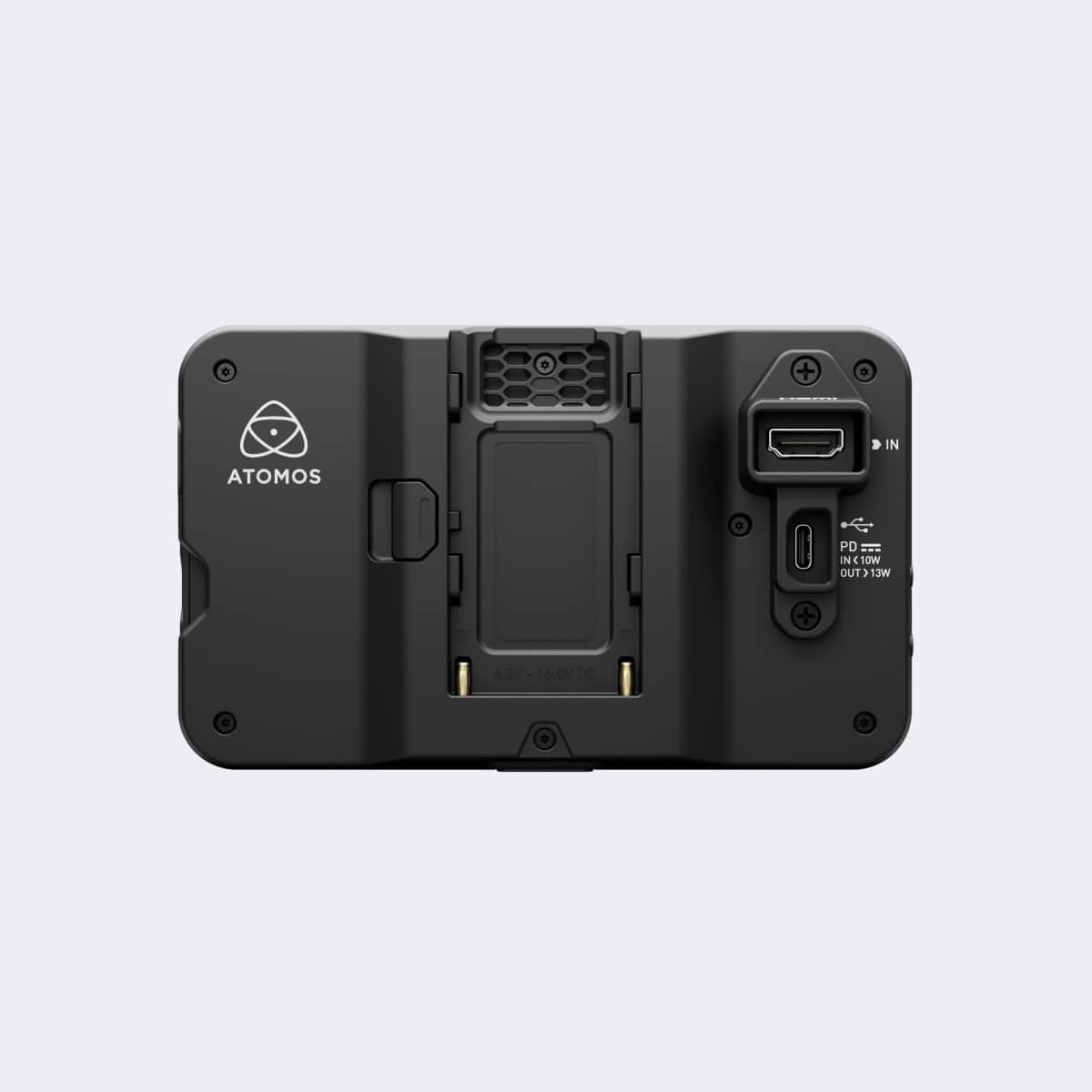
Looking at the back-panel image, you'll see an NP-F bay, an HDMI input, and a USB-C PD port, which allows you to power the gear while recording. It sets the mid-range standard because it offers pro features without premium-gear cost. While the build seems tough, some users have found issues with cables that get loose when the monitor is mounted on a rig.
Not every monitor is perfect, as one owner has found a screen that was unglued right out of the box, so they had to glue it back together themselves.
Another person using a BMPCC4K on a shoulder rig reported that the cables failed and the SD card wouldn't read. These flaws are frustrating, but the monitor remains a strong pick for those who need a working screen. You should consider this if you want a bright screen that works with your setup without high costs.
Feelworld F6 Plus: Best Budget Option
The Feelworld F6 Plus is a budget entry for those who need a lot of tools, though its 4.4/7 score comes from a tiny sample of just seven buyers. It's an affordable tool that comes packed with features, and the plastic build feels solid enough for daily use. Battery life is decent for location work without a plug.
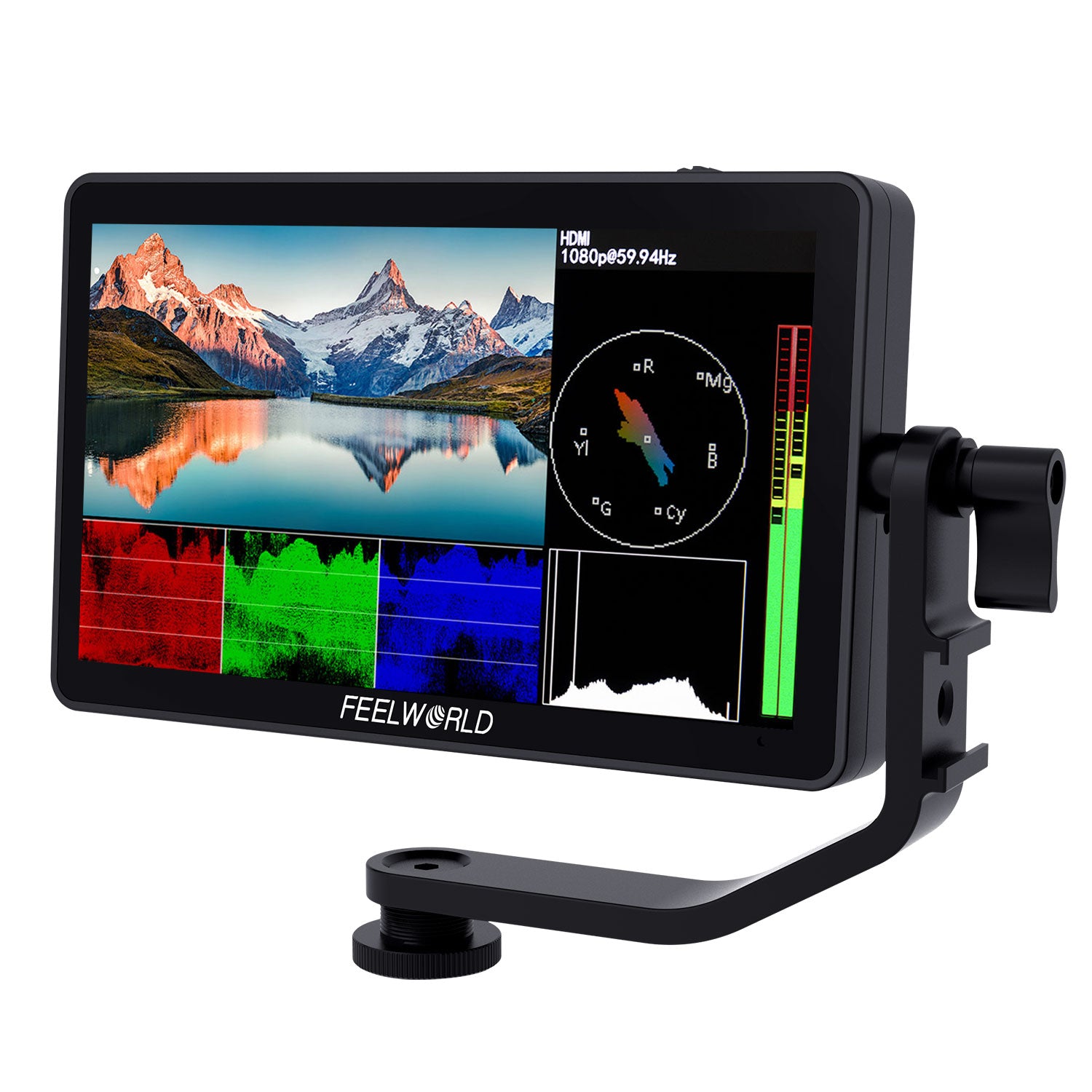
One buyer was let down because the monitor couldn't load the specific LUT they needed, which was the main reason they bought it in the very first place. They might also wish the screen was brighter, or had gridlines since it's hard to see outside.
You should look at the F6 Plus UI image to see what tools you get before you spend money. It works as a budget pick if you know the LUT limit going in.
Portkeys BM5 IV: Pro Control With a Heat Trade
For seeing your shot under bright sun, this monitor offers a 2000-nit screen that makes outdoor filming far easier than fighting glare, and Portkeys's product pages list the brightness and control specs. Many buyers prefer the CineOS interface because it feels better than the software on pricier SmallHD models - B&H's field monitor category shows the full price ladder.
You get a full waveform, and you can control RED or FX3 cameras directly from the screen - the film camera guide covers why that control matters on those bodies. These tools help you manage your rig, without needing to touch the camera body every time.
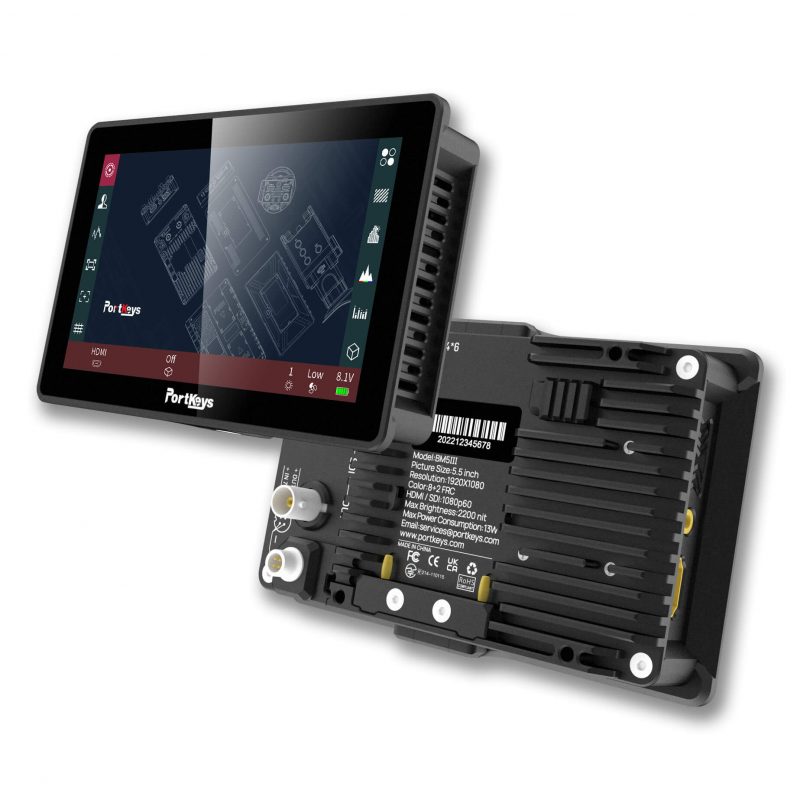
This monitor gets very hot when you run it on standard NP-F batteries, which often causes it to stop working in the middle of a busy shoot.
You have to turn the fan to high to cool it down, but this is noisy and eats your battery life fast. One reviewer has noted that the FX3 control link drops, after just a few seconds of use. The pinch-zoom is also glitchy.
While the pro control features are great, you have to weigh them against the risk of the tool dying after a couple of years due to internal cable issues.
Some owners have reported that their monitors stopped working entirely, because the ports wore out from heavy daily use. You're deciding if the high-end control is worth the heat, and the potential for hardware failure. It suits crews that need camera control and can manage the heat.
The SmallHD Focus OLED is often called the best monitor at its price range because the OLED panel delivers deep blacks and accurate color while the body stays cool through long shoot sessions. Owners coming from cheaper panels notice the difference the moment they frame a shot.
You will find the focus assist is awesome, which helps keep your shots sharp when you move. It doesn't get hot like some others, so you can trust it to run all day. The screen quality earns the loyalty, though the cost sits well above the budget options in this list - you are paying for SmallHD's interface and support as much as the panel.
Some owners have reported that their boxes arrived missing the tilt arm and the cables, which makes the new gear feel like it was used-as-new when they first opened it. This is very frustrating.
You might need to check the box carefully, because the factory fails to leave parts in. If parts are missing, you'll have to buy them separately, which costs more.
When you use a Sony a7iii or an a6500, the HDMI connection might disconnect at the slightest touch, which creates a big problem for someone filming.
The internal plumbing seems fragile, so you have to be very careful when you plug cables. It's a shame this premium tool has a weak spot, because it hurts users. You should weigh the image against the risk, because signal might drop during work.
Frequently Asked Questions
Is a flip-out screen enough for my camera?
Relying solely on the flip-out screen of the camera often fails because those displays struggle in daylight and appear too small for precise focus pulling. One buyer has noted that the GH6 LCD has similar issues when filming in bright conditions.
How bright should a monitor be for outdoors?
You need a monitor with at least 1000 nits to see your image clearly when working outside under direct sunlight. The Portkeys BM5 IV features a verified 2000-nit screen that works perfectly in those environments.
Do false color and waveforms help with exposure?
False color allows you to check your exposure at a glance while waveforms help you maintain consistent skin tones across the entire shot. These tools ensure your footage looks professional without constantly guessing the settings.
Should I use SDI or HDMI for my monitor?
HDMI connections are perfectly fine for runs under 25 feet, but you should choose SDI for professional rigs that require more stability. SDI offers better signal integrity over longer distances in complex setups.
What batteries do these field monitors use?
Most monitors use the standard NP-F battery type like the Atomos Shinobi which features a dedicated bay for these cells. Newer models also include USB-C power delivery for faster charging and versatile power options.