
Best Video Camera for Youth Sports: Zoom, Tracking and Streaming
Filming youth sports looks easy until you try it from the bleachers. The action is far away and moves fast, the light in a gym or at a night game is poor, and you'd also like to actually watch your kid play.
That's why the camera that suits a vacation often struggles at a game. Reach matters more than resolution, smooth motion matters more than megapixels, and for a whole team or a family stream, a camera that tracks the play on its own can matter more than either.
Below are the three different jobs, a camcorder for following one player, two longer-zoom options for less money, and tracking cameras for when nobody wants to operate.
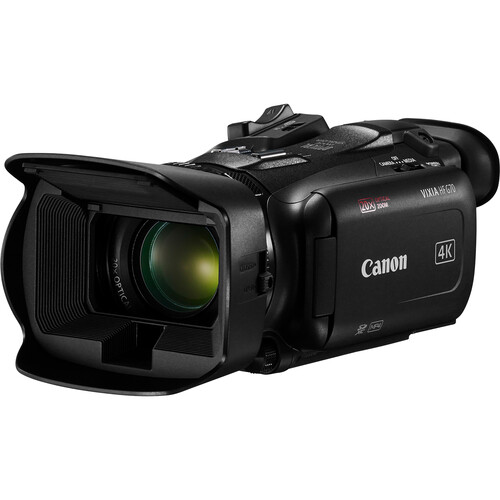
To film your own kid, a long-zoom camcorder like the Canon Vixia HF G70 at 1080p60 beats a mirrorless camera, because zoom range matters more than 4K. For filming the whole team or streaming, an AI tracking camera like the XbotGo Falcon lets you watch the game while the hardware handles the action. The right pick depends on which of three jobs you're doing.
Three Different Jobs: Your Kid, the Team, the Stream
Close shots of your kid from the far bleachers need a long optical zoom, because digital zoom just crops the image and loses the fine detail. You'll likely need to be there in person to follow the player as they run, which is hard to do handheld over a long game. This is the most common job for parents, we think.
Coaches usually want a wide view of the whole team for film, so a camera on a tripod that can track the play without anyone needing to operate it is best.
Auto-tracking cameras are great for this because they recognize the play, though they might lose the action if the background is too busy or the players wear similar jerseys. The XbotGo models below don't need a monthly subscription, per their reviewers.
For parents who want to stream the game to family at home, using a phone or a dedicated tracker paired with an app like GameChanger is the simplest way to go. These setups let you set the gear and walk away, but they often struggle with limited zoom ranges when the action moves across the field. It's a trade-off for convenience.
For more sideline options see our camcorder guide, a monopod for video takes the weight off your arms over a long game, and if you film sports for paying clients our sports videography camera guide is the better fit.
Canon Vixia HF G70 for Following One Player
The Canon Vixia HF G70 offers a 20x optical zoom that reaches 601mm, which helps when you need to track a single player while they run far away on the sideline.
You should set it to 1080p at 60 frames per second to keep the motion smooth, since the 4K mode only hits lower frame rates. It weighs 1.94 lb with the battery and handle, and it has two SD card slots.
While this camera looks sharp in bright daylight, the image gets soft and noisy if you move into a dim gym or try to film a night game.
One reviewer has noted that the quality turns to mush when the gain gets high, which is a big flaw for indoor sports fans. The camera beeps when it stops recording or when the card is full, which one reviewer says their Canon M50 never did when it stopped.
You can use the UVC feature to stream your footage directly to a computer, which makes it easy to share the action with family in real time. You should buy from an authorized seller like B&H, because a grey-market camera might not be registered for a warranty later. It's a solid tool for parents who want to focus on one kid, without needing complex gear.
Panasonic HC-V800 and VX3 for Longer Zoom on Less Money
The Panasonic HC-V800 and the VX3 both offer a 24x optical zoom that reaches 600mm, which is vital when you need to capture fast action from the far end of the sideline. Both units use a 1/2.5-inch sensor and an F1.8 lens along with five-axis stabilization to help keep the shot steady while you pan across the field.
While the body labels claim 48x or 32x zoom, those are just extended digital crops that lose detail compared to the real glass reach.
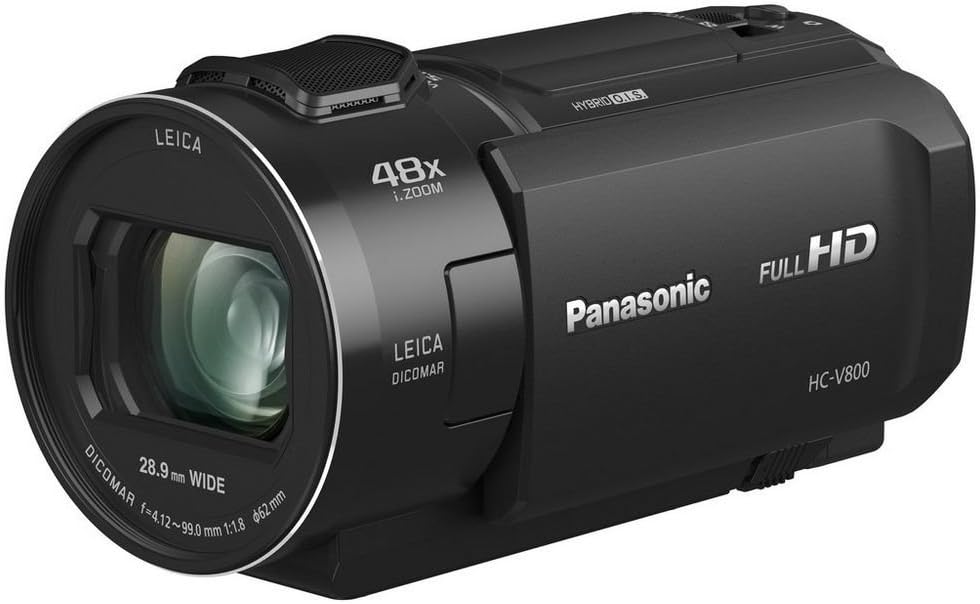
The V800 only records in Full HD, and one buyer records complete 90-minute volleyball matches on it in MP4. It has a 5.1 channel wind-shielded microphone, and two church buyers stream with it through OBS. One buyer's automatic lens cover stuck half open after a few months and blocked part of the frame.
The VX3 captures 4K video and lets you crop the footage to 2K inside the camera, which is a nice plus if you want to edit your highlights later. It's a relatively new model with only 17 ratings, and one buyer has noted that the battery is very small compared with a competitor's.
A parent uses it to film every team game on a gimbal, and they seem very happy with the results.
XbotGo Chameleon and Falcon When Nobody Wants to Operate
The XbotGo Chameleon uses a motorized phone mount and AI that tracks to follow over twenty sports, which allows a parent to film a full day of AAU basketball on just one charge.
You can stream your games right through GameChanger, but some users have found the zoom limited to just three times. One buyer has said the follow mode jumps between players and background objects when filming a busy soccer match.
For another buyer the phone clamp dial broke within a month, and support sent them back to Amazon after the return window had closed.
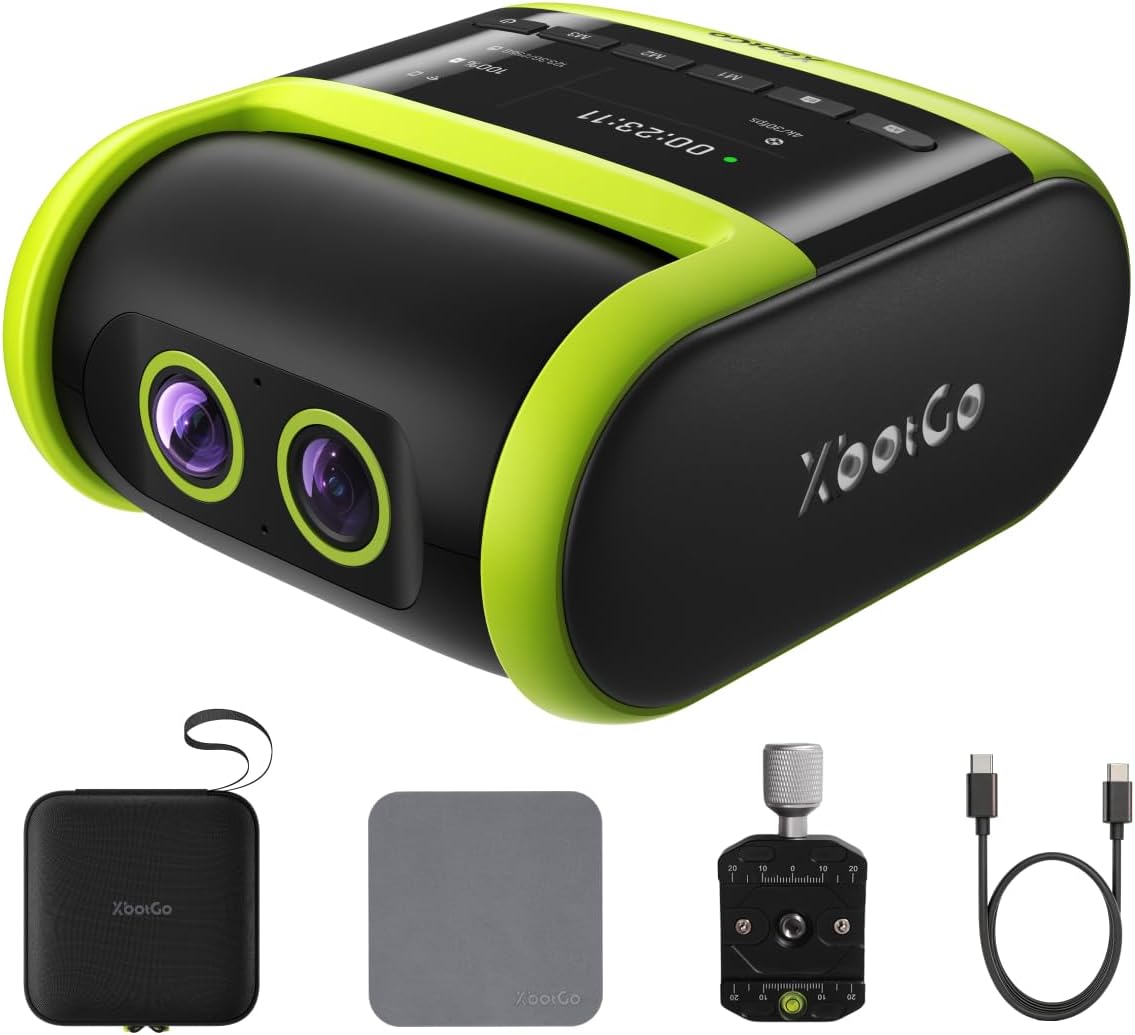
The Falcon features dual 4K lenses so that one records while the other tracks the play, which lets a soccer parent watch their kid instead of staring at a small screen. This camera works with microSD cards or cloud storage, and it doesn't require a monthly fee to use.
A lacrosse parent says it lost the play only three or four times in a 70-minute game, while a one-star buyer says it barely tracks and support keeps promising fixes. Setting it up requires an Android device with a data plan, which one buyer calls a hurdle.
Auto-tracking cameras often lose the play when there are busy backgrounds or players wearing similar jerseys, which means you might miss important parts during the whole game. Both sit just under four stars, with 16 to 18 percent one-star ratings. If the AI misses the play, you'll end up with footage that shows the empty field instead of your child.
Frequently Asked Questions
What is the best camera for youth sports on a budget?
The Panasonic HC-V800 is a strong choice for those on a budget because it offers a 24x optical zoom and records in clear 1080p. This camcorder captures the action from the sideline without costing a fortune. It handles long events like volleyball matches with ease.
Is 4K or 1080p60 better for sports?
Choosing 1080p at 60 frames per second is often better for sports because cameras like the G70 can only record 4K at 30 frames per second. The higher frame rate makes fast-moving action look much smoother. You can also create cleaner slow motion highlights from this footage.
Can I film a game without holding the camera?
You can use a tripod with an AI tracker like the Falcon or set a camcorder on a tripod with a wide-angle zoom. These setups allow you to watch the game while the gear operates itself. This prevents arm fatigue during long afternoon games.
How do I live stream youth sports?
You can stream by putting a phone on a tracker using the GameChanger app or by connecting a G70 to a laptop via USB. Both methods allow you to share the game with family in real time. These tools are very helpful for busy parents.
Why does indoor footage look grainy?
Indoor footage looks grainy because small sensors raise the gain when light is low, which creates a noisy image. To fix this, you should sit closer to the action or use a camera with a larger sensor. Better lighting also helps keep the image sharp.