
Best Home Security Video Camera System: Arlo Ultra, Pro 5S, and Essential
A home security camera system is something you set up once and then forget about, until the day you actually need the footage. That's when you find out whether the camera caught anything, whether the clip was saved, and whether you can watch it without paying first.
Arlo's lineup covers a wide range, from 4K cameras with a hub to cheaper 2K models, and the hardware is mostly solid. The questions owners keep running into are about the rest: battery life, notifications that arrive late, and how much of the system depends on a monthly plan.
Below are the 4K tier, the middle tier, the budget tier, and the subscription math that ties them together.
The Arlo Ultra 3rd Gen is the 4K ecosystem pick if you'll accept the subscription, the Pro 5S is the fixed-firmware middle, and the Essential is the budget option with that 76% charge catch. One Ultra owner has been genuinely pleased with both the hardware and the whole system, because the cameras are well built.
The Pro 5S is the stability answer, and the Essential carries the charge catch, since one frustrated owner has found it will only charge to 76%. Match the tier to the ladder, not the spec sheet. The mobile live-stream kit and the gimbal field guide are the content-side gear if that's the job.
The 4K Tier: Arlo Ultra 3rd Gen
The Arlo Ultra 3rd Gen gives you a 4K HDR picture that stays clear during day and night, while the motion detection works really well for catching movement.
You'll find it better than the Ultra 2, because it connects well via wifi and works with HomeKit. One owner of the multi-pack has found the cameras well built, discreet and easy to position, with no issues during installation and a battery that lasts about three weeks.
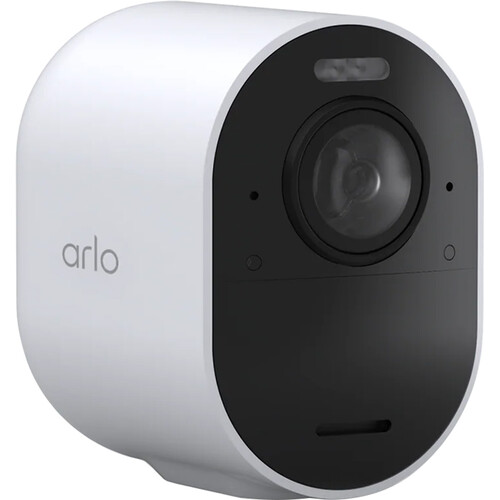
While the video is great, the battery life is only like three weeks, which means you'll need to charge the units quite often to keep them running properly.
'Plagued with "Camera off line," and "Router off line" alerts over the last' stretch - the 3-star's phrase, and the reason the 3.8 average sits where it does. The feed fails at the moment you check it, which is the complaint's real shape.
You need to be careful about the cost, because one buyer gave it one star after they didn't realize they needed a subscription just to watch their video playback. It's a shame that the description wasn't clear, since many people expect to record and store footage for free.
Another owner has found the setup much easier than expected and the app very user friendly for checking several cameras each day. The subscription surprise is the price of skipping the description, and that 1-star buyer has admitted they should have read it.
The Middle Tier: Arlo Pro 5S 2K
One user has called them acceptable, saying Arlo has fixed most, but not all, of the firmware issues that killed battery life and delayed notifications by hours. That's the honest ceiling: the battery lasts longer than it did, and alerts still arrive late sometimes.
While the magnetic mounts are a big plus because they let you move the camera easily, the live-view tool still fails some people when they are away from home. One owner has checked the live view while away from home, watched it connect and say it was live, and seen their car in the driveway while they were out driving it, so the picture wasn't live at all.
A camera that lies is worse than one that's down. You can see the build in the arlo-essential-outdoor image, which shows how the hardware looks on a wall. The magnetic-mount style earns four stars, so it feels much better than the flimsy screws used on older models, which often break or come loose.
The Budget Tier: Arlo Essential 2nd Gen
While the Arlo Essential 2nd Gen seems like a cheap way to watch your home, one buyer has felt let down after buying them because the listing didn't clearly state they were the second generation version. This person noted that the cameras only charge up to 76 percent, which means they won't last very long on one charge.
You don't get any video recording unless you pay for a monthly plan, so the low price is actually a bit misleading. It's a tough spot when you want basic security but find out you need extra money every month.
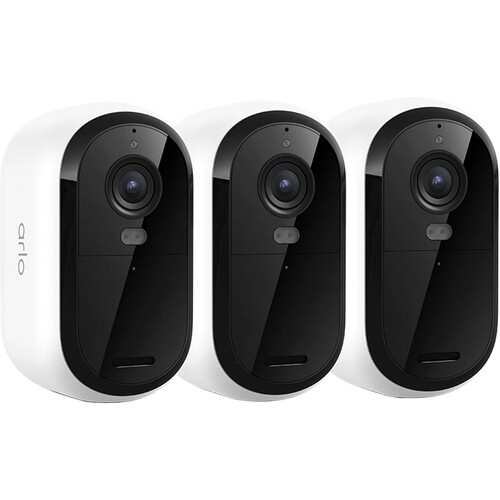
A second buyer has written in Spanish that they love these cameras because they work perfectly and capture everything in the dark, but those hidden costs might frustrate some folks who want a simple setup
A buyer has found the battery a little short, needing a charge every 8-10 days, but otherwise it works well
The Subscription Math
On the budget tier, video clips stop after just a few days unless you pay for a monthly plan to keep everything running. This limit creates a hard wall for folks who want to save footage without paying a recurring fee every month.
A buyer keeps theirs on the cloud plan so they can go back and review clips, while one reviewer has found recording stops after a few days without a paid plan
Choosing between local storage and the cloud is a big part of the setup, because it changes how you access your video files when you're away from home. Without a paid plan, the budget cameras won't save much, which means you might miss what happened during the night.
TechRadar's security camera coverage reads the same subscription math from the consumer side, and the higher-tier models are the worth-it answer if you need history without the fee anxiety, and one Ultra owner has been genuinely pleased with both the hardware and the whole ecosystem. You're betting on whether the monthly cost feels fair for the extra features you get.
Frequently Asked Questions
Do I need a subscription for Arlo cameras?
You'll need a paid monthly plan to get recording on the Essential tier, but the Ultra system allows video playback and recording without any recurring fees. This means the budget option stops recording quickly if you don't pay for the service.
How long does the battery last between charges?
The Ultra cameras last about three weeks on a single charge, while the Essential units often require charging every eight to ten days to function properly. Some users have noted the Essential battery will only charge up to seventy-six percent of its total capacity.
Why does my camera keep going offline?
Some owners have reported being plagued by alerts stating "Camera off line" or "Router off line" while using the third generation Ultra hardware. These issues can disrupt your ability to monitor the property in real-time.
What is the difference between 4K and 2K video?
The Ultra provides a 4K HDR picture that stays super clear during both day and night, whereas the Pro 5S offers a sharp 2K resolution instead. Higher resolution helps you identify specific details like people or animals moving within the perimeter.
Does Arlo work with Apple HomeKit?
The third generation Ultra cameras offer improved compatibility with HomeKit compared to older versions you might have used in your home previously. This makes it easier to integrate the system into your existing smart home ecosystem.
On HomeKit, one buyer who upgraded from the Ultra 2 has found these better on Wi-Fi connectivity, HomeKit compatibility, 4K and 2K resolution, and ease of use. PetaPixel's home-security coverage reads the camera-side trade from the photo world, the security-monitoring side is a different product class, and the wireless audio tier is the recorder fallback. Check B&H's security camera stock before the subscription decision.