
Best Home Security Video Camera Systems for Protecting Your Gear
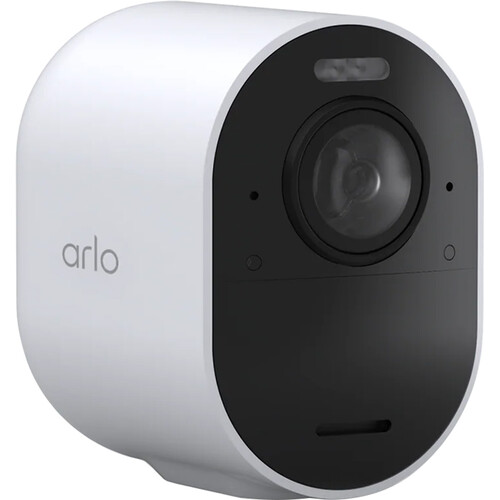
If you've spent years building up a collection of cinema cameras, lenses, lighting kits, and audio gear, you already know the replacement cost runs into serious money. A single break-in can wipe out thousands worth of production equipment in minutes. The best home security video camera system for protecting that kind of investment is one that gives you high-resolution footage, reliable alerts, and remote access from anywhere. The Arlo Ultra 3 4K is the camera most filmmakers should start with because it delivers genuine 4K capture, a wide field of view, and solid night vision without requiring professional installation or a wired connection.
For most home studios and small production offices, a wireless system with cloud storage and smartphone notifications covers the basics. But the specifics matter quite a bit depending on your space, your gear layout, and whether you need indoor coverage, outdoor coverage, or both. We'll break down what actually matters when choosing a security camera system for protecting production equipment, and which setups make the most sense for different situations.
Why Filmmakers Need a Dedicated Security Camera System
The gear in your studio or office is different from typical household valuables. Camera bodies, lenses, and monitors are compact, high-value, and easy to carry. A thief can grab a cinema camera and two lenses in under a minute and walk out with more value than most home burglaries yield.
Standard home insurance covers theft, but the claim process is painful and slow. Having clear, high-resolution security footage makes the difference between a successful claim and a denied one. It also helps law enforcement actually identify the person who took your stuff.
Beyond theft protection, a good security system lets you monitor environmental conditions in your studio. If you store film stock, hard drives with project files, or sensitive electronics, you want to know about water leaks, temperature spikes, or power outages before they destroy irreplaceable work. Many modern security cameras include environmental sensors that push alerts to your phone when conditions change. If you've ever lost footage from a failed external SSD due to heat damage, you understand how valuable early warnings can be.
Indoor vs Outdoor Coverage
Most filmmakers need both. Outdoor cameras deter break-ins and capture footage of anyone approaching your building. Indoor cameras document exactly what happens inside if someone does get in. For a typical home studio, a minimum of two outdoor cameras covering entry points and one or two indoor cameras covering the gear storage area gives you solid baseline coverage. B&H reviewers mention that the Arlo system's ability to mix and match indoor and outdoor cameras on a single hub makes expanding coverage pretty straightforward.
Resolution Actually Matters Here
This is one area where your filmmaker instincts serve you well. A 1080p security camera captures decent footage during the day, but at night or in low light, the image falls apart quickly. Fine details like facial features, license plates, and serial numbers on equipment become unreadable.
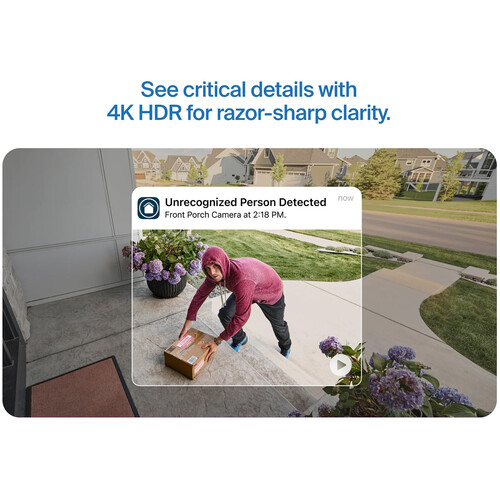
4K security cameras capture roughly four times the pixel data, which means you can zoom into footage digitally and still pull usable details. If you've ever tried to pull a still from compressed 1080p footage and enlarge it, you know exactly how that goes. Users report that the Arlo Ultra 3's 4K sensor captures enough detail to read text on packages at distances of 20 feet or more, which is the kind of resolution you need for identifying stolen gear.
Wired vs Wireless Security Cameras
This is the first decision you need to make, and it affects everything else about your system. Both approaches have real advantages and real drawbacks for protecting production equipment.
Wireless Systems
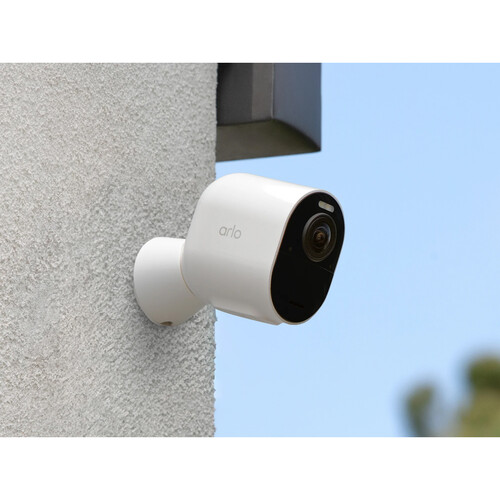
Wireless security cameras like the Arlo lineup run on rechargeable batteries and connect to your network over Wi-Fi. The obvious advantage is installation flexibility. You can mount them anywhere without running cables through walls or ceilings. For renters or anyone in a shared office space, wireless is often the only practical option.
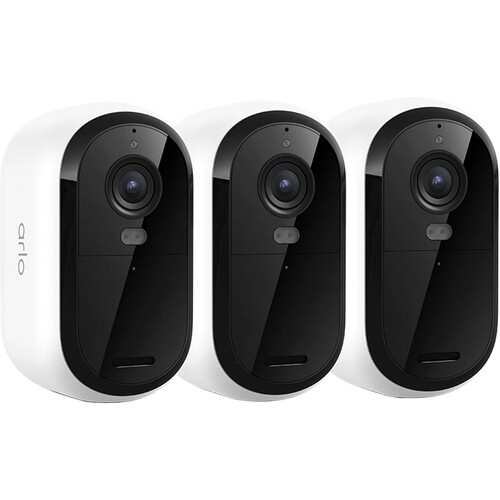
The Arlo Essential 3-Pack gives you three cameras that you can have operational within an hour of opening the box. No electrician, no drilling through exterior walls, no running ethernet.
The downside of wireless cameras is battery life. Depending on how much activity your cameras detect, you'll need to recharge batteries every few weeks to a few months. B&H reviewers mention that high-traffic areas drain batteries significantly faster than quiet zones. If your studio has frequent foot traffic during the day, expect to recharge more often.
The other concern with wireless cameras is Wi-Fi reliability. If your network goes down, your cameras go offline. For a home studio in a residential area with stable internet, this is usually fine. For a remote location or anywhere with spotty connectivity, it can be a problem.
Wired Systems
Wired security cameras (typically PoE, which stands for Power over Ethernet) receive both power and data through a single ethernet cable. The advantage is reliability. No batteries to charge, no Wi-Fi dropouts, and consistent video quality 24/7.
Wired systems are the standard for commercial production facilities and post-production houses because they simply don't fail in the way that wireless systems occasionally do. If you own your space and plan to be there long-term, wired is the more robust choice.
The installation cost and complexity are the main barriers. Running ethernet cables to each camera location requires planning, and potentially hiring someone to do the cable work properly. You also need a PoE switch or NVR (network video recorder) to power and manage the cameras. For filmmakers who are comfortable with hardware setups and cable management, this isn't a huge deal. But for a rented apartment with a spare bedroom converted into an edit bay, it's probably overkill.
Storage Options for Security Footage
How and where your footage is stored matters as much as the camera quality itself. There are three main approaches, and each has trade-offs that are worth understanding.
Cloud Storage
Most wireless security systems default to cloud storage. Arlo, Ring, and Google Nest all push recorded clips to their respective cloud platforms. The advantage is that your footage is safe even if someone steals or destroys the camera itself.
The disadvantage is the ongoing subscription cost. Arlo's cloud plans vary, but you'll be paying a monthly or annual fee for as long as you want cloud storage and playback. Several users point out that Arlo's free tier only stores footage for a limited time, so the subscription is essentially required for any serious security use.
Local Storage
Some cameras support microSD cards or USB drives for local recording. This eliminates the subscription fee entirely, but creates a different vulnerability. If a thief takes the camera, they take the footage with it. For indoor cameras that are mounted in concealed locations, local storage works reasonably well. For outdoor cameras that are accessible and visible, cloud backup is the safer bet.
Hybrid Approach
The most practical setup for protecting production gear combines both cloud and local storage. Use cloud storage for your outdoor cameras where physical security of the camera itself is a concern. Use local storage or NVR recording for indoor cameras that are less likely to be tampered with. This approach balances ongoing costs against footage security. If you're running a multi-camera monitoring setup for your studio, the NVR approach will feel familiar since it's essentially the same concept as recording multiple camera feeds to a central location.
Best Security Camera Systems for Filmmakers
After looking at what's available and what B&H reviewers consistently recommend, here are the setups that make the most sense for protecting production equipment.
Best Overall: Arlo Ultra 3 4K
The Arlo Ultra 3 captures genuine 4K HDR video with a 180-degree field of view. The wide angle means fewer cameras to cover the same area, which reduces both cost and complexity. Color night vision uses an integrated spotlight to capture color footage in darkness rather than the typical black-and-white infrared image. Users report that the color night vision is genuinely useful for identifying clothing colors and vehicle details.
The built-in siren can be triggered remotely if you see something suspicious on the live feed, and two-way audio lets you communicate through the camera.
For a filmmaker's home studio, two Arlo Ultra 3 cameras covering exterior entry points combined with one or two indoor cameras provides comprehensive coverage. The system works with the Arlo SmartHub, which connects to your router via ethernet and manages all your cameras from one point. B&H reviewers mention that the SmartHub provides faster local processing for motion detection compared to cameras that rely entirely on cloud processing.
Best Value Multi-Camera Kit: Arlo Pro 6 2-Pack
If 4K is more resolution than you need (and honestly, for many studio setups 2K is perfectly adequate), the Arlo Pro 6 2-Pack offers a strong balance of capability and value. The Pro 6 captures at 2K resolution with the same wireless flexibility as the Ultra 3. You still get color night vision, two-way audio, and the motion-activated spotlight. The lower resolution means smaller file sizes and less bandwidth consumption, which can be an advantage if you're on a limited internet plan.
Users consistently praise the Pro 6's battery life as an improvement over previous generations. If you're monitoring a space that doesn't need the absolute sharpest footage, the Pro 6 system covers most security needs without the premium that comes with 4K. You can also find Arlo camera systems on Amazon if you want to compare pricing.
Budget-Friendly Starter: Arlo Essential 3-Pack
The Arlo Essential 3-Pack is the entry point for filmmakers who want basic coverage without spending a lot upfront. You get three cameras with 1080p resolution, motion detection, and app-based alerts. The resolution won't give you the detail that 4K provides, but for monitoring activity around your studio and getting notified when someone approaches, it handles the job. Several B&H reviewers mention that the Essential cameras are a solid first step before committing to a more comprehensive system.
Remote Monitoring and Smart Features
One of the biggest advantages of modern security cameras is the ability to check on your studio from anywhere. Whether you're on set, traveling, or just at home while your gear sits in a rented office space, remote access keeps you connected.
Live View and Alerts
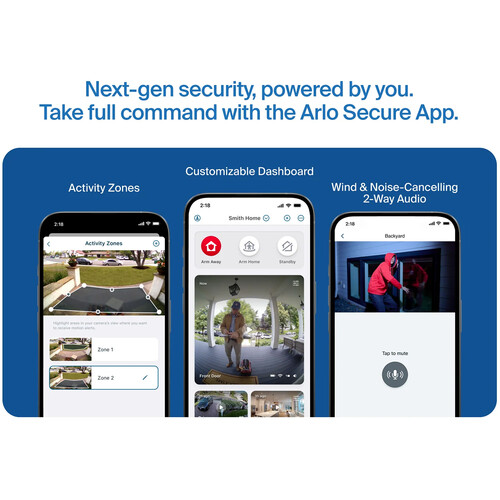
Every major security camera platform offers a smartphone app with live streaming, push notifications, and clip playback. The Arlo app lets you pull up live feeds from any camera in your system, review recorded clips, and adjust sensitivity settings for motion zones.
You can define specific areas within the camera's field of view that trigger alerts, which reduces false notifications from passing cars or animals. For filmmakers who keep gear in a separate location from where they live, the ability to check in at any time provides real peace of mind.
Integration with Smart Home Systems
Arlo cameras work with Google Home, Amazon Alexa, and Apple HomeKit. If you already have a smart home setup, your security cameras can integrate into your existing ecosystem. You can set up automations like turning on studio lights when motion is detected, or triggering a recording on all cameras when your alarm system is armed. The wireless monitoring capabilities you might already use for on-set video become a natural extension of how you think about remote feeds.
Frequently Asked Questions
What resolution should security cameras be for protecting expensive equipment? 4K (3840x2160) is ideal if you need to identify fine details like serial numbers on equipment or facial features. 2K (2560x1440) is a solid middle ground that captures enough detail for most identification purposes while using less storage and bandwidth. 1080p works for basic monitoring and activity alerts but falls short when you need to zoom into specific areas of the footage.
Are wireless security cameras reliable enough for protecting a studio? Yes, for most home studio situations. Modern wireless cameras from Arlo and similar manufacturers have improved significantly in terms of connectivity stability and battery life. The main risk is Wi-Fi outage, which can be mitigated by using a system with local backup storage. B&H reviewers generally report reliable performance as long as the cameras are within reasonable range of the router.
Do I need a subscription for cloud storage with Arlo cameras? Arlo offers limited free cloud storage, but for practical security use, a subscription plan is recommended. The paid plans provide longer footage retention, advanced detection features like person and package recognition, and the ability to download clips. Without a subscription, you can still use live view and receive motion alerts, but your recorded footage options are limited.
How many security cameras do I need for a home studio? A minimum of two outdoor cameras covering primary entry points and one indoor camera covering your main gear storage area provides a reasonable baseline. If your studio has multiple rooms with equipment, add an indoor camera for each room that contains high-value items. Four to six cameras total covers most home studio and small office setups adequately.
Can security cameras work during a power outage? Battery-powered wireless cameras like the Arlo lineup will continue recording during a power outage as long as they have charge. However, if your router loses power, the cameras lose their Wi-Fi connection and can't upload to the cloud or send notifications. A small UPS (uninterruptible power supply) for your router and SmartHub solves this problem and is a worthwhile investment for anyone serious about continuous security coverage.
Should I use wired or wireless security cameras for a rental space? Wireless cameras are almost always the better choice for rental spaces. You can install them without modifying the property, take them with you when you move, and have a full system operational within an hour. Wired systems require drilling, running cables, and potentially patching walls when you leave. Unless your lease specifically allows modifications or you plan to stay for many years, wireless is the practical choice.