Dual Monitor Stands for Standing Desks: Editor's Picks for Video Workspaces
A double screen stand on a standing desk is working much harder than a single arm attached to the same (fixed) surface. Each time the desktop moves up or down, each arm swings out from under the screen about an inch. And when it falls back down again. gravity pulls those arms right back into their position. The very cheap pole-and-arm design that works just fine sitting, will be swinging wildly in about one week if you are going through daily sit-stand cycles. As such you will probably spend more time trying to get your screens level, then time spent actually editing.
The fix is an adjustable tension arm, a clamping mechanism (that will bite down on your desk) and VESA mounting hardware designed for the monitors you already have. For most editors using 24" to 27" screens, the recommended alternative would be the Ergotron LX Dual Direct Arm Mount. The rest of the options listed below provide support for ultrawide monitors placed on top of one another, large format and heavy duty monitors up to 45 inches, and sit-stand desks that include monitor mount capabilities.
Ergotron LX Dual Direct Arm Mount: The Default Pick
The Ergotron LX Dual Direct Arm Mount is the monitor stand that most editors will use after testing a couple other lower cost models. This mount can hold two screens up to 25 inches in size and weigh as much as 22 pounds for each screen.
Each of the arms have the capability to move from side-to-side and the mounts are capable of holding screens that fit into either 75mm by 75mm or 100mm by 100mm VESA holes. In addition to moving left-to-right, each arm has a full 360-degree rotation (clockwise and counter-clockwise), and also has a full 360-degree swiveling capability.
Each arm also allows users to tilt their screens at an angle of up to 30 degrees. Additionally, there is approximately 13 inches of vertical movement available so that you may raise your screens up high and then lower them down low. The arms on this model extend out a total distance of 24.3 inches.
The Constant Force gas spring is an Ergotron patent which can hold up well to a sit stand desk as this gas spring has a force that will be resistant to movement over time. You can also adjust the tension of the monitor to fit the amount of weight you have put onto it and even though you may make adjustments many times the position will stay the same so you do not have to worry about the monitor sagging.
The low profile clamp is one of the most underrated features on a stand up desk. The clamp fits around the desktop with a minimum of 1 inch thickness to a maximum of 1.4 inches thickness and it is so low in height that your keyboard tray and cable trough will still be able to pass underneath. In case you have a larger desktop or if there are some holes (grommets) in your desktop Ergotron has available two additional items.
Ergotron LX Vertical Stacking Dual Monitor Arm: For 27 to 40 Inch Panels
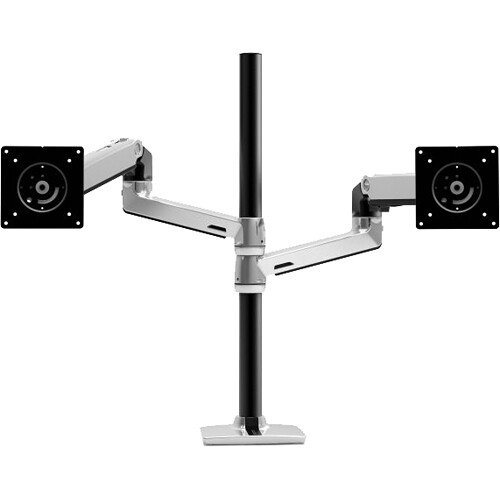
The Ergotron LX Vertical Stacking Dual Monitor Arm can be used if you have monitors that will not stack vertically next to each other on a 48 inch desk. The Ergotron LX Vertical Stacking Dual Monitor Arm supports each screen at the base of a single post in either direction (each monitor can be moved left or right) but both screens are mounted one on top of the other.
Each arm has an adjustable tilt mechanism allowing for 75 degrees of adjustment as well as holding monitors up to 40 inches long and weighing 22 pounds. This is slightly better than the side-by-side version of the LX since when you mount two monitors side-by-side the upper monitor usually has to be tilted downward so it is angled correctly relative to your eye line.
Typical stack configurations include a main 32 inch 4K calibration panel located at the bottom for color and timeline references. The upper location includes a second display (such as a scope, browser, or chat window) typically 27 inches. This setup is compatible with a reference monitor for color grading on the lower screen because you need to have the calibrated panel centered in your field of vision.
The polished aluminum version is also available on B&H Photo if you want it to look like your iMac or Mac Studio are all in sync.
Some reviewers comment that they found the vertical set-up of their monitors difficult to manage as far as wiring goes. This was because they had to run wires from the upper unit around the lower unit, which caused them to need to spend a little extra time with cable management when setting up compared to the horizontal arrangement.
MSI MAG MT201D: Heavy Duty for 32 to 45 Inch Displays
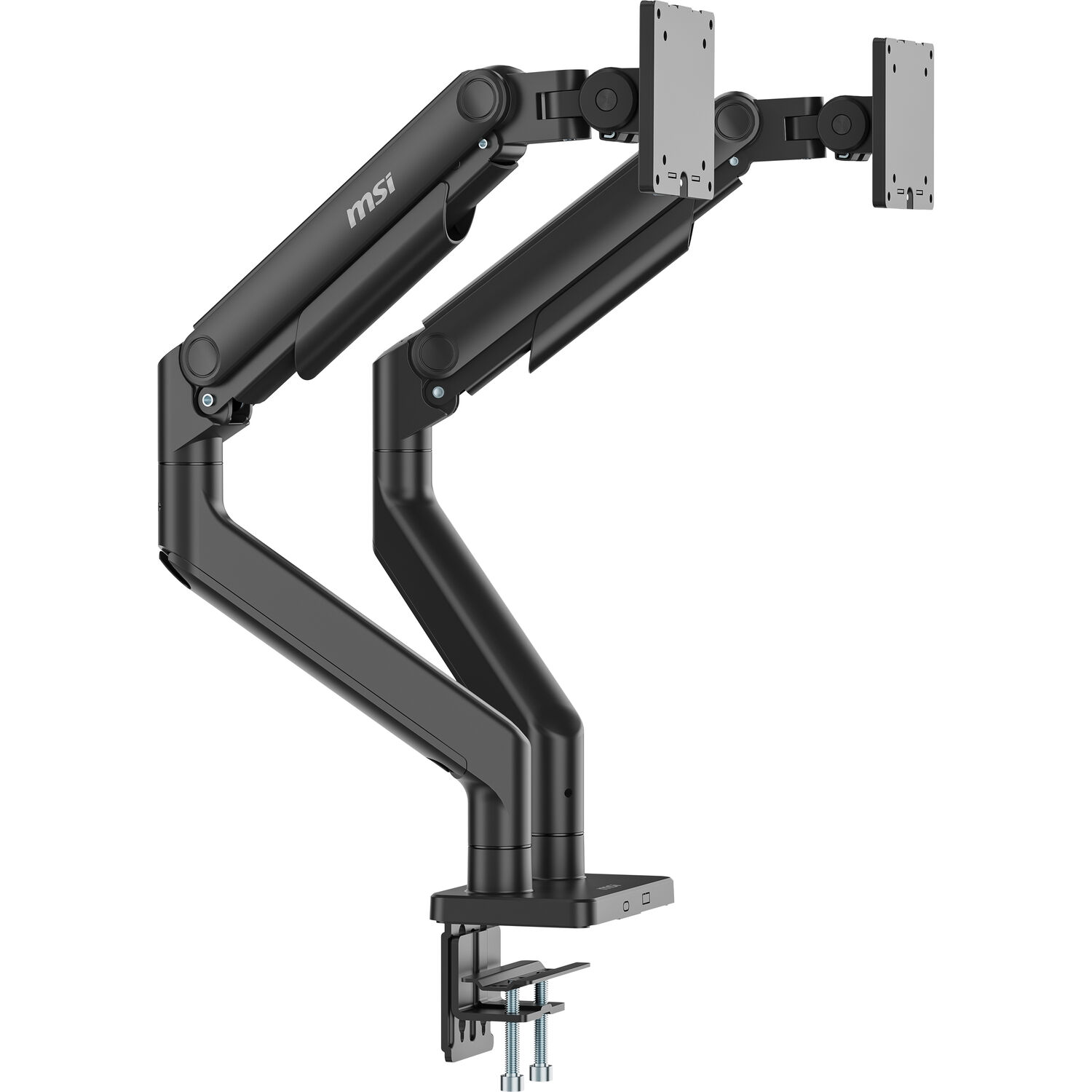
Most Dual Mounts go to 27 in per side. The MSI MAG MT201D will reach 45 in and 44 lbs on each arm, that's what you'll want when running two 32" 4K monitors for video editing or one 32" monitor with your new reference TV 43". The arms are obviously larger (and thicker) than the Ergotron LX Series, have 20 inches of vertical lift and extend out another 21.5 inches.
This clamp is wide enough at 3.1" to fit a thick butchers-block top as well as a powder-coated metal top, so your standing desk will be able to accommodate this. The tilt of this desk riser can reach 70 degrees and the swivel of each arm reaches 180 degrees. That’s the type of flexibility I’m looking for when I have to swing my monitor over in order to connect a memory card reader or my portable external SSD. And that brings me to another bottleneck, external fast storage, for long edits. We go into that in detail with how to pick the best one for video editing in our External SSD for Video Editing Guide.
There's a trade off in terms of how much room on the desk. The base plate for the MT201D is 4.84 inches deep, so it takes up more space at the back of the monitor compared to what the LX Clamp uses. If you push your monitors right back into a wall, then the actual size of the mount will take away a couple of inches from the total amount of usable area.
Sit-Stand Converters and Budget Picks
Mount-It! MI-7914 Sit-Stand Desk Converter
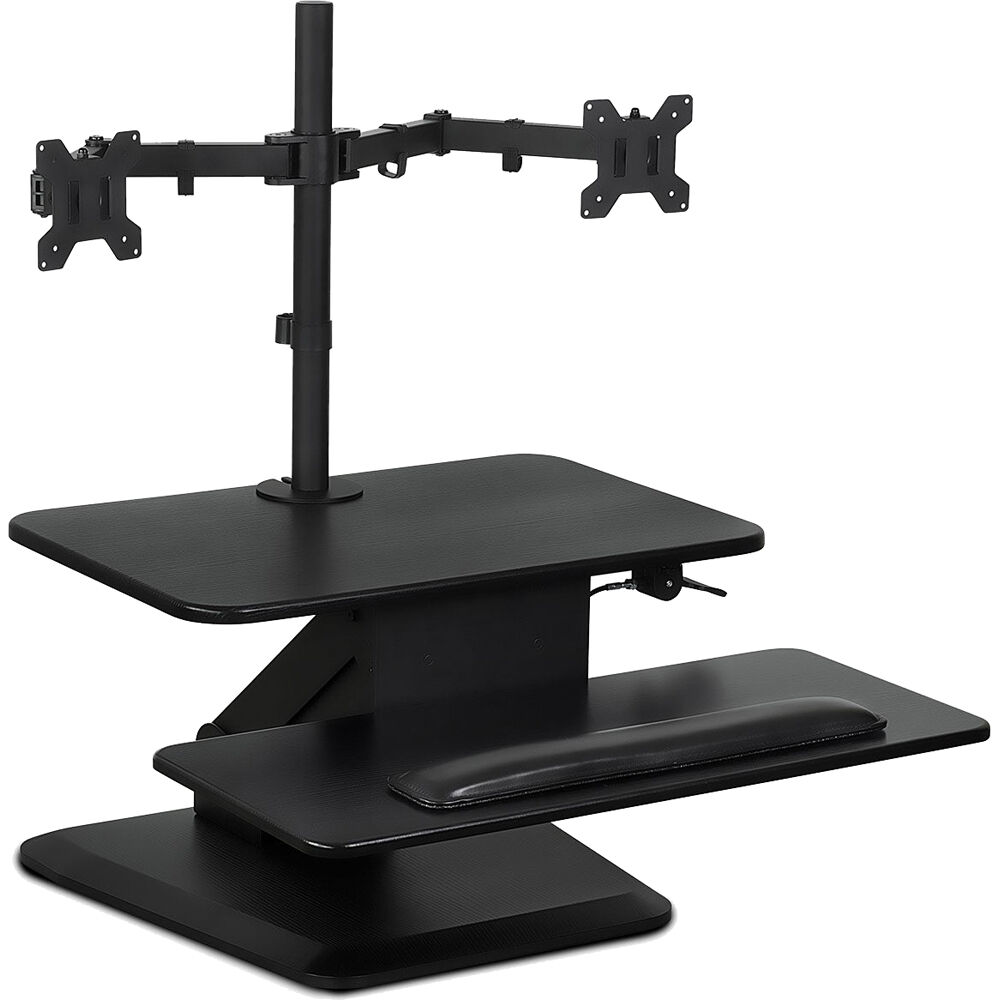
You may be an editor who doesn’t have a true standing desk. In this case, if your rental property won't allow you to drill into it to attach a wall-mounting bracket for a riser (sit/stand), and still want a dual-monitor arm as well as the ability to raise your work surface, then the Mount-It! MI-7914 sit-stand converter will give you that.
The flat area on top of the unit is 19.7 x 16.2 inches. That area can also go up and down via the pneumatic cylinder. The height range of the unit is 5.7 to 17.1 inches. Also included with the unit are two arms which are each capable of handling either a single VESA mounted panel (up to 75 x 75 mm) or a single panel with the VESA mounting holes located at 100 x 100 mm.
The under-platform (keyboard) tray has an overall width of 26.7-inches and can accommodate a standard full-size keyboard and mousepad. All reviewers have noted that the pneumatic lift system has provided a very smooth operation and maintains its operating position with no "creep" as found on some other products.
However, the panel size limits what monitors can be attached using the integral mounting system, in that it will only support display sizes from 17 through 32 inches. Thus, if you run larger than 32-inch or 38-inch ultrawide displays, this product will not be suitable. For a more general look at the desk-converter category, our monitor stand for desk write-up goes deeper.
When using this product in addition to a pre-existing desktop, it will add 4 inches to the overall height of the desk when set to its lowest position. Please account for this additional height when measuring your seated eye-line. For taller users with desks already positioned at or near the maximum allowable height for a fixed-position desk, this may place the monitors too high when sitting.
VIVO STAND-V002, HUANUO, and Helder MM-DAC1
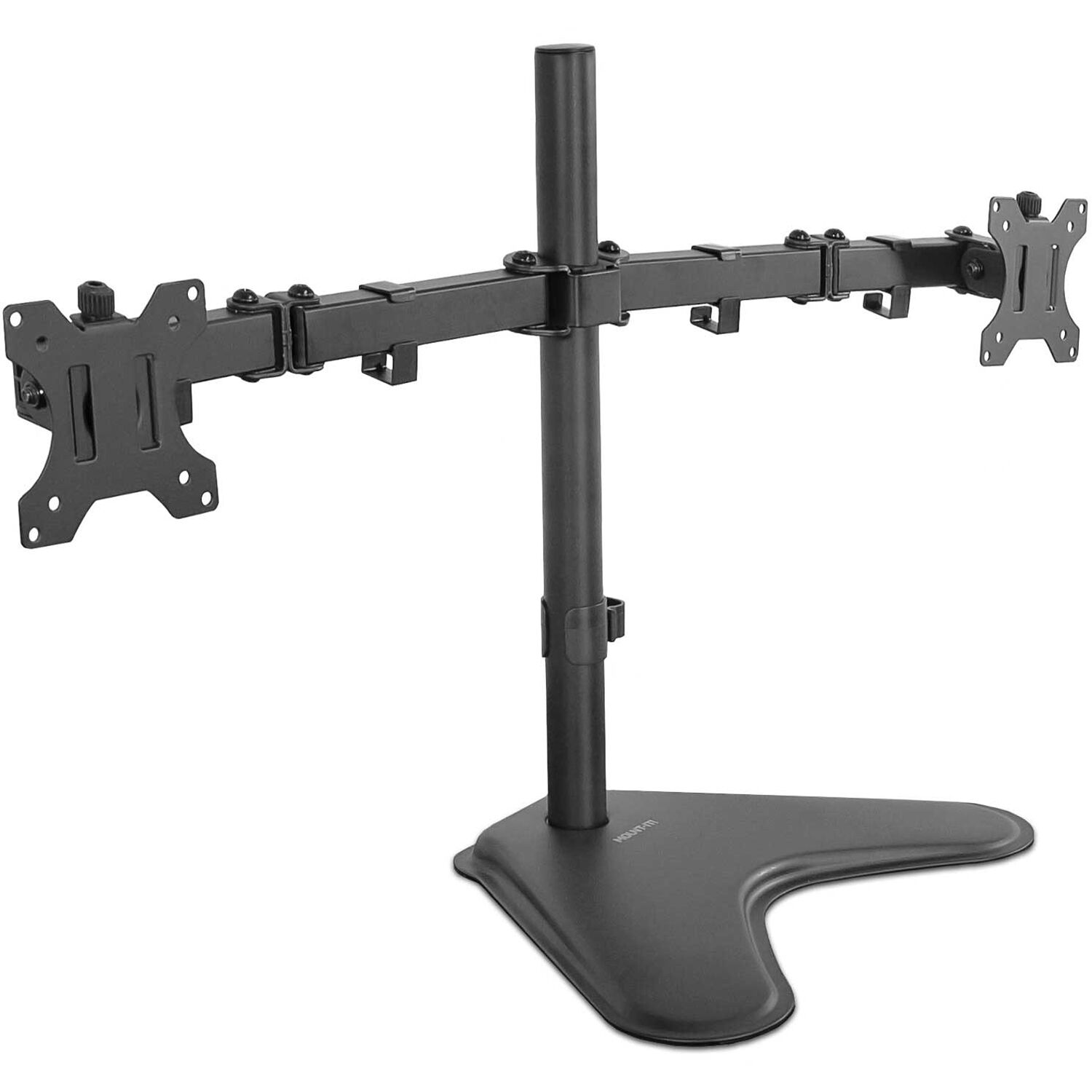
If you're spending less than fifty dollars for an arm, you're buying into mechanical articulated arms versus gas springs. This has been done by the long running budget benchmark, the VIVO STAND-V002 that holds up to 2 monitors of up to 30" (each weighing 22 lbs) using a steel column and mechanical knuckle joint. The HUANUO dual monitor stand is the upgraded model of this same price bracket as it will support a larger size range (13-40") along with a built in USB pass through.
Both of these products can be used in a standing workstation environment as long as you use lower-weight panels and do not frequently adjust the height of your panel. However, both have articulated mechanical arm systems that utilize hex bolts for tightening and loosening. Over time when using an articulating stand-up desk system (which moves up/down) these bolts will lose their torque due to constant expansion/contraction of the system. Therefore, plan to re-tighten all six bolts on each product every 6-8 weeks.
The Helder MM-DAC1 (the B&H version) has an equivalent weight of 17.6 pounds in each arm, and will also cover a 13-32" lens range. If you're ordering from B&H anyway, this is your best bet to save on shipping.
How to Pick a Stand for Your Workspace
Three numbers matter more than the brand name on the box. VESA mounting pattern, monitor weight, and clamp range. Skip these and pick on price alone, and the stand either arrives DOA for your hardware or starts drifting in week three.
VESA Pattern and Monitor Weight
The Video Electronics Standards Association (VESA) established a common mounting standard. Most editor monitors are 75 x 75mm or 100 x 100mm. Some higher-end displays use 200 x 100 or 200 x 200, which most desk arms do not support without an adapter plate. Check the spec sheet first.
Weight is where cheap arms fail. The arm must be rated for the true weight of the panel, with the stand and cables removed. A 27" 4K monitor runs 12 to 18 pounds, a 32" runs 14 to 24, and ultrawides creep up to 28. Match the arm rating to your heaviest panel, not your average.
Clamp Range and Cable Routing
Standing desks have thicker tops than office desks because of the lift mechanism. Measure your desk's edge before you order. The Ergotron LX clamp handles 1 to 1.4 inches and the MSI MT201D goes up to 3.1 inches. Butcher block or steel tops usually need the wider clamp.
For cables, the ergonomics literature on sit-stand workstations is full of "cable snag" injuries that occur when something gets stuck in the lift mechanism on the way up. Route every cable through an under-desk power strip that travels with the desk, leave a 6 to 8 inch service loop at the back of each panel, and use the cable channels built into LX-style arms to hide the routing.
Frequently Asked Questions
Will a dual monitor arm work on any standing desk?
Most desks can be used with this product. Check for two conditions. First, there must be enough clearance in the arm's clamping area to accommodate the thickness of your desk top. Second, do not try to place a clamp on a portion of the desk that has a cross bar. The required clearance is 1-1.4 inches. If the desk is too thick for the arm to support it, consider using either the MSI MT201D version which will accommodate up to 2" or an ergostand/grommet mount.
How much weight do gas-spring arms lose over time?
Quality gas-spring arms from Ergotron or MSI are rated for over 50,000 cycles and typically hold position for five to seven years without re-tensioning. The less expensive gas springs lose lift force after 18 months, start dropping under heavier panels, within 24 months.
Can I mount an ultrawide on a dual monitor arm?
Yes on both counts. An ultrawide monitor may go on one of two arms (mounts) when mounted in a "dual" mounting system. however, if you use a "dual" mount then the second arm will have to remain un-used. Also, the mount's arm must be capable of supporting the display's maximum weight. For example, the Ergotron LX Stacking can support up to a 40-inch wide LCD/LED/LCD/OLED monitor weighing 22 pounds. Most 34 to 38 inches wide ultrawide monitors fall into this category. On the other hand, most of the 49-inch wide flat-panel displays require a single, heavy-duty mount.
Do I need a grommet mount or a clamp mount for a standing desk?
Most people use clamps to install their keyboard tray because there is enough space on the surface of the desk to provide room for the clamp to take hold on the desk's top. The grommet mount is used in situations where either the user has already drilled holes into the top of the desk or the clamp cannot be placed behind the desktop area.
Will a dual mount work with an iMac or Studio Display?
Apple's Studio Display can be purchased with a 100 x 100 VESA mount (at an extra cost) whereas the iMac will only have a VESA mount if it is also ordered with the optional VESA Mount Adapter Kit. Check to see what mount is available for your iMac model. In order to use both an iMac and another monitor in a single stand you would typically require the LX, which is used for side by side mounting, as the other version that mounts them stacked will route cables down inside of the pole.
How long does it take to install a dual monitor arm?
Plan about 30-45 minutes for the side by side ergo lx model. Plan about 45-60 min. for the stacking model. And plan about 1 hour and 0-90 min. for the ms mt201d model with all that extra equipment. The hardest part of getting started (and the main reason monitors begin to slide) is usually adjusting the monitor tension to match your particular screen's weight.