
Best Capture Cards for Streaming in 2026
If you're capturing gameplay, live events or a multi-camera production, then you'll probably be looking for a capture card that's capable of handling a variety of applications, including 4K passthrough at 60 FPS, 10-bit color capture, and compatibility with many of today's popular streaming apps.
While the Elgato HD60 X is probably the best purchase for most streamers, there are certainly other options that are worth exploring based on your specific equipment and applications.
Over the last two years, the capture card industry has become somewhat complex. As consumers, you now have a variety of options ranging from external USB cards to internal PCI Express cards to tiny HDMI dongles to more expensive, professional grade capture devices.
While the varying capabilities of each type of card may seem inconsequential at first glance, these varying capabilities can make a significant difference when you begin pushing past 1080p or attempting to capture from multiple sources. Therefore, we've outlined what really matters, and which cards are worth spending your money on currently.
Why the Elgato HD60 X Is the Best Capture Card for Most Streamers
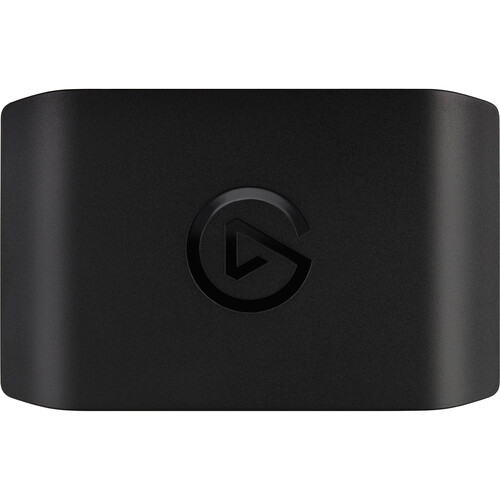
The Elgato HD60 X falls in a sweet spot where you receive a robust set of capabilities without the burden of unnecessary features that you will probably never use. The HD60 X accepts HDMI 2.0 and can pass through up to 4K60 (or 1440p120 if you're a fan of ultra-high refresh rates) to your display.
Additionally, the HD60 X can capture up to 4K30 or 1080p60 via USB-C. We also love the 10-bit color capture as this feature is a nice touch that you'll definitely appreciate if you are performing any color-related work in post or if you're using the camera in a way where gradients are important to your viewers.
What Makes It Stand Out
One of the things that sets the Elgato HD60 X apart is the auxiliary 3.5mm input. Many capture cards do not include an auxiliary input. However, the auxiliary input allows you to connect a secondary audio source (such as a microphone or mixer output) to the card without having to route the audio signal through your PC.
For a streamer using a portable video switcher or external audio setup, this feature is quite valuable. The Elgato HD60 X weighs approximately 91 grams and measures 4.4 x 2.8 x 0.7 inches. In essence, it is very small and fits nicely on your desk.
While the Elgato HD60 X does support HDR passthrough with HDR10 content, the ability to play in HDR on your television while capturing SDR for your stream is a huge advantage for console streamers. Console streamers typically do not want to sacrifice their gaming experience simply to allow them to broadcast.
The Elgato HD60 X is compatible with a wide range of software including OBS, Streamlabs, XSplit, and Elgato's 4K Capture Utility. These software applications identify the Elgato HD60 X without requiring any additional drivers to be installed on either Windows or macOS.
Limitations of the Elgato HD60 X
Reviewers at B&H have pointed out a number of reliability issues associated with the Elgato HD60 X that you may want to consider. According to one reviewer, the Elgato HD60 X experienced persistent audio sync problems and random buffering for an extended period of time. Issues like this are difficult to diagnose because the problem could be caused by the card itself, the USB controller, or the cable.
However, it appears that this was an isolated incident. The larger limitation of the Elgato HD60 X is that the card is limited to capturing video at a maximum resolution of 4K30. If you require a capture card that can record video at a resolution of 4K60, you will be required to spend more money.
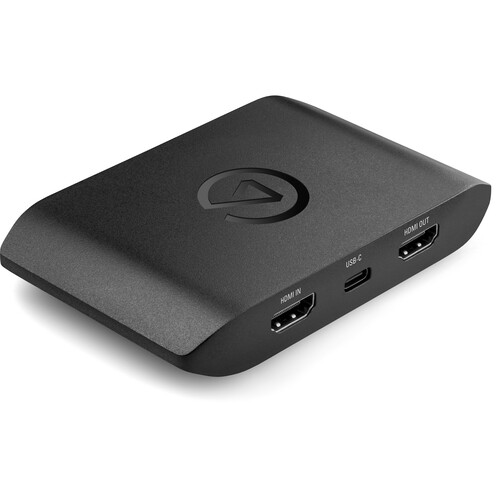
Best High-End Capture Card: Elgato Game Capture 4K X
If you require more capabilities than what the Elgato HD60 X provides, the Elgato Game Capture 4K X is the external USB capture card that you will want to purchase. The Elgato Game Capture 4K X receives HDMI 2.1 input and output.
The result is that the Elgato Game Capture 4K X is able to provide 4K passthrough at a maximum framerate of 144fps and capture at a maximum of 4K60. The USB-C 3.2 Gen 2 connection provides the necessary bandwidth to achieve these higher resolutions without the introduction of artifacts related to compression.
Who Needs This
In addition to providing the necessary capabilities to achieve higher resolutions, the Elgato Game Capture 4K X is ideal for content creators who wish to shoot 4K footage with cinema cameras or high-end mirrorless bodies. If you are a live production worker wishing to demonstrate to your audience what the camera is seeing in full resolution, the Elgato Game Capture 4K X is the tool that you will want to utilize. The Elgato Game Capture 4K X is also capable of supporting 1080p at a maximum passthrough framerate of 240fps. Competitive gamers who run at extremely high refresh rates will also appreciate this.
Both the Elgato HD60 X and the Elgato Game Capture 4K X are manufactured in a compact size that is easy to carry. Both devices measure 4.4 x 2.8 x 0.7 inches and weigh less than 100 grams.
However, please note that the Elgato Game Capture 4K X requires a USB 3.2 Gen 2 port to achieve its highest specifications. If your computer hardware is a few years old, you should verify that your computer has a USB 3.2 Gen 2 port. It's also available on Amazon.
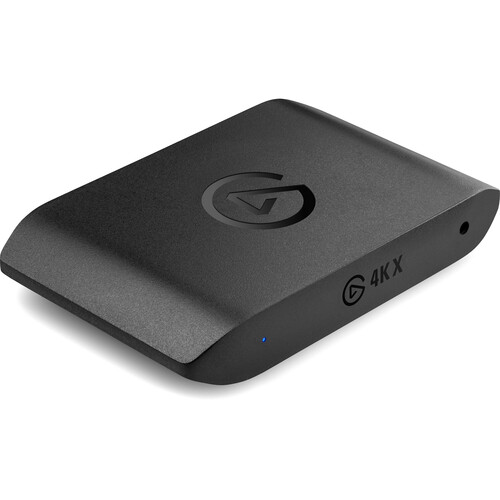
Best Internal Card: Elgato Game Capture 4K Pro
Streamers who prefer to have the lowest amount of latency and are comfortable with installing an internal PCI Express card into their computer will want to consider the Elgato Game Capture 4K Pro. The Elgato Game Capture 4K Pro is an internal PCI Express card that is designed to capture 4K60 video via HDMI 2.1.
Because the Elgato Game Capture 4K Pro utilizes the PCI Express bus to communicate with your computer, you eliminate the possibility of the USB controller introducing latency into your signal path.
The PCIe Advantage
Internal PCI Express cards have historically had an advantage over external USB capture cards in terms of latency. By eliminating an entire layer of communication, you reduce the latency associated with communicating between the capture card and the rest of your system. For competitive streamers or anyone involved in real-time production, this can be a significant advantage.
The Elgato Game Capture 4K Pro supports 1440p and 1080p at up to 144fps and 240fps, respectively. The specification of the Elgato Game Capture 4K Pro matches that of the Elgato Game Capture 4K X.
There are several disadvantages to utilizing the Elgato Game Capture 4K Pro. First and foremost, you will need a desktop computer that contains a vacant PCIe slot. This eliminates the possibility of using it with laptops, Macs or compact mini-tower builds.
Second, once installed, the Elgato Game Capture 4K Pro is a permanent installation. Unlike an external capture card, you cannot disconnect it and move it to a different location. However, for those building a dedicated streaming rig that resides on their desk, the advantages of utilizing an internal PCI Express capture card far outweigh the disadvantages.
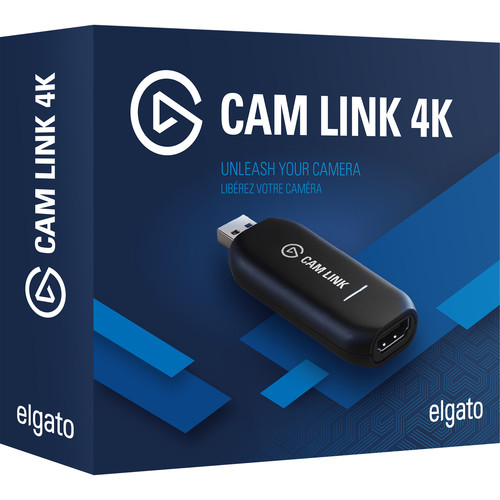
Best Budget Option: Elgato Cam Link 4K
Not all users require a capture card that includes 4K passthrough and an auxiliary input. In many cases, you simply need a capture card that can convert an HDMI output into a UVC webcam device.
The Elgato Cam Link 4K is a tiny HDMI-to-USB dongle that does exactly this. Simply plug in the Elgato Cam Link 4K to your computer, select it as your camera in OBS, Zoom, etc. and you are good to go.
The Elgato Cam Link 4K can accept 4K at a maximum framerate of 30fps or 1080p at a maximum framerate of 60fps. This is more than sufficient for nearly all types of streaming and video conferencing. There is no passthrough output, no auxiliary input and no proprietary software suite.
Reviewers report that the Elgato Cam Link 4K is compatible with virtually all software applications including Zoom, Discord, OBS, Google Meet, etc. without the requirement of any additional drivers. The Elgato Cam Link 4K is also compatible with both Windows and macOS dating back to Sierra.
Filmmakers often desire to use their mirrorless camera as a webcam for client calls or for behind-the-scenes content. Plugging the Elgato Cam Link 4K into the HDMI output of the camera and plugging the other end into the computer transforms the mirrorless camera into a webcam device. You can find it at most major electronics retailers too.
Other Options and How to Choose
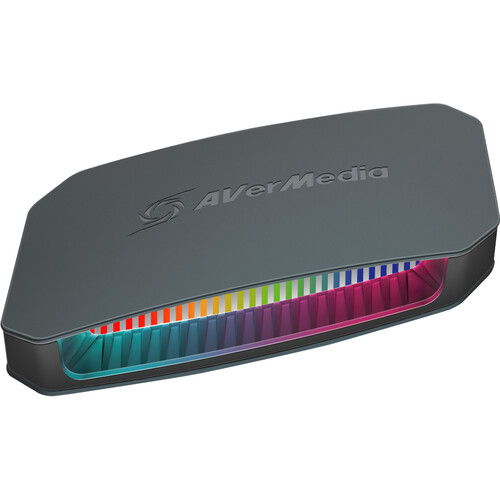
While Elgato dominates the consumer-grade capture card market, there are alternatives to consider. The AVerMedia Live Gamer Ultra 2.1 is a direct competitor to the Elgato 4K X. Like the Elgato 4K X, the AVerMedia Live Gamer Ultra 2.1 is capable of accepting HDMI 2.1, 4K144 passthrough and utilizing USB-C 3.2 Gen 2 connectivity.
AVerMedia has been developing capture hardware for years, and their build quality is generally solid. If you've had difficulty with previous Elgato products or would simply like to explore a new ecosystem, the AVerMedia Live Gamer Ultra 2.1 is an excellent option to investigate.
Pro-Grade: Magewell USB Capture HDMI Gen 2
If you are looking for a true professional-grade capture solution, Magewell's USB Capture HDMI Gen 2 is the tool to choose. While this may appear to be a low-end capture solution compared to the previously mentioned cards, this is what professional production companies and broadcast facilities use.
The Magewell USB Capture HDMI Gen 2 has a maximum resolution of 1080p60, which may appear to be underwhelming at first. However, the reliability and driver support for this product are superior to anything that you may encounter in a consumer-grade environment. The Magewell USB Capture HDMI Gen 2 works on Windows, macOS, Linux and ChromeOS. Consistently, reviewers in professional production environments have praised Magewell for producing reliable solutions during long-term broadcasts.
As you may expect, Magewell's capture cards are significantly more expensive than consumer-grade cards that offer what appears to be lower specifications. However, you are paying for professional-grade reliability, certification of drivers across all major operating systems and support contracts.
Consumer-grade cards may work perfectly for most streamers, but for production environments, uptime is paramount. If you're running a production setup with a video switcher and multiple camera feeds, Magewell's cards are designed to operate continuously for 24 hours per day, 7 days per week.
Match the Card to Your Use Case
Many users make the critical error of choosing a capture card solely based on specifications. A 4K144 capture card is essentially useless for most users who are streaming at 1080p60 to Twitch. Based on the following breakdown, here are some general guidelines to follow when selecting a capture card:
- Console Streaming (PS5, Xbox, Switch): The Elgato HD60 X will perfectly capture all three console platforms. 4K passthrough means you can game in full quality while capturing at 1080p60 for your stream.
- Camera as Webcam: Cam Link 4K. Does one thing and does it well.
- High Refresh Rate Gaming: Use either the 4K X or 4K Pro for 1440p120+ passthrough.
- Professional Production: Magewell if reliability is paramount, or the 4K X if you need to capture at a higher resolution.
- Multi Camera Streaming: You will likely need multiple capture cards. The Cam Link 4K is a cost effective option for adding multiple camera inputs to a multi-camera rig.
Check Your Computer's Ports
Another area where capture card buyers frequently fail to research is verifying the availability of USB ports on their computer. The HD60 X and 4K X require USB-C ports. While USB-C ports are ubiquitous, not all USB-C ports are created equal.
For example, a USB 2.0 Type-C port will not suffice. The 4K Pro requires a PCIe x4 slot. The Cam Link 4K uses a standard USB-A 3.0 port. Given the universal nature of USB-A 3.0 ports, this is the most universally compatible port for the Cam Link 4K.
Frequently Asked Questions
Do I need a capture card if I am only streaming PC games? Not necessarily. OBS and other streaming software can capture your screen directly without any additional hardware. Capture cards are primarily used for capturing external sources, such as consoles, cameras, or a second PC. Some streamers use a dedicated streaming PC and a capture card to offload encoding from their gaming rig, however, this is more of an advanced configuration.
What is the difference between passthrough resolution and capture resolution? Passthrough is what gets sent to your monitor or TV so you can see it in real time. Capture is what actually gets recorded or streamed. The HD60 X passes through 4K60 but captures at 4K30. So you game in 4K60 on your display while streaming a lower resolution to your audience.
Can I use a capture card with a Mac? Yes, but check compatibility first. The HD60 X and Cam Link 4K both support macOS. The 4K Pro is PCIe only, so it's limited to Mac Pro towers with available slots, which rules out most Mac users. Magewell has the broadest OS support including macOS going back to 10.9.
Is there noticeable latency with external capture cards? For passthrough to your display, modern cards like the HD60 X add negligible latency. You won't feel it while gaming. The captured feed that goes to your streaming software does have some delay (usually a few frames), but OBS and similar tools handle this with audio sync adjustments automatically.
Why are Magewell cards so much more expensive for lower specs? You're paying for professional-grade reliability, certified drivers across every major OS, and support contracts. Consumer cards work great for most streamers, but production environments need guaranteed uptime. Magewell cards are built for 24/7 operation in broadcast settings where failure means lost revenue, not just a bad stream.
Can I use multiple capture cards at once for multi-cam streaming? Yes, and this is a common setup for live production. You can run multiple Cam Link 4K dongles or Magewell devices on the same machine. Each one shows up as a separate video source in OBS. Just make sure your computer has enough USB bandwidth. Spreading cards across different USB controllers helps avoid bandwidth conflicts.