iPhone 12 Pro Max Filmmaking Accessories: The Gear That Actually Matters

The iPhone 12 Pro Max produces pretty decent video. Dolby Vision HDR, a large sensor, and decent stabilization right out of the phone. But this is just part of the story.

The difference between "Shot on iPhone" looking like a home movie and "Shot on iPhone" looking like a short film is usually never the phone. Usually, it is the attachments you add to the phone.

There are a lot of bad options available. Cheap clip-on lenses that cause vignetting, cages that cover up your charging port, and lights that last less than 30 minutes.

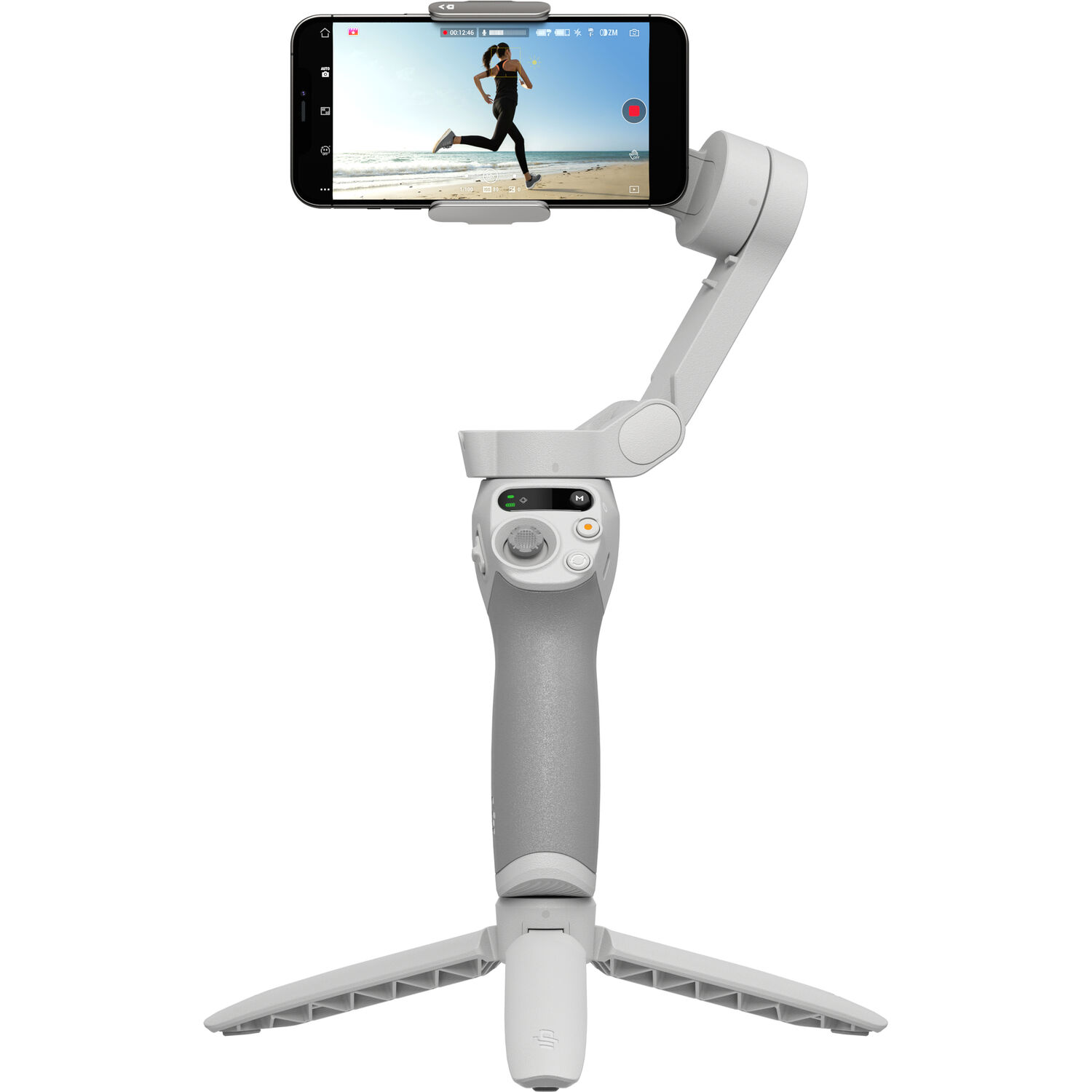
Rather than making a list with over 40 items, this covers the gear that solves a legitimate issue. For many users, a decent gimbal like the DJI Osmo Mobile SE will be a good place to start. Stabilization is only one of several issues that need to be addressed.

DJI Osmo Mobile SE smartphone gimbal holding an iPhone in landscape orientation

Stabilization: The Accessory Everyone Should Own First

For the majority of users who do casual video recording, the built-in stabilization provided by your smartphone works just fine. Once you add walking around, panning quickly, or doing something creative that requires more thought, the results from this native method fall short.

A three-axis gimbal can provide the kind of stabilization that even the best software cannot.

The DJI Osmo Mobile SE is likely going to be the first gimbal that the majority of users purchase. The reason it's the first is because it folds down to a very compact size which allows it to fit into most camera bags.

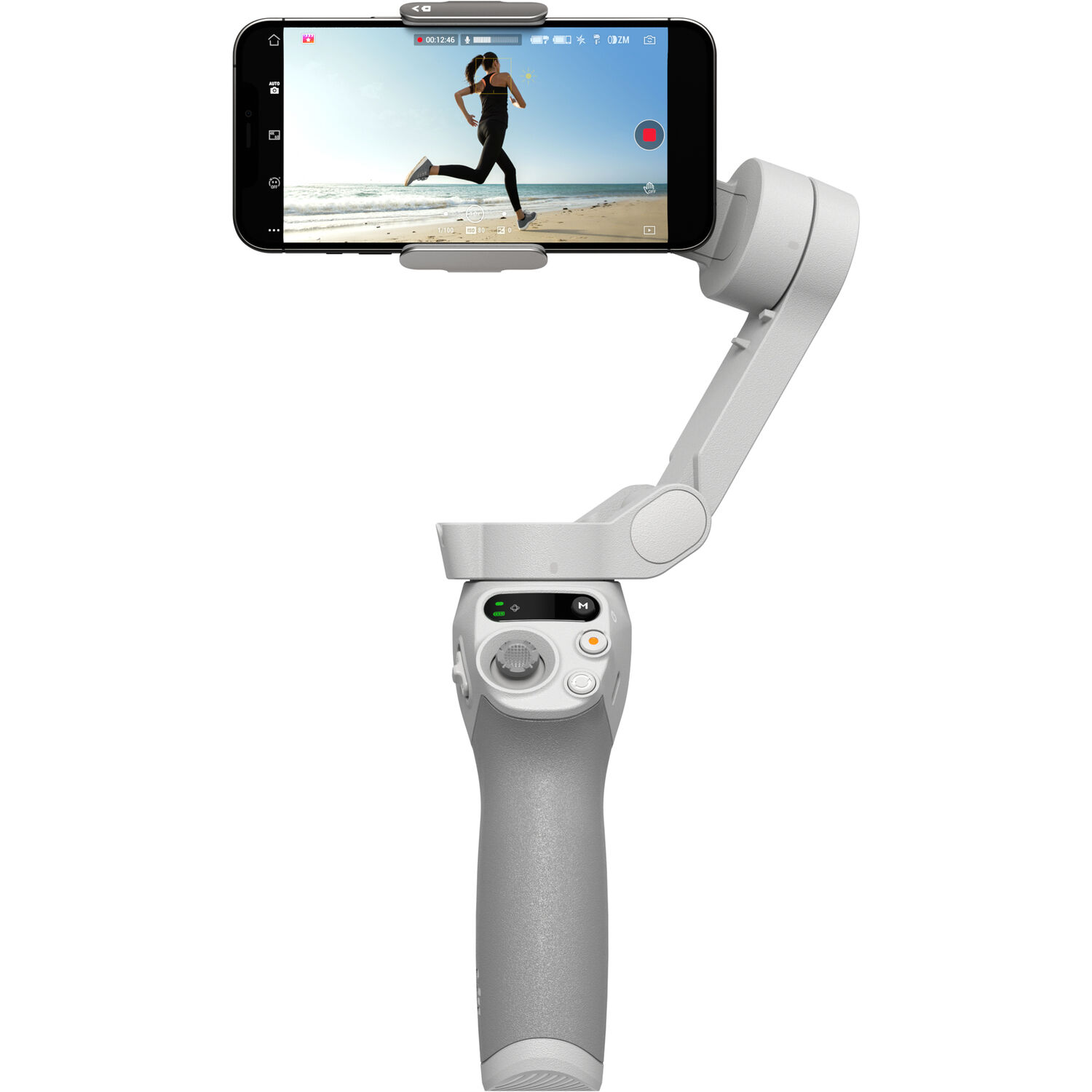
Instead of using a spring clamp to attach your phone to the gimbal, DJI has used a magnetic attachment system. This means you simply place your phone onto the gimbal, and it attaches itself. The magnetic attachment provides a quick and easy way to put your phone back on, and there is a mini grip style tripod in the package that doubles as a tabletop stand.

Many reviewers praise its portability, and a lot of them mention the battery easily lasting a full day of run-and-gun shooting. The common complaint is app dependency.

To access some of the advanced tracking and Story modes, you'll need to download and install the DJI Mimo app, and some reviewers report the app being buggy or nagging them to update. Several reviewers have also noted that the magnetic attachment can throw off the balance of the gimbal if they are using a heavy case, so some recommend shooting without a case or using a lighter one.

If you want a step up with an extension rod and better tracking, the DJI Osmo Mobile 6 is the natural upgrade. For most creators, though, the SE does 90% of the job for a fraction of the fuss.

DJI Osmo Mobile SE gimbal folded with tripod base and control joystick

Audio: Fix This Before You Touch Anything Else

Bad audio will kill your good video much quicker than bad video will kill your good audio. Audiences are willing to forgive a soft frame, but once they hear hollow or echoey phone-mic sound, they'll leave quickly.

Because the iPhone 12 Pro Max has a Lightning port, the RODE VideoMic Me-L is such a perfect match. There is no need for an adapter, as the RODE connects directly to the Lightning port.

No battery needed. No Bluetooth pairing. This is a directional shotgun mic that isolates a lot of the background noise in the room and focuses on what you're pointing it at.

RODE VideoMic Me-L directional microphone with Lightning connector for iPhone

According to users there was a very noticeable improvement in overall quality compared to the standard mics in the phone. Users liked that it had a headphone jack on the back to let them listen to their audio while recording.

That monitoring feature is underrated. It's how you catch a dead mic before you have finished rolling.

Complaints seem to be centered around app compatibility issues. Some third party camera apps do not pass along audio from the external mic properly, so it's worth testing your app of choice before a large shoot. A couple of other users mentioned that the fur windscreen is essential for capturing high quality audio in an outside setting.

When You Need to Move Around

A shotgun mic is great for pieces to camera and interviews at arm's length. For anything where the subject moves, a wireless lav makes more sense.

The DJI Mic Mini is a tiny, clip-on wireless system that pairs with the phone and gives you clean audio from across a room. If you want a deeper look at DJI's wireless audio line, the DJI Mic 2 review breaks down where the pricier system pulls ahead. And if most of your shooting is talking-head or interview style, our guide to recording clean audio on an iPhone covers app settings worth knowing.

A Cage: Turning a Phone Into a Rig

Eventually, you will have more than just your phone to mount. A microphone, and a light. Two lights, and another handgrip.

This is where a cage comes in handy. A cage frames your phone, providing many ways to attach various accessories via cold shoe mounts and quarter inch threads, so you can build out a multi-piece rig instead of juggling clamps.

The SmallRig Universal Phone Cage is an inexpensive, no-frills option. The cage is made from aluminum and fits most standard size phones whether or not they are in cases. It also offers mounting points on the top and sides. Reviewers appreciate both the quality of construction and that the cage does not obstruct the screen or buttons, which sounds obvious until you've used a cheap cage that does exactly that.

SmallRig universal aluminum phone cage with multiple cold shoe and thread mounts

The honest downside is bulk. A cage turns a pocketable phone into a two-handed camera, so it's overkill for grab-and-go vlogging. Some users also note the clamping mechanism can loosen over time and needs a periodic tighten. But when you're shooting a planned setup and need audio and lighting mounted together, nothing else really replaces it.

Lenses: Where the Cinematic Look Actually Comes From

The single greatest way to alter an image from a camera is the lens, and it's also where the most money gets wasted. The majority of money spent on phone accessories goes toward cheap clip-on lens systems that are generally junk. Clip-ons often shift, create vignettes, and smear the corners of the image.

A true mounted lens system creates a totally new experience.

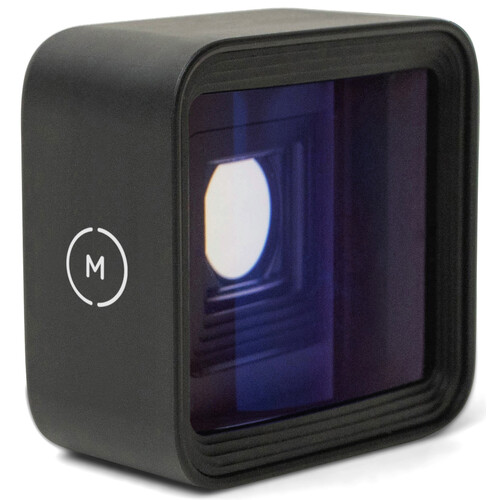
An anamorphic lens is the one that gets people excited. This type of lens compresses more width onto your sensor to produce a 2.4:1 widescreen shape, plus those horizontal streaks of light you see in real movies. The Moment 1.55x Anamorphic lens is one of the higher quality options, available at B&H, and it produces genuine blue horizontal flares rather than a fake filter overlay.

Moment 1.55x anamorphic lens with blue horizontal flare visible through the glass

There are two important things to keep in mind before buying. First, an anamorphic lens requires some form of mount, usually a dedicated case or a cage adapter with the right threads, so factor that cost in. Second, once you have shot with it, you need to de-squeeze the footage when you are editing, or use an app that shoots de-squeezed, or your subjects come out looking stretched and thin.

Reviewers who understand that workflow rave about the look. The ones who don't tend to leave confused one-star reviews.

If you want an anamorphic option that lives on Amazon and clips to a threaded adapter, the SmallRig 1.55x anamorphic lens covers similar ground. A smartphone ND filter is a smart companion buy too, since it lets you hold that cinematic 1/48 shutter in bright daylight.

Lighting: Small, Battery-Powered, Always in the Bag

While the video from your iPhone 12 Pro Max may be good enough in low light for a smartphone, it still has some amount of grain and muddiness once the sun drops. A small LED panel is a cheap way to make a shot look intentional instead of accidental.

The Lume Cube Panel Mini is a compact bi-color LED panel with a built-in battery. It has a tiny display that shows how bright the LEDs are set, the color temperature, and how much battery life remains.

It fits neatly into a cage mount and also sits nicely on a tabletop. This is a great addition to any bag, because when a location is just a bit too dark, this small unit makes intentional-looking interviews or product shots easy.

Lume Cube Panel Mini bi-color LED light panel showing its rear display and LED array

Reviewers have been very happy with its ability to produce accurate colors, and that you can adjust the color temperature warm or cool to match the surroundings rather than shoot with one fixed color. The recurring complaint is runtime at full brightness.

Reviewers state that even though it has a battery, it drains fast if you turn it up to max, so users say they carry a power bank or run it plugged in for longer shoots. For serious lighting work, a full filmmaking light kit will always beat a single panel, but as a grab-and-go fill light on a phone, it's hard to beat the size.

What to Buy First on a Budget

If you're on a budget, spend in this order. Audio should be first, because it is the single biggest giveaway of a cheap or amateur-looking shoot. A gimbal next, since motion is the second largest indicator. Then lighting, then a cage, and save lenses for last once you are sure of the look you want to create.

You don't need everything on this list right now. A VideoMic Me-L paired with an Osmo Mobile SE will already put you ahead of most people shooting on a phone. Everything after that is refinement. Buy for the problem you actually have, not the one a gear video told you to worry about.

Frequently Asked Questions

Do these accessories only work with the iPhone 12 Pro Max?

Generally, no. The gimbal, cage, and Lume Cube light are universal and fit virtually every smartphone. The one exception is the RODE VideoMic Me-L, which needs a Lightning connector. That's perfect for the entire iPhone 12 series, but you'd need a USB-C version for newer iPhones or Android.

Is an anamorphic lens worth it for a beginner?

An anamorphic lens can give you the look and it looks great, but there is a catch. To use one effectively you'll need to learn how to mount it securely and de-squeeze your footage afterward. So while it provides an excellent visual aesthetic, it adds complexity to the process. Start with a good gimbal and a good microphone, and revisit lenses in the future.

What's the single most important accessory?

Audio. Shaky footage can be distracting, but poor audio causes viewers to leave. The DJI Mic Mini or a wired shotgun mic will improve your film's perceived quality more than any other accessory on this list.

Do I need a cage if I already have a gimbal?

Usually not, at least not at first. A gimbal handles stabilization along with a single accessory mount. A cage gives you multiple mounts for microphones, lights, and more. Unless you are running several accessories at once on a handheld or locked-off shot where a gimbal isn't practical, a cage is generally not necessary.

Will a case interfere with a gimbal or lens mount?

Possibly. Magnetic gimbal clamps can lose their balance on a thicker case, and lens mounting systems typically require a special case with the right threads. Check compatibility before you buy. If you find yourself doing a lot of critical shoots, you may want to shoot with a thinner case or none at all.

Can I get pro results without spending a fortune?

Yes, as long as you prioritize. A gimbal and a microphone address the two largest weaknesses in smartphone video, and both can be had for reasonable money. Our roundup of iPhone filmmaking accessories includes many more ideas for equipping your phone for production.