
The Best Video Camera for YouTube: ZV-E10 II, A7C II or the PowerShot V1
A YouTube camera has to do two jobs well: make your face look good up close, and make the routine of filming easy enough that you keep doing it every week. That second job is where many good cameras fail, because they're too heavy, too fiddly or too slow to set up.
The choice usually comes down to sensor size and budget. A larger sensor gives you a better picture in a dim room and more control over the background, but it costs more in the body and the lenses, while a pocket camera trades some of that for convenience.
Below are the default creator camera, a full-frame step up, a pocket compromise and the pro tier.
The Sony ZV-E10 II is the YouTube default at 4.5 across 83 ratings (see B&H's current pricing) - 'the color science is outstanding, skin tones look natural' per one owner - while the A7C II is the full-frame step up at 4.6 across 223 ('incredible value for a FF ML body... it allowed me to invest in better glass') and the PowerShot V1 is the pocket compromise at 4.4 across 120.
Pick by sensor size and budget rather than brand loyalty - the rest of this page is that comparison in detail.
Sony ZV-E10 II: The Default Creator Camera
The ZV-E10 II delivers what creators need without forcing them to spend a lot - the opening verdict's color-science quote is the owner consensus in one line.
The 4K footage looks amazing, which makes it a great tool for creators who want quality on a budget - and the flip-out screen means you frame yourself without a second person holding the camera. It isn't by accident that people love it, because it truly works for them.
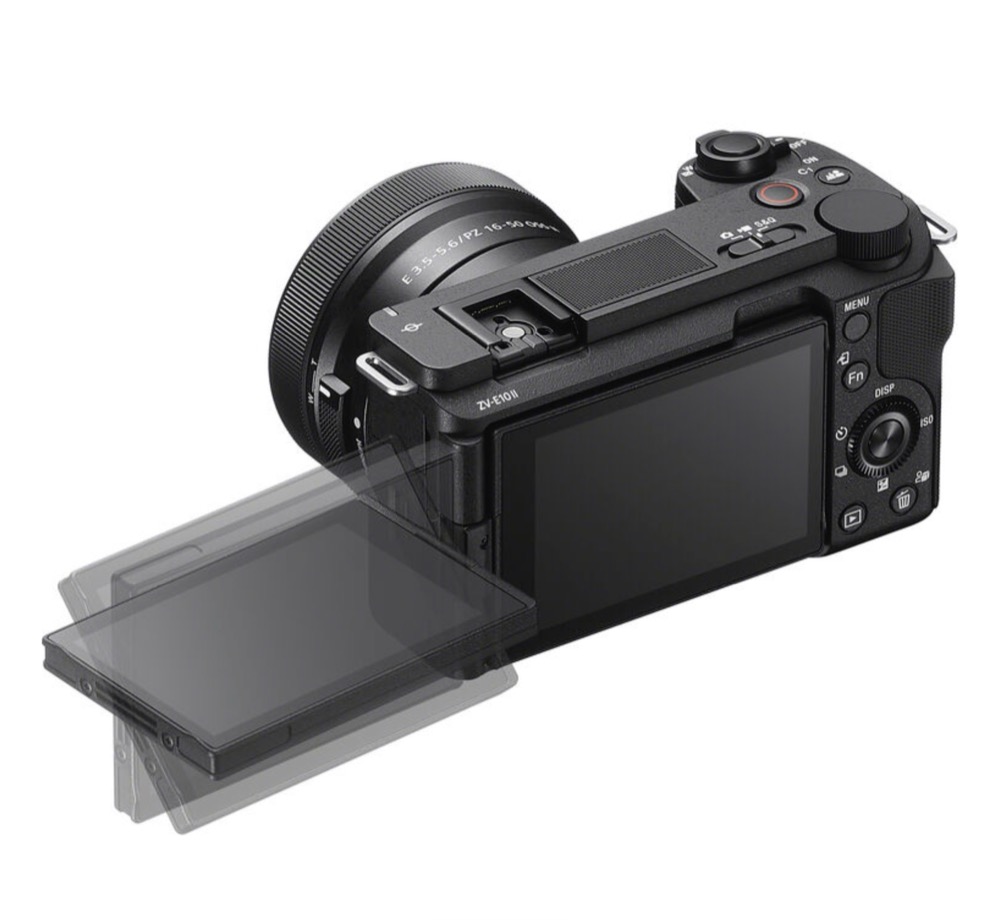
While some people worry about heat, one studio owner found it a non-issue - they 'drain the battery before the camera ever overheats,' the opposite of the HERO13's verified 75F shutdown. Shoot for hours in a controlled room with a spare battery and the temperature readout never gets your attention.
There are still flaws to watch out for, though, since the USB-C port can be wobbly and some grey-import units are known to crash while you are filming. Even with those risks, the camera stays a solid first-channel choice - buy from a domestic seller and the wobbly-port lottery mostly goes away - one grey-import unit reportedly crashed every few seconds.
Sony A7C II: The Full-Frame Step Up
Moving past the ZV-E10's smaller sensor, the A7C II is 'absolutely perfect for my needs and given it's remarkable value for a full-frame body, it allowed me to invest in better glass' per one owner.
Another calls it 'my sidekick for life vlogs and studio magic.' The full-frame sensor is what buys that language - DPReview's A7C II analysis covers the sensor family in depth - and the glass budget is the second half of the story, since the lens guide shows what pairs well with a body like this.
The AI tracking works very well, and the body is light enough to carry all day without feeling like a heavy metal brick. It keeps your face sharp while you move around the room to record a new video.
You won't lose the target, and one owner has called the tracking fantastic while also praising the size. That pairing of a small body and reliable autofocus is a big reason creators stay with Sony.
One buyer has noted that the viewfinder sits oddly and is very strange, but this is a small problem if you mostly use the screen for filming your videos. Most people use the flip screen, so how it sits doesn't really matter to them. A pro tool in a small frame is the whole pitch - the viewfinder angle is the one asterisk on an otherwise clean sheet.
Canon PowerShot V1: The Pocket Compromise
One buyer calls it 'exactly what I wanted in a point and shoot,' while the detailed 3-star pushes back: it is 'not the spiritual successor of the incomparable... PowerShot G7x. It is much larger, considerably heavier, and it really has no conventional zoom.' That sizing honesty is the most useful note on the page - it tells pocket-camera shoppers exactly what changed.
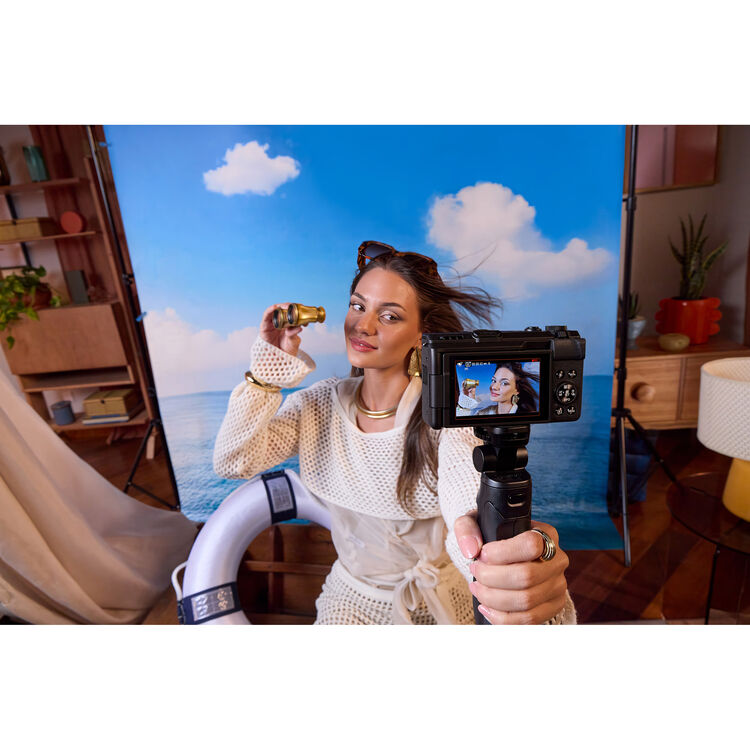
A buyer bought the camera on Black Friday because they wanted great eye autofocus, and they found it works well for YouTube content when they edit
No flash and no macro mode - the trade list is short but real, and none of it hides in the spec sheet when you read it closely.
The sensor is basically micro four thirds - more depth than a typical pocket camera, in a body that weighs more too.
The same buyer runs '4k clog3 on davinci' for grading headroom - DPReview's V1 coverage digs into that sensor in depth, which tells you the audience this camera actually serves: color-curious creators who want room to grow without a body swap. That grading path is the same one the Resolve studio guide walks through.
Lumix GH7 and the Pro Tier
While this camera is a true pro tool for those who need high-end video, it might feel like too much if you just want to film simple vlogs for your channel. It uses a micro four thirds sensor, which means the lenses are small but the whole kit gets quite heavy.
You might find the body too big for daily carry, especially if light gear is the preference - 'just too much camera for me,' as the owner put it.
For a small camera that fits in a bag, this won't be the right pick, because it's built for much more serious video work.
The pro-level things are great, but most creators don't need everything that this tool offers for basic videos. Most solo creators would prefer a smaller body, since the weight shows up the moment you walk while filming, so for many people the GH7 makes more sense as a camera you rent for a specific job.
Frequently Asked Questions
Vlogging cam vs regular mirrorless?
A vlogging camera like the ZV-E10 II prioritizes portability and ease, while regular mirrorless bodies often offer more manual controls for dedicated photographers who want deeper customization. You'll prefer the vlogging model if you need an articulating screen, a record button on the grip, and a setup that starts in seconds.
Is overheating real?
While some users worry about the ZV-E10 II, many creators shooting in studio settings find they can drain the battery before the camera ever gets hot. Long-form recordings in warm rooms are more likely to trigger a thermal shutdown, so the studio owner's experience does not transfer to outdoor summer use.
What lenses?
Choosing a full-frame body like the A7C II allows you to invest in better glass to get the most out of the large sensor size. Smaller cameras like the PowerShot V1 lack a conventional zoom, which narrows your framing options.
Audio matters more than body?
High-quality audio is often more important than the camera body because viewers will forgive average video but won't tolerate harsh or poor-sounding recordings - the audio gear guide covers the fix. Spending on a good microphone usually beats spending on an expensive lens - the body records the picture, but the mic carries whether anyone stays.
Used vs new?
Buying new gets you a warranty and skips the wobbly-USB-C and grey-import crash risks entirely. Used gear saves money for the accessories that matter more - lighting, tripods, and the glass that outlasts any body you buy.