
Best On-Camera Monitor for Filmmakers in 2026
There's nothing worse than trying to get a solid focus lock or accurately expose with the crap built into your camera. We're all guilty of it. So, it's no wonder that most serious filmmakers end up searching for a good on-camera monitor. And the conversation always seems to end at the Atomos Shinobi II. For good reasons. This thing checks all the boxes for on-camera monitors, it's got a good price, small enough to fit in a cage or gimbal, and all the features you'd want. But, like everything else in filmmaking, the right on-camera monitor for you will depend entirely upon what you do on set. So, we'll cover what matters and what doesn't.
What Makes the Atomos Shinobi II Standout
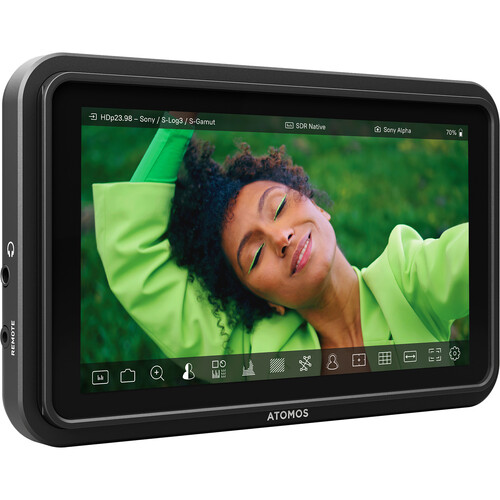
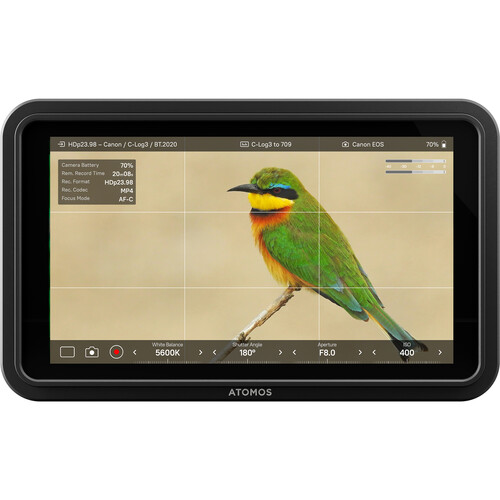
The Shinobi II is the second generation of Atomos's line of monitor-only products, and it corrects nearly all of the criticisms that were leveled against the first. The screen puts out 1500 nits of peak brightness (that's 50% more than the first Shinobi). Brightness is important, the last thing you want is to be shooting outside on a sunny day and having to struggle to see what you're looking at on the back of your camera. The Shinobi II actually stays readable in direct sunlight. The 5.2 inch 1920x1080 IPS screen shows 100% of Rec. 709 and provides 178 degrees of viewing angle in each direction (so your AC can see what's going on from the side).
Where it separates itself from the other monitors in its price range is its USB-C camera control. The Shinobi II allows you to adjust settings on Canon, Sony, Panasonic and Z CAM bodies, all from the touchscreen. In addition to adjusting settings, the newest firmware update allows you to perform touch-to-focus, which B&H reviewers have consistently praised as one of the standout features. In fact, one reviewer said he bought the monitor simply because of the touch-to-focus and that it worked perfectly with his gear. The shutter release function is useful too, especially if you're shooting HDR brackets or focus stacking, you can fire the camera straight from the monitor.
The Specs That Really Matter When You're Shooting
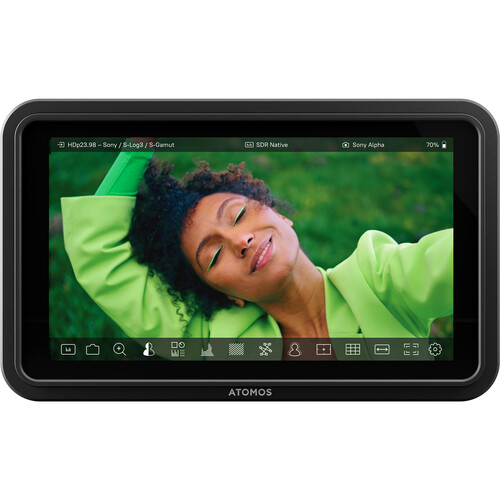
A lot of monitor reviews spend way too much time discussing things like color gamut percentage and contrast ratio, none of which you'll ever notice on a 5 inch screen, shooting outdoors. Here are the specs that actually matter when you're shooting:
- Brightness: 1500 nits. This is the #1 spec for on-camera monitors. If you're buying anything less than 1000 nits, you'll be squinting outdoors.
- Weight: 210g (7.4oz) without a battery. It's light enough that it won't mess with your gimbal balance.
- Battery: 1 x Sony L series battery mount. The low 10w power consumption means that the NP-F970 battery will give you at least 4-5 hours of continuous use, a longer run-time than most monitors in this category. Users say that they get significantly longer battery life than they did with the original Shinobi.
- Input: HDMI 1.4 that accepts up to DCI 4K @ 30fps or 1080p @ 60fps. No SDI, and that's okay for the type of user that Atomos is targeting.
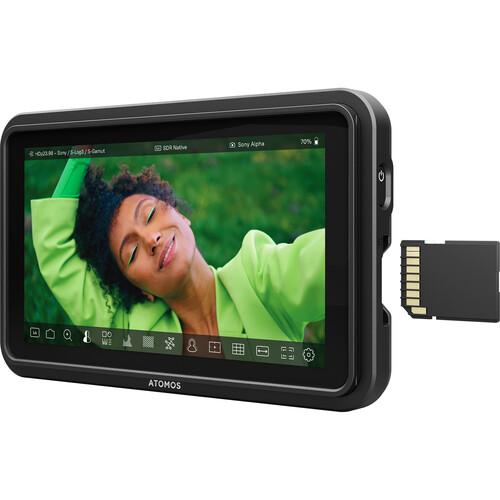
- LUT Support: You can upload up to 8 custom LUTs via SD card. This is essential if you're shooting log and want to preview your grade on set.
All the Built-In Tools
In terms of the built-in tools, the Shinobi II includes waveform, vectorscope, RGB parade, histogram, false color, focus peaking, zebras, and frame guides for basically every aspect ratio you can imagine (including vertical 9:16 for social content). This toolset is exactly the same as what you would expect from monitors that cost double what this costs.
What Users Say About the Monitor
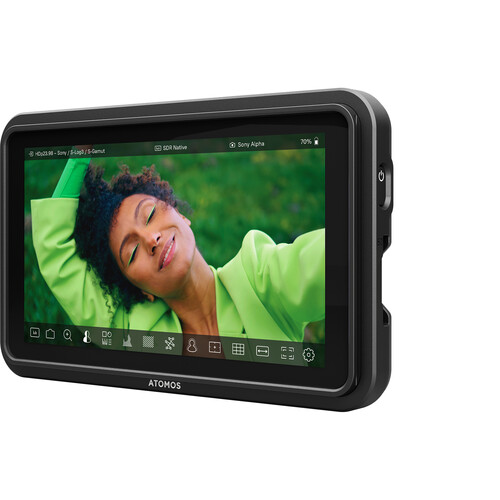
The Shinobi II has a 3.7 out of 5 rating on B&H, and the split is fascinating. People that love it really love it, and the complaints are largely about Atomos as a brand rather than the monitor itself. Reviewers on B&H say that it's a great value proposition for what you get. Several reviewers say it's a huge step up from their camera's built-in screen (one reviewer says the difference between the Sony A7S III rear screen and the Shinobi II is night-and-day). Several reviewers have reported fantastic direct access to Sony A7IV camera controls via the USB-C connection.
There are some negative reviews worth reading too. Some reviewers complain that the Shinobi II ships without an HDMI cable (which was a surprise to many). You'll have to buy a locking HDMI cable (Atomos sells one, or you can get any skinny HDMI cable). A couple of reviewers also complained about Atomos's warranty support, so that's something to consider.
And here's the thing to remember when buying this: this is a monitor only. No recording. If you need ProRes recording to an SSD (like the Atomos Ninja), you're looking at a totally different product at a totally different price point. The Shinobi II is for people that want a better screen than what their camera provides, with a little bit of useful production tools built-in.
How Does the Shinobi II Compare to Other Monitors?
The on-camera monitor space is crowded with a bunch of different options at different price points. This is how the Shinobi II compares to the most commonly-recommended monitors.
Budget Choice: FeelWorld F6 Plus
The FeelWorld F6 Plus is the go-to budget recommendation at a fraction of the price of the Shinobi II. The FeelWorld is a 5.5 inch 1080p touchscreen that accepts 4k HDMI input and supports custom LUTs. For the money, it's a solid choice. But, the devil is in the details. The brightness is lower (about 500 nits), so outdoor shooting can be tough. There's no USB-C camera control, and the build quality reflects the price. If you're just starting out and need something to get by for a few shoots, the FeelWorld will get the job done. But you'll probably outgrow it quickly.
Wireless Option: Hollyland Pyro 7
If you need wireless monitoring, the Hollyland Pyro 7 is worth checking out. It's a 7 inch touchscreen that doubles as a wireless video transmitter/receiver with a range of up to 1300ft. That's a whole different use-case than the Shinobi II. You'd pick the Pyro 7 if you need a director's monitor that can hang off a stick, etc., similar to the Hollyland Mars 300 Pro but with a bigger screen. It's more expensive and heavier, but it solves a problem the Shinobi II doesn't even attempt to solve.
Big Screen Option: Atomos Shinobi 7 inch
If you want more screen real estate, the Atomos Shinobi 7 inch steps up to a 1920x1200 display with both HDMI & SDI inputs. The 2200 nit brightness is better for outdoor shooting, and the SDI connectivity makes it viable for broadcast/ENG work. However, it's notably bigger and pricier. The 5.2 inch Shinobi II is really the sweet-spot if you're mounting on a camera cage or gimbal where weight and size matter. The 7 inch version works better on sticks or a director's cart.
Setting Up the Shinobi II for Production
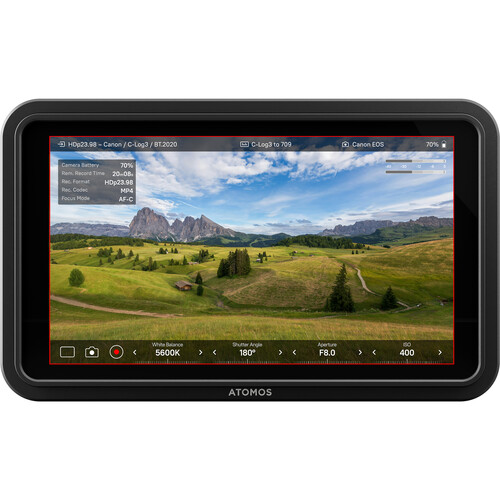
Getting the Shinobi II set-up for your workflow takes around 10 minutes. First, grab an HDMI cable since none came with the box (this really should've been included, Atomos). Attach it with the standard 1/4"-20 thread on the bottom. Most people put it on an articulating monitor arm on their cage or hotshoe.
Calibrating and Loading LUTs
The color accuracy of the Shinobi II out-of-the-box is sufficient for monitoring purposes, covering the entire Rec. 709 color gamut. If you need tighter calibration, you can use a USB probe to do a hardware calibration. For most users, the bigger issue is LUT support. If you're shooting in Sony S-Log3, Canon C-Log, Panasonic V-Log (with a speedbooster and the Sigma 18-35mm), load your favorite viewing LUT to the SD card slot and you'll get an instant preview of your graded image while you're shooting. You can save up to 8 LUTs and toggle between them, which is nice if you're shooting on multiple projects with different looks.
Battery Strategy
The single Sony L-series battery mount is both a pro and con. The pro is that NP-F batteries are everywhere and dirt-cheap. At 10 watts, the NP-F970 will give you about 4-5 hours of continuous use (way longer than most monitors in this category). The con is that there's no V-mount or Gold Mount option, so if you're already running a V-mount system on your cinema camera rig, you'll need to keep NP-F batteries around just for the monitor. The USB-C PD port also powers the monitor, which is nice if you have a portable USB-C battery pack.
Who Shouldn't Buy the Shinobi II
While the Shinobi II is perfect for the majority of filmmakers, content creators, and videographers that want a reliable, bright, feature-packed on-camera monitor without the ability to record, there are definitely some people that should look elsewhere. If you need to record, you'll want to look at the Atomos Ninja or Shogun that can capture ProRes/DNx to an SSD. If you need SDI connectivity for broadcast/ENG work, you'll either want the 7 inch Shinobi, a SmallHD monitor with SDI, or another solution altogether. If your budget is super-tight and you just need something to get by, the FeelWorld monitors will get you a screen for less. But, for the vast majority of filmmakers, content creators, and videographers that just want a reliable, bright, feature-rich on-camera monitor without spending money on a feature they don't need, the Shinobi II is the one to get. Check pricing currently at B&H Photo or compare prices on Amazon.
Frequently Asked Questions
Does the Atomos Shinobi II record video?
No. The Shinobi II is a monitor only. It accepts HDMI input up to DCI 4K and displays it, but it does not record internally. If you need to record, look at the Atomos Ninja lineup which records ProRes/DNx to NVMe SSDs. The Shinobi II does have an SD card slot, but it's only used for uploading LUTs and firmware updates.
What batteries does the Shinobi II use?
Sony L-Series (NP-F) batteries on a single battery plate. The NP-F970 battery will last you approximately 4-5 hours thanks to the very low 10W typical power consumption. You can also power the Shinobi II via USB-C PD, which is great for studio setups or when you have a portable battery pack handy.
Is 1500 nits bright enough for outdoor shooting?
Yes. 1500 nits is readable in direct sunlight. To put it in perspective, most camera LCD screens max out at around 600-800 nits, and budget monitors like the FeelWorld F6 Plus are similarly weak. You may still need to add a sun hood for extreme shooting conditions, but the Shinobi II is readable without a hood in most outdoor environments.
What cameras have USB-C camera control and touch-to-focus?
Touch-to-focus works with the following Canon EOS models: R6 Mark II, R1, R5 Mark II, R7, Fujifilm GFX100, X-S20, Nikon Z9, Z8, Panasonic Lumix S5 II and S5 II X, and Sony a7 IV, a7S III, ZV-E10 II, FX3, and FX30. All these models, except for the FX3/FX30, also allow for USB-C camera control (setting adjustments and shutter release) on their respective models. The list of supported cameras continues to grow with software updates.
Did it ship with an HDMI cable?
No. Many buyers were surprised to learn that the Shinobi II shipped without an HDMI cable. You'll need to purchase one (Atomos sells their own locking HDMI cable designed for the monitor, or any standard skinny HDMI cable will work). Just make sure to get the proper connector size for your camera's HDMI output, most mirrorless cameras use micro HDMI.
How does the Shinobi II stack up against the original Shinobi?
The Shinobi II is a big leap forward. It's 50% brighter (1500 vs 1000 nits), has USB-C camera control with touch-to-focus, has the new AtomOS 11 software interface, has lower power consumption, and has a thinner profile. The Shinobi II is worth the extra cost over the original. While the original Shinobi is still a good monitor, the brightness and camera control features of the II make it the better choice for new purchases. You can find the Shinobi II available on Amazon and at B&H Photo.