Best Gimbal for Smartphone Video: Stabilizers Worth Buying

You've got a great video camera in your phone. But it can’t walk. When you move, even the top-of-the-line "sensor shift" stabilized system turns your smooth video into an unstable shake. That’s where a gimbal comes in.

After digging through spec sheets and a pile of user reviews, the DJI Osmo Mobile 8 comes out as the best gimbal for smartphone video for most people. But there are other gimbals out there that may fit your needs better.

The below list includes five gimbals designed to help stabilize your smartphone video at various price points and for different applications. The DJI Osmo Mobile 8 is the all-around choice. The Insta360 Flow 2 Pro is geared towards tracking enthusiasts.

The Osmo Mobile 7P is for those looking for almost everything that the flagship offers but at a lower cost. The Hohem iSteady M7 is for professional mobile filmmakers. And lastly, the Zhiyun Smooth Q5 Ultra is the budget option.

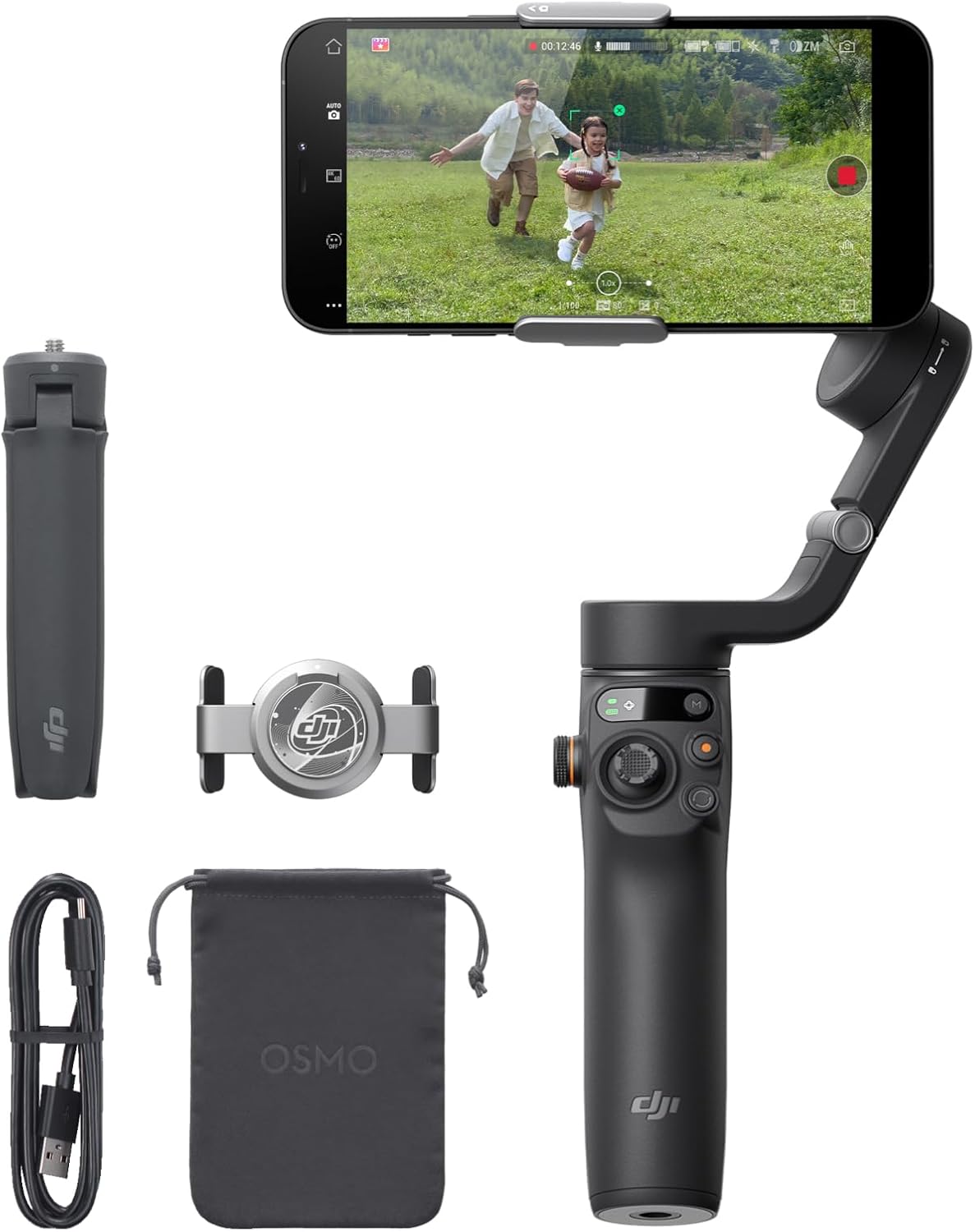
DJI Osmo Mobile 8 smartphone gimbal kit with magnetic clamp, multifunctional module, and pouch

DJI Osmo Mobile 8: The Best Pick for Most Shooters

The DJI Osmo Mobile 8 has taken the same design as their previous mobile stabilizers but have improved upon the model to make it better. This version includes three-axis stabilization, a magnetic phone holder that can accommodate most standard smartphone sizes (up to 3.3 inches wide), and a built-in extension pole.

In addition, the entire unit is equipped with a tripod built right into the handle. The total weight of the system is 13.1 ounces and folds so compactly that you could easily store it in a jacket pocket.

One major difference between this new version of the mobile gimbal and its predecessors is the inclusion of the "Multifunctional Module." The module attaches directly to the magnetic phone clamp allowing users to track subjects using the native camera app on their smartphones rather than being forced to use DJI's proprietary Mimo app.

Many users of older versions of the Osmo Mobile were frustrated by the fact that all of the best features were locked inside of Mimo. Those features include subject tracking, gesture control, and now Bluetooth connectivity for connecting multiple wireless microphones to the gimbal without needing a separate wireless receiver.

Users who have reviewed this product say that it was a great update over prior versions of the gimbal. They rave about how smooth and quick the gimbal opens/closes, and how much they enjoy having a built-in stand for casual shooting. Reviewers are generally pleased with battery life, saying that it will last approximately 10 hours, as stated by DJI.

Reviewers love how ActiveTrack 7.0 allows them to keep their subject in frame while moving quickly or leaving frame for short periods of time.

Some reviewers said that the learning curve for using this device was difficult. For example, one reviewer used an iPhone 17 Pro Max and spent multiple hours trying to figure out how to control the gimbal before finally throwing his hands up in frustration and giving up.

Another long-time user of Osmo devices thought that this gimbal was too large to carry around in his pocket and that he liked the legs of the Osmo Mobile 6 better. He mentioned that the gimbal controls would occasionally fail to respond until he restarted the application. Also, other reviewers had issues with the way the gimbal controls the zoom function, stating that they saw clear visual breaks during a zoom operation.

You can currently purchase this gimbal on Amazon or compare at B&H.

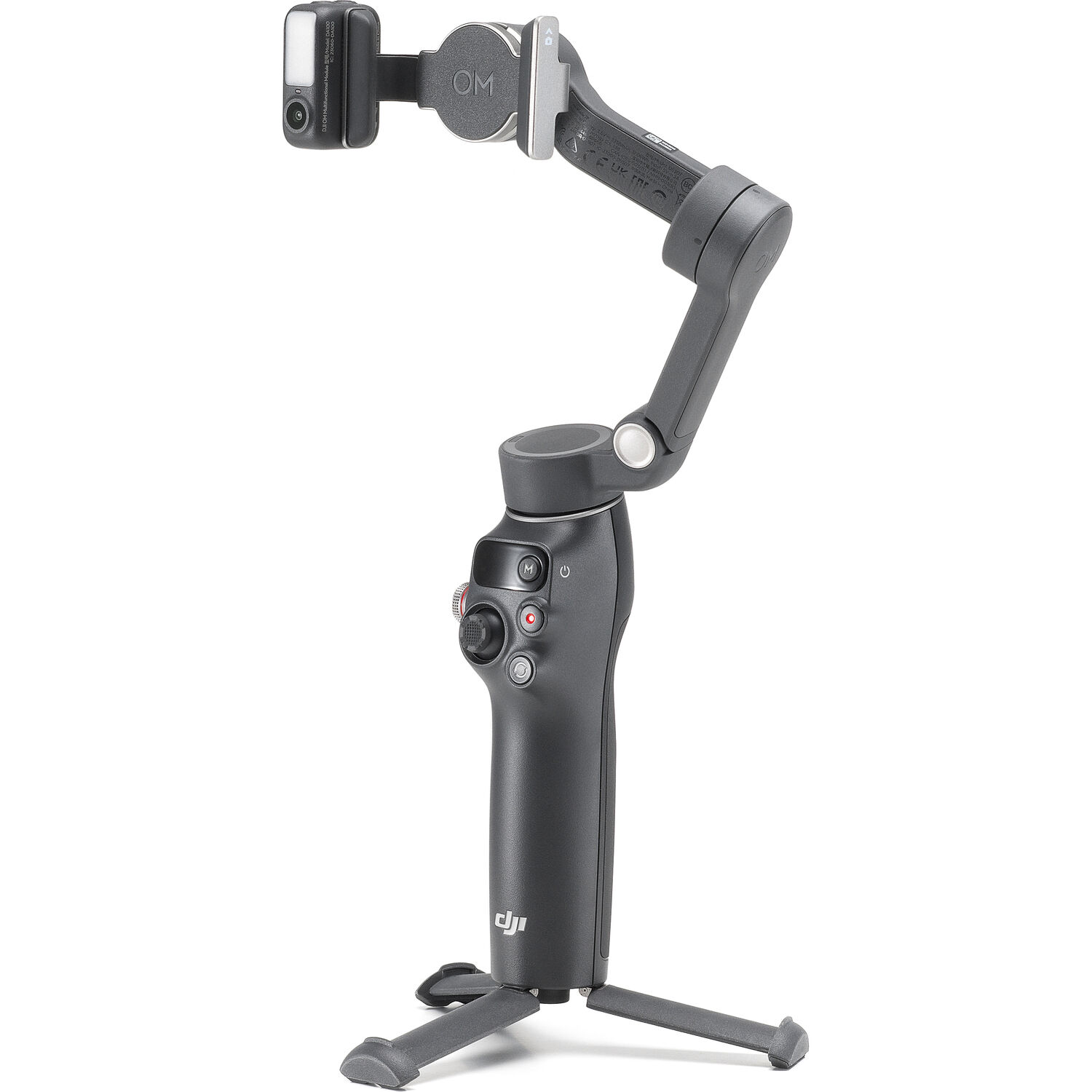
DJI Osmo Mobile 8 unfolded with multifunctional module and integrated tripod legs

Who Should Buy It

Any user looking for a gimbal capable of capturing travel videos, family moments, b-roll footage, and social media clips. The Osmo Mobile 8 is the safest choice due to its versatility, reliability, and compatibility with the rest of DJI's products, as well as the depth of support within DJI's application. If you already own DJI Microphones then you will benefit greatly from purchasing the Osmo Mobile 8 simply due to the direct Bluetooth connectivity it provides.

DJI Osmo Mobile 7P: Most of the Flagship for Less

The most important point regarding the Osmo Mobile 7P is that this model shares the exact 10.6 ounces maximum payload weight, identical magnetic clamp system, integrated tripod, extendable rod, and built-in Multifunctional Module (which includes native app tracking and fill light) as the flagship model. In theory, the 7P offers approximately 90% of everything that can be done with the flagship model.

In terms of new features, the Osmo Mobile 8 introduces ActiveTrack 7.0, DockKit for Apple devices, a USB-C port for charging your smartphone during filming, and a counter-weight mounting hole which allows you to balance larger/heavier sets. While these are indeed true upgrades, they are incremental. If the cost difference between the two models matter to you, then the DJI Osmo Mobile 7P will provide the greatest bang-for-your-buck value option within DJI’s current line-up.

DJI Osmo Mobile 7P gimbal unfolded showing multifunctional module and tripod

First-time gimbal buyers and anyone who found the flagship price hard to justify should start here. You give up little that shows up in actual footage. Pair it with a decent set of iPhone filmmaking accessories and you've got a capable little rig for way less than a dedicated camera.

Insta360 Flow 2 Pro: The Tracking King

Insta360’s approach was to start with the flow (hence the name) first, tracking, then attach the gimbal. While DJI did create a gimbal and added tracking as an afterthought, Insta360 created a tracking system and wrapped a gimbal around it.

With native support for Apple’s DockKit, the Insta360 Flow 2 Pro has been able to track subject matter within more than 200 apps on your iPhone. Some examples include FaceTime, Zoom, and third-party camera apps.

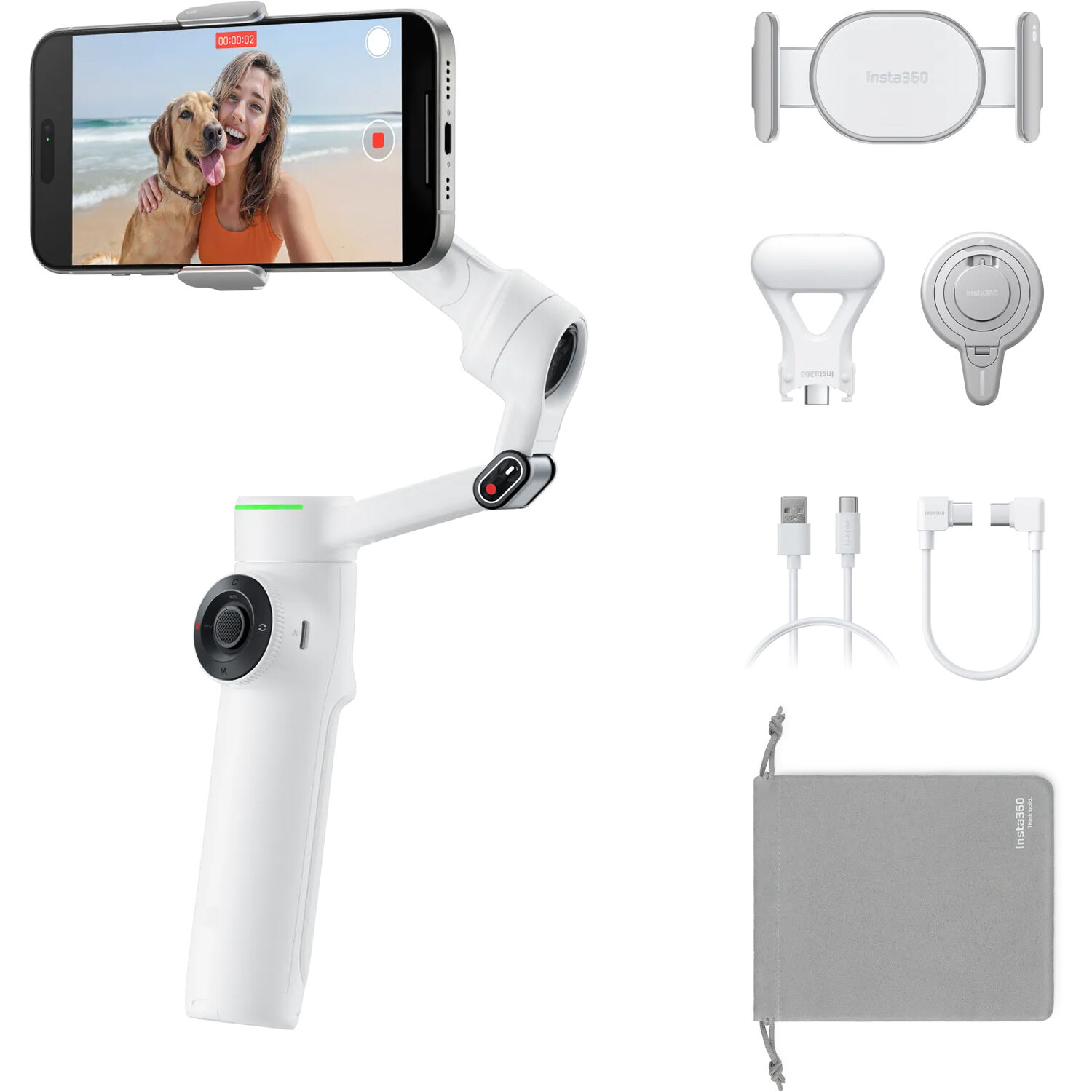
The hardware is intelligent too. In addition to having a built-in selfie stick, Insta360 has added retractable tripod feet, a magnetic phone clamp, and a spotlight accessory that is included with the Creator Kit bundle. It goes from folded up to ready to shoot in seconds.

Insta360 Flow 2 Pro Creator Kit with magnetic clamp, spotlight, cables, and carry bag

Insta360’s user reviews have backed up its claims of having smooth video when using it for hiking and walking through parks while on uneven ground. Users report that it makes mobile video look professional and doesn’t require a lot of work.

One reviewer even went into detail about how good it was for real estate agents, social media creators/influencers, and others who shoot video for their social platforms. This reviewer said that he loved the ergonomic design, how simple it was to connect the app, and how many options/modes were available to them.

Some reviewers mentioned that they felt that the gimbal would struggle when using additional accessories such as an SSD or mic receiver on top of a heavy phone, therefore staying in the realm of consumer products and not being used by professionals. Many reviewers mentioned that the button layout is very compact and that it is possible to accidently press buttons. A few reviewers also stated that setup using the Insta360 app is very clunky.

Who Should Buy It

If you are a solo creator that films yourself (you are both the camera operator and the talent), then the best feature for you is likely to be DockKit. Even though it can’t replace hiring a second person to operate the camera, it gives you the next best option to filming yourself. Anyone that shoots lecture or course content on an iPhone will find it extremely useful.

Hohem iSteady M7: The Power User's Choice

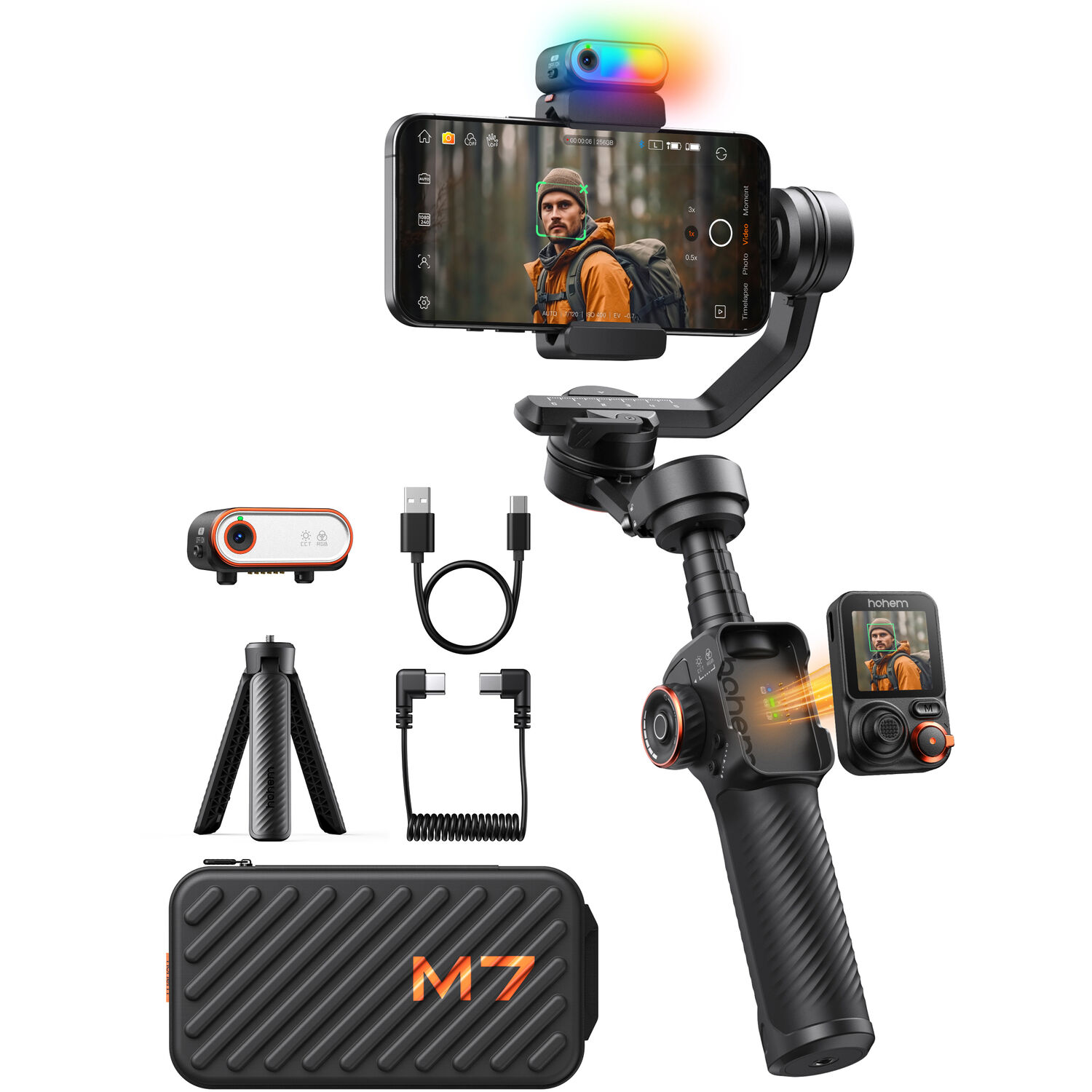
The Hohem iSteady M7 is the highest priced gimbal presented within this comparison. However, its targeted demographic of users are shooters of a different type. Its main selling point is a detachable touchscreen remote that comes off the handle to allow the user to operate the gimbal, initiate and terminate video capture, and check framing from a distance.

There is an additional magnetic AI tracker with an internal fill light that will track independently of any apps. There is also a standard mounting plate that allows larger phones with accessories attached.

With 49 total reviews on B&H, it has been reviewed more than all other gimbals in this comparison, and the reviews are skewed towards being positive. Reviewers have praised the improved AI tracking, build quality, and ease of use of the remote when shooting solo. In exchange for the price and added features (bulkiness), it is not something that will be thrown into a pocket prior to leaving home.

Hohem iSteady M7 gimbal with detachable touchscreen remote, AI tracker, tripod, and case

Who Should Buy It

Mobile filmmakers who treat the phone as a primary camera. If you're building shots solo, directing yourself on camera, or running a mobile live streaming setup, the remote and tracker earn their keep. It's also available at B&H if you'd rather buy there.

Zhiyun Smooth-Q5 Ultra: The Budget Pick

The Zhiyun Smooth-Q5 Ultra costs less than every other model on this list but has all of the features mentioned above (AI Tracking Module, Wireless Remote, Built-in Extension Rod and Tripod). The design of this generation has been changed to make it stronger and have quicker mode changes.

However, the budget option does come with some trade-offs. While the AI Tracking Module is a great feature, the app user experience is inferior to that of DJI and Insta360, motor limits may prevent use with larger phones, and the AI Tracking Module is not part of the clamp, instead it's clipped to the side.

However, the primary function of this unit, which is to smooth out video shot while walking, will be accomplished. This is ideal for those looking at purchasing a first gimbal, or those seeking a secondary gimbal.

Zhiyun Smooth-Q5 Ultra white folding gimbal with AI tracking module, remote, and tripod

Who Should Buy It

Students, beginners, and anyone testing whether gimbal shooting fits their workflow before spending real money. It's also a sane backup body for working shooters who already own something nicer.

How to Pick the Right Smartphone Gimbal

First consider how you really shoot (not the specs). If you shoot video of yourself, then how well the gimbal tracks is by far the most important thing to look for, and therefore the best option would be the Flow 2 Pro. If you shoot video of others/things, then you will care about stabilization smoothness and battery life, which both favor DJI products.

A very common aspect of the specs that people tend to forget to think about, and later wish they had paid attention to, is weight capacity. With today’s “Pro” phones and their cases combined with an additional microphone receiver or lenses you may quickly reach the limits of many gimbals’ weight capacities. At this point, the motors will start to struggle and the footage will begin to become shaky/jittery.

If you intend on rigging up your phone and accessories, the Hohem M7 supports payloads better than most of the other gimbals, and the Osmo Mobile 8’s counter-weight support helps as well. However, if you’re planning on setting up a hybrid system or heavy rigs, you should probably look into DSLR and mirrorless gimbal territory.

Another area where all gimbals fall short is app dependency. While each gimbal mentioned above works best within its manufacturer’s app, each app from manufacturers has its own unique issues/quirks.

The one trend worth paying close attention to is native tracking, i.e., modules/DockKits do the tracking and you can shoot with whatever app you prefer. DJI & Insta360 are currently leading this trend, however, as camera apps improve (Blackmagic Camera is a great example of this), native tracking is likely going to be the feature that holds up best over time.

One more honest note. If most of your shooting is static shots on a tripod, you might not need a gimbal at all. Stabilization earns its keep when you move.

Frequently Asked Questions

Do I really need a gimbal if my phone has stabilization?

Phone stabilization is very good for static shots, and also pretty good for slow handheld shots. However, electronic stabilization will always reduce the resolution of your image, and introduces distortion (jello) when you pan quickly. A gimbal such as the Osmo Mobile 8 will follow the motion of your hand, so there’s no reduction in resolution and no jello.

Which smartphone gimbal has the best subject tracking?

Insta360’s Flow 2 Pro is generally the best gimbal for iPhone users because it supports Apple DockKit, which allows it to automatically track objects inside more than 200 different applications. While DJI’s ActiveTrack 7.0 on its Osmo Mobile 8 might be slightly "better" at tracking objects in motion, the only way to access it is through the Multifunctional Module or the Mimo app.

For Android users this matters less, simply because DockKit currently only works with iOS devices. The tracking gap between brands narrows quite a bit on Android.

How long do smartphone gimbal batteries last?

According to DJI, their Osmo Mobile 8 offers approximately ten hours of continuous operation. Users report being able to get through a complete day using the device intermittently. Battery life drops if you continuously run the fill light, or charge your phone via the gimbal’s USB-C port.

Can these gimbals hold a phone with a case and accessories?

All of these gimbals should have enough room for a standard case. Where things become problematic is when you add heavier phones (with cases) along with additional accessories. Most of these gimbals have weight limits around 10.6 ounces.

Reviewers specifically mention that Insta360’s Flow 2 Pro struggles when it comes to handling larger phones, especially those with an added SSD or microphone receiver. The Hohem iSteady M7 appears to be the most robust gimbal for phones that are already heavily accessorized.

Are cheap smartphone gimbals worth it?

Zhiyun’s Smooth-Q5 Ultra demonstrates that even low-cost smartphone gimbals have been able to solve the basic issues with stabilization. In general, modern budget gimbals offer higher-quality stabilization than almost all flagship gimbals released five years ago. What you lose with cheaper gimbals includes: polished app performance, payload capacity, and object-tracking performance.

Should I buy a gimbal or an action camera instead?

They’re two completely different tools. Action cameras excel at capturing footage where your phone would never be practical, such as underwater footage, extreme weather conditions or when taking impacts. On the other hand, a phone attached to a gimbal excels at providing higher quality images and better object tracking.

If you’re trying to weigh these options, our action camera vs mirrorless comparison addresses exactly how stabilization plays into making that decision. Many content creators carry and use both types of equipment.