
Best Audio Mixer for Video Production: Zoom F6, MixPre, and Tascam
Once you're recording more than one mic for a video, the little recorder from your first kit stops being enough. Interviews with two subjects, a boom plus lavs, or a band and a camera all need more inputs, better preamps and a way to keep everything in sync.
The catch is that "mixer" covers very different boxes: field recorders you wear on a shoot, premium recorders known for their sound, and desk mixers that double as a computer interface. Each one makes a different trade between inputs, sound and how much it asks you to learn.
Below are the field standard, the premium tier, a studio hybrid and a budget pick, plus how to match one to the job.
The Zoom F6 is the field standard, the Sound Devices MixPre is the premium ear-candy tier, the Tascam Model 12 is the studio hybrid, and the Zoom F3 is the start-and-forget budget. One F6 owner has put it bluntly: it does exactly what you need. Pick by inputs first, then by preamps, then by workflow.
The Field Standard: Zoom F6
That owner has listed why: timecode to sync multiple cameras with the audio, six XLR inputs for multiple mics, and 32-bit float recording.
The 32-bit float means no clipping anxiety when the dialogue spikes, and the timecode track means the multicam sync happens in the edit instead of the schedule. One owner has used an F6 for about 18 months to record all of their band's sessions, with bass, drums, sax and sometimes keys, usually on 2 drum overheads and a figure-8 mic. That channel map is exactly how a documentary kit grows.
Another owner has joked that they didn't know you could legally sell a box full of pixie dust, and has praised everything from the sturdy build to the six individual XLR inputs.
One buyer returned a Sound Devices MixPre 6 ii because that model had a few flaws they couldn't get used to, even though it is often considered the premium tier option.
A second buyer first bought a Tascam X8 for 32-bit recording, found many disappointing flaws in its sound quality, and has called the F6 flawless by comparison
That owner has said the F3 would have been perfect with a third input, which is why they moved up. One caveat is real: in 16-bit and 24-bit modes the knobs don't adjust the gain the way you'd expect, and 32-bit float is where they behave.
The Premium Tier: Sound Devices MixPre
One MixPre-6 II owner has said they were shocked by how much it improved their audio, and one reviewer has called it hands down the best sounding recorder available, beautifully transparent and quiet. You can finally hear the tiny differences in self-noise, which cheaper gear hides from you. The way it sounds clear makes every project feel so much more professional for the client.
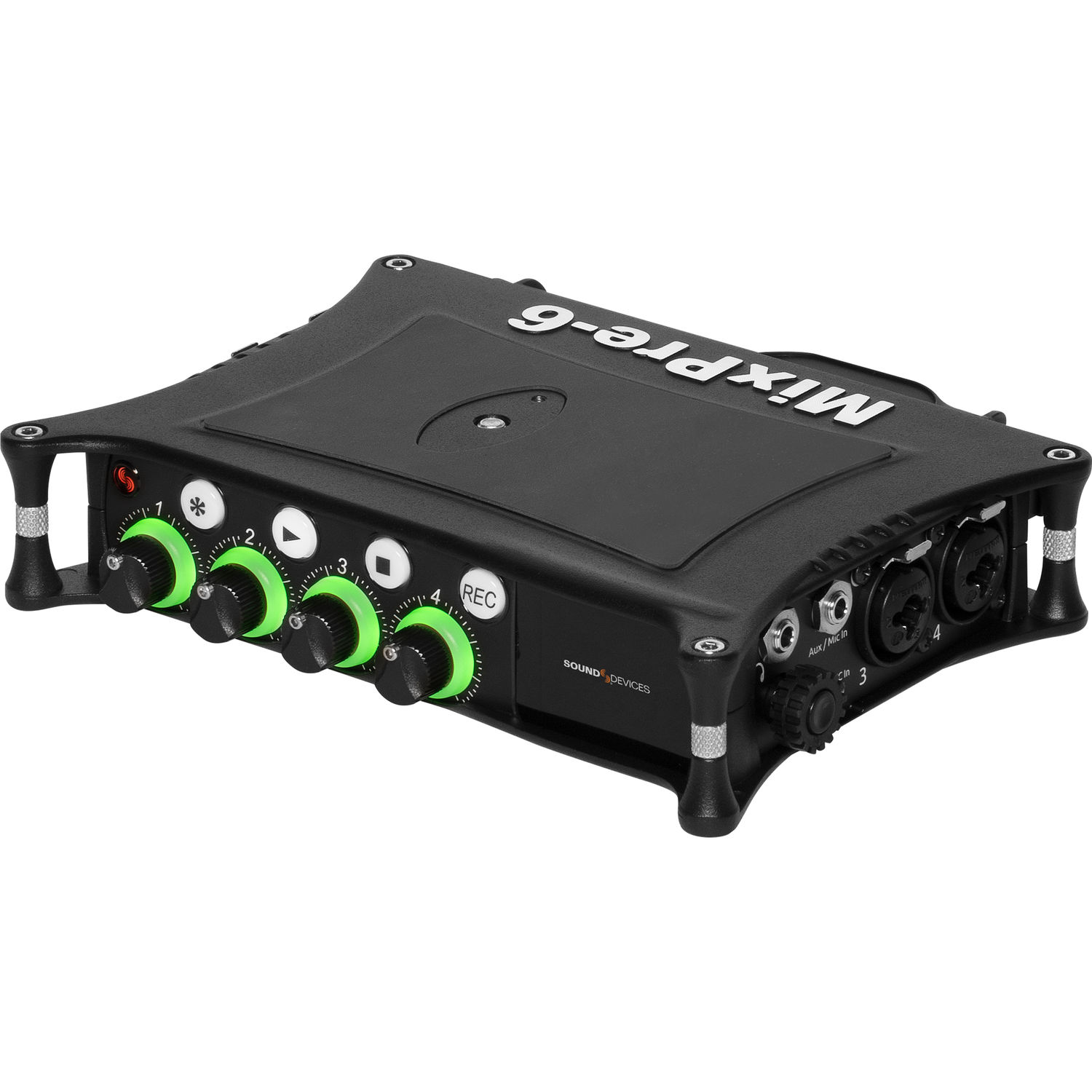
Owners have used it for location environmental recording, including ambisonics, and the image shows the four-knob front panel. A MixPre-3 II owner has paired theirs with an ATEM Extreme ISO switcher in a home teaching studio and has noted that the company regularly sends updates.
The deep menus live inside the small black box, and one first-time owner has warned that it isn't easy to operate at first and has no good manual, though they learned the basics in a couple of hours. Their advice is to learn it and play with it, and then you'll appreciate the quality.
The Tascam Model 12
The Tascam Model 12 is what one reviewer has described as a thing of beauty and a joy forever, once you spend the time to properly set it up for your studio. It replaces the old Tascam 246, though it offers many more ways to compress sound and use effects.
You get physical EQ controls on every single channel, which helps when you shape the sound without clicking through deep menus. Some people might need to read the manual a few times, because the machine does lots of things that can feel tricky at first.
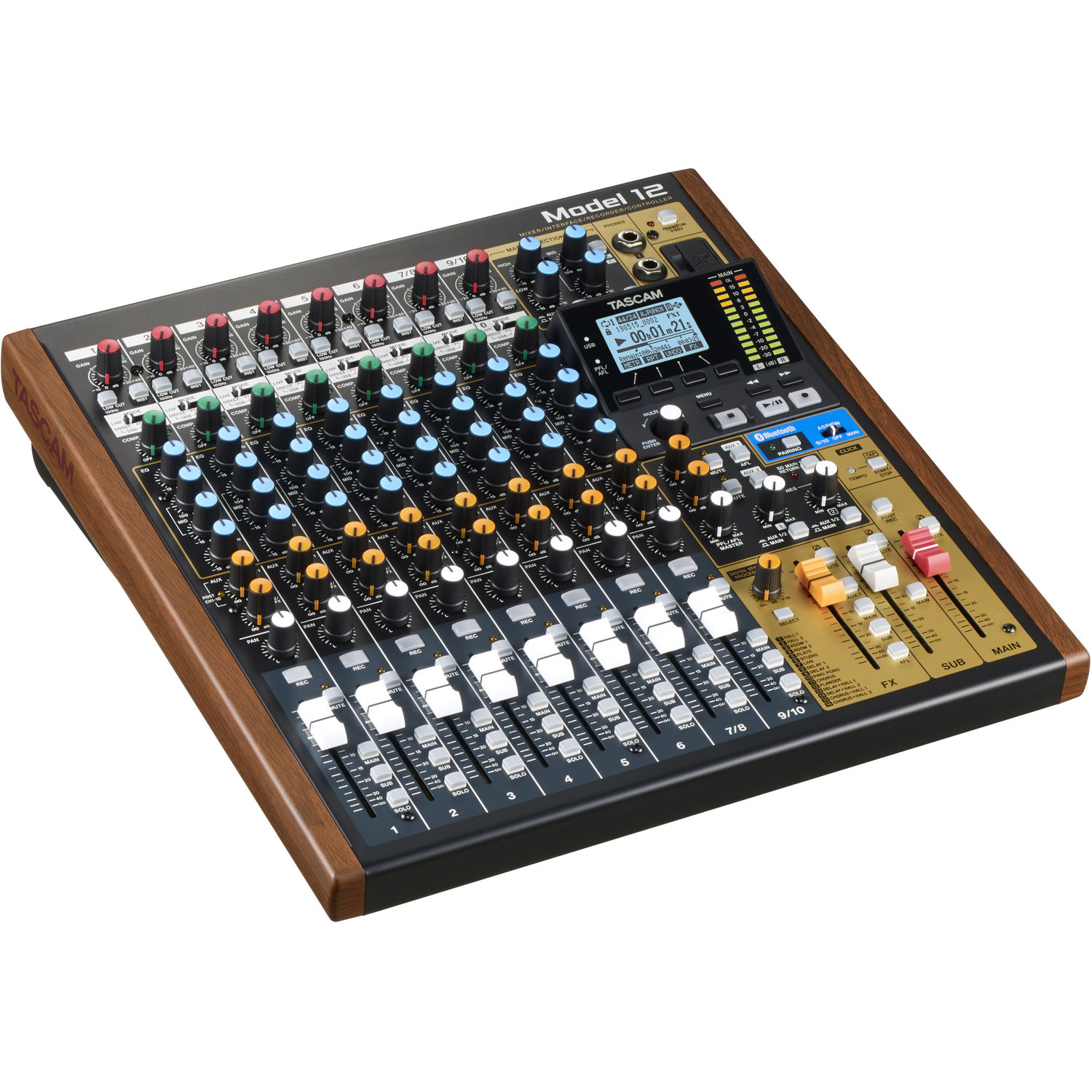
One Model 12 owner has had the same DAW connectivity problems that several others have reported.
Owners have also liked that it works as a multitrack recorder and a multichannel USB audio interface in one desk, with nice physical sliders. The preamps are very nice for mics like the Wunder CM7, and you can record clean tracks directly onto SD cards. This hybrid setup lets you keep all your instruments plugged in, so you're always ready to record when an idea hits you.
The Budget Tier: Zoom F3
The buyer moved to the F3 when their Zoom H5 started to die after many years of service, because of what they'd read about 32-bit recording
The H5 is this site's field recorder pick, and the F3 is its two-input successor. An event videographer has called it start and forget, and another owner has found it a little bigger than expected. You don't watch levels anymore, since any sound you capture stays malleable while you edit.
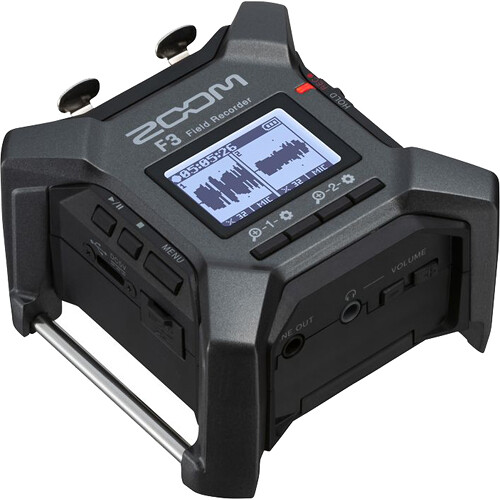
Owners have praised its two XLR inputs and very low self-noise, and one has called it their best audio investment.
The menu buttons take some getting used to, and one owner has said Zoom has better screens on other models. The 1/4-20 mounting points give the rig an anchor, and an owner who records bands and DJs has said they no longer have to watch levels the way they did with other recorders.
Matching the Mixer to the Job
When you pick a recorder, you should look at how many XLR inputs you need because the Zoom F3 only has two, while the F8n Pro provides eight for big sets. The MixPre-6 II offers very quiet preamps, which help you hear tiny details without noise during a field shoot.
Six XLR inputs handle multiple mics, and timecode is the multi-camera sync answer. One owner uses the F8n Pro as a professional sound mixer on films, TV shows, corporate jobs and other projects. The Tascam Model 12 has physical EQ on every channel, so it feels like a real desk for you.
Your workflow changes if you choose a studio hybrid like the Tascam versus a compact field recorder like the MixPre-3 II which fits perfectly in a small bag.
Using 32-bit float means you don't have to worry about clipping, even when the audio gets too loud. You can link your gear to the documentary audio chain, which ensures your XLRs stay connected throughout the whole day. If the camera is on a gimbal, check the field guide to see how the weight affects the motors' moves.
Frequently Asked Questions
Is 32-Bit Float Worth It?
You don't have to set levels when you record, because practically any volume you capture stays malleable in the edit. That's the whole case for the F3 at events.
Zoom F6 or MixPre-6 II?
The MixPre has been called the best sounding recorder available, though one buyer returned theirs over a few flaws. Both tiers are real. The F6 costs less and carries timecode.
Can I Connect These to a DAW?
Several owners have had DAW connectivity problems with the Model 12, while another has said it works fine as a DAW interface. Budget time for the setup.
How Many Inputs Do I Need?
Two for the interview kit (F3), four for the compact bag (MixPre-3 II), six for the multi-mic set (F6), eight for the big rig (F8n Pro). Count the mics, add one spare, buy there.
What About Battery Life in the Field?
'Any volume that you capture is malleable' covers the safety net, but power is physical: the F6 and MixPre run on a NP-style plate or USB-C PD, and the F3 sips AAs. 'Start and forget' applies to levels, not batteries.
The documentary audio chain feeds the same XLRs, the gimbal field guide covers the camera-side weight, No Film School's sound-department guides cover the film-set hierarchy, and PetaPixel's audio coverage reads the same chain from the stills side, and B&H's mixer stock holds the tiers.