
BenQ ScreenBar Halo 2 Review: The Monitor Light Upgrade Your Edit Bay Needs
When you're spending hours staring at a monitor editing video footage, or building timelines, you probably know what it feels like to experience eye fatigue around the sixth hour. The BenQ ScreenBar Halo 2 represents the company's next-generation solution to this issue, and it does an excellent job.
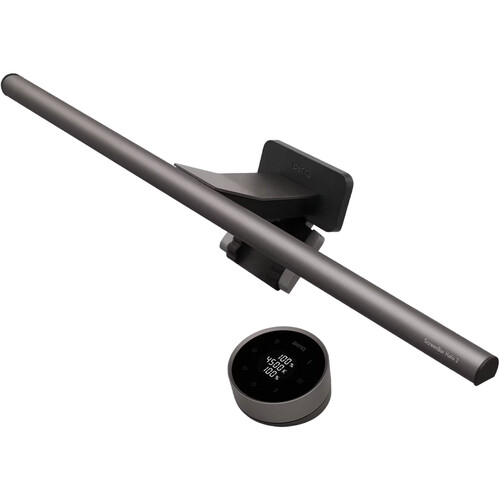
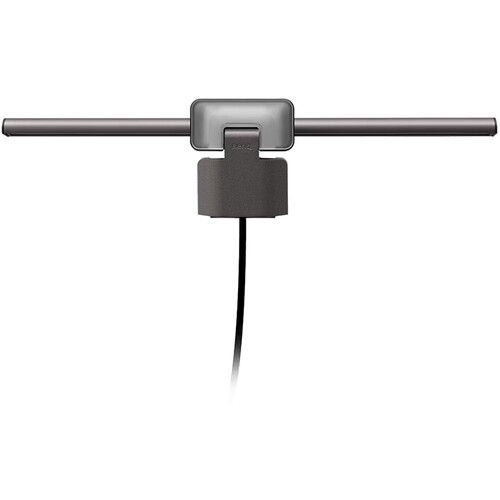
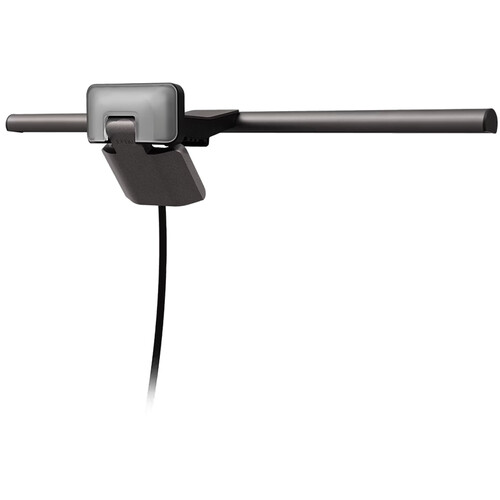
The ScreenBar Halo 2 is a monitor-mounted light bar featuring a tri-zone backlight that wraps ambient light around your screen, and a 95 CRI front light that illuminates your desk without adding glare to your display. For editors and colorists needing reliable, consistent lighting at their workstation, the ScreenBar Halo 2 is definitely worth a closer look.
What the ScreenBar Halo 2 Actually Does
The concept is relatively straightforward. You simply clamp a light bar to the top of your monitor and it provides ambient lighting to your desk from above without creating glare on your screen. While BenQ has developed products that do this for a while now with their ScreenBar line, the Halo 2 offers improvements with the addition of a three-zone backlight that also provides ambient lighting to the wall behind your monitor.
By providing ambient lighting to the walls behind your monitor, the contrast between your bright screen and the dark surrounding environment is significantly reduced, which is typically the primary contributor to eye fatigue during extended editing sessions.
The front light covers approximately 33.2 x 19.7 inches and produces 500 lux at center and tapers to 300 lux at the edges. An 18 degree cutoff angle of the optical design with 12 lenses prevents any light from reaching your screen.
The three zones provide a combined 450 nits at center and decrease to about 50 nits at the edges of the backlight creating that halo effect around your screen. You can turn either the front light or the backlight on independently or combine them. Each zone has separate adjustable brightness and color temperature settings.
The color temperature range is 2700-6500K, offering sufficient adjustment to match the ambient lighting conditions in your workspace. The 95 CRI on the front light is sufficient for reproducing the color of items on your desk accurately, especially when referencing physical prints or comparing printed still images to what is displayed on your screen.
Design and Build Quality
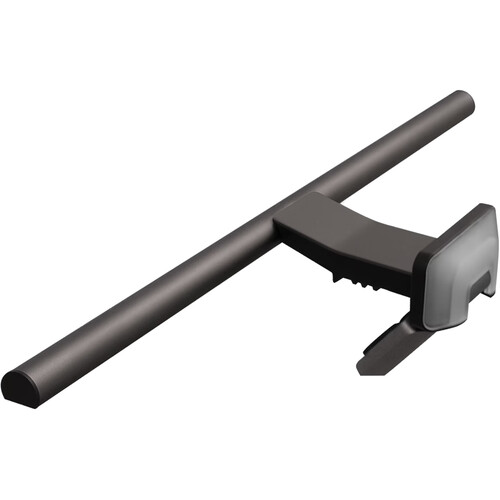
The Halo 2 is constructed from a combination of plastic and metal and feels substantial. The entire assembly weighs almost 4 pounds, indicating that the device is certainly not flimsy.
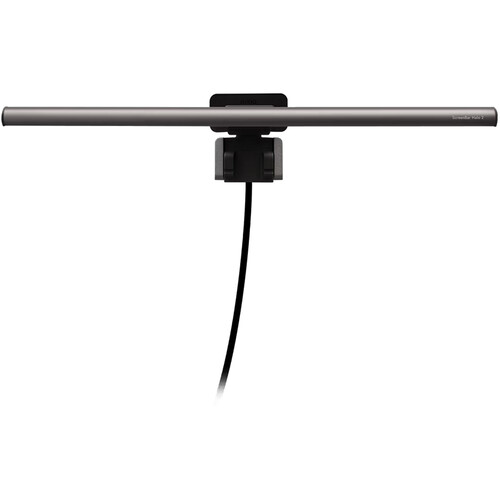
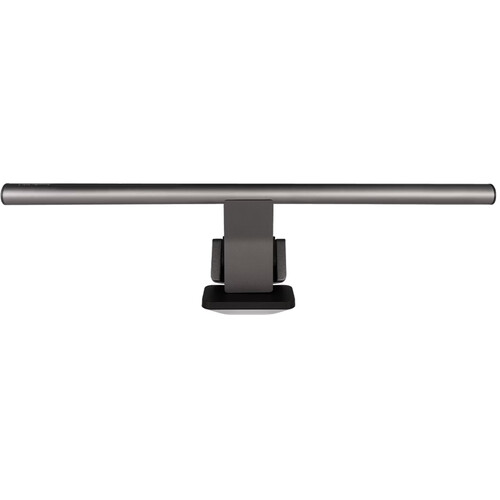
The clamp accepts a wide variety of monitor sizes ranging from 0.2 to 2.3 inches in thickness. As such, you can attach the ScreenBar Halo 2 to most monitors regardless of whether they are flat or curved. The manufacturer also included a shallow design for the face of the clamp to prevent it from obstructing built-in webcams.
In fact, BenQ provides an optional webcam mounting bracket that allows you to attach an external webcam on top of the ScreenBar, which could prove convenient for remote meetings, client calls, etc.
The wireless remote control is circular with a numeric keypad and a spinning dial. The remote control is battery-powered (not via USB) and requires two taps to activate it. B&H reviewers stated that the second tap is slightly inconvenient but the spinning dial for controlling the brightness and color temperature is much more intuitive.
According to one reviewer, the remote control "is very well-designed and easy to use" after getting used to the dual tap activation method. Presets can be saved on the remote control so if you've adjusted your screen lighting to a particular setting during an edit session, you can immediately recall that setting with the remote.
The Editing and Color Grading Experience
As far as filmmaker experiences are concerned, the Halo 2 is exactly where it earns its keep. Ambient lighting around your monitor is more important than many filmmakers realize during color grading.
Too bright and your eyes adjust, causing you to perceive your color grade as being darker than it truly is. Too dark and the contrast between the screen and your darkened surroundings will create eye fatigue and affect how accurately you perceive your color grade. The Halo 2 allows you to precisely adjust the ambient lighting to maintain your comfort without affecting your color accuracy.
Auto-Dimming and Ambient Adjustment
The auto-dimming sensor is particularly beneficial in this context. The sensor detects when you move away from your desk and automatically reduces the brightness of the light. According to BenQ, this increases the lifespan of LEDs to approximately 17 years.
More importantly, the auto-dimming sensor allows the light to adjust automatically as natural light levels in your room change. Reviewers state that they tend to leave the light on during the day and dial the brightness to match the ambient lighting conditions, which makes the light feel more natural than artificial.
With the ability to adjust the color temperature from 2700 to 6500K, you should be able to match your room's color temperature. Additionally, the stepless dimming of the front light from 0 to 100 percent means you can dial in exactly the brightness level you require.
One B&H reviewer reported adjusting the light from 1 percent to 20 percent of power in the evening and that the light quality remained consistent throughout the process. Another reviewer praised the rear ambient light specifically stating that it "made screen time much easier on the eyes when the room darkens."
As previously mentioned, the 95 CRI on the front light is worthy of note for anyone performing color-critical editing work. It may not offer the same high-end color reproduction as an Aputure light with a 97+ CRI rating, but it is more than sufficient for reproducing the colors on your desk with reasonable accuracy. This is important if you are referencing physical materials or evaluating printed stills in relation to what is displayed on your screen.
Comparison to Cheaper Alternatives
While this is not an inexpensive light bar, you can purchase a Quntis or some other budget alternative for less than half the price of the Halo 2. B&H reviewers were candid regarding this trade-off. One reviewer who tested both options said that the Halo 2 was "far more polished and pleasant to use," but acknowledged that the budget option was "good enough."
There is clearly a noticeable difference in build quality and the ultrasonic proximity sensor that manages auto on/off does not appear on budget options.
The Halo 2 is an improvement over the original ScreenBar Halo. If you currently possess the original Halo and it is functioning properly, it may be difficult to justify upgrading. However, if you are purchasing a light bar for the first time or upgrading from a budget light bar, the Halo 2 is the choice to consider.
One potential consideration to take into account is the weight of the Halo 2. The Halo 2 weighs almost four pounds, which is considerably more than most budget alternatives. If your monitor is lightweight or compact, the Halo 2 may be prone to wobbling. Reviewers have reported this as a minor concern with lightweight displays.
You can compare prices on Amazon to see if you can get a lower price elsewhere. However, B&H typically offers competitive pricing for BenQ products.
The Wireless Remote Control
The wireless puck remote controller is deserving of its own section because it is both the best and most frustrating aspect of the Halo 2. The spinning dial for adjusting the brightness and color temperature of the light bar is fantastic. It's smooth, intuitive, and feels premium.
Tapping to switch between the front light, backlight, and combined modes is also intuitive once you become familiar with the layout.
However, the single tap to wake the remote is a source of frustration for multiple reviewers. To turn the light on or off, you must tap the remote to wake it, and then tap it again to turn the light on or off. It's a small annoyance, but it can be distracting when you are in the middle of an edit session.
BenQ likely implemented the single tap to reduce battery consumption, and it is a reasonable compromise, but it would be nice if future software updates allowed users to configure an always-on option for users who are willing to swap batteries more frequently.
Additionally, the remote controller introduces another item to your workspace, which one reviewer specifically referred to as "yet another thing cluttering my desk space." If you have a tightly configured editing station with a color grading control surface, a keyboard, a mouse, and possibly a shuttle dial, the extra real estate on your desk becomes more significant.
Specifications at a Glance
- CRI: 95 (front light)
- Color Temperature: 2700-6500K (continuously variable)
- Brightness: Continuously variable 0-100%
- Front Light Output: 500 lux center, 300 lux edge
- Backlight Output: 450 nits center, tri-zone
- Power: USB-C, 5V/15W
- Clamp Compatibility: 0.2-2.3" monitor thickness
- Dimensions: 19.7 x 5.6 x 4.3" (lamp), 2.9 x 2.9 x 1.56" (remote)
- Weight: 3.97 lb total
- Certifications: No blue light hazard (IEC TR 62471), flicker-free
The unit comes equipped with a 4.9 foot USB-C cable. The Halo 2 is completely powered via USB so you'll need to connect it to a USB port on your computer or use a USB power adapter capable of delivering 3 amps or greater. Most newer computers meet this criteria.
You can view the current pricing at B&H Photo or search for availability on Amazon.
Frequently Asked Questions
Will the BenQ ScreenBar Halo 2 function correctly with a curved monitor?
Yes. The Halo 2 is compatible with curved monitors since the clamp range is 0.2 to 2.3 inches and BenQ specifically designed the Halo 2 to work with curved monitors. The Halo 2 features a triple curvature design to complement curved monitors.
Will the ScreenBar Halo 2 interfere with my webcam?
No. Due to the shallow design of the front of the clamp, it will not obstruct your built-in webcam. BenQ also provides an optional webcam mounting bracket, allowing you to attach an external webcam to the top of the light bar if required. B&H confirmed that it will not block the webcam on an Apple Studio Display for example.
Are there benefits of the BenQ ScreenBar Halo 2 over the original Halo?
If your original Halo is still functional, it will be a more challenging decision. The Halo 2 builds upon the success of the original Halo with an improved tri-zone curved backlight and a new remote control. If you are purchasing new though, we recommend going with the Halo 2 at B&H. It is the superior product.
How does the auto-dimming sensor function?
The light utilizes a proximity sensor to determine when you are no longer in front of your desk. The sensor will automatically lower the brightness of the light, extending the lifespan of LEDs to approximately 17 years according to BenQ. More notably, the auto-dimming sensor will allow the light to automatically adjust as the amount of natural light in your room varies.
May I utilize the ScreenBar Halo 2 for color-critical editing work?
The 95 CRI front light is suitable for reproducing the colors of objects on your desk with good accuracy during color critical editing work. It will not replace proper bias lighting behind your reference monitor in a professional color grading suite. However, it will provide consistent illumination that reduces eye fatigue during extended editing and grading sessions at your workstation.
Will the backlight really help alleviate eye fatigue?
Yes, according to B&H reviewers. The rear ambient light of the Halo 2 minimizes the contrast between a bright screen and a dark room, which is a widely recognized factor contributing to eye fatigue. Multiple reviewers specifically complimented the rear ambient light feature of the Halo 2, with one reviewer stating that the rear light "made screen time much easier on the eyes when the room darkens."
The science supports this conclusion as well. Bias lighting behind monitors has been recommended for years by display professionals.