
Artoful Gimbal Stabilizer Review: Hohem iSteady X2
Budget phone gimbals have gotten cheap enough that buying one feels like a small risk, and a folding one with a remote and a mini tripod in the box sounds like a lot of kit for the money. The question is what you give up to get there.
With a gimbal this cheap, the trade usually shows up in two places: the phones and angles it can handle, and whether it keeps working past the first few weeks. Both come up in the owner reviews here, alongside plenty of people who are happy with what they got.
Here's what the X2 gets right, the limit that matters for vertical video, and how to think about the two-week question before you buy.
The Hohem iSteady X2 is a budget foldable gimbal that includes a remote and mini-tripod, but you accept the risk that it might go limp and lose tracking after two weeks because it costs less.
One reviewer has noted that the tool can't hold an iPhone vertical, while the provided instructional video is actually for a completely different model. The DJI OM6 holds the higher rating at twenty times the review count, so the cheaper option is for buyers who prioritize the portable feature set and accept the consistency risk. The gamble is the two-week question, and the return window is the answer.
What the X2 Gets Right
When you open the box and see the gear, you realize that you bought a very good quality product because the build feels sturdy and looks right from the very start.
One owner has said all the instructions are printed on the gimbal itself and are very easy to understand, so they could set everything up quickly without the manual. That's what a beginner wants: no paper, no app dive, no hunt.
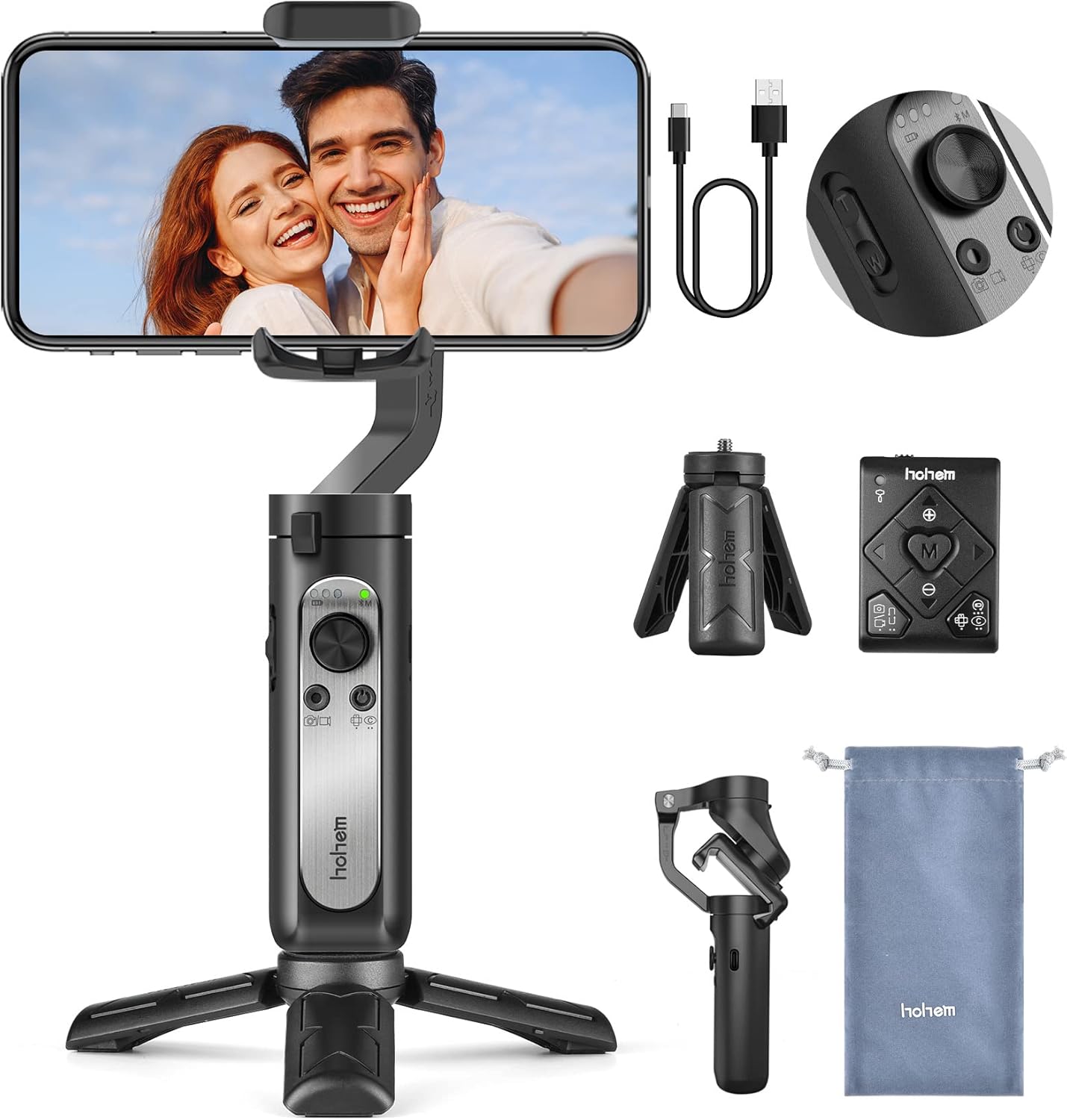
A business owner who uses a Galaxy S21 Ultra needed a lightweight tool for work, and the support team confirmed compatibility before the purchase, which is worth doing with any gimbal at this price. That owner has said they needed a lightweight gimbal for their business, which is the exact use case here: brand clips, all day, one phone, no rig.
Having a tool that fits your large phone helps you film clips for your brand throughout the whole day. You can carry it easily while you move, which is a big plus for people who work on the go. The weight feels just right so it doesn't tire your arm when you film long shots.
The folded footprint tucks into a small bag, the drawstring pouch packs the remote and cable with it, and the fold-flat arms mean the X2 travels like a water bottle rather than a rig.
It's easy to set up with the provided instructions, even for beginners, and has called it sturdy with a good weight, one owner has found.
The Vertical-Shot Limit
While this gimbal works well filming horizontally, one reviewer has found it simply can't hold an iPhone in a vertical way, which matters because the feed that pays in 2026 is vertical. The 3-star's phrasing - 'Works great for horizontol shots, can't hold a iPhone Vertical' - puts the limit in one breath. The horizontal half is genuine, the vertical half is missing.
That person also noted that the instructional video provided is actually for a different version, so how you set it up can feel quite confusing. One user has found that it works great for horizontal shots but can't hold an iPhone vertically. For a vertical feed, skip this one, because the limit is the jaw design, not a setting.
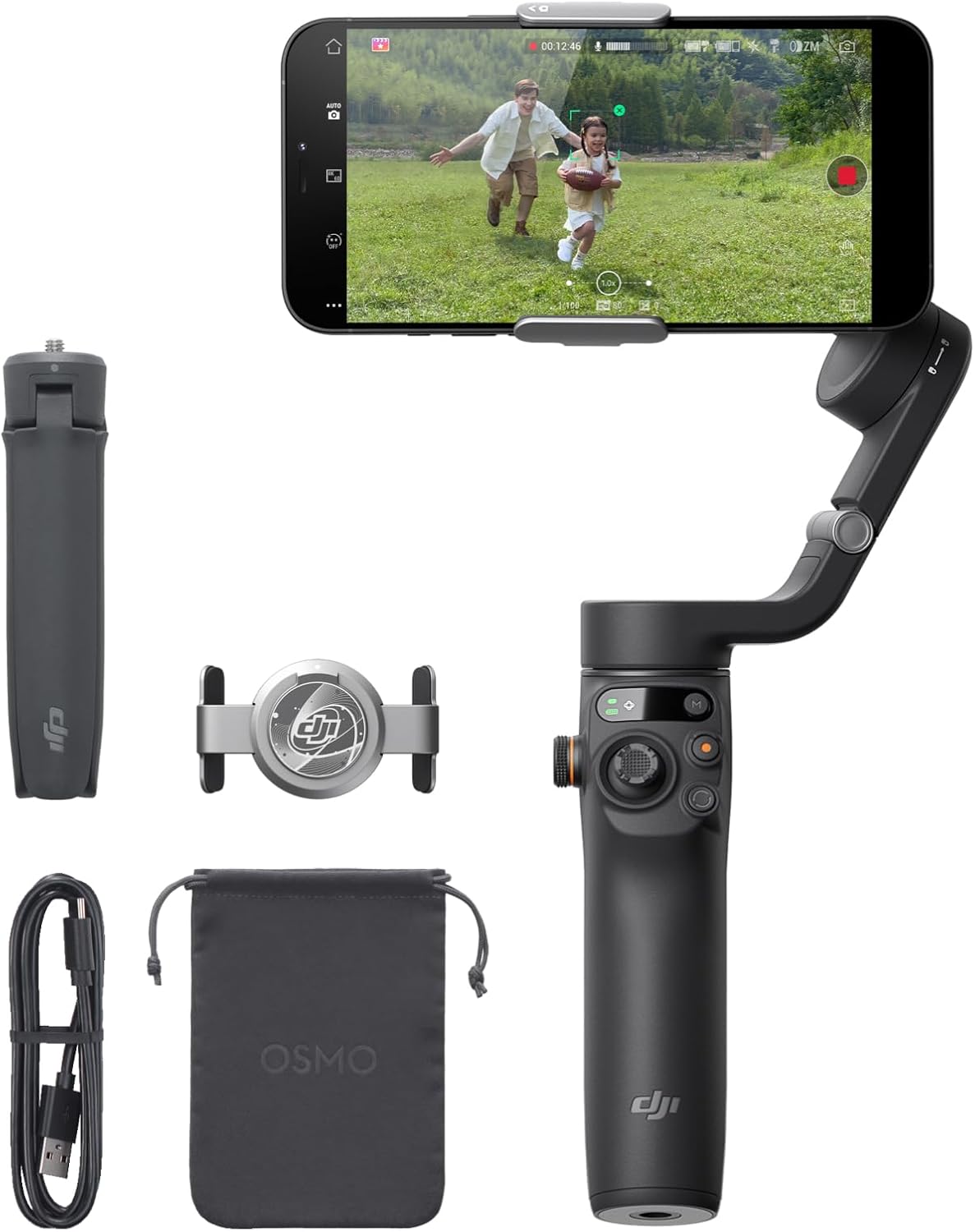
For a gimbal that handles every phone angle without a struggle, look at the DJI OM6 instead, because it has a much higher rating from thousands of people who use it. A gimbal that will not tilt the phone means awkward workarounds on every shot. The structural limit narrows the buyer to landscape-first creators, and that is the honest size of the downside.
The Two-Week Question
The build is where the X2 starts strong, and the remote-plus-tripod bundle is the reason the price works. One owner can set everything up quickly without the manual, because the instructions are printed on the gimbal itself.
The budget tool works fine for a few minutes, then goes limp and loses its tracking even though the battery stays charged, one buyer reports.
The pattern matters more than the single report: it is the only 1-star in the set, the other seven reviews sit at 4-to-5 stars, and the failure mode reads like a unit-level defect rather than a design one - limp motor, lost position, full battery.
That is exactly what the return window is for, and the owner used it. One owner returned it after two weeks and has said it worked fine for a few minutes, then went limp and lost tracking, even when fully charged. That limp-then-lose-tracking loop is the risk the price buys.
Budget in this class is a distribution, not a promise: most units hold, one went back, and the sample size says the odds are on your side but not certain.
For buyers who need steady over long periods, the DJI OM6 is the step up. The upgrade avoids the limp-and-lose-tracking loop that budget owner has described, and spending a bit more buys smoother shots.
Frequently Asked Questions
Which phones work with the iSteady X2?
The S21 Ultra 5G business owner got the compatibility answer before buying, because customer service replied right away to confirm it would work. Ask first, because the jaw and motor spec decide.
Does the remote actually help?
The detachable remote pairs with the foldable mini-tripod, and the kit image shows both: frame from across the room, record without touching the phone, and park the rig on a table for the interview setup. The remote's own screen mirrors the phone view, which is the feature the M7 tier charges more for.
Can it shoot vertical video?
An owner's limit still applies: it works for horizontal shots but can't hold an iPhone vertically. Vertical-first creators should look one tier up.
How long does the battery last?
The 1-star's 'fully charged' note is the honest frame: charge was not the failure, the tracking loop was. Battery life is not the question this tier answers - the X2's charge holds a shoot day, and the USB-C top-up covers the rest. The question this tier answers is whether a sixty-dollar-class gimbal survives month two, and the honest answer is 'usually, with a documented exception.'
X2 or OM6?
The OM6 holds 4.5 across twenty thousand reviews against the X2's 4.2 across eleven hundred - the gimbal field guide covers the full tier ladder, the next bracket up is the one-touch stabilizer class, and the everyday-tier comparison applies to the buy-once math, the sample sizes are not in the same league, and the OM6 is the upgrade path the two-week question points to.
The OM6 adds the extension rod, the magnetic clamp, and the tripod legs built into the handle - the feature set the X2 bundles separately, integrat
.
The vertical question also disappears at the OM6 tier: the clamp holds portrait, and the TikTok crowd is exactly who the 3-star was describing.
The vertical question also disappears at the OM6 tier: the clamp holds portrait, and the TikTok crowd is exactly who the 3-star was describing. Check B&H's gimbal stock for both, and PetaPixel's gimbal coverage reads the tiers from the photo side, and TechRadar's smartphone-gimbal reviews cover the consumer tier from the spec side.